




The free vs paid digital planner decision should be based on the file and workflow you need, not the assumption that paid always means better. A free planner can be enough for testing digital planning or managing a simple routine. A paid planner may be more appropriate when you need a specific dated period, verified navigation, documented files, clear licensing, or product support.
Quick answer
Start free when you are learning your preferences and a basic planner solves the task. Consider paid when you can name the exact features, format, calendar period, instructions, or support that would reduce setup. Evaluate both with the same checklist and verify every product-specific claim on the current page.
Free vs paid digital planner at a glance
| Decision factor | Free digital planner | Paid digital planner |
|---|---|---|
| Best starting point | Testing digital planning or a basic layout | Choosing a defined system for an established routine |
| Page range | May be a complete simple planner or a limited sample | May include a broader or more specialized page set |
| Navigation | Can be static or hyperlinked; verify the actual PDF | Can be static or hyperlinked; payment does not prove links exist |
| Documentation | Instructions vary; check the source before downloading | Should clearly identify included files and setup, but verify before buying |
| License | Often personal-use only, but terms vary | Still product-specific; payment does not grant resale or commercial rights |
| Support | May be community-based or unavailable | May provide a product-specific contact route within stated limits |
| Updates | Only included when the source explicitly promises them | Only included when the current product terms say so |
| Financial commitment | No file purchase price, but tools may still cost money | Purchase price plus any required device, app, or account |
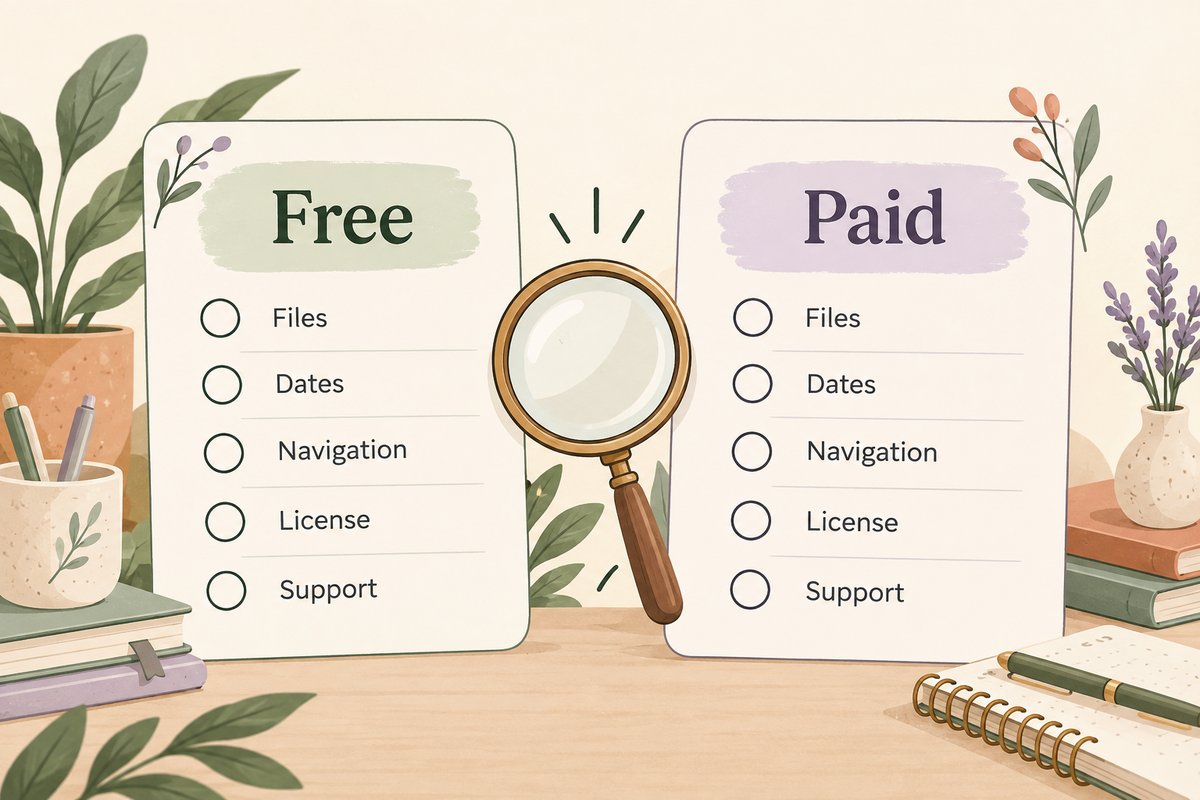
Neither column is a guarantee. Some free planners are carefully designed and complete. Some paid planners are poorly documented or do not match a buyer’s needs. The decision should come from the visible file details and your test results.
Choose a free digital planner when you are still learning
A free planner is a practical starting point when you have not yet decided whether you prefer daily, weekly, or monthly planning; portrait or landscape orientation; dated or undated pages; or a simple PDF versus a hyperlinked system. Testing one resource for a normal week can reveal more than comparing dozens of product thumbnails. If screen fit or planning scale is unclear, compare portrait and landscape layouts and monthly and weekly planning before choosing.
A free planner is often enough when
- You need only a monthly calendar, weekly overview, daily page, or notes section.
- You are learning how PDF annotation works in your chosen app.
- You do not yet know which orientation or planning interval fits you.
- You are comfortable checking the source, file, license, and navigation yourself.
- You do not need a promised update schedule or product-specific support.
- You are willing to change files after the test rather than building a permanent archive immediately.
Use the digital planner free evaluation guide to check the source, PDF format, app requirements, hyperlinks, writing space, and license before downloading.
Consider a paid digital planner when your needs are specific
A paid planner can be useful when you already know what reduces friction in your routine. The purchase may save setup time when the product provides the exact year, orientation, week start, page types, navigation, instructions, and file formats you need. Those details must still be verified on the current product page.
A paid planner may be worth considering when
- You need calendars for a specific year or academic period.
- You want a defined daily, weekly, monthly, project, student, work, or wellness structure.
- You need documented hyperlinks, tabs, indexes, or return navigation.
- You want clear instructions that identify the planner, covers, stickers, and bonus files.
- You need a stated support route for download, access, or product-specific questions.
- You need usage rights that are clearly described for your intended purpose.
- You have tested digital planning and know the format you will maintain.
Do not purchase based only on a high page count, “premium” label, or decorative mockup. Look for full-page previews and exact information about what is included.
Free vs paid digital planner: eight value checks
1. What planning problem are you solving?
Name the job before choosing the file. Examples include seeing appointments for the week, planning study deadlines, tracking projects, organizing household tasks, or keeping daily notes. A general life planner may add unnecessary pages when a simple weekly layout would solve the problem.
2. Which pages will you use every week?
List the essential pages before reviewing products. A large bundle can create more navigation and maintenance without adding value. Prioritize the pages you will open repeatedly, then treat the rest as optional.
3. Do you need dated or undated pages?
Dated planners reduce calendar setup for a stated period. Undated planners are easier to start later or resume after a break, but you may need to add dates manually. Compare the trade-offs in the dated versus undated digital planner guide.
4. Is the file actually compatible with your setup?
Confirm the file type, device, app, account, and any required import process. A generic “works on tablets” statement is not enough. Compatibility can differ by product and app version. The individual product page and current official app documentation are the appropriate sources.
5. Are hyperlinks necessary?
Hyperlinks can make a large planner easier to navigate, but a simple planner may not need them. If links are advertised, test the index, several tabs, and return buttons after import. Payment does not prove that a PDF is hyperlinked.
6. What license do you need?
Personal planning, classroom use, client work, team sharing, printing, editing, resale, and redistribution are different rights. Free and paid files can both have restrictions. Use only the permission stated in the current license and ask the creator when your use is not covered.
7. What support would matter?
Support can be useful for missing files, download access, identifying the correct planner PDF, or product-specific questions. It should not be assumed to include help with every third-party app, device, custom edit, or workflow. Review the stated scope and contact route.
8. What tools do you already own?
A free planner can still require a compatible device, stylus, app, account, cloud storage, or printer. A paid planner does not include those tools unless explicitly stated. Compare the setup you already have instead of judging value by the file price alone.
A simple free vs paid digital planner decision path
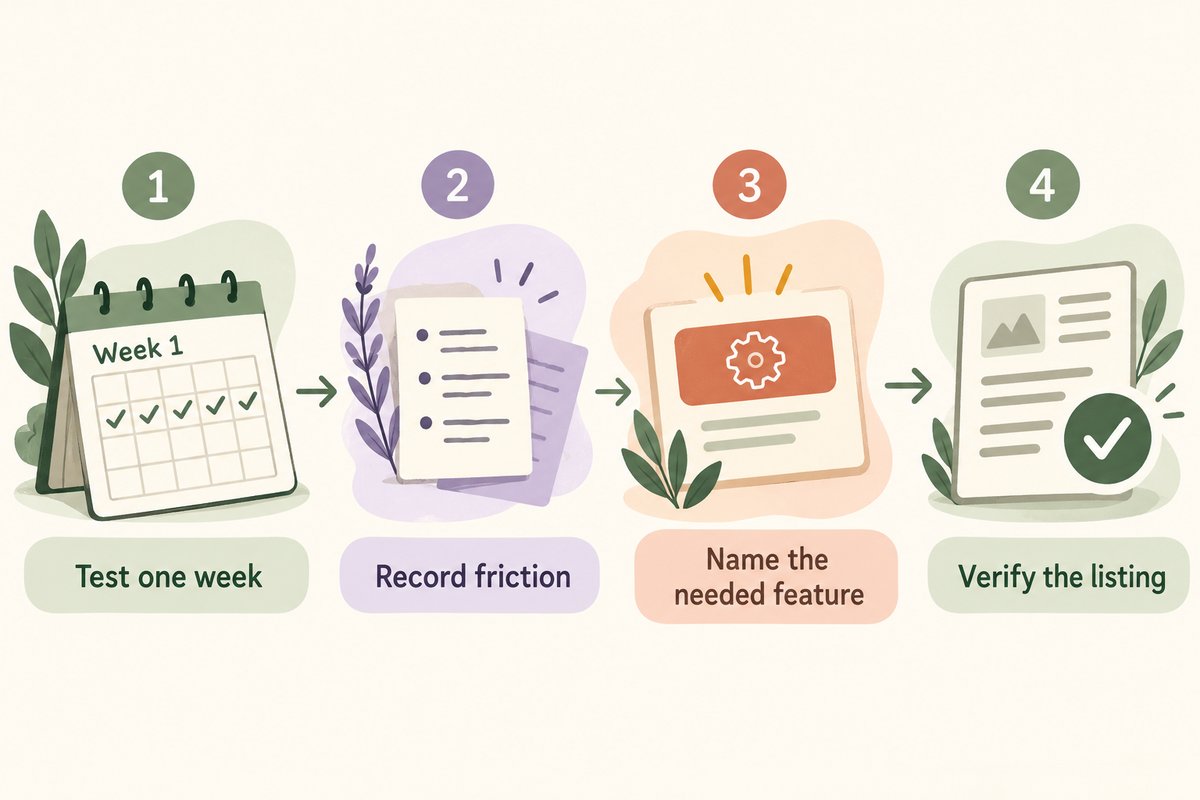
- Define one task. Choose the planning problem you need to solve now.
- Test a simple free resource. Use it for one ordinary week.
- Record friction. Note missing pages, difficult navigation, screen fit, and setup steps.
- Separate needs from decoration. Identify features that would change your workflow rather than only the appearance.
- Compare current product pages. Check files, dates, orientation, compatibility, delivery, license, and support.
- Buy only when the product closes a real gap. Do not upgrade merely because a free file exists in a smaller bundle.
This approach makes a paid planner an informed choice rather than an impulse purchase. It also prevents you from spending time rebuilding a free planner when an appropriate product already provides the structure you need.
Four common user scenarios
Beginner testing an annotation app
Start with a simple free PDF. Learn how to import, write, navigate, duplicate a page, and back up a working copy. Do not begin with a complex all-in-one system before you know which tools you use.
Student planning a defined academic period
A paid academic planner may be useful when its calendar period, semester pages, assignment tracking, and file compatibility match the student’s real schedule. A free weekly planner may still be enough when deadlines are managed elsewhere.
Freelancer managing several projects
A free planner can test whether visual project planning helps. A paid option may reduce setup when it includes the required project pages and clear usage terms. Check the license before sharing the planner file with a client or team.
Occasional planner who skips weeks
An undated free planner may be sufficient because it can be resumed without wasting dated pages. A large dated product may add structure that the user does not maintain.
Free planner limitations that do not automatically require an upgrade
A small page set, plain design, or lack of stickers may not be a real limitation. Those features matter only when they prevent the planner from doing its job. Before upgrading, ask whether you need a different file or simply a simpler routine.
- A static weekly page can be enough without hyperlinks.
- A plain notes section can be more flexible than many specialized trackers.
- An undated file can suit irregular planning better than a complete yearly calendar.
- A free planner with clear terms can be more useful than a paid file with vague documentation.
Before downloading or buying
Use the eight checks above for either price point. Also confirm the delivery method, any editable elements, and whether required fonts or accounts are included. Save a copy of the listing and license with the original file so you can refer to the terms later.
Compare only the planners that fit your test results
When you know the layout and workflow you need, browse the Temply Studio digital planner collection. Open each product page to confirm its current files, dated period, orientation, compatibility, delivery, and license before purchasing.
Frequently asked questions
Are paid digital planners always hyperlinked?
No. Hyperlinks are a file-specific feature. Check the product description and previews, then test the PDF after import.
Can a free digital planner be complete?
Yes. A free planner may provide a complete simple system. It may also be a limited sample, so verify the included pages and license.
Does buying a planner include the note-taking app?
Not unless the product page explicitly says so. Planner files, devices, styluses, apps, accounts, and subscriptions are normally separate.
Should a beginner buy a large planner bundle?
Only when the beginner understands the included formats and needs the pages. A smaller test can reveal preferences before committing to a complex system.
Does Temply Studio currently promise a free digital planner?
This comparison does not promise a Temply Studio free planner file. Check the current product or resource page for the actual price, files, delivery, compatibility, and license.
Temply Studio
Stop chasing your goals with sticky notes and scattered notebooks. Our premium digital planners and Canva templates are designed to help you plan with intention, stay consistent, and actually enjoy the process.


Questions about this guide?
Ask about the planner, share how you use it, or tell us what to cover next. Your email stays private.