




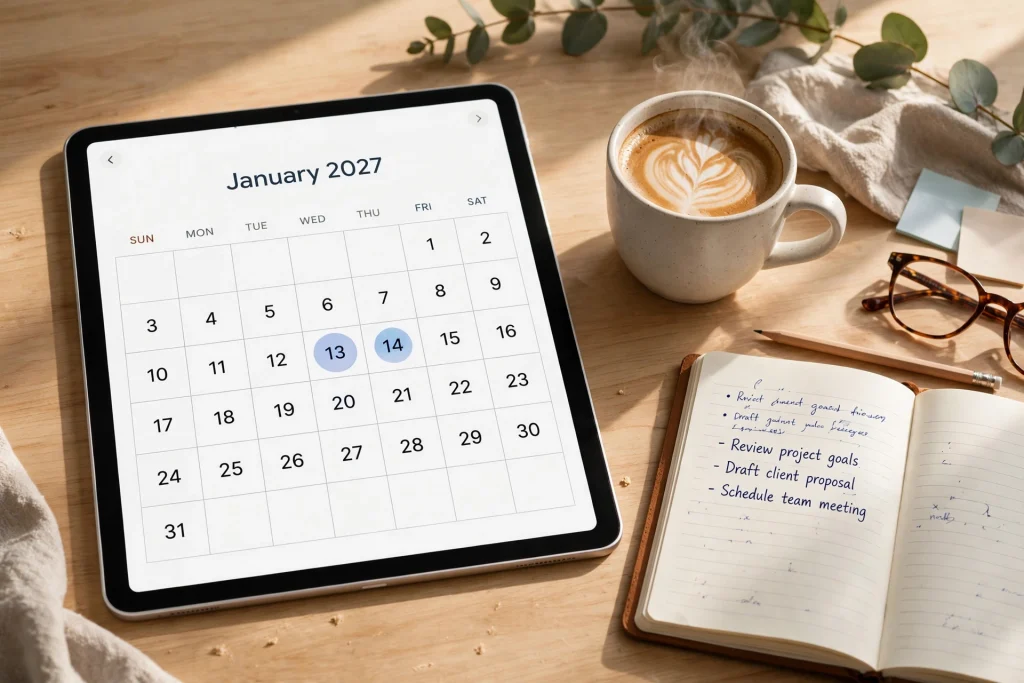
If you are serious about starting the new year organized, now is the time to pick your 2027 digital planner. Shopping for next year’s planner in October might feel early, but it is actually the smartest window: you get the full selection before the holiday rush, you have time to set the planner up properly, and you can ease into new routines before January arrives. Whether you plan on an iPad with GoodNotes or print your pages at home, choosing your planner now means you walk into January already in control.
A dated digital planner is different from an undated one. A dated planner comes pre-filled with the actual 2027 calendar — every month, week, and day already laid out and hyperlinked, so you can start planning the moment you download it. An undated planner gives you more flexibility to start at any time, but it asks you to fill in dates yourself. If your goal is a fresh, organized start in the new year, a dated 2027 digital planner is usually the better choice, because the structure does the setup work for you.
Why Shop for Your 2027 Planner in October
The end of the year sneaks up on everyone. Between holidays, travel, and year-end deadlines, December rarely leaves room for the thoughtful planning a good planner deserves. Starting in October gives you several real advantages.
- Full selection. Planner makers release their dated designs months ahead, so October is when the 2027 lineup is freshest. Popular styles sell out or get buried under holiday promotions later in the year.
- Time to test. You can try the daily and weekly layouts, test the hyperlinked tabs on your iPad, and confirm everything works with your note-taking app before you depend on it in January.
- A calm transition. You can begin logging goals, appointments, and holiday plans in the new planner while still finishing the current year — no awkward mid-December scramble.
- Better habits. Starting early means you can experiment with morning routines, budget tracking, and weekly reviews in November, so your system is already running by January.
Think of it this way: people who buy their planners in October are planners who actually use them. The ones who wait until January are the ones whose planners end up half-empty by March.
Dated vs. Undated: Which 2027 Planner Style Fits You?
Before you buy any 2027 digital planner, decide which style matches how you actually plan.
Dated planners
A dated planner is pre-labeled with the real 2027 dates — January 1 through December 31 — with weekdays correctly aligned. This is the format most people picture when they think of a planner. The big advantage is zero setup: every monthly calendar, weekly spread, and daily page is ready on day one, and hyperlinks let you jump from the yearly overview straight to any week or day with a tap.
Dated planners work best for people who plan continuously and want a true year-long system. The only downside is that if life interrupts your planning for a few weeks, those pages stay blank — but with a digital planner, blank pages cost nothing and carry no guilt.
Undated planners
An undated planner leaves the dates blank for you to fill in. This is ideal if you start mid-year, take breaks, or want the freedom to use a planner only for specific projects. You will never waste a page, but you do have to write in every date yourself, which can feel like a chore over twelve months.
If you are buying in October with the full year ahead of you, a dated 2027 digital planner is almost always the smoother pick. You get structure without effort, and you can still customize endlessly — digital planners let you duplicate pages, add inserts, and rearrange sections in ways paper never could.
What to Look for in a 2027 Digital Planner
Not all digital planners are created equal. Before you spend your money, check for these features.
Hyperlinked navigation
The single most important feature of any digital planner is hyperlinked tabs. On paper, you flip pages; on an iPad, you should be able to tap a tab and jump instantly to the month, week, or section you need. A well-linked planner feels fast and natural to use. A planner without links feels like a PDF slideshow — frustrating and eventually abandoned. Test the links on your device before you commit to a full year of planning.
GoodNotes and iPad compatibility
Most digital planners are designed for note-taking apps like GoodNotes, Notability, or Noteshelf. GoodNotes is the most popular choice, and the best planners are optimized for it: they support handwriting with the Apple Pencil, let you add stickers and images, and keep handwriting searchable. If you use GoodNotes, make sure the planner is explicitly built for it. Also check whether the planner comes in both landscape and portrait orientations — landscape suits multitasking on an iPad, while portrait feels more like a traditional planner.
Goal, budget, and wellness sections
A planner that only shows dates is just a calendar. The planners that actually change lives include goal-setting pages, budget and finance trackers, and wellness sections for habits, sleep, mood, or fitness. These sections turn a planner from a scheduling tool into a personal growth system. Look for yearly goal pages, monthly reflection prompts, habit trackers, and expense logs — the more complete the system, the more likely you are to stick with it.
Printable option
Even if you plan digitally, a planner that also comes as a printable PDF gives you the best of both worlds. You can print your favorite pages — a weekly spread for the fridge, a habit tracker for the bathroom mirror, a monthly calendar for a shared family space. Planners that offer both digital and printable formats are simply more versatile.
Comparing Three 2027 Digital Planners
To make your decision easier, here is a side-by-side look at three 2027 planners, each suited to a different planning style.
1. The 2027 Life Planner — the all-in-one system
If you want one planner that does everything, start here. The 2027 Life Planner is a fully dated digital planner for GoodNotes and iPad that combines daily, weekly, and monthly layouts with goal-setting, budget tracking, and a wellness journal. It is designed for people who want their whole life — schedule, money, health, and goals — in one hyperlinked system.
What stands out is the balance. Many all-in-one planners feel bloated, but a good one keeps each section focused: a clean daily page for your schedule and top priorities, a weekly spread for the big picture, a monthly calendar for deadlines and events, plus dedicated goal pages where you break big ambitions into monthly milestones. The budget section helps you log expenses and savings goals alongside your calendar, which makes money habits far more visible than keeping them in a separate app you forget to open.
This is the best pick if you are buying your first serious 2027 digital planner and want one purchase that covers everything. It is also a strong choice for planners who have tried minimalist setups and found them too thin — this one gives you depth without clutter.
2. The 2027 Candle Guided Planner — the calm, cozy journal
Not everyone wants a productivity command center. Some planners want a planner that feels like a quiet moment with a cup of tea. The 2027 Candle Guided Planner is a cozy, minimalist digital planner (also printable in A4 and US Letter) with weekly and monthly journal layouts. Its warm, candlelit aesthetic makes planning feel less like work and more like a ritual.
Guided planners differ from blank ones in an important way: they give you prompts. Instead of staring at an empty page wondering what to write, you get gentle structure — reflection questions, gratitude space, intention-setting lines. For beginners, or for anyone whose planners have failed because blank pages felt intimidating, guided layouts remove the friction that kills consistency.
Choose this one if you value mindfulness over metrics, if you journal as much as you schedule, or if you simply want a planner that looks beautiful every time you open it. The printable PDF option also makes it a lovely gift for a friend who prefers paper.
3. The 2027 Finance Planner — the money-focused tracker
If your number-one 2027 goal is financial — paying down debt, building savings, finally understanding where your money goes — pair your main planner with a dedicated money tool. The 2027 Finance Planner is a digital budget planner for GoodNotes and iPad built around financial goal tracking, with an expense log and a savings journal.
General planners usually include a few budget pages; a dedicated finance planner goes much deeper. You get space to set monthly money goals, log every expense by category, track progress toward savings targets, and review your financial habits at the end of each month. That depth matters: research on habit formation consistently shows that what gets measured gets managed, and a planner you open daily is the perfect place to measure your money.
This is the ideal companion planner. Use it alongside the Life Planner if you want your finances in their own dedicated space, or use it on its own if money is your single biggest focus for 2027.
How to Set Up Your 2027 Digital Planner for the New Year
Buying the planner is the easy part. Setting it up well is what turns it into a system you actually use. Follow these steps once your 2027 digital planner is downloaded.
- Import it into GoodNotes. Open the planner file on your iPad, tap Share, and open it in GoodNotes as a new notebook. Give it a clear name like “2027 Planner” so you can find it instantly.
- Test the hyperlinks. Tap through the tabs — monthly, weekly, daily, goals, finance — and confirm every link jumps where it should. If a link feels sluggish, it is usually the app, not the planner; restart GoodNotes and try again.
- Fill in your yearly overview. Before January, add the big fixed items: holidays, birthdays, vacations, recurring appointments, bill due dates. Seeing the year at a glance helps you spot busy seasons before they ambush you.
- Set your goals. Use the goal pages to write 3 to 5 goals for 2027. Be specific: instead of “save money,” write “save $200 a month toward an emergency fund.” Break each goal into quarterly and monthly steps so the yearly pages connect to the weekly ones.
- Build your routines. Set up habit trackers for the routines that matter — reading, exercise, budgeting, sleep. Start tracking in November or December so the habit is already warm when January begins.
- Customize your sections. Duplicate pages you use often, delete sections you will never touch, and add sticker or divider pages to mark your most-visited areas. A digital planner should fit you, not the other way around.
- Schedule a weekly review. Pick a day — Sunday evening works for most people — to review the past week, preview the next one, and update your goals. Ten minutes a week is what separates planners that work from planners that gather digital dust.
One more tip: back up your planner. GoodNotes syncs to iCloud, but an occasional manual backup to your files app or cloud storage protects a full year of planning from any sync mishap.
Getting the Most Out of Your Planner All Year
The biggest mistake new digital planner users make is treating the planner like a trophy instead of a tool. A 2027 digital planner only works if you open it daily. Here is how to keep it alive past February.
- Keep it on your home screen. Add your planner notebook to your GoodNotes favorites or your iPad home screen. Every extra tap between you and your planner is a reason not to open it.
- Plan tomorrow tonight. Spend five minutes each evening reviewing tomorrow’s page: top three priorities, appointments, and anything you need to prepare. You will sleep better and start the day faster.
- Use the monthly reflection pages. At the end of each month, note what worked, what did not, and one thing to try next month. This small habit compounds into a dramatically better year.
- Track money alongside your calendar. If your planner has budget pages, log expenses on the same day you review your schedule. Pairing the habits makes both stickier.
- Forgive the blank weeks. Life happens. If you miss a week, do not try to fill it in retroactively — just start fresh on today’s page. Digital planners make this painless, and perfectionism is the enemy of consistency.
Frequently Asked Questions
What is the best 2027 digital planner for GoodNotes?
The best 2027 digital planner for GoodNotes depends on your style. For an all-in-one system with goals, budget, and wellness tracking, the 2027 Life Planner is a strong choice. For a calm, guided journaling experience, consider the 2027 Candle Guided Planner. And if money is your focus, the 2027 Finance Planner gives your finances their own dedicated space.
Should I get a dated or undated planner for 2027?
If you are starting at the beginning of the year, a dated planner is almost always better — every page is pre-labeled with the correct 2027 dates and hyperlinked, so you can start planning immediately. Undated planners make sense only if you plan to start mid-year or use the planner for short-term projects.
Can I use a 2027 digital planner on devices other than an iPad?
Yes. While most digital planners are optimized for GoodNotes on iPad, the same PDF files typically work in other annotation apps on tablets and phones. Many also come as printable PDFs, so you can print pages at home in A4 or US Letter size and use them on paper.
Is October too early to buy a 2027 planner?
Not at all — October is actually ideal. You get the freshest selection, time to test the layouts and hyperlinks, and a calm runway to set up goals and routines before January. Starting early is one of the best predictors of actually using your planner all year.
How do hyperlinked tabs work in a digital planner?
Hyperlinked tabs are tap-to-jump navigation built into the planner PDF. When you tap a tab labeled “March” or “Weekly” in GoodNotes, the app jumps straight to that page. This replaces page-flipping and is the main reason digital planners feel faster than paper ones.
Ready to start the new year organized? Browse the full collection and pick the 2027 digital planner that fits your life — then spend October setting it up, so January feels like a continuation instead of a scramble. Get the 2027 Life Planner here and make 2027 your most organized year yet.
Temply Studio
Stop chasing your goals with sticky notes and scattered notebooks. Our premium digital planners and Canva templates are designed to help you plan with intention, stay consistent, and actually enjoy the process.


Questions about this guide?
Ask about the planner, share how you use it, or tell us what to cover next. Your email stays private.