




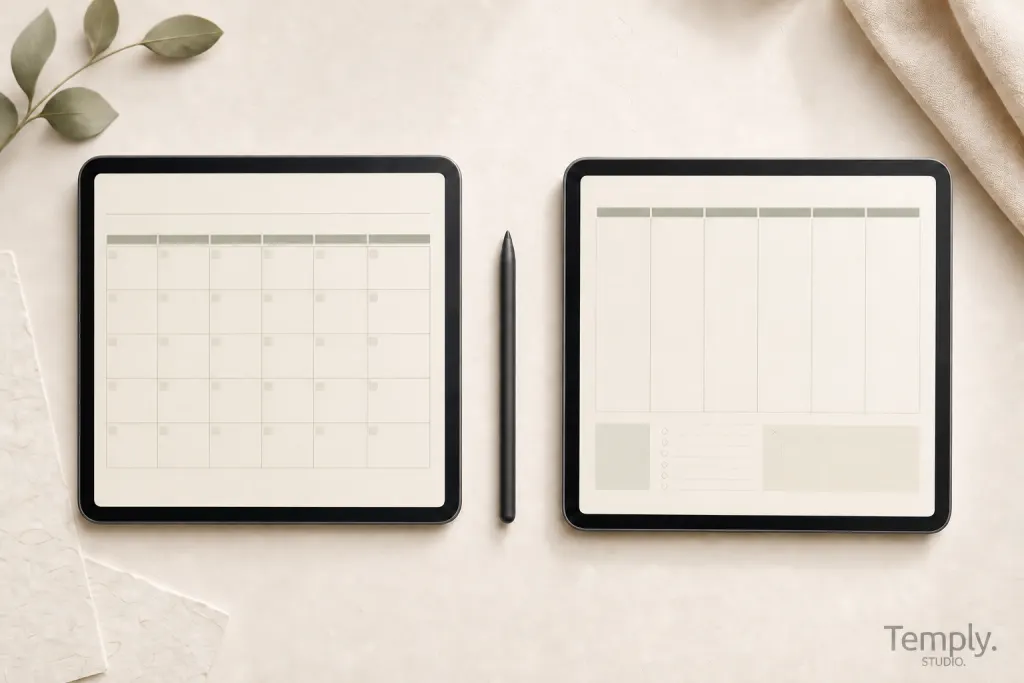
A printable daily planner vs digital planner decision is less about which format is “better” and more about which one creates the least friction in your real routine. Printable pages provide a physical writing surface and can stay visible on a desk. Digital planners live inside a compatible app and can support annotation, page duplication, and PDF navigation. Both formats require you to verify the actual file, license, and setup.
Quick answer
Choose printable when paper helps you focus, you want a page in sight, or you do not want to plan inside an app. Choose digital when you already use a tablet, want to keep pages on one device, or value duplication and linked navigation. A hybrid workflow can work when each format has a clearly defined job.
Printable planner vs digital planner at a glance
| Decision factor | Printable daily planner | Digital planner |
|---|---|---|
| Writing experience | Pen or pencil on paper | Stylus, keyboard, touch, or mouse in a compatible app |
| Setup | Download, confirm page size, choose print settings, and assemble pages | Download, identify the planner file, import it, and test navigation |
| Portability | Requires printed pages, a notebook, clipboard, or binder | Travels with the device and app where the file is stored |
| Visibility | Can remain open on a desk or wall | Usually requires opening the device and document |
| Reuse | Print another copy when the license allows | Duplicate pages or a clean file when the app and license allow |
| Navigation | Page order, dividers, and physical tabs | Thumbnails, search, bookmarks, or embedded PDF hyperlinks where supported |
| Backup | Requires scanning or keeping spare printed copies | Depends on the device, app, account, and backup settings |
| Privacy | Physical access is the main concern | Device security, cloud settings, accounts, and shared links matter |
| Ongoing inputs | Paper, ink, printer access, and storage | Compatible device, app access, storage, and charging |
Choose a printable daily planner when paper supports your routine
A printable planner may be the easier choice when you work at one desk, think clearly while writing on paper, or need a page that stays visible without opening an app. It also lets you choose your paper, binder, and writing tools. Before downloading or purchasing, check the page dimensions, orientation, margins, whether the design is intended for home printing, and whether the license permits additional personal copies.
Printable planning works well for
- A daily task sheet beside a computer.
- A household schedule displayed in a shared physical space.
- A short planning period that does not need a large archive.
- People who prefer pen, pencil, highlighters, and visible page boundaries.
- Situations where a device would create distraction or is not convenient.
The trade-off is that changes may require erasing, reprinting, or moving pages. You also need a plan for paper storage and disposal. Do not assume that a digital PDF will print well; use a file designed for the intended paper size.
Choose a digital planner when your workflow already lives on a device
A digital planner may suit you when you already use a tablet and compatible annotation app, want to keep planning pages with other digital notes, or need to duplicate and reorganize pages. Hyperlinked PDFs can also provide direct navigation between an index and sections, although links must be present in the original file and used through the app’s current navigation controls.
Digital planning works well for
- People who already carry a tablet for study or work.
- Schedules that benefit from moving, duplicating, or archiving pages.
- Users who combine handwriting, typed notes, images, and PDF annotation.
- Planners with an index, section tabs, or other embedded navigation.
- Workflows that need digital backup and access across supported devices.
The trade-off is greater dependence on a device, app, storage, charging, and account settings. Compatibility is product-specific. Confirm the exact file type and software details rather than assuming that every planner works in every app.
Free printable planner vs free digital planner
A free printable planner may be a single daily page, a small set of weekly sheets, or a sample from a larger product. A free digital planner may be a PDF, an editable template, or a limited planner sample. Neither label proves what is included. Check the source, full page previews, dated period, file type, usage rights, and any required software.
| Question | Free printable | Free digital |
|---|---|---|
| What is the working file? | Usually a print-ready PDF | Often a planner PDF or editable template |
| What must be tested? | Page size, margins, print scaling, and readability | Import, display, writing tools, navigation, and backup |
| What may still cost money? | Paper, ink, binding, and printer access | Device, stylus, app access, storage, or subscription |
| What license question matters? | How many copies may be printed and for whom | Whether the file may be duplicated, edited, shared, or used commercially |
Use the free digital planner evaluation guide before downloading a device-based resource. It includes checks for file type, hyperlinks, app requirements, and licensing.
Compare the real setup, not only the download price
A free file can still require tools you do not own. Printable planning may involve paper, ink, a printer, or a binding system. Digital planning may involve a compatible device, annotation app, stylus, storage, or account. Costs and plan limits change, so compare your existing setup instead of using a universal savings claim.
Also compare time. Printing, trimming, and assembling pages take time. Digital setup requires downloading, identifying the correct file, importing it, testing links, arranging backups, and learning the app. The lower-friction option depends on what you already know and use.
Which format is easier to maintain?
Printable maintenance
- Keep a clean master file.
- Record the correct print size and scaling.
- Store unused and completed pages consistently.
- Reprint damaged or revised pages when the license allows.
Digital maintenance
- Keep the original download untouched.
- Use a clearly named working copy.
- Check backup and sync settings.
- Archive old planners without deleting the source files.
- Review navigation after app or file changes.
How privacy differs
A paper planner can be read by anyone who has physical access to it. Store sensitive pages appropriately and avoid leaving private information visible in shared spaces. A digital planner depends on device security, app permissions, cloud storage, shared links, and account access. Review those settings before entering personal, financial, health, client, or workplace information.
Neither format is automatically private. Use only the information needed for planning and keep sensitive records in systems designed for that purpose.
Can a hybrid planner work?
Yes, when each format has a distinct role. For example, you might keep a digital monthly calendar and project archive while printing one daily focus sheet. Another person may use paper for brainstorming and a digital planner for schedules and reference notes. Avoid copying the same tasks into both systems unless the duplication serves a clear purpose.
A five-question decision test
- Where will you plan? At one desk, while traveling, in class, or across several locations?
- How do you prefer to write? Pen on paper, stylus, keyboard, or a combination?
- What must remain visible? A physical page, a calendar overview, or a searchable archive?
- What setup do you already own? Printer and paper, or tablet and compatible app?
- What will you maintain for a month? Choose the system with fewer steps you are likely to avoid.
Test one normal week before building a complex system. The result gives you stronger evidence than choosing by aesthetics alone.
Compare current formats
Browse printable planners and templates for paper-ready options, or explore the digital planner collection for device-based files. Open the individual product page to verify the current file type, included pages, compatibility, delivery, and license.
Frequently asked questions
Is a printable planner better for focus?
It can be better for someone who prefers paper or wants to avoid opening a device, but it is not universally better. Test the format in your normal environment.
Is a digital planner cheaper than printing?
Not always. The answer depends on the printer, paper, ink, device, stylus, app, storage, and tools you already have. Compare your real setup instead of relying on a general savings claim.
Can I print a digital planner?
Only when the design, page size, and license support printing. Tablet-oriented tabs and proportions may not translate cleanly to paper.
Can I use a printable PDF inside a note-taking app?
A compatible app may import and annotate the PDF, but a print-ready file may not contain hyperlinks or screen-friendly margins. Test the actual file before relying on it as a digital planner.
Which option is best for beginners?
Start with the format that uses tools you already own and understand. A simple one-week test is more useful than beginning with a large bundle or complicated system.
Temply Studio
Stop chasing your goals with sticky notes and scattered notebooks. Our premium digital planners and Canva templates are designed to help you plan with intention, stay consistent, and actually enjoy the process.
Questions about this guide?
Ask about the planner, share how you use it, or tell us what to cover next. Your email stays private.