
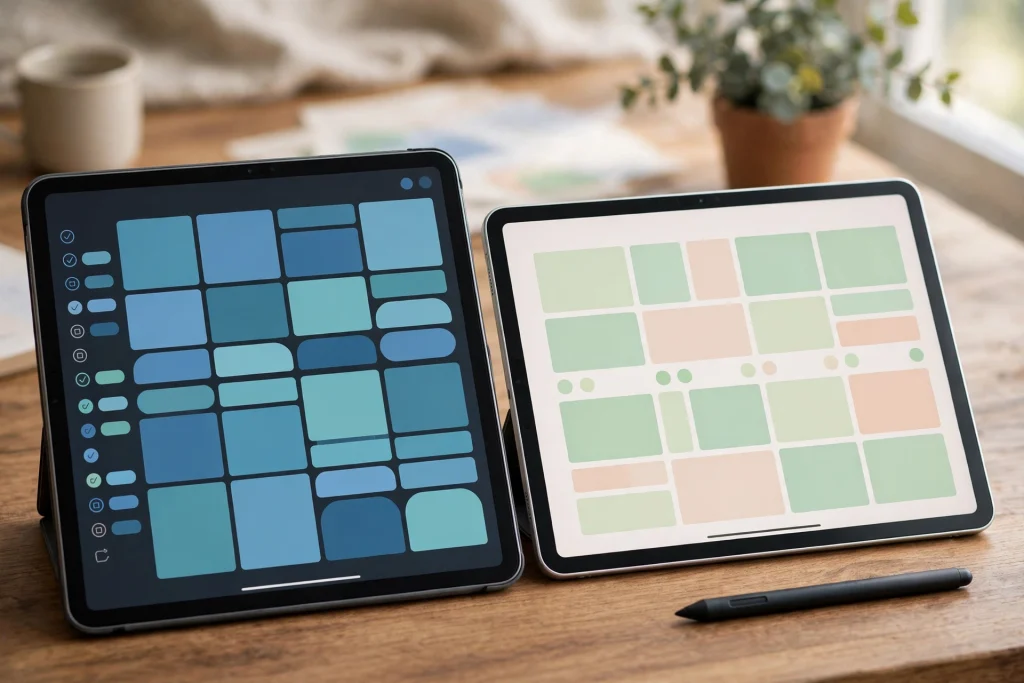
Quick answer: In the GoodNotes vs Samsung Notes comparison, GoodNotes wins for dedicated digital planning: hyperlinked planner PDFs, Elements stickers, and a huge template ecosystem. Samsung Notes wins for Samsung tablet owners who want a free, deeply integrated notes app. If you plan daily in a planner PDF, choose GoodNotes. If you mostly take notes on a Galaxy Tab, Samsung Notes is already excellent and costs nothing.

The GoodNotes vs Samsung Notes question comes up constantly because both apps look similar on the surface: handwriting, PDF annotation, notebooks, and a stylus. Underneath, they are built for different jobs. GoodNotes is a planner’s tool first — it is designed around PDF planners with hyperlinks, tabs and stickers. Samsung Notes is a notetaker first — it is designed around fast notes, Samsung ecosystem integration, and zero cost. This GoodNotes vs Samsung Notes comparison tests both on the things that matter for digital planning: handwriting feel, planner templates, organization, search, sync, backup, price, and who should pick which.
One note before the details: this GoodNotes vs Samsung Notes comparison focuses on planning, not general notetaking. If your main job is meeting notes and sketches, the balance shifts. For planners, journals and PDF-based systems, the differences below decide the winner.
GoodNotes vs Samsung Notes: handwriting feel
Handwriting is where the GoodNotes vs Samsung Notes comparison starts, because you will live inside the pen feel. GoodNotes offers multiple pen styles, pressure sensitivity, and a zoom window that makes small handwriting comfortable on any iPad. Its stroke smoothing feels like a fountain pen: clean lines, predictable curves, and very little jitter at speed. Samsung Notes on a Galaxy Tab with an S Pen feels closer to a ballpoint: slightly more raw, very responsive, and excellent for fast note-taking. Neither is objectively better; GoodNotes feels more polished for slow, deliberate planning handwriting, while Samsung Notes feels more immediate for quick notes.
Palm rejection is strong in both apps, and both handle the S Pen and Apple Pencil well on their own platforms. The practical difference in the GoodNotes vs Samsung Notes handwriting test is the zoom window: GoodNotes lets you write large in a small box and have it shrink neatly onto the page, which matters enormously for planner pages with small boxes. Samsung Notes has a zoom mode too, but it is less central to the workflow.
GoodNotes vs Samsung Notes: planner templates and PDF annotation
This is the decisive round in the GoodNotes vs Samsung Notes comparison. GoodNotes treats a PDF planner as a first-class citizen: hyperlinked tabs jump between sections, Elements let you stamp reusable stickers, and imported planner PDFs behave exactly like the paper planners they imitate. The entire digital planner market — including every planner in the Temply Studio shop — is built around this GoodNotes behavior.
Samsung Notes can open and annotate PDFs, but hyperlinked planner navigation is weaker and Elements-style reusable stickers do not exist in the same way. You can absolutely plan in Samsung Notes, and many Galaxy Tab owners do, but a hyperlinked planner PDF feels like a second-class citizen there. If your planning system depends on tapping tabs to jump from a monthly view to a weekly spread, the GoodNotes vs Samsung Notes verdict is clear: GoodNotes.
For Android-based planning, read digital planner for Android and Samsung alongside this comparison, and start with how to use a digital planner in GoodNotes if you are new to planner PDFs. An undated planner PDF like the Cute Undated Digital Planner for PDF Annotation Apps works in both apps, so you can test the GoodNotes vs Samsung Notes difference yourself before committing to one ecosystem.
GoodNotes vs Samsung Notes: organization and search
GoodNotes organizes by notebooks, folders and favorites, with a library view that scales to hundreds of documents. Search covers handwritten text (with OCR), typed text, and even text inside imported PDFs. In the GoodNotes vs Samsung Notes organization test, GoodNotes wins for people with large planner libraries: years of planners, journals and notebooks stay findable.
Samsung Notes organizes by folders and tags, integrates with Samsung’s own search, and syncs notes into the Galaxy ecosystem (including Samsung Notes on phones and PCs). Its handwriting search works well for recent notes. Where Samsung Notes falls behind in this GoodNotes vs Samsung Notes comparison is scale: once you pass a few dozen planners and notebooks, GoodNotes’ library and favorites system stays faster to navigate.
GoodNotes vs Samsung Notes: sync and backup
GoodNotes syncs through iCloud, which is seamless if you live in Apple’s world and a limitation if you do not. Your planners are on every iPad, iPhone and Mac with the same Apple ID, and iCloud backup is automatic. The GoodNotes vs Samsung Notes sync question therefore depends on your devices: Apple household, GoodNotes sync is invisible; mixed or Android household, it is a wall.
Samsung Notes syncs through Samsung Cloud and Microsoft OneNote integration, which suits Galaxy owners and Windows users. Cross-platform access is genuinely better than GoodNotes for mixed-device people. But note the asymmetry in the GoodNotes vs Samsung Notes sync comparison: Samsung Notes syncs notes beautifully, while GoodNotes syncs entire planner systems. If your unit of work is a planner, not a note, GoodNotes sync protects more of your system.
Backup discipline matters in both apps. Export finished planners as PDF monthly in either app. A GoodNotes vs Samsung Notes backup strategy is the same either way: cloud sync is not a backup, and a monthly PDF export is the only version you fully control.
GoodNotes vs Samsung Notes: price and device lock-in
Samsung Notes is free and preinstalled on Galaxy devices. That is a real advantage in the GoodNotes vs Samsung Notes price comparison: zero cost, zero setup, zero subscription for the core app. GoodNotes is a paid app (one-time purchase on iPad, with platform-specific pricing), and it requires Apple hardware. The total cost of GoodNotes includes the iPad itself, which dwarfs the app price for anyone switching ecosystems.
Device lock-in cuts both ways in the GoodNotes vs Samsung Notes debate. Samsung Notes locks you to Samsung’s ecosystem for the best experience, though OneNote integration softens that. GoodNotes locks you to Apple hardware entirely. If you already own the hardware, the lock-in costs nothing extra. If you are choosing hardware for planning, the GoodNotes vs Samsung Notes decision is really a tablet decision first and an app decision second.
GoodNotes vs Samsung Notes: who should pick which
Choose GoodNotes if you plan daily in a hyperlinked PDF planner, use stickers and Elements, keep years of planners, or live in Apple’s ecosystem. The GoodNotes vs Samsung Notes winner for dedicated planners is GoodNotes, and it is not close on planner-specific features.
Choose Samsung Notes if you own a Galaxy Tab, mostly take notes rather than run a planner system, want zero additional cost, or live across Samsung and Windows devices. Samsung Notes is a superb free notetaker, and for many Galaxy owners it is all they will ever need.
Choose both if you split your life: GoodNotes on iPad for planning, Samsung Notes on a Galaxy phone for capture. Many people run this GoodNotes vs Samsung Notes hybrid without conflict, because the apps serve different moments — planning versus capture.
GoodNotes vs Samsung Notes: the verdict
The GoodNotes vs Samsung Notes verdict for digital planning is GoodNotes, on the strength of hyperlinked planners, Elements, and template depth. The GoodNotes vs Samsung Notes verdict for free, integrated notetaking on Samsung hardware is Samsung Notes, on price and ecosystem fit. Neither app is bad; they are optimized for different jobs, and the right choice follows your hardware, your planning system, and whether a planner PDF or a blank note is your starting point.
If you want to test the difference before deciding, import one undated planner PDF into both apps and live with it for a week. The Minimalist Daily Planner is a good test document because it is simple enough to expose navigation differences fast. Then read the best digital planners for 2027 to see the full planner range, and browse the Temply Studio shop for planners built for GoodNotes. GoodNotes itself is documented at goodnotes.com if you want the official feature list before you buy.
FAQ: GoodNotes vs Samsung Notes
Can I use the same planner PDF in both apps? Yes. A standard planner PDF opens in both GoodNotes and Samsung Notes. The difference in the GoodNotes vs Samsung Notes experience is navigation: hyperlinked tabs and Elements work fully in GoodNotes and only partially in Samsung Notes.
Does Samsung Notes have hyperlinked planners? It can open hyperlinked PDFs, but link navigation and the overall planner experience are weaker than GoodNotes. In the GoodNotes vs Samsung Notes comparison, planner navigation is GoodNotes’ clearest win.
Which is better for Android tablets? Samsung Notes, because GoodNotes is not available on Android. The GoodNotes vs Samsung Notes question on Android answers itself: use Samsung Notes, and pick planner PDFs designed for annotation apps.
Can I switch from Samsung Notes to GoodNotes later? Yes. Export your notes as PDF from Samsung Notes and import them into GoodNotes. Handwriting stays as ink, not editable text, but nothing is lost. The GoodNotes vs Samsung Notes switch costs an afternoon, not your archive.
Is GoodNotes worth paying for if Samsung Notes is free? If you run a daily planner system, yes — hyperlinked navigation, Elements and template depth repay the price quickly. If you take occasional notes, Samsung Notes free is the smarter GoodNotes vs Samsung Notes choice.
Temply Studio
Stop chasing your goals with sticky notes and scattered notebooks. Our premium digital planners and Canva templates are designed to help you plan with intention, stay consistent, and actually enjoy the process.
Questions about this guide?
Ask about the planner, share how you use it, or tell us what to cover next. Your email stays private.