

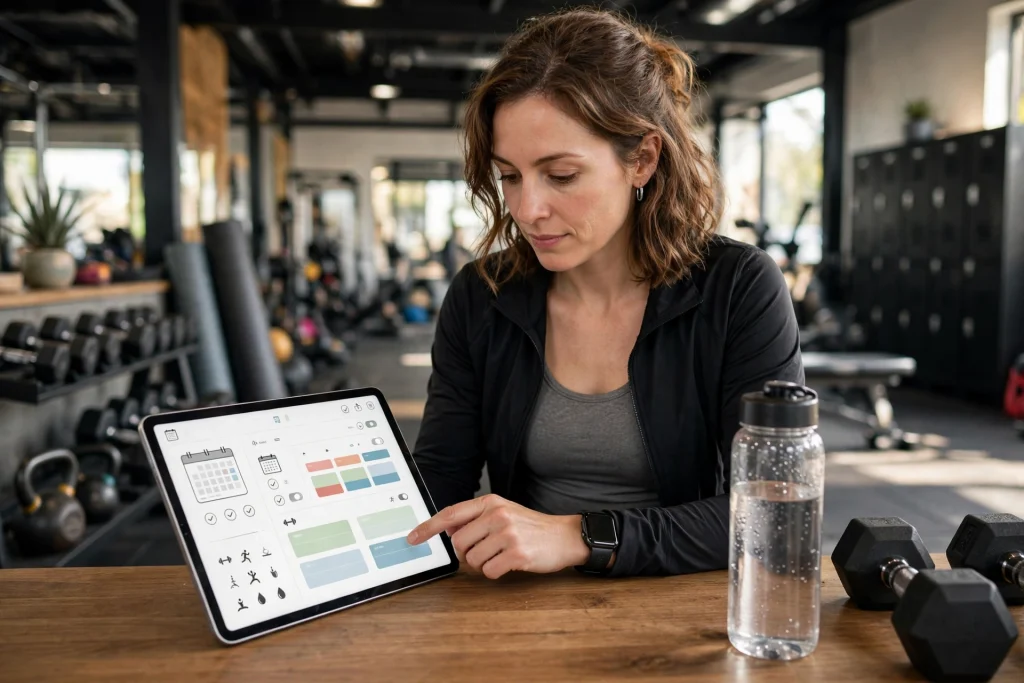
Quick answer: A fitness planner in GoodNotes works best when it combines a weekly workout schedule, a habit tracker, a meal log and a monthly progress review in one hyperlinked notebook. Set your fitness planner up in under 30 minutes, log workouts in under 2 minutes a day, and review every Sunday. That loop is what turns a fitness planner into a lasting habit.

A fitness planner is not a collection of pretty pages. It is a system that answers three questions every day: what am I training today, did I do the small habits that support it, and am I actually progressing? A fitness planner in GoodNotes answers all three because it lives on the device you already carry, it syncs across iPad and iPhone, and it lets you duplicate a good week instead of rebuilding it. This guide builds a complete fitness planner from scratch: the exact pages you need, a 30-minute setup, a 2-minute daily logging routine, and a Sunday review that turns raw logs into visible progress.
Most people fail with a fitness planner for one reason: they build it for the person they wish they were, not the person they are. A fitness planner with 20 pages, 15 habits and a perfect meal plan lasts four days. A fitness planner with 6 pages and 3 habits lasts a year. Start small, prove the system, then add pages only when a real gap appears.
Table of Contents
Why a fitness planner in GoodNotes beats paper and fitness apps
Paper planners feel great and die fast. You cannot duplicate a week, you cannot search six months of logs, and one lost notebook erases a year of progress. Fitness apps track a workout well but lock your data into their format, and most of them want a subscription for the features that matter: custom routines, progress charts and habit streaks. A fitness planner in GoodNotes gives you the flexibility of paper with the powers of digital: duplicate any page, search handwritten notes, link a workout to the day you did it, and keep everything in one notebook you own.
The second advantage of a fitness planner in GoodNotes is friction. Opening an app, waiting for it to sync, and navigating five menus is enough friction to skip logging on a tired day. A fitness planner opens to today with one tap. Two minutes of logging, done. Low friction is the whole game, because the best fitness planner is the one you still use in March.
For a ready-made starting point, the Workout Planner 2027 gives you a structured fitness planner with weekly spreads and progress pages, and the Minimalist Daily Planner pairs with it for days when you want one clean page instead of a full spread. If you are new to digital planning entirely, start with how to use a digital planner in GoodNotes before building your fitness planner.
The 6 pages every fitness planner needs
Resist the urge to add more. A complete fitness planner needs six pages, and every one of them earns its place.
1. Weekly workout schedule
One spread, seven days, one line per day: the workout, the time, and a checkbox. Write the week on Sunday, not on Monday morning. A fitness planner works when the decision is already made before the day starts. If a day is a rest day, write “rest” — an empty box feels like failure, a planned rest day feels like part of the program.
2. Exercise library
One page listing your exercises with weights, reps and notes. When you repeat a workout, you copy last time’s numbers instead of guessing. Progress in a fitness planner is mostly this: last time you lifted 40 kg for 8 reps, this time you lift 42.5 kg for 8 reps. Without the library, every workout starts from zero.
3. Habit tracker
Three to five habits, one row each, one column per day. Sleep, water, steps, stretching, protein — pick the habits that support training, not a wish list. A fitness planner habit tracker should take ten seconds a day. If tracking a habit takes longer than doing it, drop the habit.
4. Meal log
Not a calorie-counting spreadsheet. One line per meal: what you ate, roughly how much, and how you felt afterwards. Patterns emerge fast in a fitness planner meal log — heavy dinners before bad workouts, skipped breakfasts before low-energy days. You do not need perfect data, you need honest data.
5. Measurements page
Weight, waist, and one performance number (a 5 km time, a max lift, a resting heart rate) once a month. Daily weigh-ins lie; monthly measurements in a fitness planner tell the truth. Take the measurement on the same day each month, under the same conditions, and write it down before you look at last month’s number.
6. Monthly review
One page, four questions: what did I train, what improved, what got in the way, what changes next month? The monthly review is the most skipped page in any fitness planner and the most valuable. Ten minutes, once a month, turns a log into a program.
How to set up your fitness planner in GoodNotes in 30 minutes
Set a timer. A fitness planner setup should take 30 minutes, not a weekend.
- Minutes 0–5: choose your week start. Pick Monday or Sunday and make every page match. Mixed week starts are the most common fitness planner setup mistake.
- Minutes 5–15: build the six pages. Duplicate a weekly spread four times for the month, add the exercise library, habit tracker, meal log, measurements and review pages, and hyperlink them from an index page.
- Minutes 15–25: write next week’s workouts. Real workouts, real days, real times. A fitness planner with an empty first week is a notebook, not a plan.
- Minutes 25–30: set the Sunday review reminder. One recurring reminder, Sunday evening, ten minutes. This is the habit that protects all the other habits in your fitness planner.
Health authorities recommend adults get regular moderate and vigorous activity each week, and a fitness planner is simply the tool that turns that recommendation into scheduled sessions. The World Health Organization’s physical activity fact sheet is a useful baseline when you decide how many weekly sessions your fitness planner should hold.
How to log a workout in under 2 minutes
Open your fitness planner to today. Check the planned workout. Write what you actually did: exercise, weight, reps, sets. Check the habit boxes. Close the planner. That is the whole routine. Two minutes, because anything longer gets skipped on busy days.
Example week in a fitness planner: Monday upper body, Tuesday rest with a walk, Wednesday lower body, Thursday rest, Friday full body, Saturday a long walk or sport, Sunday rest plus the weekly review. Three hard sessions, daily movement, one review. Most people do not need more than this, and a fitness planner that demands more usually gets abandoned.
When a workout goes badly, log it badly. Write “tired, cut it short” instead of leaving the page blank. A fitness planner with honest bad days is useful; a fitness planner with blank pages teaches you nothing. The pattern of bad days is often the most actionable data you own.
Habit tracking that actually sticks
Pick three habits for your fitness planner, not ten. Sleep 7 hours, drink water with every meal, walk 8,000 steps. Stack each habit onto something you already do: water with breakfast, a walk after lunch, stretching while the coffee brews. A fitness planner habit tracker works through stacking, not willpower.
Never break the chain twice. Miss a day and the fitness planner rule is simple: get back on track the next day, no guilt spiral, no “starting again Monday”. Two missed days is a new habit forming in the wrong direction. One missed day is life.
Rest is a habit too. Put rest days in your fitness planner as planned, protected days — not as failures. Overtraining is not dedication, it is the fastest route to a month off. A fitness planner that respects rest keeps you training all year.
Meals and water without the diet-culture noise
Your fitness planner meal log has one job: show you patterns. It does not need calories, macros or guilt. Write what you ate, note your energy during the next workout, and watch the connection appear over a few weeks. Most people discover two or three simple fixes — a real breakfast, water before training, less alcohol on weeknights — that matter more than any diet plan.
Water deserves its own row in the fitness planner habit tracker. Dehydration feels like fatigue, and fatigue feels like laziness. A glass of water with every meal is the cheapest performance upgrade in any fitness planner.
The Sunday review: turning logs into progress
Every Sunday, open your fitness planner and answer four questions in ten minutes. How many sessions did I complete out of the planned ones? Which habit had the longest streak? What got in the way this week? What is the one change for next week? Write the answers on the monthly review page, not in your head. Written reviews compound; mental reviews evaporate.
Once a month, compare measurements and performance numbers in your fitness planner. Weight fluctuates daily and means little weekly; a 5 km time dropping by a minute over two months means everything. Judge your fitness planner by performance trends and consistency, not by any single day’s number.
Celebrate streaks in your fitness planner. Four weeks of three sessions a week is a real achievement, even if the mirror has not caught up yet. The planner’s job is to make progress visible before it is obvious.
Common fitness planner mistakes
Too many pages. A fitness planner with 20 sections gets used for a week. Start with six pages and add one only when you feel a specific gap for two weeks running.
All-or-nothing weeks. One missed workout does not ruin a week in a fitness planner. Three sessions out of four planned is a good week. Perfectionism is the leading cause of abandoned fitness planners.
Ignoring rest. Rest days belong in the fitness planner as planned days. Training through fatigue, soreness and bad sleep is how a six-week streak becomes a six-week injury break.
Never reviewing. A fitness planner without a review is a diary. The Sunday review is what converts logged workouts into a program that improves.
Copying someone else’s program. Your fitness planner should match your schedule, equipment and goals. A program built for a gym member with 90 free minutes fails for a parent with 30 minutes and dumbbells at home.
FAQ: fitness planner in GoodNotes
Do I need a special fitness planner template? No. A fitness planner in GoodNotes can start as six blank pages with handwritten headings. A template like the Workout Planner 2027 saves setup time and adds structure, but the system matters more than the template.
Can a fitness planner replace a workout app? For most people, yes. A fitness planner in GoodNotes tracks workouts, habits, meals and progress in one place, without subscriptions or locked-in data. Apps win only for GPS tracking and social features.
How often should I update my fitness planner? Log workouts daily (two minutes), plan the week every Sunday (ten minutes), and review measurements monthly. That rhythm keeps a fitness planner useful without making it a chore.
What if I miss a whole week? Open your fitness planner, write “missed week — life happened”, and plan the next week normally. One blank week in a fitness planner is nothing; quitting over it is everything.
Is GoodNotes good for tracking outdoor workouts? Yes, for logging them. Record distance and time in your fitness planner after the session. For live GPS tracking during a run, pair it with a running app and copy the summary into your fitness planner.
Start tonight: build the six pages, write next week’s three sessions, and set the Sunday review reminder. A fitness planner in GoodNotes does not need to be perfect to work — it needs to be opened tomorrow. Browse the Temply Studio shop for the Workout Planner 2027 and other planners, and read the best digital planners for 2027 if you want to compare the full range before you commit to one fitness planner.
Temply Studio
Stop chasing your goals with sticky notes and scattered notebooks. Our premium digital planners and Canva templates are designed to help you plan with intention, stay consistent, and actually enjoy the process.

Questions about this guide?
Ask about the planner, share how you use it, or tell us what to cover next. Your email stays private.