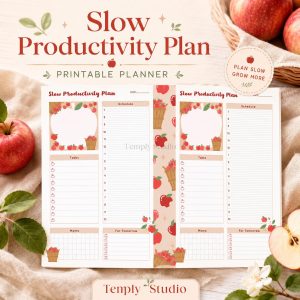





Running an Etsy shop from scattered notes, screenshots, and half-remembered messages is exhausting. An etsy seller planner in GoodNotes changes that by putting your orders, listings, stock, finances, customer messages, and launch dates in one place you actually open every day. Instead of switching between five apps to answer one simple question — “What needs to ship today?” — you open a single planner, check one page, and get to work.
This guide shows you how to build that system. You do not need a complicated setup or a new app. You need a clear weekly rhythm, a few repeatable pages, and the discipline to update them at the same time each day. Whether you sell printables, jewellery, home decor, or handmade supplies, the same structure works: capture everything once, review it on a schedule, and let the planner do the remembering for you.
Quick answer: An etsy seller planner in GoodNotes is a digital planner you use to track Etsy orders, plan new listings, monitor stock and materials, record income and expenses, and manage customer messages and launches. Set up one weekly spread with an order tracker, a listing pipeline, a stock check, and a finance snapshot, then review it for ten minutes each morning and once more before you close the shop for the day.
Why an Etsy Seller Planner in GoodNotes Works So Well
Etsy sellers juggle two very different kinds of work. There is creative work — designing, making, photographing, and listing products — and there is operational work — packing orders, answering messages, reordering materials, and tracking money. When both kinds of work live in your head, the operational work is what slips. A planner separates them without adding bureaucracy.
GoodNotes suits this job because it feels like paper but behaves like a digital tool. You can handwrite notes with an Apple Pencil, tap hyperlinked tabs to jump between sections, duplicate a weekly template in seconds, move a task from one day to another with the lasso tool, and search your handwritten notes later. If you are new to digital planning, start with our guide on how to use a digital planner in GoodNotes before you build the seller pages below.
The goal is not a perfect planner. The goal is a planner you trust. If you trust it, you will stop keeping backup lists in your phone notes, your email inbox, and your memory — and that is when missed orders and stockouts start to disappear.
Set Up Your Etsy Seller Planner in 6 Steps
Set aside one focused hour to build your system. After that, daily maintenance should take ten to fifteen minutes.
- Choose one planner as your shop hub. A business-focused planner, such as the 2027 Business Planner, gives you dated pages, goal sections, and space for weekly reviews. Use it only for shop work so it never gets buried under personal appointments.
- Create six sections with hyperlinked tabs. Label them Orders, Listings, Stock, Finance, Messages, and Launches. Six sections are enough to cover the whole shop without making the planner hard to navigate.
- Build one weekly spread you can duplicate. Include a small box for each day, a “ship today” list, a “messages to answer” list, and a “top three priorities” box. Duplicate this spread every Sunday for the following week.
- Add a monthly overview page. Use it for launch dates, seasonal deadlines, supply orders, and fee or tax reminders. This is where you spot busy weeks before they arrive.
- Keep a single inbox page. When an idea, task, or message arrives mid-day, write it on the inbox page first. Sort it into the right section during your end-of-day review instead of interrupting creative work.
- Decide your two review times and protect them. A morning review sets the day’s shipping and making priorities. An evening review clears the inbox, updates order statuses, and notes tomorrow’s first task.
The Order Tracker: Never Miss a Shipment Again
Your order tracker is the most important page in the planner. Every order gets one row, and every row moves through the same stages until it is complete. Keep the columns simple so updating it takes seconds, not minutes.
A practical order tracker has these columns: order date, buyer name or initials, item and variation, quantity, ship-by date, status, and tracking number. Status options can be as simple as Received, Making, Packed, Shipped, and Delivered. Do not invent extra stages you will not maintain.
Each morning, filter your attention to one question: what must ship today, and what must ship tomorrow? Highlight those rows. Pack today’s orders first, then start tomorrow’s making work. At the end of the day, update every row you touched. A tracker that is one day out of date quickly becomes a tracker you stop trusting, so the evening update matters more than the perfect layout.
If you sell made-to-order items, add a “making notes” column for custom details: colours, sizes, personalisation text, or gift messages. Copy personalisation text exactly as the buyer wrote it, and tick it off only after you have checked it against the finished item. Most personalisation mistakes happen during packing, not making, so a final check before sealing the parcel is worth the extra minute.
The Listing Pipeline: From Idea to Live Listing
Many sellers have dozens of product ideas and very few finished listings, because ideas never move through a clear pipeline. A listing pipeline page fixes that by showing every idea at its current stage and what it needs next.
| Stage | What happens here | Done when |
|---|---|---|
| Idea | Product concept, target buyer, and rough price range noted | You can describe it in one sentence |
| Make or design | Product created, photographed, or designed | Photos or mockups are ready |
| Write | Title, description, tags, and materials drafted | Copy is proofread and saved |
| Publish | Listing goes live and is announced | Listing link is checked on a phone |
| Review | After two to four weeks, check views, favourites, and questions | You note one improvement or leave it alone |
Move only one or two listings through the pipeline each week. Sellers often try to launch ten listings at once, then run out of time for photos or descriptions and publish rushed work. A steady pace of one strong listing a week beats a burst of unfinished drafts, and it gives each product a fair chance to be found.
Use the pipeline page to note what each listing still needs. “Needs lifestyle photo” is an actionable task. “Work on shop” is not. When you sit down to work on listings, you should be able to pick the next concrete step in under a minute.
Stock and Materials: A Weekly Check That Prevents Stockouts
Stockouts rarely happen overnight. They happen because nobody checked. A weekly stock check, done on the same day each week, catches low materials while you still have time to reorder.
Create a simple stock page with four columns: material or product, current quantity, reorder point, and supplier or shop link. The reorder point is the quantity at which you place a new order — for example, when you have enough packaging for ten more orders, or enough of a key material for one more production batch. Set the reorder point generously for items with long delivery times.
During your weekly check, count only what matters. Finished bestsellers, packaging, and any material that would stop production if it ran out deserve a count every week. Slow-moving supplies can be checked monthly. After the count, write two lists: “order this week” and “watch next week.” Place the first list’s orders the same day, before new tasks push it aside.
Also track finished stock for ready-to-ship products. If a listing says an item is available but the shelf is empty, you create a customer message problem that a planner check would have prevented. When finished stock falls to your reorder point, move that product to the top of your making list.
The Finance Snapshot: Know What the Shop Actually Earned
You do not need complex bookkeeping in your planner, but you do need a regular snapshot. Without one, it is easy to confuse revenue with profit, or to forget fees, postage, and material costs until tax time.
Once a week, record four numbers on your finance page: gross sales for the week, Etsy fees, postage and packaging costs, and material costs for orders shipped. Subtract the costs from gross sales to see a rough weekly margin. This is not a substitute for proper accounts, but it tells you quickly whether a busy week was actually profitable, and whether a product’s price still makes sense after fees and postage.
Once a month, add a short review: best-selling product, most time-consuming product, any unexpected costs, and one pricing or process change to test next month. Over time, this monthly note becomes the clearest record of what is working in your shop — far more useful than trying to reconstruct a year of decisions from memory.
If you run the shop alongside other work, a planner such as the 2027 Solopreneur Planner can help you keep business finances and personal plans in parallel without mixing them up. Keep shop money on shop pages, and personal money elsewhere, even if both live in the same planner.
Customer Messages and the Launch Calendar
Customer messages deserve their own page, not a mental list. For each open conversation, note the buyer’s question in a few words, the date it arrived, and the date you replied. Your daily goal is simple: no message waits longer than your own reply standard. Many sellers choose to answer within one business day, and a planner page makes that standard visible instead of aspirational.
Use message notes to spot patterns. If three buyers ask the same sizing question, the listing description needs clearer measurements. If several buyers ask about gift wrapping, that may be worth adding as an option. Messages are free product research, but only if you record them somewhere you will review.
Your launch calendar sits on the monthly overview page. Add product launches, seasonal collections, sales, restock dates, and personal deadlines that affect shop capacity, such as holidays or busy family weeks. Planning a launch on paper first — announcement date, listing date, and social posts — prevents the common mistake of publishing a listing and only then wondering how anyone will find it.
For sellers balancing a shop with family life, the 2027 Life Planner can sit alongside your seller planner as the place for personal appointments, so shop launches and family commitments are visible together when you plan a busy week.
A Simple Weekly Rhythm for Etsy Sellers
Here is a rhythm many small shops can sustain. Adapt the days to your schedule, but keep the order: ship first, make second, list third, and review last.
- Monday: Morning order review, pack and ship weekend orders, answer outstanding messages, and set the week’s top three priorities.
- Tuesday: Making and production day. Work through the order tracker in ship-date order, not in the order tasks feel most fun.
- Wednesday: Listing work. Move one listing one stage forward in the pipeline, and update photos or descriptions for one existing listing.
- Thursday: Stock check and finance snapshot. Place supply orders, record the week’s numbers, and note any pricing questions.
- Friday: Pack and ship, answer messages, review the launch calendar for next week, and duplicate next week’s planner spread.
- Weekend: Short check only, if your shop needs it: confirm Monday’s shipments, note any urgent messages, and leave the rest for Monday.
This rhythm works because it protects shipping above everything else. A beautiful new listing never compensates for a late order, and a late order damages the trust that brings repeat buyers. Ship first, then grow.
Common Mistakes to Avoid
The most common mistake is keeping two systems: a planner plus a notebook, or a planner plus a phone full of reminders. Pick one home for shop tasks and close the other lists. Duplication feels safe, but it creates conflicting versions of the truth.
The second mistake is tracking too much. If your order tracker has fifteen columns, you will avoid updating it. Start with the columns in this guide, and add a column only when you have needed it three times.
The third mistake is skipping the review on busy days. Busy days are exactly when a ten-minute review matters most, because that is when an order, a message, or a low-stock item is most likely to slip. Shorten the review on busy days, but do not skip it entirely.
Frequently Asked Questions
Do I need a separate planner just for my Etsy shop?
Not necessarily, but it helps. A dedicated seller planner keeps shop orders, stock, and finances away from personal appointments, so nothing gets lost between the two. If you already use a daily planner you love, you can add the six seller sections to it instead of buying a second planner — the structure matters more than the product.
How much time does an etsy seller planner take each day?
Most sellers need ten to fifteen minutes: five minutes in the morning to check what ships today, and five to ten minutes in the evening to update orders and clear the inbox page. The weekly stock check and finance snapshot add about thirty minutes once a week. If maintenance takes much longer, simplify your pages rather than abandoning the system.
Can I use an etsy seller planner if I only get a few orders a week?
Yes, and it may help even more. With few orders, it is easy to rely on memory, which works until a busy week, a holiday, or a custom order breaks the habit. A simple tracker keeps a small shop professional from the start, and it scales without rebuilding when orders grow.
What should I track first if I am just starting out?
Start with orders and messages. Those two pages protect buyers and your shop’s reputation. Add the listing pipeline once you are creating new products regularly, then stock and finance pages as volume grows. Build the system in the order your shop actually needs it, not all at once.
An etsy seller planner will not make products, photograph listings, or answer messages for you — but it will make sure none of that work gets lost. Start with the order tracker and a weekly spread this week, add the listing pipeline and stock check next week, and review the system after a month. Small, consistent planning is what turns a busy Etsy shop into a calm one.
Ready to organise your shop in one place? Get the 2027 Business Planner and set up your Etsy order tracker, listing pipeline, and weekly review today.
Temply Studio
Stop chasing your goals with sticky notes and scattered notebooks. Our premium digital planners and Canva templates are designed to help you plan with intention, stay consistent, and actually enjoy the process.

Questions about this guide?
Ask about the planner, share how you use it, or tell us what to cover next. Your email stays private.