




Quick answer: A usable product description names the buyer, the outcome, the exact files included, verified compatibility, delivery method, license scope, refund terms and support contact — with no invented claims. Below is a copyable template with bracketed placeholders, one worked example for a dated weekly digital planner, and a before/after pair showing precise claims versus unsupported promises.
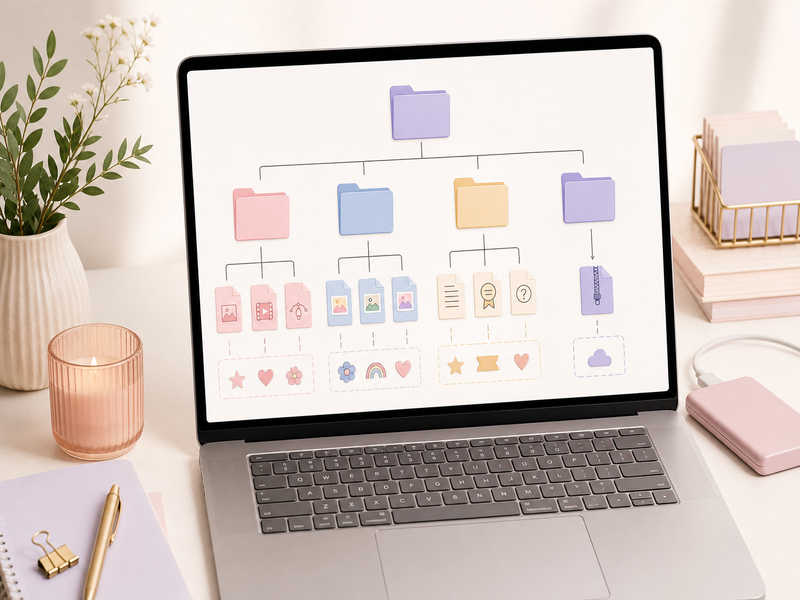
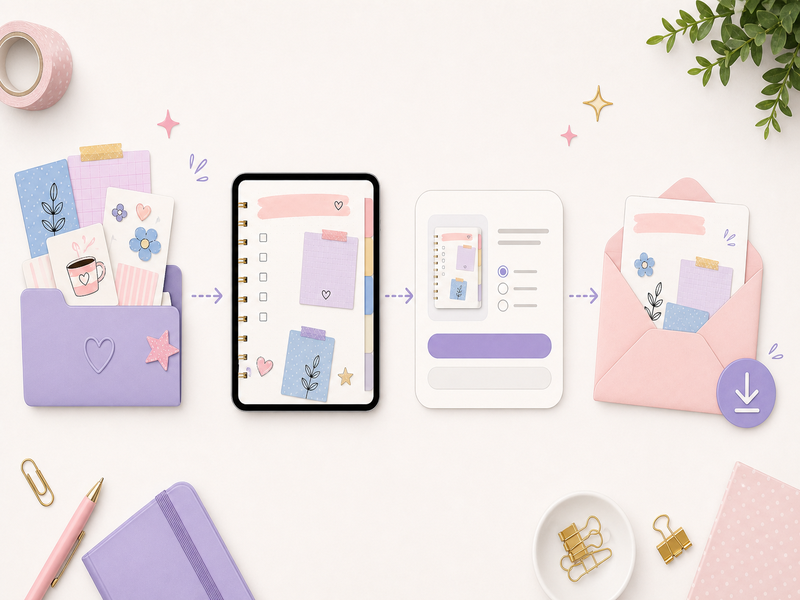
This template is a starting structure, not legal or policy text. Square-bracketed fields are placeholders: fill each one with your product’s confirmed file count, formats, tested app and device compatibility, delivery method, license scope, refund terms and support channel. Remove any line you cannot answer truthfully, and keep the description identical to the terms shown on your product page and checkout emails.
What to decide before you begin
Product description template — copy the block and replace each [bracketed field] with confirmed product details:
[Product name] is a digital
for [target user] who wants [buyer outcome].
What you get: [file count] files ([extensions]) — [one-line contents summary].
Compatibility: [verified apps, platforms and versions only].
Size and layout: [dimensions or page size, orientation, and device requirements].
Delivery: [how the file arrives — for example an instant download link on the confirmation page and in the receipt email].
Editability: [what the buyer can personalize — editable fields, apps, or formats].
License: [permitted use and exclusions — for example personal use only; no resale or redistribution].
Refunds: [refund terms exactly as published for this product, or omit if not applicable].
Support: [contact channel and the response window you actually provide].
- What is the next action after this page or file is complete?
- Which details must be visible without extra clicking or searching?
- What source copy, permissions, or original file must be preserved?
- Which of those fields can you fill with confirmed product details today?
Step-by-step workflow
- 1. Name the target user and the outcome the product delivers, then list the real files in the package — count and extensions.
- 2. Verify every compatibility claim against the actual files: open each format in the apps you intend to name and record the tested versions.
- 3. Fill the template’s bracketed fields in buyer order: what they get, compatibility, size and layout, delivery, editability, license, refunds, support.
- 4. Follow the real buyer path once — payment receipt, download link, unzipping and first open — and describe only what a customer actually sees.
- 5. Compare the description against your published license and refund terms word for word, and delete any claim the file cannot prove.
- 6. Read the finished description as a first-time buyer on a phone: every question it raises should already be answered or removed.
Worked example — a dated weekly digital planner (illustrative attributes, not an inventory claim): “Plan Week 2027 is a dated weekly digital planner for iPad users who want hyperlinked monthly, weekly and daily pages. What you get: 3 files — a hyperlinked PDF planner, a PNG sticker sheet, and a PDF quick-start note. Compatibility: opened and tested in GoodNotes 6 and Notability on iPadOS. Size and layout: US Letter landscape, designed for a stylus on a tablet. Delivery: instant download link on the confirmation page and in the receipt email. Editability: every page accepts handwriting, typed text and stickers. License: personal use only; no resale or redistribution. Refunds and support: the store’s published terms and contact email.” Replace each detail with your product’s confirmed facts before publishing.
Before and after — precise claims vs unsupported promises. Before: “The best planner you will ever buy — works on every device and guarantees a productive year.” After: “A dated weekly planner delivered as one hyperlinked PDF, verified to open in GoodNotes 6 on iPadOS.” The after version names file count, format and tested compatibility and promises nothing the file cannot prove. Verify each format and compatibility claim against the real files, and never invent license, refund or legal terms your store does not publish.
Use a small checklist to protect quality
A checklist should catch repeatable mistakes rather than turn the task into another project. Keep the following checks close to the file:
- The title, filename, and first instruction describe the same purpose.
- The important information is readable at the intended screen or paper size.
- The original or editable source is stored separately from the final export.
- Links, permissions, dimensions, formats, and stated compatibility are verified.
- Any third-party claim is linked to the relevant official documentation.
- The final version tells the next person what is included and what is not included.
Common mistakes to avoid
- Describing files or compatibility that were not verified.
- Hiding important license terms below unrelated copy.
- Uploading an untested archive or duplicate filename.
- Promising a business, hiring, or income outcome.
- Changing a file without recording the version.
If one of these mistakes appears, return to the smallest reversible version. Rename the working file, restore the source copy, remove an unnecessary section, or ask the platform owner for current guidance. A careful correction is more useful than a confident assumption.
How this fits a reusable system
Keep the filled description as your product’s source copy and update it whenever files, compatibility, license or refund terms change. Remove any field you cannot confirm; the description should answer buyer questions, not create promises you must walk back.
Continue with the Digital Product Business hub, or browse the related Temply Studio products and shop for templates that pair with this guide.
For platform-specific details, consult U.S. Copyright Office. Use the official source for current feature, file, licensing, or policy information instead of relying on an old screenshot or an unverified claim.
Frequently asked questions
How long should a digital product description be?
Long enough to fill every field a buyer needs — usually 100 to 200 words plus a short feature list. Cut any line that does not answer a real buyer question, and bracket anything you still need to verify instead of guessing.
Can I reuse one description for several products?
Reuse the field order, but fill each product’s own file count, formats, compatibility, license and refund details — never copy claims across products whose files or terms differ.
Should the description repeat the license and refund terms?
Yes — one short line matching your published terms word for word. The description mirrors the policy pages; it must not create different or more generous terms.
What should I do when the product files change?
Update the description and the product’s downloads together, and keep a dated copy of each published version — buyers see the description that was live at their purchase time.
Conclusion
A product description earns its place when every field matches the real files and published terms. Copy the template, fill the brackets, check it on a phone, and keep it beside the product it describes. When you want a ready-made starting point, explore the relevant Temply Studio collection.
Related guide
Continue with the Template design guides, or read Digital Product FAQ Template for Clear Buyer Support for another focused workflow.
Temply Studio
Stop chasing your goals with sticky notes and scattered notebooks. Our premium digital planners and Canva templates are designed to help you plan with intention, stay consistent, and actually enjoy the process.

Questions about this guide?
Ask about the planner, share how you use it, or tell us what to cover next. Your email stays private.