




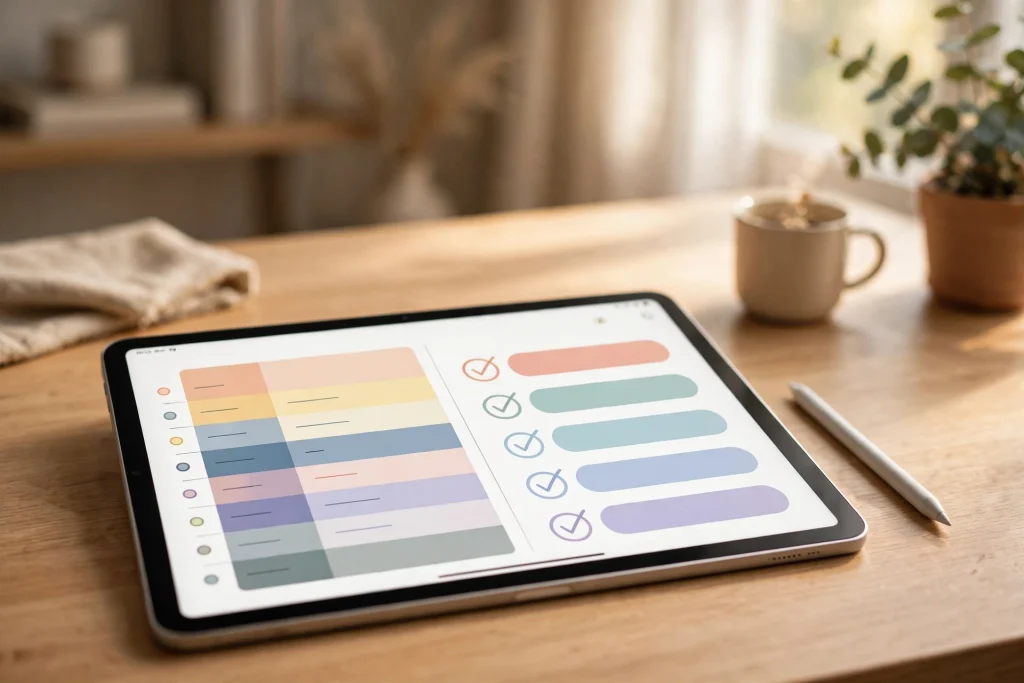
Finding a digital planner for ADHD that actually works can feel like the hardest task on your to-do list. Traditional paper planners tend to fall apart within a week: the daily pages get abandoned, the weekly spread looks beautiful on Sunday and forgotten by Tuesday, and the guilt of the blank pages makes it even harder to start again. If that cycle sounds familiar, the problem was never your willpower — it was the system.
An ADHD brain doesn’t struggle with laziness; it struggles with executive function — holding a plan in working memory, estimating time, starting boring tasks, and shifting attention on purpose. A well-designed digital planner acts like an external brain: it holds the plan so yours doesn’t have to, makes tasks visible in one glance, and turns abstract intentions into concrete, clickable steps. In this guide, you’ll learn exactly how to set up and use a digital planner with ADHD, including focus systems that reduce overwhelm and keep you coming back day after day.
Why a Digital Planner for ADHD Beats Paper Planners
Paper planners fail ADHD users for predictable reasons: they’re rigid, they punish mistakes (one scribbled day ruins the whole page), and they can’t reorganize themselves. A digital planner on a tablet with GoodNotes, Noteshelf, or Notability fixes every one of those pain points:
- Undated pages remove guilt. Miss three weeks? Just open today’s date and start fresh — no half-empty calendar staring back at you.
- Copy, paste, and duplicate. Repeating routines (morning checklist, weekly review) can be duplicated instead of rewritten, which dramatically lowers the barrier to actually using them.
- Hyperlinked navigation. Tap a date, a section, or an index tab and jump straight there. No flipping pages, no getting lost — critical when working memory is already maxed out.
- Always with you, always backed up. Your phone or tablet is in your bag anyway. A digital planner rides along, while a paper planner sits at home exactly when you need it most.
Build a Dopamine-Friendly Digital Planner Setup
The secret to planner success with ADHD isn’t more pages — it’s fewer, chosen well. A bloated planner becomes a second source of overwhelm. Start with this minimal setup and add pages only when you find yourself wishing a specific one existed.
1. The Brain Dump Page: Empty Your Head First
Before you plan anything, get everything out of your head. An ADHD brain trying to remember ten things simultaneously has no bandwidth left for doing any of them. Create a single “brain dump” page and treat it as an inbox, not a to-do list:
- Write down every task, idea, worry, and reminder in any order — messiness is the point.
- Do a brain dump twice a day: once in the morning before planning, and once in the evening to park unfinished thoughts.
- Review the dump when you plan your day, and sort items into today, this week, someday, or delete. Deleting is productive — it protects your focus.
2. Time Blocking With an Hourly Schedule
“Time blindness” — the difficulty of sensing how long things take and how much time is passing — is one of the most common ADHD frustrations. An hourly schedule on your daily page makes time visible. Here’s how to make time blocking work instead of feeling like a cage:
- Block appointments and non-negotiables first (work hours, classes, meals, medication reminders).
- Assign tasks to named blocks (“9:00–10:00: answer inbox”) rather than floating them on a list. A task without a time slot is a wish.
- Schedule less than you think. Leave at least 30–40% of the day open. ADHD days are interrupted days; a plan with zero slack breaks on contact with reality.
- Build transition buffers. Five to ten minutes between blocks prevents the classic “three hours late because one thing ran long” cascade.
- End with a shutdown block. Ten minutes to brain-dump tomorrow’s tasks and close the loop so your evening isn’t spent ruminating.
A Slow Productivity Planner works beautifully here, because its undated hourly layout pairs structured time blocking with a mindful, low-pressure design — the opposite of a planner that makes you feel behind.
3. The “Top 3” Rule: Shrink the Day Until It Fits
A to-do list with 17 items is not a plan; it’s an anxiety generator. Each morning, circle or highlight only three must-win tasks. Everything else is a bonus. This does two things: it makes starting less intimidating (three items feels doable), and it ends the day with a genuine sense of completion, which trains your brain to trust the planner again.
On hard days, lower the bar further: one task. A system you can use on your worst day is a system that survives real life.
4. Body Doubling on the Page: Accountability Spreads
Many people with ADHD focus better alongside another person — even virtually. Your planner can act as a stand-in accountability partner:
- Start each work block by writing the task and the time at the top of the page. You’ve made a commitment in ink (or pixels).
- End each block with one line: what you did, and what’s next. This tiny log creates a feedback loop of progress.
- Use a weekly review page to tally wins honestly. Reviewing progress — not just plans — is what makes the system feel rewarding enough to repeat.
Reducing Overwhelm: Design Principles for ADHD Planners
Overwhelm shuts down an ADHD brain fast. The planner itself must be engineered against that. When choosing or customizing pages, favor these principles:
- One page, one job. A daily page that tries to be a diary, a meal plan, a budget, and a journal is a page you’ll avoid. Keep the daily spread focused on the day’s plan and nothing else.
- Plenty of white space. Dense grids feel like noise. Clean layouts with breathing room reduce the mental load of simply looking at the page.
- Checkbox everything. Checking a box gives a small dopamine hit. Habit trackers, routine checklists, and done-lists all harness that. Celebrate streaks, but never let a broken streak become a reason to quit — just resume.
- Color with intent. Assign one color per life area (work = blue, personal = green, health = orange). Scanning a day by color is faster than reading every line — and faster scanning means you’ll actually check the plan.
If visual clutter stresses you out, a Minimalist Daily Planner gives you exactly the essentials — daily schedule, to-do list, and priorities — on a calm, undated page designed to keep the noise down.
Morning and Evening Routines That Run on Autopilot
Decision fatigue hits hard with ADHD: every choice (“what should I do first?”) is an opportunity to get derailed. Routines eliminate decisions. Put your morning and evening routines on a dedicated planner page as a simple checklist, then run them the same way every day:
Morning routine checklist (example):
- Medication / water / light movement
- Brain dump for 5 minutes
- Pick Top 3 tasks and time-block them
- Start with the hardest task first (while focus is freshest)
Evening shutdown checklist (example):
- Review the day: what got done? (write it down — credit yourself)
- Brain dump tomorrow’s worries onto tomorrow’s page
- Prep the Top 3 for tomorrow so the morning has zero decisions
Duplicate these checklists across your weekly pages so they’re always one tap away. After a week, the routine starts running on momentum instead of motivation.
What If You Hate “Boring” Planners? Make It Fun
Let’s be honest: an ADHD brain won’t sustain a system it finds dull. If sterile layouts make you avoid your planner, aesthetics aren’t vanity — they’re a feature. Cute stickers, pastel color palettes, and playful widgets aren’t distractions; they’re the reason you open the app in the first place.
A cute undated digital planner with pastel weekly and daily pages, a habit tracker, and journaling space can make planning feel like a treat rather than a chore. The most important planner feature is the one nobody talks about: you actually enjoy opening it.
Common Mistakes When Using a Digital Planner for ADHD
- Over-planning the setup. Spending three hours customizing tabs and importing stickers is procrastination in disguise. Pick one planner, use the default daily page, and start. Optimize after two weeks, not before day one.
- Treating the planner as a diary of failure. Crossed-out plans aren’t evidence against you; they’re data. If evenings keep derailing, the plan needs shorter blocks — the planner is working exactly as intended.
- Keeping everything in one list. Separate captures (brain dump) from commitments (time blocks). Mixing them is how lists balloon to 20 items and planning dies.
- Skipping the weekly review. The review is where broken systems get fixed and wins get noticed. Fifteen minutes on Sunday saves hours of midweek chaos.
A 14-Day Starter Plan: From Chaos to Calm
- Days 1–2: Choose one undated digital planner and learn navigation (tabs, links, duplicating pages). Add nothing else.
- Days 3–4: Start daily brain dumps. Don’t plan yet — just capture.
- Days 5–7: Add Top 3 + time blocking to your daily page. Keep plans small and forgiving.
- Days 8–10: Build your morning and evening routine checklists; run them daily.
- Days 11–12: Add a habit tracker for 1–3 habits only. More than three invites overwhelm.
- Days 13–14: Do your first full weekly review. Adjust page choices, block lengths, and routines based on what actually happened — not what you hoped would happen.
By the end of two weeks you won’t have a perfect system — you’ll have something better: a system shaped by your real behavior.
FAQ: Digital Planner for ADHD
Is a digital planner better than paper for ADHD?
For most people with ADHD, yes. Digital planners are undated (no guilt over skipped pages), easy to reorganize, hyperlinked for quick navigation, and always on the device you already carry. Paper can work if you love writing by hand, but digital removes the most common failure points.
What should an ADHD daily planner page include?
Keep it to four elements: a brain dump or notes area, an hourly schedule for time blocking, a Top 3 priority list, and a habit or routine checklist. Anything more becomes a second source of overwhelm.
How do I stop abandoning my planner after a week?
Three rules: use undated pages so breaks cost nothing, shrink each day to three tasks so starting is easy, and run a weekly review so the system adapts to you. Abandonment usually means the system was too rigid, too full, or too guilt-inducing — fix the system, not yourself.
Can a planner help with time blindness?
A planner can’t cure time blindness, but an hourly schedule with named time blocks makes time visible and concrete. Pair it with phone timers for each block, and you’ll start noticing — in real time — how long tasks actually take, which improves estimates over weeks.
Do I need GoodNotes to use a digital planner?
Most digital planners are PDFs with hyperlinked tabs that work in any annotation app — GoodNotes, Notability, Noteshelf, Penly, or Xodo. Pick the app you already have; the planner matters far more than the app.
Ready to build a focus system that fits your brain? Browse the full digital planner collection and find the layout — mindful, minimalist, or cute — that you’ll actually love opening every day.
Temply Studio
Stop chasing your goals with sticky notes and scattered notebooks. Our premium digital planners and Canva templates are designed to help you plan with intention, stay consistent, and actually enjoy the process.


Questions about this guide?
Ask about the planner, share how you use it, or tell us what to cover next. Your email stays private.