

As we look ahead, the way we plan is evolving faster than ever. A digital planner 2026 isn’t just a calendar replacement; it’s a dynamic command center for your life, goals, and creative projects. It merges the tactile satisfaction of writing things down with the limitless power of digital tools, creating a system that grows with you. This year is about moving beyond basic to-do lists and building an intentional framework for success.
Choosing the right digital planner 2026 setup can feel overwhelming with so many apps and templates available. This guide cuts through the noise, offering a deep, practical roadmap. We’ll explore not just what a digital planner 2026 can do, but how to tailor it to your unique brain, your specific ambitions, and the rhythm of your daily life, ensuring it becomes a tool you love to use every single day.
Why 2026 is the Year to Go Fully Digital with Your Planning
The shift from paper to pixels is more than a trend; it’s a fundamental upgrade in how we manage information, time, and energy. While a paper planner has its charm, a digital planner 2026 offers a level of adaptability and integration that static pages simply cannot match. This year, the technology, app ecosystems, and available resources have matured to a point where the digital experience is not just functional, but genuinely delightful and profoundly effective.
For creative entrepreneurs, side-hustlers, students, and anyone juggling multiple roles, a digital system becomes the single source of truth. It reduces mental clutter by housing everything from client deadlines and content calendars to personal wellness trackers and family schedules in one searchable, portable place. The investment in setting up your digital planner 2026 pays dividends daily in saved time, reduced stress, and clearer focus.
The Core Advantages Over Traditional Paper
Let’s break down the tangible benefits. First, portability is unmatched. Your entire planning system—years of archives, active projects, and future goals—lives on your tablet, phone, and computer, synced seamlessly. Forget the panic of leaving your planner at home; your digital planner 2026 is always with you. Second, it’s endlessly editable. Made a mistake? Need to shift a three-month project timeline? With a few taps, you can reorganize without a mess of white-out or scratched-out text, keeping your layout clean and professional.
Third, the integration of multimedia transforms planning from notetaking to experience building. You can link directly to relevant emails, embed screenshots of inspiration, attach voice memos from a brainstorming walk, or insert a photo of a product prototype. Your digital planner 2026 becomes a rich, contextual hub for your ideas. Finally, the power of search cannot be overstated. Trying to remember what you discussed in a meeting last October? A quick search in your digital planner 2026 pulls up every note, date, and reference instantly, turning your planner into a powerful personal database.
Addressing the “But I Love Paper” Dilemma
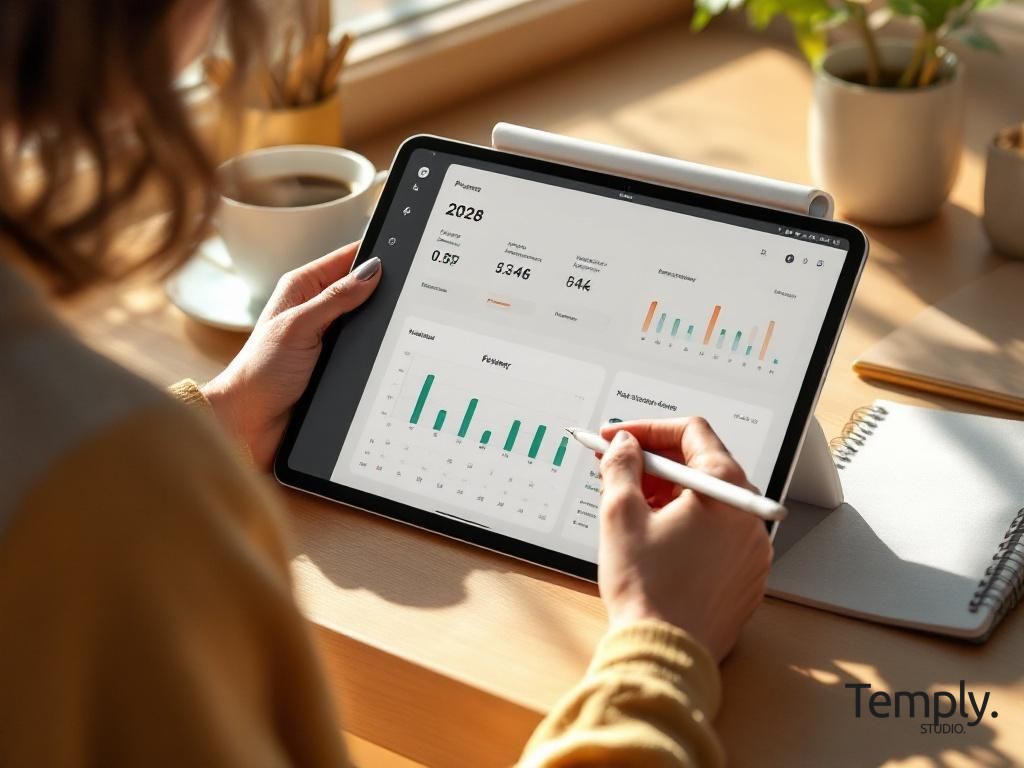
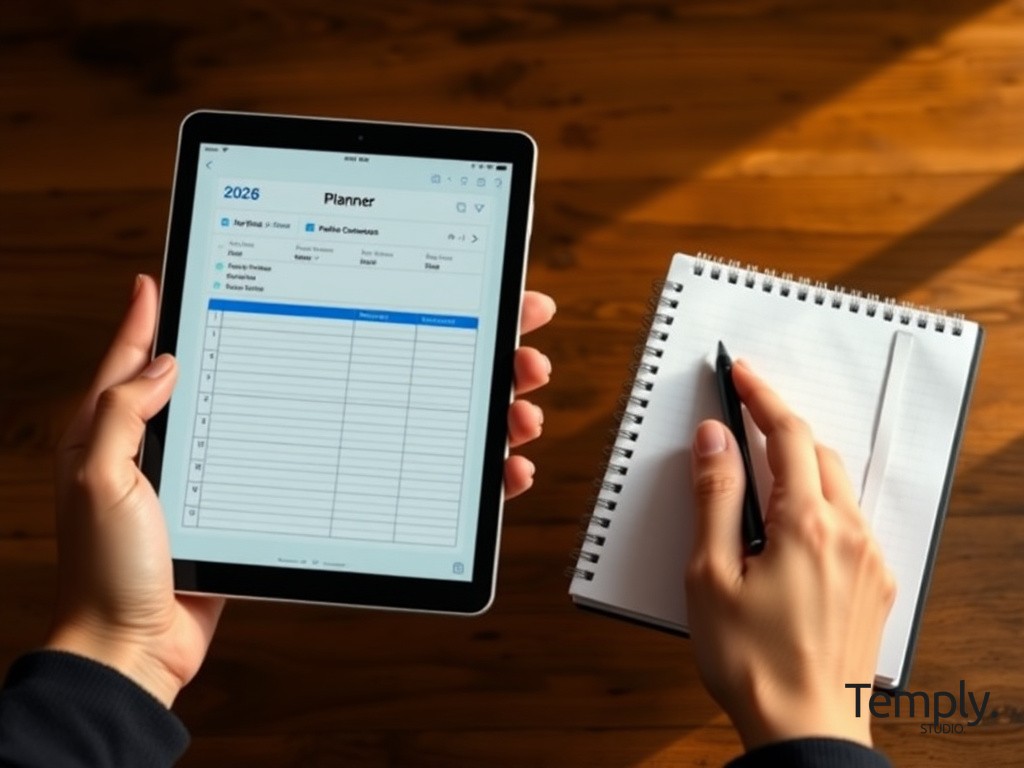
Many people resist digital planning because they cherish the tactile feel of pen on paper. The good news is that with today’s tools, you don’t have to sacrifice that sensation. Using a tablet like an iPad with an Apple Pencil or a Samsung Galaxy Tab with an S-Pen on a well-designed digital planner 2026 template replicates the writing experience with added benefits. You can choose from countless “pen” styles and colors without needing a whole case of highlighters.
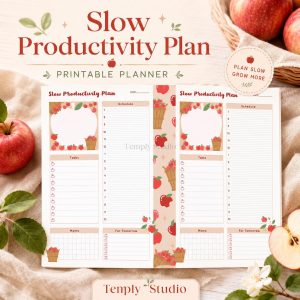
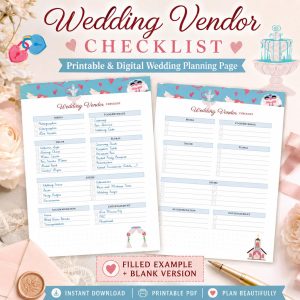
The key is finding a digital planner 2026 template that has the aesthetic you love—whether it’s minimalist, floral, corporate, or artistic. Brands like Temply Studio specialize in creating beautiful, hyperlinked PDFs for apps like GoodNotes and Notability that feel like a premium paper planner. You get the joy of handwriting with the superpowers of digital: duplicate pages, zoom in for detail, and never run out of your favorite page style.
Anatomy of a High-Performance Digital Planner 2026
A powerful digital planner 2026 is more than a January-to-December calendar. It’s a modular system built with interconnected components that each serve a distinct purpose. Think of it as your personal operating system. A haphazard collection of notes and lists creates chaos, but a thoughtfully structured planner creates clarity and momentum. Here, we’ll deconstruct the essential modules every system should consider.
The most effective planners work because they align with how you think and what you want to achieve. A student’s digital planner 2026 will prioritize assignment trackers and study schedules, while a business owner’s will focus on profit-and-loss sheets and client onboarding pipelines. The beauty of a digital planner 2026 is that you can mix, match, and customize these modules to build your perfect toolkit.
1. The Foundational Calendar & Scheduling Hub
This is the heartbeat of your digital planner 2026. It goes beyond just marking dates. A robust scheduling hub includes multiple views: yearly overview for blocking out vacations and big goals, monthly logs for tracking deadlines and recurring events, weekly spreads for detailed time blocking, and daily pages for hour-by-hour task execution. The digital advantage here is linking; you can hyperlink a project listed on your monthly page directly to its dedicated project plan deeper in your planner.
Color-coding is your best friend. Assign specific colors to different life domains—blue for work, green for personal, pink for health, purple for creative projects. At a glance on your weekly digital planner 2026 spread, you can see if your life is in balance or if one area is dominating. You can also integrate with digital calendars like Google Calendar or Outlook. Some apps allow for two-way syncing, while others use the planner as a reflective, strategic overlay on top of your shared transactional calendar.
2. Goal Setting & Quarterly Roadmap Sections
Goals written down are just dreams. Goals broken down into actionable steps within a digital planner 2026 become reality. This module is for the big picture. Start with a “Vision Board” page—a collage of images and words representing what you want your 2026 to feel and look like. Then, create pages for your 1-3 major annual goals. For each goal, use a framework like SMART (Specific, Measurable, Achievable, Relevant, Time-bound) to define it clearly.
The magic happens in the quarterly roadmap. Break each annual goal into four smaller, quarterly milestones. In your digital planner 2026, create a dedicated page for Q1, Q2, etc. List the milestones and, most importantly, the first small projects or “rocks” needed to achieve them. This creates a direct line of sight from your daily to-do list back to your biggest ambitions, ensuring you’re always spending time on what truly matters. Revisit these pages monthly to track progress and adjust as needed.
3. Project Management & Brain Dump Zones
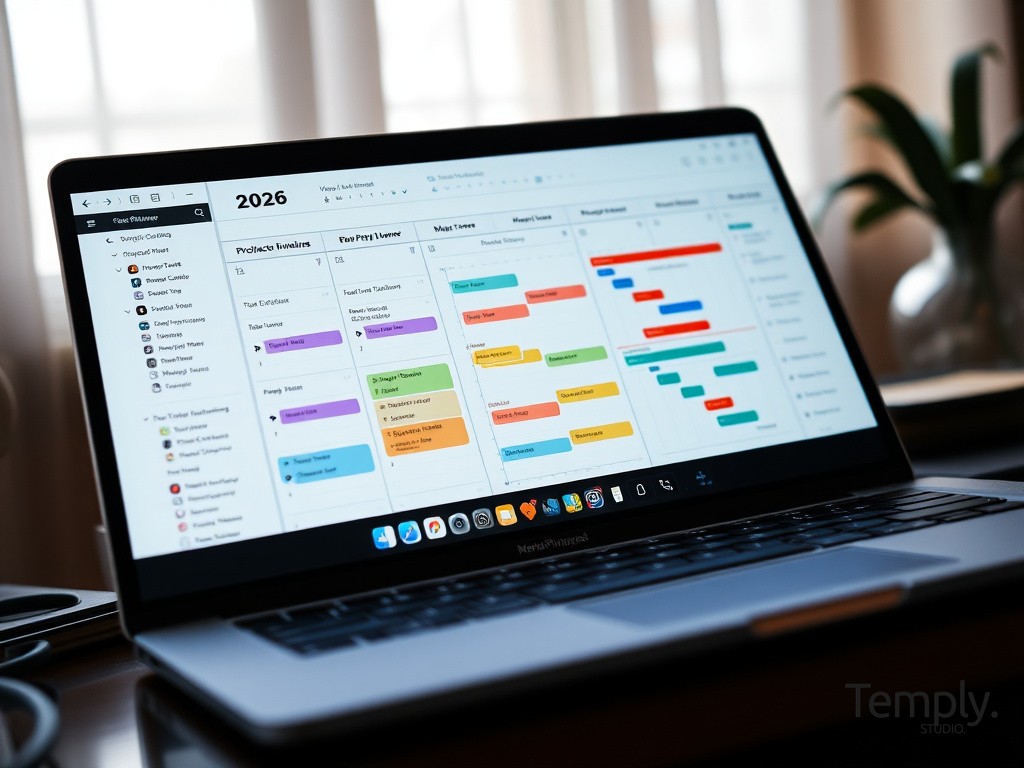
Creative and professional work often happens in projects. Your digital planner 2026 needs a space to manage these without cluttering your daily schedule. Create a section or use a tag system for each active project. Inside, you might have a project charter, a list of deliverables, a timeline Gantt chart (easily drawn with digital tools), meeting notes, and a resource list. Because it’s digital, you can duplicate successful project templates from your digital planner 2026 for future use, saving immense setup time.
Equally important is the brain dump zone. This is a blank, always-available page (often linked from the homepage) where you can instantly jot down any thought, idea, or worry that pops up. The act of getting it out of your head and into your trusted digital planner 2026 system frees up mental RAM. During your weekly review, you’ll process this page—deleting, scheduling, or turning items into projects. This practice is critical for maintaining a clear mind and capturing creative sparks before they fade.
Choosing Your Digital Planner 2026 Ecosystem: Apps & Platforms
The platform you choose is the foundation of your experience. It determines how you interact with your planner, what features you can use, and how well it integrates into your existing workflow. There is no single “best” app; the best digital planner 2026 app is the one you will use consistently. We’ll explore the leading categories to help you decide based on your primary need: handwriting simulation, deep database functionality, or visual design flexibility.
Your choice might also involve using two apps in tandem—one for rapid capture and daily planning, and another for deep project work. Many people successfully use a PDF-based digital planner 2026 in GoodNotes for their reflective planning and goal tracking, while using a more dynamic app like Notion for collaborative work and databases. The key is defining clear roles for each tool to prevent fragmentation.
Option A: PDF-Based Planners in Note-Taking Apps (GoodNotes, Notability)
This is the most popular entry point into digital planning, and for good reason. It perfectly bridges the paper and digital worlds. You purchase or download a beautifully designed PDF digital planner 2026 (like those from Temply Studio) that includes hyperlinks between sections, tabs, and pages. You then import this PDF into an app like GoodNotes or Notability, where you can write, draw, and highlight on it with a stylus.
The benefits are immense: a familiar, book-like feel, incredible aesthetic variety, and no ongoing subscription fee after the initial purchase. Your data is stored locally or in your cloud drive. It’s ideal for those who love the ritual of planning, enjoy customization with stickers and digital washi tape, and want a contained, distraction-free environment. The limitation is that the PDF itself is static; you can’t easily create new, complex database fields or automate calculations within it. It’s for planning and reflection, not for dynamic data crunching.
Option B: All-in-One Workspace Platforms (Notion, Coda)
If your digital planner 2026 needs to be a living, breathing database, these platforms are powerhouse options. Notion, in particular, allows you to build a planner from scratch using blocks, databases, and linked relations. You can have a master task database that can be viewed as a table, a Kanban board for projects, a calendar, or a gallery. A single task can be linked to a specific project, a relevant meeting note, and a deadline date.
This approach is incredibly powerful for knowledge workers, students managing complex research, or entrepreneurs tracking multifaceted ventures. Your digital planner 2026 becomes a full personal wiki. The learning curve is steeper, and the experience is more typing-centric than handwriting-focused. However, the flexibility and power for sorting, filtering, and connecting information are unparalleled. You can start with a pre-made Notion template to skip the initial build phase.
Option C: Design-First Tools (Canva, Keynote)
For the visually-driven planner who wants ultimate creative control, design tools offer a unique path. Using a platform like Canva, you can design your own digital planner 2026 from the ground up. You control every element—layout, fonts, colors, graphics. Canva allows you to create a multi-page design and then export it as a printable PDF or even a presentation you can click through. You can add interactive elements like links to external websites or embedded videos.
This method is fantastic for creating vision boards, mood-based planners, or planners that are themselves works of art. The community on platforms like Canva shares countless templates and elements. The downside is that it’s not optimized for handwriting or for containing large amounts of text-based data. It’s often used in combination with other apps; you might design your dashboard and key pages in Canva, then bring them into GoodNotes for daily writing. For those who love design, starting with a professional Canva template can give you a beautiful head start.
Step-by-Step: Setting Up Your First Digital Planner 2026
Now, let’s move from theory to practice. Setting up your first digital planner 2026 can be a fun, creative weekend project. Don’t aim for perfection on day one; the goal is a “minimum viable planner” you can start using immediately. You’ll refine it over the first few weeks as you learn what works for you. This process is about building a system that serves you, not one you serve with endless maintenance.
We’ll assume you’ve chosen to start with the PDF + GoodNotes route, as it’s the most common and straightforward. The same principles of intentional setup apply regardless of your chosen platform. The key is to personalize it enough that it feels like yours, but not so much that you get lost in the setup and never actually plan.
Week 1: Import, Customize, and Populate Foundational Data
First, acquire your digital planner 2026 PDF. Choose one that resonates with your style and has the core sections you need. Download it to your device. Open GoodNotes, create a new notebook, and choose “Import” to select your PDF. It will now appear as a notebook in your library. Spend an hour exploring it—click all the hyperlinked tabs at the top or side to understand the navigation.
Next, personalize the cover and homepage. Many digital planner 2026 files have editable cover pages. Use the text tool to add your name and “2026”. On the homepage or dashboard, add a few motivational quotes or images that inspire you. Then, go to the Yearly Overview page and input all your fixed annual dates: birthdays, anniversaries, holidays, and any booked vacations. This gives you an immediate, valuable framework. Don’t fill out everything yet; just the non-negotiables.
Week 2: Establish Your Planning Rituals
Your system is useless without consistent habits. In week two, focus on building two key rituals: the Evening Review and the Weekly Preview. Each evening, open your digital planner 2026 daily page for the next day. Review today’s completed tasks (check them off with satisfaction!), migrate any unfinished items, and write down your 3-5 Most Important Tasks (MITs) for tomorrow. This 5-minute ritual clears your mind for rest and primes you for a productive morning.
The Weekly Preview, done every Sunday or Monday morning, is more strategic. Open your digital planner 2026 weekly spread. Review your goals for the quarter. Look at your calendar for the week and block time for your MITs and deep work. Do a quick brain dump to get anxieties out of your head and into the system. This 20-30 minute ritual ensures you are proactive, not reactive, with your week. It’s the single most important habit for making your digital planner 2026 work for you.
Month 1: Review, Reflect, and Iterate
At the end of your first full month using your digital planner 2026, schedule a monthly review. This is a longer session (about an hour). Look back through your daily and weekly pages. What got done? What consistently didn’t? How did your energy levels feel? Use a dedicated “Monthly Review” page in your planner to answer reflection prompts: What was my biggest win? What lesson did I learn? What do I want to focus on next month?
This is where you tweak your system. Maybe you realize you never use the “Habit Tracker” page—so you stop filling it out, or replace it with a different tracker. Perhaps you need a new collection for a hobby you picked up. The digital format makes this easy. You can duplicate and modify pages, or even insert new PDFs into your GoodNotes notebook. Your digital planner 2026 is a living tool. This monthly review ensures it evolves to match your changing life, preventing it from becoming another abandoned novelty.
Advanced Techniques: Automating and Supercharging Your System
Once you’re comfortable with the basics, you can layer in advanced techniques that save time and provide deeper insights. A truly sophisticated digital planner 2026 does some of the heavy lifting for you. This involves using the capabilities of your apps to automate repetitive tasks and surface meaningful information from your data.
Automation reduces friction, and reduced friction means you’re more likely to maintain your system long-term. These techniques range from simple template duplication to using more complex app-specific features. You don’t need to implement them all at once; add one new trick each month to steadily enhance your digital planner 2026 prowess.
Leveraging Templates and Shortcuts
The most basic form of automation is the template. In your digital planner 2026, identify pages you recreate often. This could be a meeting notes page, a client onboarding checklist, or a weekly review worksheet. In GoodNotes, you can set any page as a “Template.” Once saved, you can add a new page from that template with one tap, perfectly formatted every time. In Notion, templates are even more powerful, allowing you to create entire project setups with linked databases.
On your device, learn to use text shortcuts or snippets. If you find yourself typing the same phrases (like your email signature, common project codes, or weekly reflection questions), set up a text replacement shortcut in your device settings. Typing “;wins” could auto-expand to “This week’s wins:”. This tiny hack speeds up your logging process significantly, making it easier to maintain detailed notes in your digital planner 2026.
Data Tracking and Visual Review
Your digital planner 2026 collects a wealth of data about how you spend your time and energy. With a little setup, you can review this data visually. For example, if you consistently color-code your tasks, you can look at your monthly calendar view and instantly see a color pattern. Is it all work blue, with little personal green? That’s a visual cue for imbalance.
For more quantitative tracking, you can use simple tables. Create a page in your digital planner 2026 to track something specific, like hours spent on a creative project, mood, or exercise frequency. At the end of the month, you can quickly tally or even create a simple bar chart by hand. Some apps have basic shape tools to help. This manual review turns subjective feelings (“I was busy”) into objective observations (“I spent 40 hours on client A and 10 on my own marketing”), guiding better decisions for the next month. For structured tracking, many find our dedicated habit tracker printables to be a perfect companion to their main planner.
Overcoming Common Digital Planner 2026 Pitfalls
Even with the best intentions, people often stumble with new systems. Knowing these common pitfalls in advance allows you to navigate around them. The goal is sustainability—a digital planner 2026 you use in December as eagerly as you did in January. Let’s troubleshoot the most frequent issues before they derail your progress.
Remember, the planner is your servant, not your master. If a technique or page isn’t serving you, change it or discard it. The flexibility of a digital planner 2026 is its greatest strength here; you’re not stuck with a system that doesn’t work.
Pitfall 1: Over-Engineering and “Setup Paralysis”
This is the number one killer of new digital planning systems. It’s easy to fall down a rabbit hole of watching setup videos, downloading dozens of sticker packs, and designing the “perfect” aesthetic layout before you’ve written a single task. You spend so much time building the planner that you have no energy left to do the actual work it’s meant to plan for.
The Solution: Enforce a “Start Simple” rule. Commit to using a basic, pre-made digital planner 2026 template for one full month before you allow yourself to make any major customizations. Your only job in month one is to use it for its core purpose: capturing tasks, appointments, and notes. Once you’ve experienced the workflow, you’ll know exactly what customizations would actually help you, rather than what just looks pretty on Instagram.
Pitfall 2: Inconsistent Use and Falling Off Track
Life gets busy, and you might skip a day, then a week, and suddenly your digital planner 2026 feels like a relic of a more organized past. The blank pages can induce guilt, making it harder to start again.
The Solution: Practice the “No Zero Days” philosophy for your planner. Even on your most chaotic day, open your digital planner 2026 and write one sentence. It could be “Exhausted. Tomorrow will be better.” The act of opening the app maintains the connection. Schedule your weekly review as a non-negotiable appointment in the very calendar you’re reviewing. If you do fall off, give yourself grace. Don’t try to backfill missed days. Simply open it today, mark the past week with a “Life Happened!” banner, and start fresh from the current date. A digital planner 2026 is for your future, not a perfect archive of your past.
Pitfall 3: Digital Distraction and Context Switching
Having your planner on the same device where you get notifications, check social media, and browse the web can be a recipe for distraction. You open your digital planner 2026 to check a time, see a notification, and 20 minutes later you’re down a rabbit hole, having forgotten your original purpose.
The Solution: Create focused planning environments. Use your device’s “Do Not Disturb” or “Focus Mode” during your planning rituals. Consider using a dedicated tablet for planning if your primary device is too distracting. Furthermore, within your note-taking app, keep your digital planner 2026 notebook separate from other notebooks for school, work, or random notes. This creates a psychological boundary. When you’re in the planner, you’re in planning mode.
The Future of Planning: Trends Shaping Your Digital Planner 2026 and Beyond
The digital planning space is dynamic. As we use these tools, they evolve based on our needs and technological advancements. Looking ahead, several trends are poised to make the digital planner 2026 even more intuitive, intelligent, and integrated into our lives. Understanding these trends can help you choose tools that are future-friendly and adaptable.
These developments aim to reduce the manual overhead of planning and provide richer context, moving us from simply recording information to gaining actionable insights from our own patterns and data.
AI-Powered Assistance and Predictive Planning
Artificial Intelligence is moving from a buzzword to a practical assistant within productivity tools. In the context of a digital planner 2026, imagine an AI that reviews your past completed tasks, calendar patterns, and even your energy levels (if you track them) to suggest optimal times for deep work. It could automatically draft a suggested weekly schedule based on your priorities, or analyze your meeting notes to extract action items and deadlines, populating them directly into your task list.
This doesn’t remove your agency; it handles the administrative heavy lifting. You would review and adjust the AI’s suggestions, saving you the time of building a schedule from scratch. Some apps are already experimenting with these features. Your role shifts from data entry clerk to strategic editor and decision-maker, making your digital planner 2026 a truly collaborative tool.
Deep Ecosystem Integration and the “Central Brain”
The future digital planner 2026 will act less as a siloed app and more as the central dashboard or “brain” for your digital life. We’re moving towards deeper, two-way integrations with all the other tools we use. Your planner could automatically pull deadlines from your project management software (like Asana or Trello), display your fitness stats from your health app, and show your daily spending summary from your budgeting tool—all in a unified, curated view.
This creates a holistic picture of your life. Instead of toggling between ten apps to understand your day, you open your digital planner 2026 dashboard and see the synthesized summary: your schedule, key tasks from various projects, health metrics, and financial snapshot. The planner becomes the lens through which you manage your life, pulling context from everywhere while allowing you to plan and reflect in one focused place.
Conclusion: Building Your Year with Intention
A digital planner 2026 is far more than a tool; it’s a commitment to designing your year with purpose. It provides the structure needed to turn chaotic days into a coherent narrative of progress. By choosing a system that fits your mindset, setting it up with intentionality, and engaging with it through consistent rituals, you empower yourself to move from being busy to being effective.
The journey is personal. Your perfect digital planner 2026 will look different from anyone else’s, and that’s its strength. It should reflect your ambitions, accommodate your quirks, and inspire you to show up for your goals every day. Don’t seek a flawless system; seek a useful one. Let it be messy, let it evolve, and let it be uniquely yours.
If you’re ready to begin, start with a foundation that brings you joy. Explore beautifully designed, functional templates that remove the setup stress and let you focus on the planning itself. At Temply Studio, we craft digital planner 2026 templates with this philosophy in mind—combining elegant design with intuitive layouts to help you start your year with clarity and confidence. Your most organized, productive year starts with a single decision to plan it.
Digital Planner 2026 FAQ
Q: I’m completely new to this. What’s the absolute minimum I need to buy to start digital planning in 2026?
A: You can start with just a smartphone and a free app like Google Calendar or a basic notes app. However, for the full “digital planner” experience that mimics a paper planner, the most common and effective minimal setup is: a tablet with stylus support (like an iPad or Android tablet), a basic stylus, a free or low-cost note-taking app (GoodNotes free version or Noteshelf), and a PDF digital planner 2026 template. You don’t need the most expensive gear to begin.
Q: Can I use a digital planner 2026 across my iPhone, Android tablet, and Windows PC?
A> Cross-platform compatibility depends on the app ecosystem you choose. PDF-based planners in apps like GoodNotes are generally tied to a single platform’s ecosystem (Apple or Android). For true cross-platform sync, you need a cloud-based service like Notion, which works through any web browser and has apps for all major platforms. Your data stays in sync everywhere. Always check the app’s availability before committing if you use multiple device types.
Q: How do I stop my digital planner 2026 from draining my tablet battery so quickly?
A> Constant screen-on time and pen tracking do use battery. To extend life: lower your screen brightness when planning, turn off Bluetooth/Wi-Fi if not needed during your planning session, and close other apps running in the background. Also, ensure your note-taking app is updated, as updates often include battery optimization improvements. Consider planning while your device is plugged in during your morning or evening ritual.
Q: Is my data safe in a digital planner 2026? What happens if I lose my tablet?
A> Data safety is crucial. Always use an app that offers automatic, encrypted cloud backup to a service like iCloud, Google Drive, or Dropbox. In GoodNotes or Notability, enable backup in settings. This means your entire digital planner 2026, with all your notes, is backed up regularly. If you lose your device, you can restore the backup to a new one. For cloud-based apps like Notion, your data is automatically saved on their servers. The rule is: if it’s not backed up in at least one other place, it doesn’t truly exist.
Comparing products first? See our best digital planner 2026 buyer guide for format, device, and workflow criteria before choosing a template.
Temply Studio
Stop chasing your goals with sticky notes and scattered notebooks. Our premium digital planners and Canva templates are designed to help you plan with intention, stay consistent, and actually enjoy the process.


Questions about this guide?
Ask about the planner, share how you use it, or tell us what to cover next. Your email stays private.