




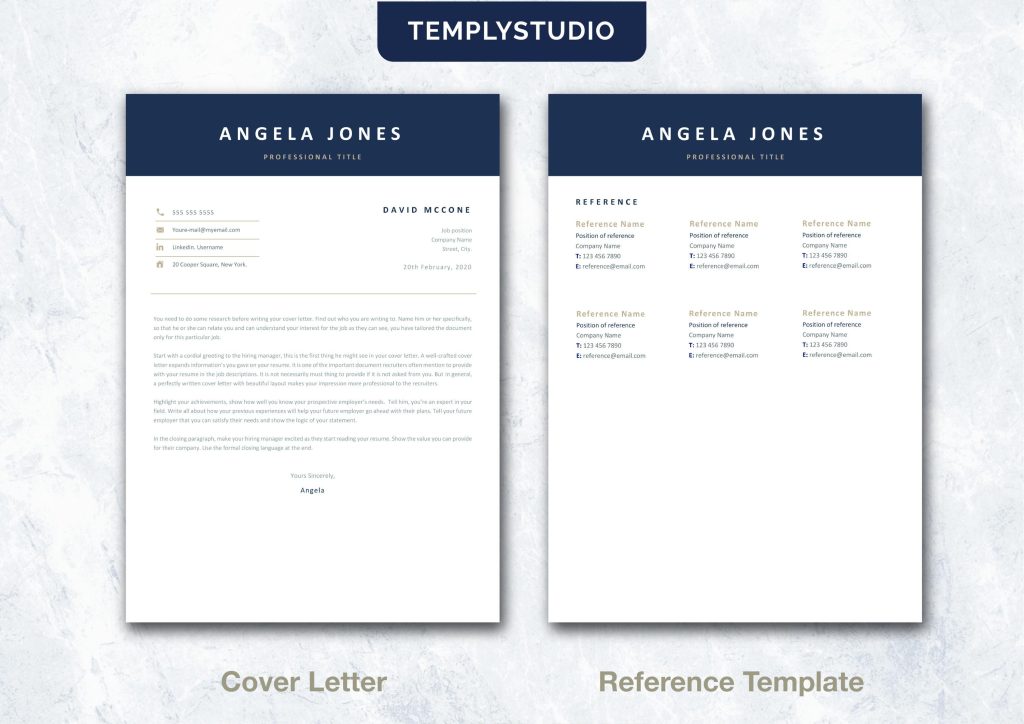
Quick answer: When choosing a cover letter template Word can open, pick a clean one-page DOCX with real selectable text, standard headings, readable fonts, stable margins, and a header that matches the resume. Use a simple free template for a one-off application. Choose a coordinated paid package when you want the resume, cover letter, and references pages to share the same design without rebuilding it yourself.
Last updated: November 26, 2026. Product inclusions and source links were checked against live pages on that date; Microsoft Word behavior and employer upload instructions can change, so recheck both before you apply.
A template should give you a professional structure and stay easy to edit. These seven checks cover the practical workflow: choose the type, start with a sound structure, inspect the Word file, edit it safely, match the resume, run readability checks, and export the right final file.
Cover letter template Word: the quick answer
For most job seekers, the safest choice is a traditional business-letter layout in Microsoft Word: contact details, date and recipient information, a specific greeting, three or four short paragraphs, and a simple sign-off. Purdue OWL explains that a cover letter introduces you and your resume, states why you are writing, and shows why you match the organization and position.
Design is secondary to relevance. The letter still needs accurate details and evidence tailored to the employer. Choose restraint for conservative applications; even for design-sensitive roles, the file must survive editing.
What a good Word cover letter template includes
A good DOCX cover letter template gives the essential parts in order. Purdue OWL’s formatting and organization guide organizes the letter into a heading, introduction, argument, and closing. In Word, look for:
- Contact header: name, phone, email, useful location, and a professional link if needed.
- Date and recipient block: the date plus recipient details you actually know.
- Greeting: a specific name when available, or “Dear Hiring Manager.”
- Opening paragraph: the role and one specific reason you fit it.
- Proof paragraphs: one or two concise examples tied to the employer’s needs.
- Closing: a next step, thank-you, and sign-off.
Do not confuse a cover letter with a resume cover page. The letter accompanies the resume; a cover page can be a separate title page. When wording is unclear, follow the employer’s upload field and instructions.
Use this original skeleton as a starting structure, not as a finished personalized letter:
[Your Name]
[Phone] · [Email] · [City, State or Country] · [LinkedIn or portfolio, if useful]
[Date]
[Recipient name or hiring team]
[Company or organization]
Dear [Name or Hiring Manager],
I am applying for the [role title] position at [company]. Your posting emphasizes [key requirement], and my experience in [relevant area] matches it: [one concise proof point].
In my role at [organization], I [relevant responsibility or accomplishment]. That experience prepares me to [specific contribution for the employer].
I would welcome the opportunity to discuss how I can support [team, project, or company goal]. Thank you for your time and consideration.
Sincerely,
[Your Name]
Free vs paid cover letter templates: which should you use?
A free cover letter template is enough for many applicants. Microsoft offers editable Word templates, and university career centers publish simple examples; Wofford College provides a customizable Word-document template. Use those when you need a straightforward document quickly.
A paid matching package makes sense when you want the cover letter, resume, and references page to share typography, spacing, and tone without recreating that system. It is a convenience and consistency choice, not a guarantee of better results.
| Option | Best for | Main advantage | Watch for |
|---|---|---|---|
| Free Microsoft or university template | A simple one-off application | No cost; usually conservative structure | May not match your resume; quality varies by source |
| Free template gallery | Browsing visual styles | Large selection and fast previews | Word editing quality is inconsistent; check file format and license |
| Paid matching package | A coordinated resume, cover letter, and references set | Consistent design with less setup work | Still needs tailoring; paid does not mean guaranteed results |
| Build your own in Word | Full control or unusual employer requirements | Simple, editable structure | Takes more time and formatting discipline |
How to inspect a cover letter template before editing it in Word
Before replacing text, inspect the file. Virginia Tech’s ATS guidance is written for resumes, not cover letters, but its caution about text boxes, tables, graphics, sidebars, and reading order is a useful conservative check. The goal is not to remove all design; it is to keep critical information easy for software and humans to read.
| Check | Pass sign | If it fails |
|---|---|---|
| Main text location | The letter body is normal editable text in the document body. | Avoid hiding key content inside images or unnecessary text boxes. |
| Font availability | The file opens without missing-font substitutions that change spacing. | Replace the font with a common readable alternative. |
| Styles | Headings and body text use consistent paragraph styles. | Rebuild formatting with styles instead of manual spacing. |
| Tables and text boxes | They are absent, decorative, or nonessential. | Move important contact and body text into the main document flow. |
| Editing tolerance | Adding or deleting a sentence does not push the letter onto a second page. | Shorten the letter or choose a simpler template. |
| One-page fit | The content fits one page at a readable size. | Cut repetition; do not shrink the font too far just to force a fit. |
How to edit a cover letter template in Microsoft Word without breaking the layout
Work in a copy named clearly, such as Firstname-Lastname-Cover-Letter-Company.docx, and keep the original template untouched.
- Read the template first. Identify placeholders, decorative elements, and sections that should stay in order.
- Replace the contact header once. Check email, phone, links, and resume consistency character by character.
- Paste carefully. Paste outside text as plain text, then apply the template’s styles.
- Use styles rather than spaces. Avoid repeated line breaks or manual spacing.
- Protect the margins. Cut weaker sentences before narrowing margins or shrinking readable text.
- Inspect at 100% zoom. Look for bad line breaks, uneven spacing, or a sign-off stranded on page two.
- Export a separate submission copy. Keep the editable DOCX and export the requested file type.
The same careful approach applies when you edit a resume template in Microsoft Word. The cover letter is usually simpler, but it can still break when placeholder text is locked inside text boxes or when pasted content imports conflicting formatting.
How closely should the cover letter match your resume?
The cover letter and resume should look related, not identical. Match the name header, contact details, font family, spacing rhythm, accent color, and file-naming system. Keep the letter calmer than the resume because it carries longer paragraphs; it does not need the resume’s columns or every decorative element.
For the deeper design system, see how to match your resume and cover letter. For spacing and margin details, use the existing cover letter layout and spacing guide.
ATS and readability checks for a Word cover letter
Employers and applicant tracking systems do not all handle cover letters the same way. Some require an upload, some make it optional, some parse documents, and some recruiters read the file directly. Do not assume the letter will be scored like a resume.
A conservative format still reduces avoidable problems. Keep contact details as real text, use familiar order, avoid critical information trapped in images, and choose a readable font. These choices also make the letter easier for a human reader to scan.
The resume itself needs separate treatment. Use the guide on how to make a resume ATS friendly for the broader resume-specific workflow. For both documents, honest content matters more than forcing keywords into every paragraph.
Which Temply Word template package fits this workflow?
Temply’s resume packages are paid digital downloads, not free templates. The live product pages list matching cover-letter DOCX templates with both packages; the downloaded ZIP contents were not independently opened for this article.
| Package | Product-page inclusions | Best fit |
|---|---|---|
| Executive Resume Template for Microsoft Word | A4 and US resume DOCX files in 1-, 2-, and 3-page versions; A4 and US cover-letter and references DOCX templates in the matching design; instruction PDF, executive writing-tips PDF, and PNG icon library. | Senior professionals who want a coordinated executive-style application package. |
| Single-Column ATS Resume Template for Microsoft Word | A4 and US Letter resume DOCX files in 1-, 2-, and 3-page versions; A4 and US Letter cover-letter and references DOCX templates; font files, PNG/SVG icon assets, Resume Guide & Action Verbs PDF, Tutorials Link PDF, and walkthrough video. | Applicants who prefer a conservative single-column resume system with matching documents. |
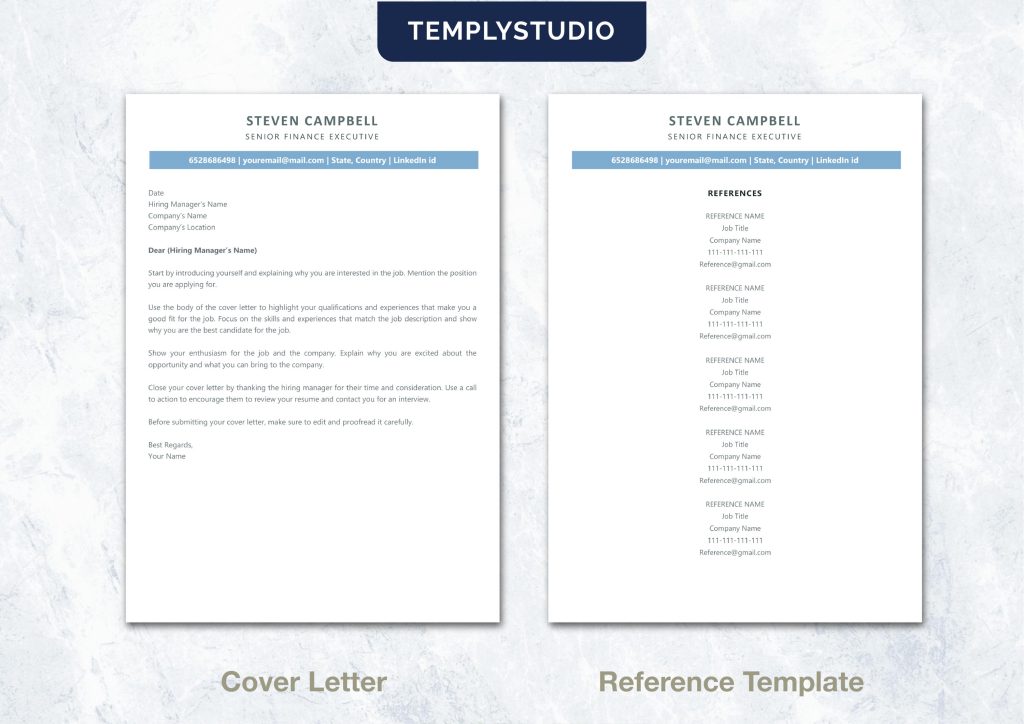
Choose the executive package for senior positioning and visual polish. Choose the single-column package for a more conservative resume system. If you already have a resume you like, a simple free template may be enough. You can also browse Temply’s CV and cover-letter templates.
Final checks before you send the cover letter
- The letter names the correct role and company.
- The greeting uses the correct spelling and a suitable level of formality.
- No placeholder text, sample company name, or wrong date remains.
- The opening gives a specific reason you fit the role.
- The proof paragraphs support the employer’s needs rather than repeating the resume.
- The contact details match the resume exactly.
- The document is readable at 100% zoom and normally fits one page.
- The sign-off does not strand alone at the top of a second page.
- The file is exported in the format requested by the employer.
- The filename is clear, professional, and consistent with the resume filename.
If the posting does not say whether to upload PDF or DOCX, read the guide on how to choose between PDF and DOCX. Keep the editable Word file even after you export the submission copy; you will need it for the next tailored version.
Cover letter template Word FAQs
Is a Word cover letter template better than a Google Docs template?
Neither is automatically better. Use Word for a DOCX built in Word; use Google Docs when browser editing or collaboration matters more. Moving a complex file between them can shift fonts, spacing, and page breaks.
Should I send a cover letter as DOCX or PDF?
Follow the employer’s instructions. PDF preserves layout; DOCX remains editable and may be requested. When instructions are silent, PDF is often the safer final copy, but keep the DOCX working file.
Are free cover letter templates good enough?
Yes. Check that it is editable in Word, important text remains selectable, and the layout survives your edits. Paying is a convenience and consistency choice, not a requirement.
Should my cover letter match my resume exactly?
Match the header, font family, contact details, and general tone. Do not force the letter into the resume’s dense structure; it needs clean paragraphs and white space.
Do applicant tracking systems read cover letters?
Some systems may store or parse them, some recruiters read them, and some applications ignore optional letters. Use a simple readable structure and follow the upload instructions rather than relying on a universal rule.
Can I use the same cover letter for every job?
Reuse the structure, not the unchanged letter. Tailor the role, company, opening reason, proof points, and closing. A template speeds up formatting; it does not replace relevance.
Temply Studio
Stop chasing your goals with sticky notes and scattered notebooks. Our premium digital planners and Canva templates are designed to help you plan with intention, stay consistent, and actually enjoy the process.
Questions about this guide?
Ask about the planner, share how you use it, or tell us what to cover next. Your email stays private.