

What Is a GoodNotes Bullet Journal?
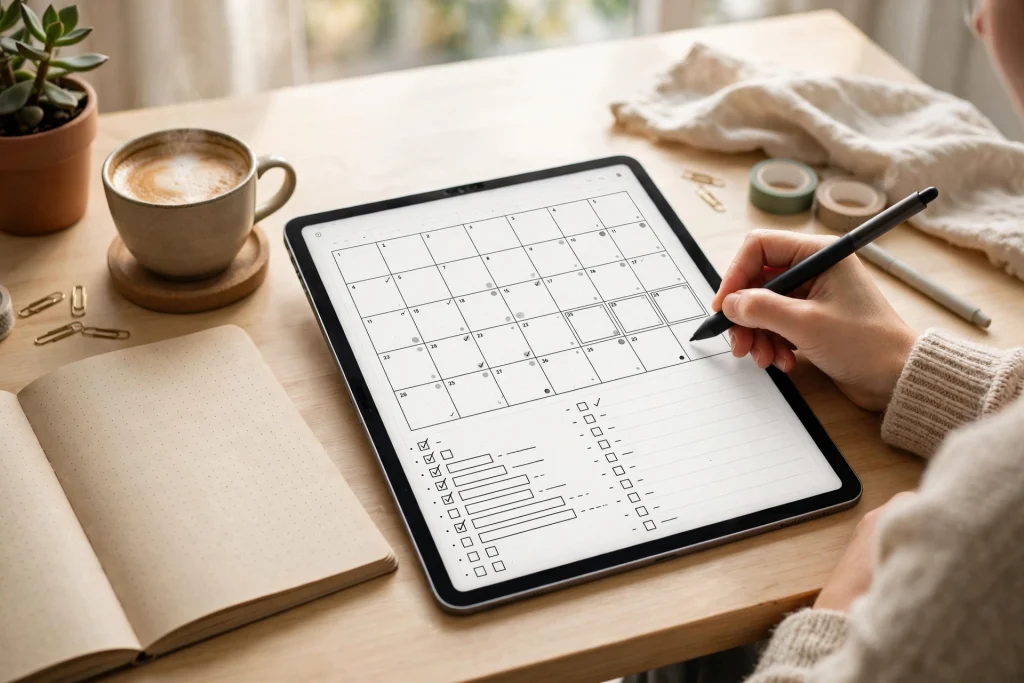
A GoodNotes bullet journal takes the classic Bullet Journal method — rapid logging, monthly logs, daily logs and collections — and moves it onto your iPad. Instead of a paper notebook that fills up, gets messy and cannot be searched, you get an infinite, editable, searchable system that still feels like writing by hand. If you love the flexibility of bullet journaling but keep losing paper notebooks or rewriting the same monthly spread, GoodNotes is the upgrade that keeps the method intact.
The original method, created by Ryder Carroll, is deliberately simple: short bullets, not long diary entries. A dot means a task, a dash means a note, a circle means an event. You migrate unfinished tasks forward instead of copying whole pages. In GoodNotes, that simplicity gets superpowers: you can duplicate a spread in seconds, move a task with the lasso tool, link pages with hyperlinks, and search your handwriting later. This guide shows you how to set up a GoodNotes bullet journal that is calm, flexible and actually sustainable — not a beautiful system you abandon after two weeks.
Quick answer: A GoodNotes bullet journal combines rapid logging with monthly, weekly and daily spreads inside one digital notebook. Start with an index page, a future log, one monthly spread and one daily spread. Keep it to three collections at first, review weekly, and migrate unfinished tasks every month. That is the whole system — everything else is decoration.
Why Bullet Journaling Works So Well in GoodNotes
Paper bullet journals are wonderful until life gets in the way. A page gets ruined, a spread runs out of space, or you want to move a whole week of plans and have to rewrite them. GoodNotes removes those friction points while keeping the handwriting that makes bullet journaling feel personal.
1. You can move, copy and resize anything
The lasso tool is the single biggest advantage of a digital bullet journal. Wrote a task on the wrong day? Lasso it and drag it to the right day. Need the same weekly spread next week? Duplicate the page. Want a habit tracker for a new month? Copy last month’s tracker and clear the marks. In paper, every one of those actions means rewriting. In GoodNotes, it takes seconds, which means you spend your planning time thinking, not copying.
2. Hyperlinks turn a notebook into a dashboard
A paper index tells you a collection is on page 47. A GoodNotes hyperlink takes you there with one tap. Link your index to your monthly logs, your monthly log to each week, and your weekly spread to your daily pages. Add a link back to the index on every spread. After a week of use, navigating your GoodNotes bullet journal feels like using an app — except you designed every page yourself. If you are new to linking, our guide to using a digital planner in GoodNotes walks through the basics that apply here too.
3. Searchable handwriting changes the game
GoodNotes can search your handwriting, which means a note you scribbled three months ago is findable in seconds. That makes collections genuinely useful: a book list, a gift list or a project brain dump stays retrievable all year. It also rescues you when you forget which week you wrote something down. Paper cannot do this at all.
How to Set Up Your GoodNotes Bullet Journal in 30 Minutes
You do not need a fancy template to start. In fact, starting simple is the fastest way to a system you will still use in three months. Follow these steps in order.
Step 1: Create one notebook, not five
Open GoodNotes, create a new notebook, and give it a clear name such as “Bullet Journal 2026”. One notebook keeps everything in one searchable place. Splitting work, personal life and journaling into separate notebooks sounds organised, but it usually means you check two notebooks and maintain neither. Use sections or tabs inside the one notebook instead.
Step 2: Build an index page
Your first page is the index. Leave room for about 20 entries and write the page number or add a hyperlink for each collection as you create it. Revisit the index at your monthly review and add anything new. A good index has short, honest labels — “Books to read”, “Trip — Lisbon”, “Work projects Q1” — not aspirational categories you never open.
Step 3: Add a future log
The future log is a six- or twelve-month overview: one line per month with birthdays, deadlines, trips and events that are too far away for a monthly spread. When you set up a new month, glance at the future log first and pull its events into that month. This single habit is what stops future plans from being forgotten.
Step 4: Create your monthly spread
A monthly spread needs only three things: a calendar grid or list of dates, a task list for the month, and a small notes area. Write events on their dates, add tasks underneath, and keep the notes area for anything that does not fit elsewhere. Resist the urge to add ten trackers on day one. One monthly spread, used every day, beats a gorgeous spread you avoid because it takes twenty minutes to fill in.
Step 5: Create your daily spread
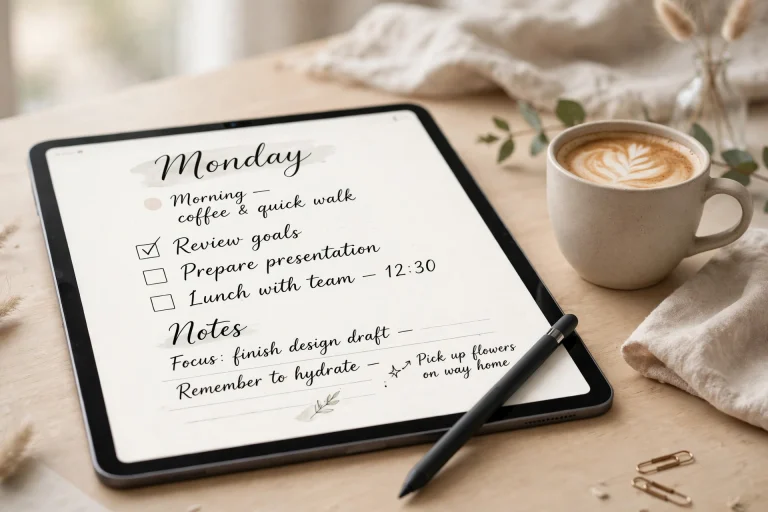
Daily spreads are where rapid logging lives. Each morning, or the night before, write the date and list only what matters that day: three priority tasks, any events, and notes as they arise. Keep entries short — a bullet should fit on one line. If a thought needs a paragraph, it belongs in a collection or a journal entry, not in your daily log. Pair this with a short GoodNotes daily journal routine and your mornings become both planned and reflective in under ten minutes.
Rapid Logging: The Heart of the System
Rapid logging is what makes bullet journaling fast. Instead of full sentences, you capture the essence:
- Tasks: a dot (•). When done, cross it out with an X. If it moves to another day, change it to a right arrow (>). If it is scheduled for a specific date, use a left arrow (<).
- Events: a circle (○) — meetings, birthdays, appointments.
- Notes: a dash (–) — facts, ideas, things you want to remember.
- Priority: add a star (*) next to the one or two items that truly matter today.
- Inspiration: an exclamation mark (!) for ideas worth returning to.
The discipline is in the brevity. If your daily log starts looking like a diary, you are writing too much in the wrong place. Rapid logging should take two minutes in the morning and a few seconds each time something new arrives. At the end of the day, spend one minute striking through what is done and migrating what is not. That nightly minute is the habit that keeps the whole system honest.
Monthly, Weekly and Daily Spreads — How They Fit Together
Beginners often ask whether they need all three levels. The honest answer: monthly and daily are essential, weekly is optional but popular. Here is how they work together.
The monthly spread: the big picture
Use it to see the month at a glance and to hold tasks without a specific day. Review it every Sunday and pull the coming week’s tasks into your weekly or daily pages. At month end, migrate anything unfinished into the next month or the future log — or cross it out if it no longer matters. Migration is not failure; it is how you discover which tasks were never really priorities.
The weekly spread: the planning sweet spot
A weekly spread shows seven days side by side, which makes it ideal for balancing work, appointments and personal time. Many people find weekly spreads more useful than daily pages because most planning happens week by week. Include a small habit tracker and a “next week” box for tasks that arrive early. If daily pages feel like too much, a weekly spread plus rapid logging in the margins can carry your whole system.
The daily spread: the execution layer
Daily pages are for today only. They hold your priorities, your schedule and your notes as the day unfolds. Do not pre-fill a week of daily pages — you will waste pages on days that turn out differently, and blank pages create guilt. Create each daily page the night before or the morning of. That small constraint keeps the system alive.
Collections Worth Starting (and Ones to Skip)
Collections are themed pages: lists, trackers and notes grouped by topic. Start with no more than three, or your bullet journal becomes a scrapbook of half-finished lists.
Three collections that earn their place: a habit tracker, a reading or media list, and a project list for whatever dominates your life right now. A GoodNotes habit tracker pairs naturally with bullet journaling because it gives you the same daily check-in habit with a visual streak. A reading list works because it grows slowly and you consult it often. A project list works because it holds all the small tasks that do not belong on a daily page.
Collections to skip at first: elaborate mood trackers, gratitude spreads with daily art, finance dashboards and meal-planning systems. None of these are bad ideas — they are simply second-month ideas. Add one new collection per month, only after the core system is running smoothly. The most common reason bullet journals fail is not lack of discipline; it is a setup so elaborate that maintaining it becomes a second job.
Templates vs. Blank Pages: Which Should You Choose?
Blank pages give you total freedom and zero setup time, which is ideal if you enjoy designing spreads. Templates give you consistency and speed, which is ideal if you want to start today and refine later. Most long-term bullet journalists land in the middle: a template for the monthly spread, blank or lightly ruled pages for dailies, and custom pages for collections.
If you use a template, choose one with hyperlinked tabs and test it for a full week before buying more. A template that looks beautiful in a product photo but has tiny writing areas or awkward navigation will quietly kill your habit. And remember that a template is a starting point, not a rulebook: cross out sections you do not use, add pages you need, and let the system evolve. The best GoodNotes bullet journal after six months looks nothing like the one you started with, and that is a sign it is working.
Common Mistakes (and Easy Fixes)
- Mistake: filling in a month of daily pages in advance. Fix: create daily pages one day at a time.
- Mistake: tracking fifteen habits from day one. Fix: track three habits for a month, then add one at a time.
- Mistake: never migrating. Fix: a five-minute monthly review where every unfinished task is migrated, scheduled or crossed out.
- Mistake: making spreads too pretty to use. Fix: set a ten-minute limit on spread setup. Done beats beautiful.
- Mistake: keeping two systems. Fix: if a task lives in another app, it does not live in your bullet journal. Pick one home for tasks.
Your First-Week Routine
Day 1: create the notebook, index, future log and this month’s spread (30 minutes). Each morning: write today’s rapid log and star your top three tasks (2 minutes). Each evening: cross out what is done, migrate what is not (1 minute). Sunday: review the week, set up next week’s spread, and check the future log (10 minutes). Month end: migrate, review collections, and set up the next month (20 minutes). That is the entire maintenance cost of a GoodNotes bullet journal — under an hour a week once you are set up.
FAQ
Do I need a special template for a GoodNotes bullet journal?
No. A blank notebook, an index page, a future log and monthly and daily spreads are enough. Templates save time and add hyperlinks, but they are optional, and a simple setup you actually use beats an elaborate template you abandon.
Can I search handwritten notes in my bullet journal?
Yes. GoodNotes indexes handwriting, so you can search for a word and jump to the page where you wrote it. For reliable search, write reasonably clearly and use consistent keywords for recurring topics, such as project names.
How is a bullet journal different from a digital planner?
A digital planner is pre-structured with dated pages and sections; a bullet journal is built by you as you go, with only the pages you need. Bullet journaling suits people whose weeks vary a lot, while a planner suits people who want a ready-made routine. Many people use both: a planner for appointments and a bullet journal for tasks and notes.
What if I miss a week?
Just start again on today’s page. Bullet journals have no wasted pre-dated pages, so a missed week costs nothing. Write today’s date, list your priorities, and carry on. The system is designed to be picked up again, not to punish gaps.
How many collections should a beginner have?
Three at most: a habit tracker, one list you consult often (such as books to read), and one project list. Add a new collection only when the core daily and monthly habit is steady, roughly one per month.
Ready to start? Open GoodNotes, create one notebook, and build your index and monthly spread today — your future self will thank you every morning. Browse Temply Studio’s digital planners for hyperlinked templates that pair beautifully with a bullet journal system.
Temply Studio
Stop chasing your goals with sticky notes and scattered notebooks. Our premium digital planners and Canva templates are designed to help you plan with intention, stay consistent, and actually enjoy the process.

Questions about this guide?
Ask about the planner, share how you use it, or tell us what to cover next. Your email stays private.