




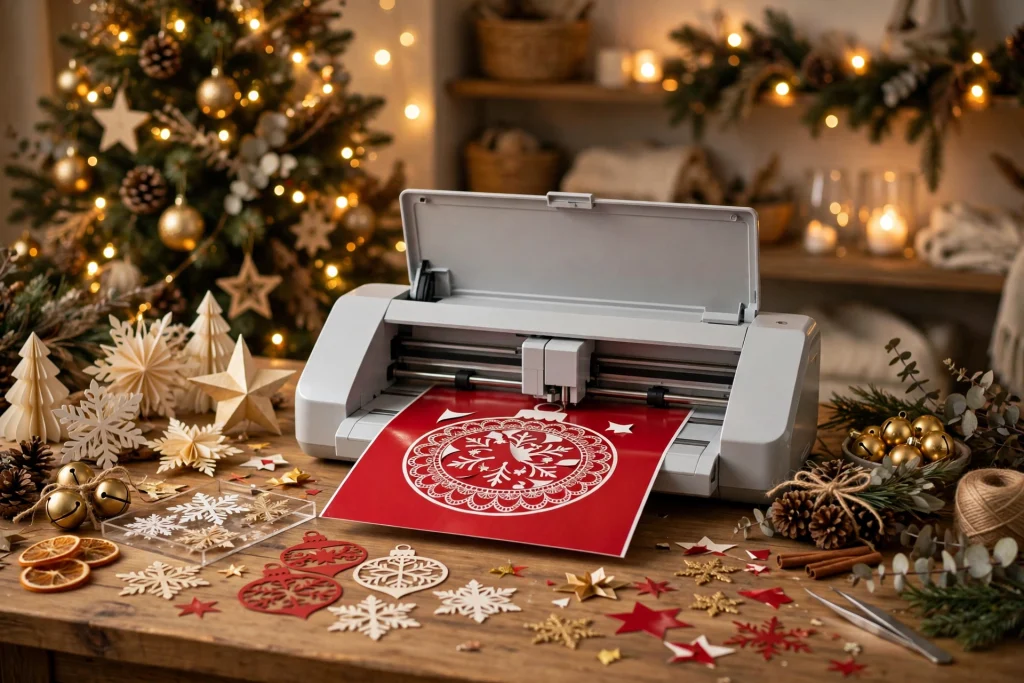
Every December, the same pattern repeats: you fire up your cutting machine with big plans for handmade gifts and festive decor, then run out of time or ideas before the season ends. The secret to actually finishing your holiday craft list is simple — start with the right Christmas SVG files for Cricut. A good cut file does half the designing for you: clean lines, layered designs, and ready-to-cut artwork that works on everything from ornaments to T-shirts.
In this guide, you’ll get 12 festive Christmas SVG project ideas for 2026, plus practical tips on choosing cut files, picking the right materials, and getting crisp, professional-looking cuts every time. Whether you’re crafting gifts, decorating your home, or stocking an Etsy shop for the holiday rush, these projects will carry you through the whole season.
Why Christmas SVG Files Are a Cricut Crafter’s Best Friend
An SVG (Scalable Vector Graphic) is the ideal file format for cutting machines because it scales to any size without losing sharpness. Upload a Christmas SVG to Cricut Design Space, resize it from a 2-inch gift tag to a 12-inch wall sign, and the cut lines stay perfectly smooth. Try that with a low-resolution image file and you’ll get jagged edges and wasted vinyl.
Ready-made Christmas SVG files also remove the biggest bottleneck in holiday crafting: design time. Instead of drawing reindeer silhouettes or hand-lettering quotes in Design Space, you download a professionally designed file and start cutting within minutes. During the busy holiday season, that time savings is the difference between a finished craft room and a pile of good intentions.
How to Choose the Right Christmas SVG for Your Cricut Projects
Not all cut files are equal. Before you download or buy, check these three things:
1. File format compatibility
Cricut Design Space accepts SVG uploads directly, which is why SVG is the preferred format for Cricut users. Many bundles also include PNG (for sublimation or print-then-cut), DXF (for Silhouette basic users), and EPS files. If a listing only offers PNG, you can still use it for print-then-cut projects, but you won’t get clean cut lines for vinyl or paper layering.
2. Design complexity vs. your material
Intricate designs with tiny details look beautiful on paper and vinyl, but they weed poorly in glitter HTV and thin materials. Match the design to the material: simple bold silhouettes for shirts and signs, detailed layered designs for cardstock ornaments and paper crafts.
3. Commercial license terms
If you sell finished products, check whether the file includes a commercial license. Most quality Christmas SVG bundles include one for physical end products (with a cap on the number of units), which matters if you’re stocking a holiday market booth or an online shop.
12 Christmas SVG for Cricut Project Ideas for 2026
Here are twelve projects, ordered from quick weekend crafts to bigger statement pieces. Each one starts with a Christmas SVG file and ends with something giftable, sellable, or proudly displayable.
1. Layered Paper Christmas Ornaments
Layered mandala-style ornaments are one of the most popular Christmas SVG crafts — and for good reason. A single design cut from three or four colors of cardstock, stacked with foam spacers, creates a stunning 3D effect that looks far more expensive than it is. Cut a batch of them and you’ll have handmade gifts for teachers, coworkers, and neighbors sorted in one afternoon.
2. Vinyl Holiday T-Shirts
Matching family Christmas shirts are a holiday tradition, and HTV (heat transfer vinyl) makes them easy. A single Christmas SVG for Cricut — think “Merry Christmas” script, a reindeer silhouette, or a funny family quote — pressed onto blank shirts gives you custom apparel at a fraction of boutique prices. Use glitter or flocked HTV for designs that really pop in holiday photos.
3. Farmhouse-Style Christmas Signs
Wooden signs with Christmas quotes remain a top seller every holiday season. Cut your design from permanent vinyl, apply it to a stained wood round or plank, and you have rustic farmhouse decor that fits perfectly above a mantel or beside the front door. A bundle of family quote SVG designs gives you dozens of sign-ready sayings in classic farmhouse lettering.
4. Reindeer Silhouette Window Decals
Removable vinyl window decals are a renter-friendly way to decorate. Reindeer silhouettes look especially striking on glass — cut them from white or gold removable vinyl, apply to windows or glass doors, and peel them off cleanly in January. The 12 Reindeer Silhouette SVG Bundle includes a full set of poses, so you can create a whole herd scene across a picture window.
5. Personalized Christmas Stockings
Iron-on names turn plain stockings into keepsakes. Cut each family member’s name from HTV in a festive script font, press onto felt or fabric stockings, and add small Christmas SVG accents — snowflakes, stars, holly — to finish the look. This is also a lovely gift for new families or a baby’s first Christmas.
6. Advent Calendar Boxes
Build a reusable advent calendar from small paper boxes, each decorated with a numbered Christmas SVG cutout. Cardstock boxes cut on the Cricut assemble in minutes, and the numbered fronts make the calendar look polished and intentional. Fill with chocolates, tea bags, or small notes for a gift that gets opened 25 times.
7. Gift Tags and Card Toppers
Handmade gift tags are the fastest Christmas SVG project on this list — cut a sheet of tags from kraft cardstock, add a small tree or ornament design, thread with twine, and your wrapped gifts instantly look boutique. Make them in bulk: one afternoon of cutting covers your entire gift list.
8. Felt Christmas Tree Skirt Appliqués
Give a plain tree skirt a custom upgrade by cutting felt appliqués — stars, snowflakes, reindeer — and attaching them with fabric glue or a quick stitch. Felt cuts beautifully on the Cricut (use a rotary blade or a deep-point blade with a strong mat), and the appliqués can be rearranged or replaced year after year.
9. Table Runners and Placemats with HTV
Heat transfer vinyl isn’t just for shirts. Press a Christmas SVG design onto a plain linen table runner or a set of fabric placemats for a coordinated holiday table. Monogram-style designs, Christmas quotes, or simple border patterns all work beautifully — and unlike printed fabric, HTV survives washing.
10. Pet-Themed Christmas Designs
Pet lovers are some of the most enthusiastic buyers of holiday crafts. A dog paw print combined with a Santa hat, or a cat silhouette in a Christmas wreath, makes ornaments, stockings, and shirts that pet owners can’t resist. The Dog Paw Print SVG Cut File is perfect for this — pair it with holiday elements for a design that works on everything from bandanas to treat jars.
11. Family Quote Wall Art
Christmas quotes about family, gratitude, and togetherness make meaningful gifts — especially for grandparents. Cut a favorite quote from vinyl and apply it to a framed canvas, a wood plank, or even directly to a mirror. Because the Family Quotes SVG Bundle covers year-round sentiments too, these designs stay useful long after the decorations come down.
12. Paper Lantern Villages for the Mantel
Cut-and-fold paper houses with Christmas SVG window and door details, then place LED tea lights inside. Lined up along a mantel or windowsill, a paper lantern village glows beautifully and costs almost nothing to make. This is a wonderful project to do with kids — they can fold and glue while the machine does the precision cutting.
Pro Tips for Clean, Crisp Cricut Cuts
- Always do a test cut. Cut a small star or circle on a scrap of your material before committing to the full design. Adjust pressure and blade depth until the cut weeds cleanly.
- Mirror HTV designs. Heat transfer vinyl is cut shiny-side down with the design mirrored. Forgetting this step is the most common beginner mistake — and the most painful when you’ve already weeded a detailed design.
- Use the right mat. StandardGrip (green) for vinyl and iron-on, LightGrip (blue) for cardstock and paper, StrongGrip (purple) for thick materials like felt or leather. The wrong mat causes slipping or tearing.
- Slow down intricate cuts. In Design Space, choose a slower cut speed for detailed Christmas SVG designs. It adds a few minutes but dramatically reduces torn corners and lifted details.
- Weed with good lighting. A bright lamp or light pad makes weeding small Christmas details — snowflake arms, script lettering — far less frustrating.
Where to Find High-Quality Christmas SVG Bundles
You can find free Christmas SVG files scattered across the internet, but quality varies wildly — broken paths, ungrouped layers, and missing commercial licenses are common. For projects that matter (gifts, decor you’ll display for years, items you sell), a curated bundle from a reputable shop saves hours of cleanup and frustration.
Look for bundles that include multiple file formats, layered designs separated by color, and a clear commercial license. Start with versatile themes — reindeer silhouettes, family quotes, and classic ornaments — since these work across the most project types and never go out of style.
Christmas SVG for Cricut: FAQ
What file types work with a Cricut machine?
Cricut Design Space supports SVG uploads directly, which is why SVG is the standard format for Cricut cut files. You can also upload PNG and JPG for print-then-cut projects, and DXF files. For clean cut lines in vinyl, paper, or HTV, always choose the SVG version when a bundle offers one.
Can I use Christmas SVG files on a Silhouette machine?
Yes. Silhouette Studio Designer Edition and above can open SVG files directly. With the free Basic Edition, use the DXF version that most bundles include. The designs themselves cut identically — only the software workflow differs slightly.
What vinyl is best for Christmas shirts?
HTV (heat transfer vinyl) is the standard for fabric. Smooth HTV is easiest for beginners; glitter, holographic, and flocked HTV add festive texture for holiday designs. Always mirror your design before cutting HTV and press with firm, even heat.
Are Christmas SVG files free or paid?
Both exist. Free files are fine for personal practice projects, but paid bundles typically offer cleaner cut lines, more design variations, layered color-separated files, and commercial licenses — which matter if you sell finished products at holiday markets or online.
How early should I start Christmas crafting?
Start cutting in October or early November. This gives you time for test cuts, material orders, and the inevitable re-dos — and if you sell your crafts, you’ll catch the peak holiday shopping window instead of missing it.
Start Your Christmas Crafting Season Now
The best Christmas crafts aren’t the most complicated ones — they’re the finished ones. Pick two or three projects from this list, grab quality Christmas SVG files for Cricut, and cut your first design this week. By December, you’ll have handmade gifts, coordinated decor, and the satisfying feeling of a craft list that’s actually done.
Ready to start cutting? The 12 Reindeer Silhouette SVG Bundle covers windows, shirts, and ornaments in one download, the Family Quotes SVG Bundle is perfect for signs and wall art, and the Dog Paw Print SVG Cut File makes pet-themed gifts irresistible. Happy crafting!
Temply Studio
Stop chasing your goals with sticky notes and scattered notebooks. Our premium digital planners and Canva templates are designed to help you plan with intention, stay consistent, and actually enjoy the process.

Questions about this guide?
Ask about the planner, share how you use it, or tell us what to cover next. Your email stays private.