





Quick answer: A digital planner morning routine takes under ten minutes: open your planner first, review today’s calendar and your top three priorities, check off any habit trackers, and note one thing you want to remember tonight. The routine works because the daily page — not willpower — decides what happens next.
Most people abandon morning planning because it takes too long or asks too much. The fix is a short, repeatable sequence on a single daily page. Here is a routine you can run with coffee in hand.
The ten-minute sequence
1. Open the planner before the inbox
Open your digital planner before email, messages, or social apps. The order matters: your own priorities get written down before other people’s requests reach your brain. On iPad, keep the planner app in the dock so it is one tap away.
2. Read today’s page
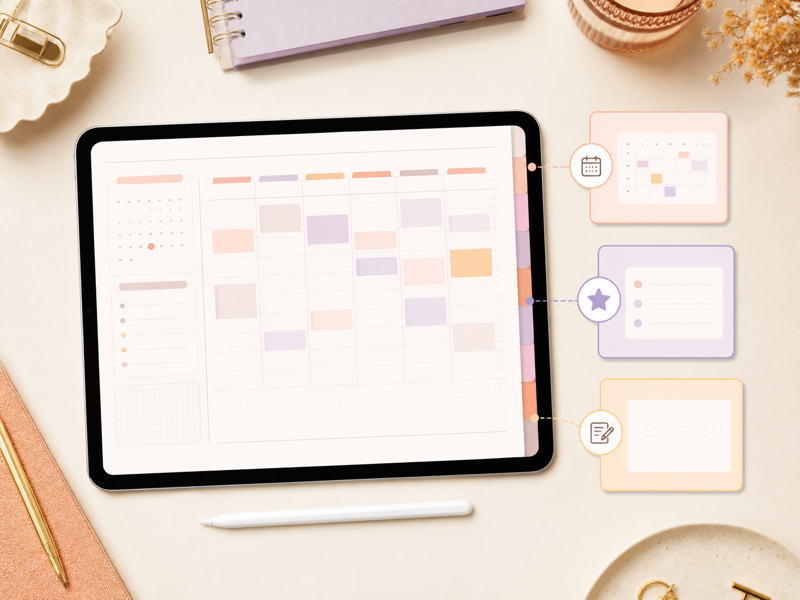
Check the date-linked daily page: appointments with fixed times first, then deadlines. Mark anything that changed overnight. If your planner hyperlinks to a monthly or weekly view, skim the week once so today sits in context.
3. Pick a top three
Write down the three tasks that make today a success if nothing else gets done. Put them at the top of the page — literally above the fold if your template has a priorities box. A top three beats a ten-item wish list that rolls over unfinished every day.
4. Tick your trackers
Check off yesterday’s habit boxes — water, exercise, reading, whatever you track — and set today’s intention. Thirty seconds here keeps the streak honest; skipping it is usually how trackers quietly die.
5. One line for tonight
Add a single note-to-self for the evening check-in: something to follow up, a person to reply to, or a win to record. It closes the loop when you reopen the planner at night.
Keep it short on purpose
The routine fails when it grows past ten minutes. Detailed project notes belong in project pages, not the daily view. If you regularly run out of room on the daily layout, that is a sign to link a separate page for that project — most GoodNotes-style planners let you paste a link or tab straight to it.
If you want to turn your short list into a schedule, see how to plan your day using time blocks and room for interruptions.
An example morning
8:00 — open planner, glance at the week. 8:01 — see a 10:30 call and a bill due. 8:02 — top three: prep notes for the call, pay the bill, post office run. 8:04 — tick yesterday’s water and walk boxes, write today’s intention. 8:05 — note “reply to Mai about Saturday” for tonight. Done — the day has a spine before messages open.
A shorter routine for an interrupted morning
When you only have two minutes, check the next appointment, choose one task to start, and mark anything you need to carry forward. Keep today’s page next to your simple weekly planner layout so you can see which day has room to take it.
Frequently asked questions
What if my mornings are unpredictable?
Shrink the routine to two steps — today’s fixed items and a top three. Even ninety seconds beats skipping the page entirely.
Do I need a template with a morning section?
No. Any daily page works; a dedicated priorities and habit row just makes the sequence faster. What matters is running the same steps in the same order each day.
Digital or paper — does it matter?
The routine is identical; digital adds undo, hyperlinks between pages, and a device you already carry. Paper adds zero notifications. Pick the one you will actually open first.
Temply Studio
Stop chasing your goals with sticky notes and scattered notebooks. Our premium digital planners and Canva templates are designed to help you plan with intention, stay consistent, and actually enjoy the process.


Questions about this guide?
Ask about the planner, share how you use it, or tell us what to cover next. Your email stays private.