



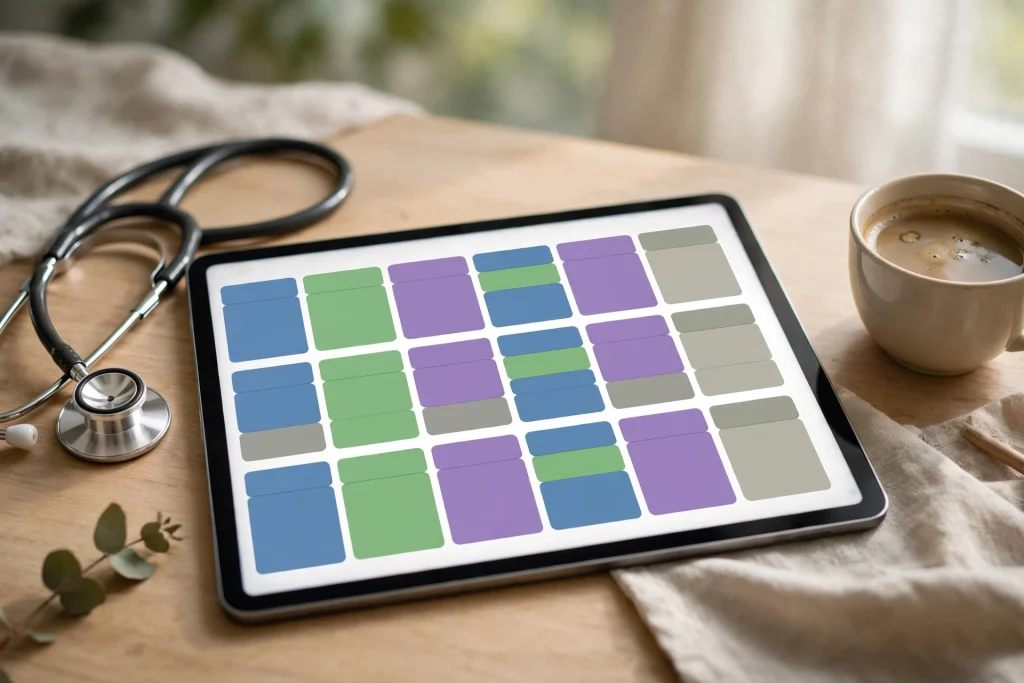
Quick answer: A nurse shift planner in GoodNotes works best when it shows your whole rotation at a glance — days, nights and days off colour-coded across several weeks — plus a daily shift page for tasks, handovers and hours. Set up the rotation grid first, then build one reusable daily page you can duplicate all month.
Rotating shifts are hard to plan around because your week never looks the same twice. A paper diary fills up with crossings-out, and a phone calendar shows one day at a time. A digital planner in GoodNotes solves the real problem: you can see the pattern, not just the day.
Why rotating shifts break ordinary planners
Most planners assume Monday to Friday, weekends off. Nurses work 12-hour days, 12-hour nights, and blocks of days off that move every week. If your planner only shows one week, you cannot tell which cycle week you are in, when your next run of nights starts, or whether a day shift follows a night shift too closely.
That is why the rotation grid matters more than any single daily page. Once the pattern is visible, everything else — sleep, appointments, childcare, overtime — gets easier to place.
Common rotation patterns, explained simply
You do not need to memorise every rota system. These are the patterns most shift planners are built around:
- 3×12: three 12-hour shifts per week, with four days off. Simple, but the days move.
- 2-2-3 (Panama): two on, two off, three on, then the pattern flips. It repeats every two weeks.
- 2 days / 2 nights / 4 off: a short, intense block followed by a proper recovery stretch.
- Pitman 2-3-2: teams rotate through two days, three nights and two days off in a repeating cycle.
- DuPont: a four-week cycle that mixes days and nights across a full month.
Write your pattern into the planner once, in a legend: D for day, N for night, OFF for rest. Then colour each type the same way every time. Your eyes will learn the pattern faster than your brain will.
The pages your nurse shift planner must contain
1. Multi-week rotation grid
This is the heart of the planner. One grid, four to six weeks wide, with a row for each week and a column for each day. Mark every shift, and add a small note for swaps or overtime. If you can see the whole cycle, you can book appointments on real days off instead of guessing.
2. Daily shift page
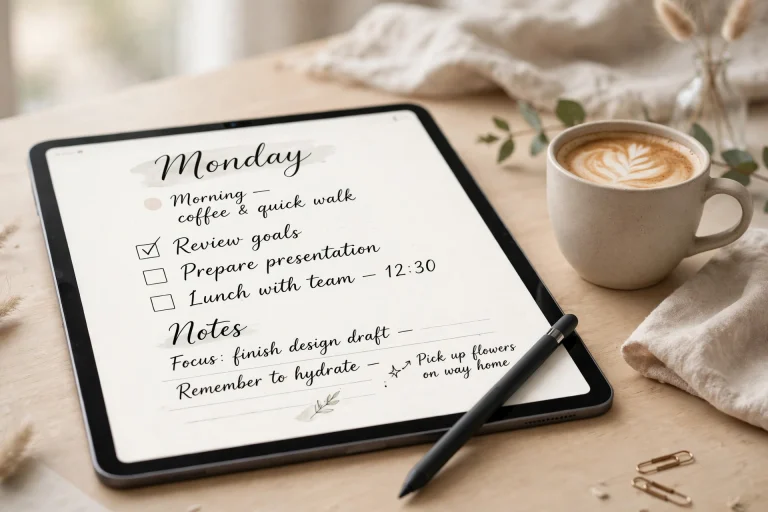
Each shift gets a time-block list: patient or room, task, priority and a done checkbox. Keep it short. A shift page is a working tool, not a second medical record — never put confidential patient details in a personal planner.
3. Handover and swap notes
A single page for handover notes, shift swaps and requests. When a swap is agreed, change the rotation grid immediately so the pattern stays true.
4. Hours and overtime tally
A simple monthly tally — shifts worked, overtime hours, nights worked — helps you check your pay and spot an overloaded month before it happens.
5. Night-shift recovery and sleep log
After nights, recovery is part of the plan, not an afterthought. Log sleep, and block the first day after a night run as recovery where you can. Flag two fatigue risks in your planner: runs of three or more nights in a row, and a day shift starting less than 24 hours after a night. This is personal planning advice, not medical advice.
Setting it up in GoodNotes
Start with the GoodNotes planner guide if you are new to the app, then follow these steps:
- Build the rotation grid first. Fill in the next four to six weeks from your official roster, using your D / N / OFF legend.
- Colour-code shift types. One colour for days, one for nights, one for days off. Use the same colours everywhere.
- Duplicate the daily shift page. Create one good daily page, then duplicate it for every shift day instead of rebuilding it.
- Save reusable stickers with Elements. Shift labels, handover flags and recovery markers become one-tap stickers you can reuse all year.
- Search, don’t scroll. GoodNotes handwriting search lets you find a ward note or handover reminder across your whole library.
GoodNotes also lets you keep the planner undated, so a new rotation can start any week without wasting pages. If your roster changes, edit the grid — no crossing-out, no rebuying a planner.
What this planner is — and is not
A nurse shift planner is a personal organising tool. It is not a hospital rostering system, and it never replaces your official roster. Always check the official roster before a shift, and treat the planner as your view of it, not the source of truth.
Choosing a planner to start from
If you want a ready-made base, the 2027 Life Planner gives you monthly and weekly views you can adapt with a shift legend, and the Minimalist Daily Planner works well as a clean daily shift page. If you are still in nursing school, the Nursing School Planner 2027 is built for study and clinical placements rather than working rotas — pick the one that matches where you are now, not just the title.
A sample week, planned the calm way
Imagine a week that starts with two day shifts, then a day off, then two nights. In the rotation grid, that week reads D-D-OFF-N-N, with the following two days blocked for recovery. Appointments go on the day off or after recovery — never squeezed between a night and the next morning shift. Meals, sleep and errands get their own small blocks on the daily page, so the shift itself stays focused on tasks and handovers.
The point is not to fill every hour. It is to decide, once, where the hard edges are — when you work, when you sleep, when you recover — and then let ordinary life fit around those edges instead of colliding with them.
Monthly reset: 15 minutes that save a month
Once a month, sit down with the official roster and your planner. Update the next rotation grid, carry forward any swaps, total your overtime hours, and duplicate the daily pages for the month ahead. Fifteen minutes of reset beats a month of guessing, and it is the habit that keeps a shift planner useful long after the novelty wears off.
FAQ
How do I plan around a rotating shift pattern? Put the whole rotation in one multi-week grid first, colour-coded by shift type. Daily pages only make sense once the pattern is visible.
Can I use GoodNotes for shift swaps? Yes — note the swap on your handover page and update the rotation grid straight away, so the pattern you see always matches the roster you agreed.
Is a digital planner better than paper for nurses? For rotating shifts, usually yes: you can duplicate pages, search handwritten notes, and edit a changed roster without starting over.
Should I put patient details in my planner? No. Keep shift pages to tasks, times and priorities, and never record confidential patient information in a personal planner.
How do I handle nights followed by day shifts? Flag them in the grid, block recovery time where possible, and treat a day shift less than 24 hours after a night as a fatigue risk to plan around carefully.
Rotating shifts will always be demanding, but a clear planner removes one layer of chaos. Build the grid, colour the pattern, duplicate the daily page — and let the planner carry the pattern so you can focus on the shift itself. Start with the 2027 Life Planner and build your shift system from there.
Temply Studio
Stop chasing your goals with sticky notes and scattered notebooks. Our premium digital planners and Canva templates are designed to help you plan with intention, stay consistent, and actually enjoy the process.

Questions about this guide?
Ask about the planner, share how you use it, or tell us what to cover next. Your email stays private.