
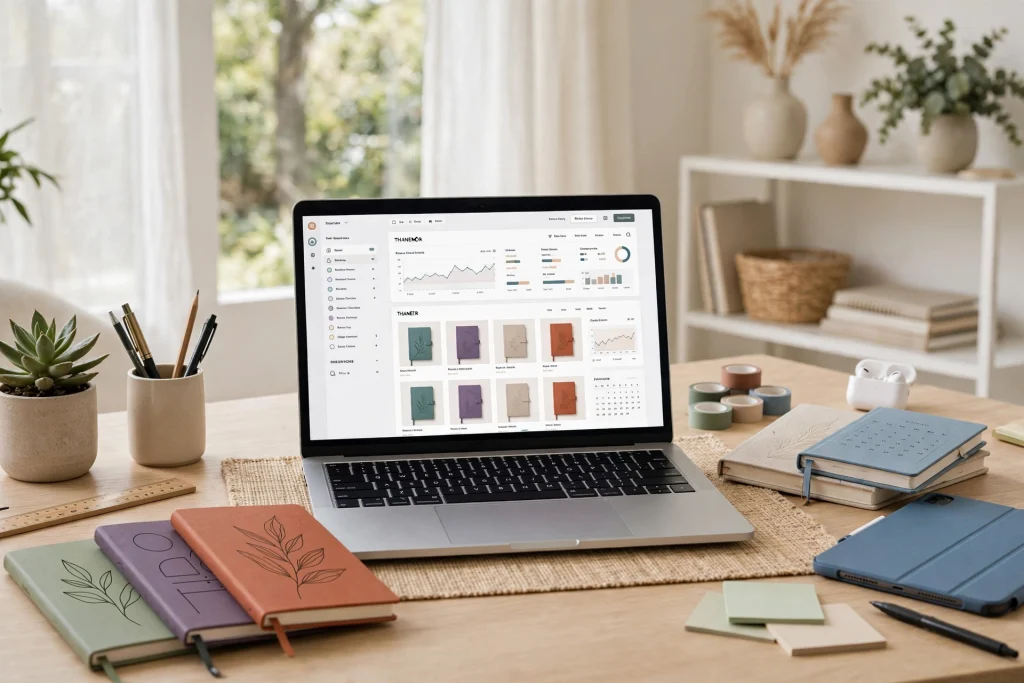
Learning how to sell digital planners on Etsy is one of the most accessible ways to start an online business in 2027. There is no inventory to store, no shipping to arrange, and every sale delivers instantly to the buyer while you keep close to 100% of the digital margin. But the low barrier to entry also means real competition — thousands of planner shops are fighting for the same search terms. The sellers who win are the ones who treat Etsy like a search engine, pick a sharp niche, and design products buyers actually need.
This beginner’s guide walks you through the entire process: validating your niche, designing planners that stand out, setting up your shop, writing SEO-optimized listings, and scaling from your first sale to a reliable side income.
Why Sell Digital Planners on Etsy in 2027?
Digital planners are downloadable files — typically PDFs or GoodNotes/Notability files — that customers import into a note-taking app and use with a stylus on a tablet. Unlike physical planners, they can be duplicated infinitely, which makes them the textbook example of a digital product with passive-income potential.
Etsy remains the best marketplace to sell digital planners in 2027 for a few reasons:
- Built-in buyer intent. Shoppers arrive on Etsy actively looking to buy — no cold outreach required.
- Search-driven discovery. Etsy’s search algorithm rewards keyword relevance, so good SEO work compounds over time.
- Zero logistics. Etsy handles instant file delivery automatically after purchase.
- Low startup cost. A listing costs $0.20, and you can design your first planner with free or affordable tools.
The trade-off is competition. A quick search for “digital planner” shows page after page of established shops. That is why generic planners rarely sell — your strategy has to start with niche selection.
Step 1: Choose a Niche That Actually Buys
Most beginners fail because they try to sell a generic “2027 digital planner” to everyone. Niches sell better because they solve a specific problem for a specific person. Consider:
- Occupation-based niches: nurse planners, teacher planners, real estate agent planners
- Goal-based niches: fitness and meal planning, budgeting and debt payoff, wedding planning
- Identity-based niches: planners for ADHD brains, minimalist planners, spiritual journaling
- Stage-based niches: new-mom organizers, student assignment planners, startup founders
Validate your niche before designing. Search Etsy for your target keywords and study the top results: How many reviews do the best sellers have? Are their reviews recent (proof of ongoing demand)? Read 1-star reviews on competing products — buyers will tell you exactly what is missing, which becomes your product brief.
Also check demand outside Etsy. Google Trends and Pinterest search can confirm whether interest in your niche is growing, seasonal, or fading. A planner tied to a growing trend (like solo entrepreneurship) has a longer sales runway than one tied to a fad.
Step 2: Design a Planner People Love
What a winning digital planner includes
Successful sellers converge on the same essentials: a monthly overview, weekly spreads, daily pages, goal-setting sections, and a few niche-specific extras (a budget tracker for a finance planner, a lesson log for a teacher planner). Hyperlinked tabs are non-negotiable in 2027 — buyers expect to tap their way around the planner, not scroll.
Tools for designing
- Canva: the fastest route for beginners; thousands of planner templates and drag-and-drop layout.
- Affinity Publisher / InDesign: for pixel-perfect, professional layouts once you are ready to level up.
- Keynote/PowerPoint: surprisingly effective for building hyperlinked PDFs.
Export as PDF for maximum compatibility, and consider offering a GoodNotes-optimized version with tabs already set up. If you want a head start, study how professional products are structured — for example, the 2027 Business Planner shows how quarterly goals, project tracking, and finance pages can be bundled into one cohesive system, while the 2027 Solopreneur Planner demonstrates niche design for independent business owners.
Quality benchmarks to hit
- Hyperlinked navigation on every page (tabs, monthly index, back buttons)
- Clean, consistent typography — no more than two fonts
- A consistent color system; offer both light and dark or dated and undated variants
- A short “how to use” PDF so beginners are not lost after downloading
Step 3: Set Up Your Etsy Shop the Right Way
- Open your shop. Choose a memorable shop name that hints at your niche (e.g., “PlanBold Studio” beats “DigitalStore123”). Set your shop language, country, and currency.
- Write a buyer-focused About section. Explain who your planners are for and what makes them different — not your life story.
- Set up payments and policies. Because digital products deliver instantly, set clear policies: no returns on digital downloads, but offer re-download support if files fail.
- Brand your shop. A simple logo, banner, and consistent listing-photo style make your shop look established from day one.
Step 4: Create Listings That Get Found (Etsy SEO)
Etsy is a search engine first. Every listing should be built around one primary keyword phrase — for example, “ADHD digital planner” or “teacher lesson planner GoodNotes” — the same way you would optimize a blog post.
Title
Put your main keyword in the first 55 characters of the title, then add descriptors: format (GoodNotes, PDF), year (2027), and key features (hyperlinked, undated). Example: “2027 ADHD Digital Planner for GoodNotes, Hyperlinked Weekly & Daily Pages, Undated PDF”.
Tags
Use all 13 tags. Mix exact-match phrases (“digital planner 2027”), use-case phrases (“student planner ipad”), and format phrases (“goodnotes planner”). Never repeat a tag verbatim in your title if you can use the slot for a new phrase.
Description
Front-load the first 160 characters with your keyword and main benefit, because that snippet appears in Google search results too. Then describe exactly what the buyer gets: page count, sections, formats included, and compatibility. End with clear usage instructions.
Mockups and preview images
Your first image is your click-through rate. Show the planner open on a tablet in a lifestyle setting — never a flat, text-heavy cover alone. Include 5-10 images: lifestyle mockup, tab navigation close-up, key spreads, “what’s included” graphic, and a compatibility/how-to-use image.
Step 5: Price for Profit and Conversion
Most digital planners on Etsy sell between $4 and $25. Pricing too low signals low quality and leaves money on the table; pricing too high without reviews stalls momentum. A proven launch strategy:
- Start at an introductory price ($6–$9) to collect your first 20–50 reviews quickly.
- Raise the price once social proof is established — many top sellers price flagship planners at $15–$25.
- Bundle. A “planner + sticker pack” or “2027 planner bundle” listing raises average order value dramatically.
- Run Etsy sales strategically. Scheduled sales events boost visibility without permanently discounting your brand.
Remember Etsy’s fees: $0.20 per listing, 6.5% transaction fee, and a payment processing fee (~3% + $0.25). Price with those baked in.
Step 6: Get Your First Sales and Reviews
New shops face a chicken-and-egg problem: no reviews, no sales. Break the cycle with deliberate launch tactics:
- List 10–20 products before expecting traction. Each listing is a lottery ticket in Etsy’s search; one listing rarely ranks.
- Drive your own traffic. Pinterest is the highest-ROI free channel for planner sellers — pin your mockups with keyword-rich descriptions. Short-form video (TikTok, Reels, Shorts) showing the planner in use converts remarkably well.
- Ask every buyer for a review. A polite follow-up message after delivery lifts review rates significantly.
- Consider Etsy Ads sparingly. A small daily budget ($1–$2) on your best-converting listing can seed initial sales, but turn it off if the ROAS is negative.
Step 7: Scale Without Burning Out
Once sales are steady, growth comes from expanding your catalog, not from redesigning the same planner endlessly:
- Niche down further. If your business planner sells, launch adjacent versions — solopreneurs, freelancers, content creators. A strong example of niche positioning is the 2027 Solopreneur Planner, built specifically around the workflows of one-person businesses rather than generic corporate planning.
- Offer editable templates. Editable Canva templates are a premium upsell: buyers who want to customize pay more. See how the Light Grey Digital Planner Canva Template packages an editable, minimalist design as a distinct product tier.
- Build seasonal products. Academic-year planners (July–June), holiday planners, and New Year bundles capture seasonal search spikes.
- Collect emails. Offer a free mini-planner in exchange for an email address so launches do not depend entirely on Etsy’s algorithm.
- Reinvest in design quality. Refresh bestsellers annually with new layouts, more sections, and updated aesthetics — dated planners need a new edition every year anyway.
Common Mistakes Beginners Make
- Copying bestsellers. “Inspired by” too closely is a fast track to copyright complaints and a generic product nobody chooses.
- Skipping hyperlinks. In 2027, an unlinked digital planner is a broken product.
- One listing, then waiting. Algorithm visibility requires catalog depth — publish consistently.
- Ignoring the numbers. Check Etsy’s search analytics monthly: which keywords bring views, which listings convert, and double down.
- Neglecting customer service. Fast, friendly support on download issues turns frustrated buyers into 5-star reviews.
FAQ: Selling Digital Planners on Etsy
Do I need a business license to sell digital planners on Etsy?
Requirements vary by country and state. In most US states you can start as a sole proprietor without a special license, but check your local rules on business registration and digital-goods sales tax. Etsy collects sales tax on digital goods in many jurisdictions automatically, but the ultimate responsibility is yours.
How much money can you make selling digital planners on Etsy?
It ranges widely. Hobby sellers make a few hundred dollars a month; established niche shops with 30–100 listings commonly report $2,000–$10,000+ per month. Your results depend on niche selection, catalog size, SEO quality, and how consistently you publish new products.
What software do I need to design a digital planner?
Canva is enough to start and is what most beginners use. As you grow, Affinity Publisher or Adobe InDesign give you finer control over layouts and hyperlinking. You will also want a tablet with GoodNotes or Notability to test your planner the way customers will use it.
Are digital planners still profitable in 2027?
Yes — but generic planners are not. Profitability has shifted toward niche-specific planners (for ADHD, teachers, solopreneurs, specific workflows) with excellent design and strong SEO. Shops competing purely on price in saturated generic categories struggle.
How long does it take to get your first sale?
With 10–20 optimized listings and active Pinterest promotion, many sellers see their first sale within 2–6 weeks. Shops with a single listing and no external traffic can wait months. Catalog depth and off-Etsy traffic are the two biggest accelerators.
The Bottom Line
To sell digital planners on Etsy successfully in 2027, the formula is straightforward but not easy: pick a specific niche with proven demand, design a genuinely excellent hyperlinked planner, optimize every listing for Etsy’s search, launch with 10–20 products, and promote relentlessly outside Etsy. Sellers who treat it as a real business — studying their numbers, refreshing their catalog, and serving customers well — build income streams that compound year after year.
Ready to study what a polished niche planner looks like before you design your own? Take a close look at the 2027 Solopreneur Planner — its hyperlinked layout, goal-tracking sections, and one-person-business workflow are exactly the kind of niche-specific design that wins on Etsy.
Further reading: Etsy’s Seller Handbook guide to Google SEO and Etsy’s guide to selling digital downloads.
Temply Studio
Stop chasing your goals with sticky notes and scattered notebooks. Our premium digital planners and Canva templates are designed to help you plan with intention, stay consistent, and actually enjoy the process.
Questions about this guide?
Ask about the planner, share how you use it, or tell us what to cover next. Your email stays private.