




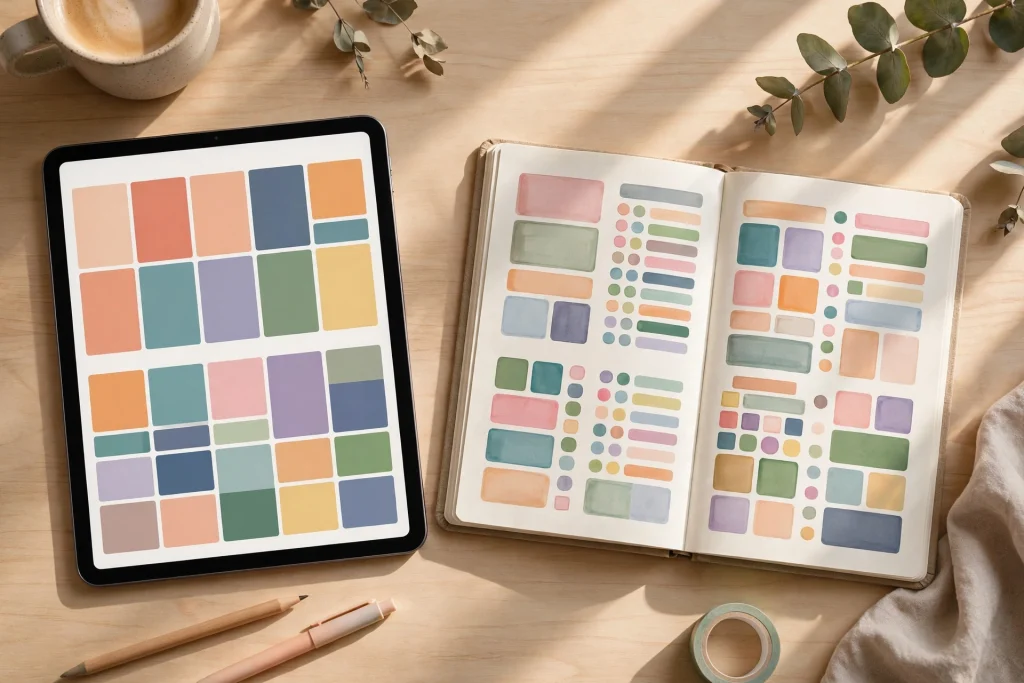
The digital planner vs paper planner debate is one of the most common questions in the productivity world, and the honest answer is that there is no single winner. Both systems have passionate fans, real research backing their strengths, and genuine trade-offs you should understand before you invest your time or money. In this guide, we will walk through exactly how each planner works, compare them across cost, portability, customization, searchability, and environmental impact, and help you decide which system — or which combination — fits your brain, your budget, and your lifestyle in 2026.
By the end of this article, you will know not only which planner type suits you, but also how to switch from one to the other without losing your routines, notes, or momentum.
How a Digital Planner Actually Works
A digital planner is a PDF-based planner (often hyperlinked) that you write in on a tablet using a stylus, typically inside a note-taking app. If you have never used one, the experience is surprisingly close to paper: you open your planner, tap a tab to jump to the weekly view, and write with your stylus exactly where you would write with a pen. The difference is everything happening behind the scenes — tabs that link to pages, templates you can duplicate endlessly, and notes you can search months later.
The apps and tools involved
Most digital planners are built for apps like GoodNotes, Notability, or Penly on iPad, and Xodo, Notes Writer, or Penly on Android and Windows devices. GoodNotes is the most popular choice because it offers a clean handwriting engine, zoom writing boxes, text conversion, and the ability to search your own handwriting. You purchase a digital planner file once, import it into the app, and it is yours forever — no subscription needed for the planner itself.
Here is what a typical digital planner workflow looks like:
- Import once: Buy a hyperlinked PDF planner and import it into GoodNotes or your preferred app.
- Navigate with tabs: Tap sidebar tabs to jump between monthly, weekly, and daily views instantly — no page flipping.
- Write naturally: Use an Apple Pencil or stylus to handwrite appointments, tasks, and notes right on the page.
- Duplicate templates: Need ten extra note pages or a meal-planning spread? Copy and paste any page in seconds.
- Undo anything: Make a mistake? The eraser tool or undo button fixes it instantly — no crossed-out tasks.
The appeal of a digital planner is that it gives you the tactile satisfaction of handwriting combined with the superpowers of digital storage: search, backup, unlimited pages, and everything synced across devices.
How a Paper Planner Works
A paper planner is the classic bound notebook with printed daily, weekly, or monthly layouts. You pick it up, open it, and write. There are no apps to learn, no batteries to charge, and no updates to install. For many people, that simplicity is the entire point.
Paper planning has a surprisingly devoted and sophisticated community. Bullet journaling, traveler notebooks, disc-bound systems like Happy Planner and ARC, and premium brands like Hobonichi and Leuchtturm have built followings around the ritual of putting pen to paper. Research in cognitive psychology has also found that handwriting activates memory encoding more strongly than typing, which is one reason many people remember appointments better when they write them by hand in a physical planner.
Here is the typical paper planning workflow:
- Choose your system: Pick a dated or undated planner, a bullet journal, or a disc-bound system that lets you add and move pages.
- Write by hand: Pen meets paper. No login, no syncing, no learning curve.
- Decorate if you want: Stickers, washi tape, and color coding make the process enjoyable for creative planners.
- Carry it everywhere: It is always on, never distracts you with notifications, and never runs out of battery.
Paper’s strength is focus and simplicity. When you open a paper planner, you are doing one thing: planning. That single-purpose quality is exactly what many digital converts say they miss.
Digital Planner vs Paper Planner: The Full Comparison
Now let’s put the two systems side by side across the factors that actually matter in daily life. We will go deeper into each factor in the sections below, but here is the honest summary first:
- Upfront cost: Paper planners look cheaper at first glance; digital planners require a tablet and stylus.
- Long-term cost: Digital planners often win over 2–3 years because you reuse or repurchase cheap files instead of buying a new physical planner every year.
- Portability: Paper is unbeatable for zero-friction access; digital carries every planner, notebook, and document in one slim device.
- Customization: Digital wins by a wide margin — unlimited pages, duplicate layouts, and endless sticker libraries.
- Searchability: Digital wins decisively. Paper relies on your memory and sticky tabs.
- Focus and distraction: Paper wins. A tablet is a portal to notifications, apps, and the internet.
- Environmental impact: Digital wins if you already own a tablet; paper wins if buying a new device just for planning.
- Memory retention: Slight edge to paper, though handwriting in a digital planner captures much of the same benefit.
Neither system is objectively better — the right choice depends on which of these factors matters most to you. Let’s dig into each one.
Cost Comparison: What Will You Actually Spend?
Cost is where the digital planner vs paper planner comparison gets interesting, because the cheapest option in year one is not always the cheapest over time. Let’s run realistic numbers.
The cost of a paper planner habit
A quality paper planner costs anywhere from $15 for a basic dated planner to $35–$60 for premium brands, and enthusiasts often spend much more once stickers, pens, and washi tape enter the picture. But the real cost is that paper is a recurring subscription you did not sign up for:
- Year 1: Planner ($25–$55) + pens ($15) + stickers/accessories ($20) = $60–$90
- Year 2: You buy it all again = $60–$90
- Year 3: And again = $60–$90
- 3-year total: roughly $180–$270, plus a growing shelf of old planners
That does not include the hidden costs: running out of pages mid-year, buying a second notebook for notes, or replacing a planner that got coffee spilled on it.
The cost of going digital
Digital planning has a higher barrier to entry but flatter long-term costs. The big expense is hardware:
- Tablet + stylus: A base-model iPad with Apple Pencil runs roughly $400–$480; budget Android tablets with a stylus can cost under $200. But — and this is key — most people already own a tablet or phone that can run a digital planner. If the hardware is already in your bag, the marginal cost of digital planning is close to zero.
- App: GoodNotes costs around $30 one-time (or a small annual plan). Free options exist for Android and Windows.
- Digital planner file: Typically $8–$25 one-time. Many are undated, meaning you reuse the same file year after year.
- 3-year total (with existing tablet): roughly $40–$60 — the app plus one or two planner files you reuse forever.
The bottom line: if you already own a tablet, digital planning is almost certainly cheaper within the first year. If you would be buying a tablet only for planning, paper is cheaper unless you expect to use the device for reading, drawing, or work too.
Portability: Which One Actually Travels Better?
Paper planners win on pure simplicity. A notebook weighs a few hundred grams, slips into any bag, opens instantly, and never asks for a charger. On a plane, at a café, or in a meeting, paper is the fastest way to capture a thought — zero boot time, zero friction.
But digital planning wins on carrying capacity. One tablet holds your daily planner, your journal, every notebook you have ever filled, your reference PDFs, and your sticker library — all searchable, all backed up. If you are the kind of person who carries a planner plus a notebook plus a sketchbook, a single tablet replaces the whole stack at a fraction of the weight.
There is also the backup factor. Lose a paper planner and your year is gone — every appointment, every note, every idea. Lose a tablet and you log into your app on a new device; cloud sync restores everything. For anyone whose planner holds critical work information, that resilience alone can settle the debate.
Customization: Where Digital Planners Pull Ahead
This is the category where digital planning is not just better — it is in a different league entirely.
What digital customization looks like
- Unlimited pages: Insert as many note pages, trackers, or budget sheets as you want, exactly where you want them.
- Duplicate anything: Love your weekly layout? Duplicate it. Need a project page for each client? Copy the template once per project.
- Rearrange freely: Drag pages into a new order when your priorities change mid-year.
- Endless stickers, zero clutter: Digital sticker books cost a few dollars and never run out — and they take up no physical space.
- Hyperlinked tabs: Jump from January to a specific week to your vision board with one tap. Paper index tabs cannot compete.
- Undo and edit: Move an appointment by dragging it. Resize handwriting. Change ink color after the fact.
What paper customization looks like
Paper is not without its charms. Disc-bound systems let you add, remove, and rearrange pages. Decorative planning with physical stickers and washi tape is a beloved hobby in itself. And there is a sensory satisfaction — the texture of good paper, the glide of a favorite pen — that a screen cannot replicate.
But paper has hard limits: finite pages, no undo, no instant duplication, and every customization costs more money and more physical supplies. If personalization matters to you, digital planning offers dramatically more of it at a fraction of the ongoing cost. Browse a quality digital planner collection and you will see how much variety a single one-time purchase unlocks — dated, undated, minimalist, and lifestyle layouts that would cost hundreds of dollars to replicate in paper.
Searchability: Finding Information Months Later
Ask yourself: how often do you need to find something you wrote down weeks or months ago? A client name from March, a recipe from last summer, the dimensions of a bookshelf you measured in February.
In a paper planner, retrieval means flipping pages and relying on memory, sticky tabs, and luck. Some disciplined planners maintain an index, but most of us do not. In a well-designed digital planner, you tap the search bar and type a word — GoodNotes even searches your handwriting. The difference in practice is finding something in five seconds versus twenty minutes, or versus never finding it at all.
This is the single most underrated advantage of digital planning, and it compounds over time. Every note you take becomes part of a searchable personal knowledge base. For students, professionals, and anyone juggling multiple projects, searchability alone can justify the switch.
Environmental Impact: Which Is Greener?
The environmental comparison is more nuanced than it first appears, and it depends heavily on your starting point.
- Paper planners consume paper, ink, packaging, and shipping every year. Most planners are not printed on recycled paper, and glittery stickers and plastic accessories add to the footprint. Over a decade, a paper planner habit consumes dozens of bound books.
- Digital planners shift the footprint to electronics manufacturing, which is carbon-intensive — mining, assembly, and shipping a tablet has a real environmental cost. However, that cost is largely fixed: once you own the device, years of digital planning add almost nothing.
The honest verdict: if you already own a tablet, digital planning is clearly greener — one planner file reused for years versus a new physical planner annually. If you would buy a brand-new tablet solely for planning, the environmental math favors sticking with paper (ideally recycled and minimal) unless you will use the tablet for other purposes too.
Focus, Distraction, and the Feel of Writing
Here is where paper stages its comeback. A paper planner does one thing. There are no notifications, no tempting apps, no “let me just check one thing” rabbit holes. For people with ADHD or anyone sensitive to digital distraction, that single-purpose focus is not a minor perk — it is the whole game.
Tablets can be tamed: airplane mode, Do Not Disturb, and app limits turn a device into a nearly distraction-free writing surface. But it takes discipline and setup, and the temptation never fully disappears.
On the feel of writing: modern styluses on matte screen protectors (like Paperlike) come impressively close to pen on paper, and handwriting recognition means your digital notes remain searchable. But if the sensory ritual of quality paper and a favorite pen is what gets you to plan consistently, no screen will replace it — and consistency beats features every time. The best planner is the one you actually use.
Who Should Choose a Digital Planner?
A digital planner is likely the better fit if several of these describe you:
- You already own a tablet and stylus. This removes the biggest cost barrier and makes digital planning cheaper from day one.
- You take a lot of notes. Students, professionals, and project managers benefit enormously from unlimited pages and handwriting search.
- You customize heavily. If you find yourself wishing your paper planner had “just one more” tracker, template, or layout, digital planning was made for you.
- You travel or commute. Carrying your entire planning system in one slim device beats a bag full of notebooks.
- You have messy handwriting or change plans often. Undo, move, and resize tools forgive everything — no more crossed-out appointments.
- You like reusing systems. An undated digital planner like the Minimalist Undated Digital Life Planner works every year with no repurchase, making it one of the most economical long-term choices.
- You want everything searchable and backed up. If losing a planner would be a disaster, cloud sync is peace of mind.
Who Should Stick With Paper?
Paper remains the right choice for plenty of people:
- You are easily distracted by devices. If opening a tablet means twenty minutes on social media, paper protects your planning time.
- You do not own a tablet and do not want to buy one just for planning.
- You love the ritual. The smell of paper, the choice of pen, the decoration — if the physical process motivates you, that matters more than any feature list.
- You plan simply. A daily to-do list and a few appointments do not need hyperlinks and sticker libraries.
- You want zero learning curve. Paper works the same for your grandmother as for you, with no updates or compatibility issues.
- You remember better by handwriting on paper. While writing with a stylus captures much of the memory benefit, some people genuinely encode information better with pen on paper.
How to Decide: 7 Questions to Ask Yourself
Still on the fence? Answer these seven questions honestly — the pattern in your answers usually points clearly to one system:
- Do I already own a tablet I enjoy writing on? Yes strongly favors digital; no favors paper.
- How often do I search for old notes? Often means digital. Rarely means either works.
- Do notifications derail me? If yes, paper has a real advantage — or commit to airplane mode during planning sessions.
- How much do I customize? Heavy customizers will feel constrained by paper within months.
- What is my real annual planner budget? Add up planners, pens, stickers, and notebooks. Compare it to a one-time digital planner file.
- Do I need my plans backed up? If your planner holds work-critical information, digital sync is a safety net paper cannot match.
- Which one will I actually open every day? This is the tiebreaker. The fanciest system in the world is worthless if you do not use it. Be honest about your habits, not your aspirations.
How to Switch From Paper to Digital (Without the Headache)
Thousands of paper planners make the jump every year, and the ones who stick with it follow a similar playbook. Here is how to transition smoothly:
- Do not throw away your paper planner yet. Run both systems in parallel for two to four weeks. This removes the pressure and gives your new digital system time to prove itself.
- Pick one well-designed planner file. Decision fatigue kills transitions. Start with a single, highly rated planner rather than downloading five free ones. A dated option like Digital Planner 2025 with daily, weekly, and monthly hyperlinked pages gives you structure from day one.
- Recreate your current setup first. Before exploring fancy features, copy your existing paper layout into the digital planner: same sections, same routines. Familiarity first, experimentation second.
- Learn five skills. You only need: navigating tabs, writing with the stylus, erasing, duplicating a page, and searching. Everything else can wait.
- Set up distraction guards. Turn on Do Not Disturb or airplane mode during planning sessions. Put your planner app on the home screen and bury the distracting apps in folders.
- Migrate old notes gradually. Do not try to digitize years of paper at once. Bring over only what is still active — current projects, ongoing lists, reference pages. Archive the rest.
- Give it 30 days. The first week feels awkward — every new tool does. Most converts report that the system “clicks” around week three or four, when searching, duplicating, and undoing become second nature.
The Verdict: Digital Planner vs Paper Planner in 2026
After comparing cost, portability, customization, searchability, environment, and focus, here is our honest verdict: for most people who already own a tablet, a digital planner is the better long-term choice. It costs less over time, does more, weighs less, and protects your notes with search and sync. The customization gap is enormous, and undated digital planners that you reuse forever make the economics hard to argue with.
But “most people” is not “you.” Paper wins decisively on focus and simplicity, costs less if you would be buying hardware just for planning, and remains the better choice for anyone whose consistency depends on the physical ritual of writing. There is no productivity prize for using the fancier tool — only for using the tool you will actually open every morning.
And remember: it does not have to be all-or-nothing. Plenty of productive people use a hybrid system — a digital planner for schedules, projects, and searchable notes, plus a small paper notebook for daily focus lists and creative thinking. The digital planner vs paper planner debate has a secret third answer: use each where it shines.
Ready to try digital planning? Explore our digital planner collection — every planner is hyperlinked, handwriting-friendly, and designed to make the switch from paper feel effortless.
Frequently Asked Questions
Is a digital planner worth it if I already have a paper system that works?
If your paper system genuinely works — you plan consistently, find what you need, and enjoy the process — there is no urgent reason to switch. The best time to consider a digital planner is when you hit a paper limitation: running out of pages, losing notes, spending too much on yearly replacements, or wishing you could search your handwriting. Until then, “if it ain’t broke” is valid productivity advice.
Do I need an iPad to use a digital planner?
No. While iPad with GoodNotes and an Apple Pencil is the most popular setup, digital planners also work on Android tablets and Windows devices with apps like Penly, Xodo, or Notes Writer, and even on smartphones for quick reference. Any touchscreen device with a PDF annotation app can run a digital planner — a stylus just makes handwriting much more comfortable.
Can I use both a digital and a paper planner together?
Absolutely, and many people do. A common hybrid setup is a digital planner as the “master system” (appointments, projects, searchable notes) plus a small paper notebook for daily to-dos, morning pages, or creative brainstorming. The key is giving each system a clear job so nothing falls through the cracks and you are not maintaining two competing calendars.
Are undated digital planners better than dated ones?
Undated planners are the better long-term value: you buy once and reuse the file every year, starting on any date, with no wasted pages. Dated planners are more convenient — every page is pre-labeled, so there is zero setup. If you are new to digital planning, a dated planner removes friction; if you want maximum value and flexibility, go undated. Many shops offer both versions of the same design.
Temply Studio
Stop chasing your goals with sticky notes and scattered notebooks. Our premium digital planners and Canva templates are designed to help you plan with intention, stay consistent, and actually enjoy the process.


Questions about this guide?
Ask about the planner, share how you use it, or tell us what to cover next. Your email stays private.