




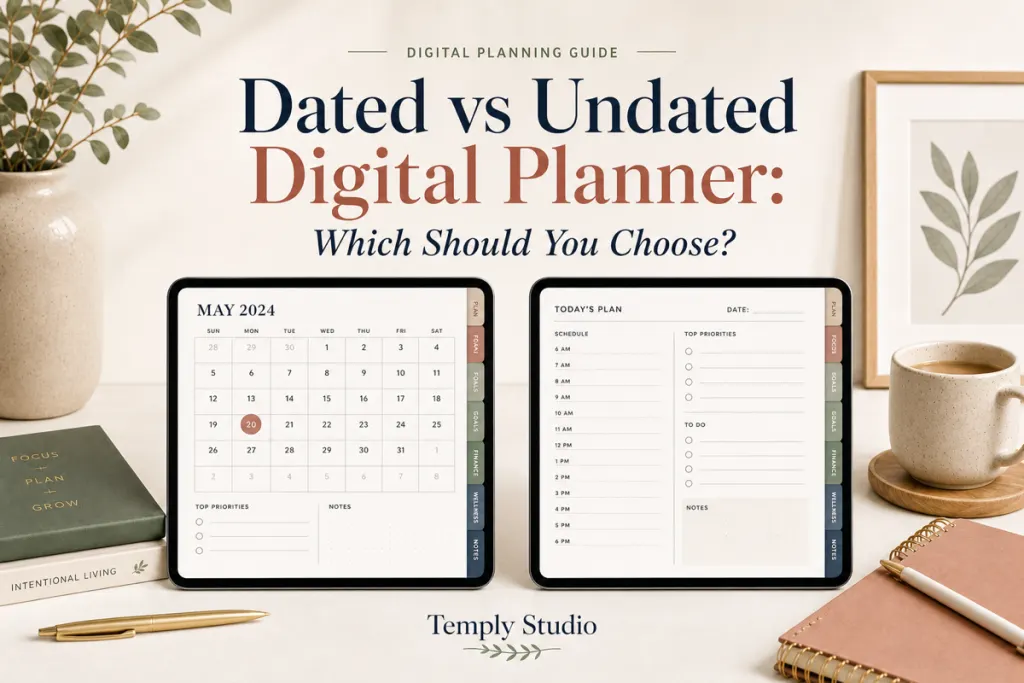
Choosing a dated vs undated digital planner comes down to one question: do you want the calendar already prepared, or do you want the freedom to use pages only when you need them? Both formats can be practical, hyperlinked, and easy to use on a tablet. The better option is the one that makes it easier for you to return to your plan.
Dated vs undated digital planner: the quick answer
Choose a dated digital planner when you plan most weeks, schedule appointments ahead, and want to begin without writing dates. Choose an undated digital planner when your routine changes, you plan in bursts, or you want to start in any month without leaving unused weeks behind.
| What matters most | Dated planner | Undated planner |
|---|---|---|
| Setup | Low: dates are already placed | Moderate: you add dates as needed |
| Starting point | Built for a specific calendar period | Start in any month or week |
| Planning breaks | Unused dated pages remain visible | Resume on the next unused page |
| Long-range appointments | Easy to place immediately | May require setting up future pages |
| Best fit | Consistent routines and deadline-heavy schedules | Flexible, project-based, or irregular routines |
What is a dated digital planner?
A dated digital planner has calendar dates already assigned to its monthly, weekly, or daily pages. For example, a 2026 planner places each day under the correct weekday and may include linked monthly tabs, weekly spreads, notes, goals, and trackers. You open the file, navigate to the date, and plan.
This format removes one small but meaningful decision from every planning session. You do not need to prepare a new week before adding an appointment, deadline, or priority. That makes dated planners especially useful for students, office workers, and anyone who wants a dependable annual structure.
When a dated planner is the better choice
- You use a planner every day or nearly every week.
- You manage classes, recurring meetings, or deadlines months ahead.
- You prefer calendar dates to line up automatically.
- You are building a planning habit and want less setup friction.
Trade-offs to consider
Because the dates belong to a particular year, a dated planner is not usually a fresh calendar for the following year. Starting late can also mean scrolling past weeks you did not use. Those are not flaws for a consistent planner user, but they can feel wasteful if your schedule is unpredictable.
What is an undated digital planner?
An undated digital planner provides the layout without assigning a date to every page. You write in the month, week, or day when you are ready to use it. Many undated files still include tabs and clickable navigation; undated describes the calendar fields, not whether the planner is hyperlinked.
The format gives you more control over pace. If you skip two weeks, you simply continue on the next blank weekly spread. If you take a break from planning, there is no pressure to “catch up” through a run of old dates.
When an undated planner is the better choice
- Your schedule changes with shifts, projects, travel, or semesters.
- You use planning tools in focused bursts rather than every day.
- You want to begin today, even if it is the middle of the year.
- You enjoy choosing how to label weeks, priorities, and trackers.
Trade-offs to consider
Adding dates takes a little time, particularly when you are planning far ahead. If manually setting up a page makes you postpone planning, the convenience of a dated layout may be more valuable than maximum flexibility.
3 easy dated vs undated digital planner decision checks
1. How often will you honestly open it?
If the answer is “most days” or “every Sunday,” choose dated. The planner is ready when you are. If your answer is “when a project gets busy” or “when life feels messy,” choose undated. Its unused pages will wait without creating visual clutter.
2. Do you need to book future dates quickly?
A dated planner is usually simpler for appointments, school terms, launches, and travel plans because future calendar pages already exist. An undated planner can still work, but you may want to set up a few future months before scheduling into them.
3. Do you prefer structure or a blank starting point?
Choose dated if a clear calendar helps you see the week at a glance. Choose undated if you want room to adapt the system around your life. The goal is not to use every page perfectly; it is to choose a tool that lowers the effort of planning.
Dated vs undated digital planner: features to check
Date format is only one part of the decision. Before buying a digital planner, check the orientation, included pages, file format, and app compatibility on the product page. If you like a taller notebook-style layout, compare portrait and landscape digital planners. If fast navigation matters, read our beginner guide to hyperlinked digital planners.
You should also confirm how the file is delivered and edited. Delivery format varies by listing; review the individual product page for the current download or access method and whether a physical item is included. Use an app and device that supports the file format listed on the product page, and review the personal-use license before purchasing.
Check the calendar details before committing
A dated vs undated digital planner comparison is incomplete without checking week start and page coverage. A Monday-start work routine can feel awkward in a Sunday-start layout, even when every date is correct. Look at a real monthly preview, not only the cover. Confirm whether daily pages exist for every date or whether the file supplies a reusable daily template.
For an undated month, count the calendar rows before writing dates. Some month-and-week-start combinations require six rows. Decide how you will represent those final days if the supplied grid has fewer. For a dated file, confirm the year on both the listing and downloaded file, especially when a seller offers multiple editions. Keep a brief note of these checks with the filename so the choice remains clear when you return to the purchase later.
Can you use both types?
Yes. A simple hybrid setup can work well: use a dated planner for appointments and weekly commitments, then use an undated planner or notebook for projects, wellness notes, study plans, or creative work. Give each file a distinct job. Keeping the same to-do list in two places usually adds maintenance instead of clarity.
For a single-planner setup, choose the format that handles your biggest obstacle. If you need a dependable map of the year, choose dated. If you need permission to pause and restart, choose undated.
Find a planner that fits your routine
Temply Studio offers digital planners in different layouts and planning styles. Browse the Digital Planner collection to compare product details, included files, and available formats.
- Browse current digital planners if you want to start at any time.
- Explore a dated 2026 portrait planner for a ready-to-use vertical calendar.
- Explore a dated 2026 landscape planner if you prefer wider weekly planning space.
Frequently asked questions
Is a dated digital planner reusable?
A dated planner is designed for its listed calendar period. You may be able to duplicate a clean copy for personal use during that period, but it is not designed as a calendar for another year. Follow the product license for the specific file.
Can an undated digital planner have hyperlinks?
Yes. Hyperlinks and dates are separate features. An undated planner can include tabs and index links that move between months, weeks, notes, and trackers.
Which format is best for beginners?
A dated planner is often easiest for a beginner who wants immediate structure. An undated planner is more forgiving for someone unsure how often they will plan. Pick the option that removes the most friction for you.
Can I start an undated planner in the middle of the year?
Yes. That is one of the main advantages. Add the current month and dates only as you begin using each section.
How do I use a planner after downloading it?
Download the supplied file, then import the compatible PDF into your annotation app. Our digital planner import guide explains the basic process for Goodnotes users.
Dated vs undated digital planner: a worked first-month example
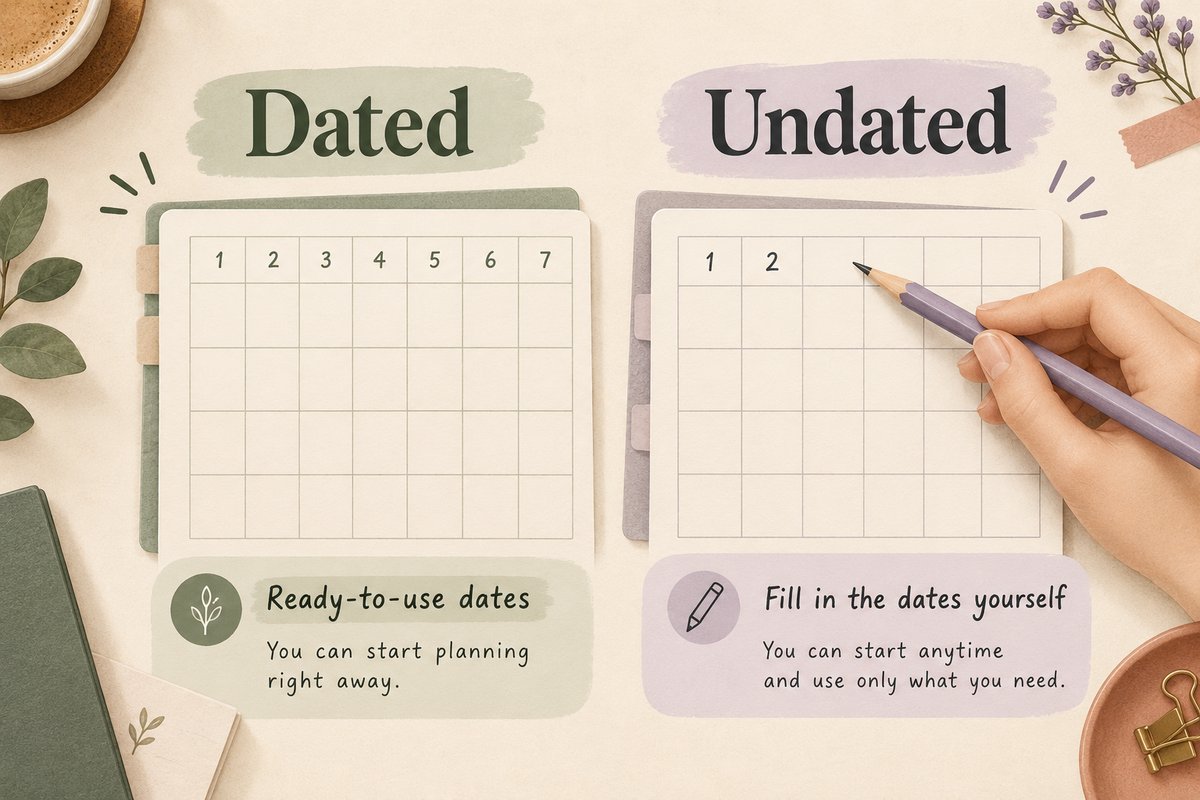
Suppose you start planning midway through a month. You have a project deadline on the 24th, an appointment on the 28th, and three work sessions to fit around other commitments. Use the same tasks to compare the two formats; changing the workload would make the formats harder to judge.
Set up the dated version
- Open the correct year and month, then check that the weekday headings match your calendar.
- Place the deadline and appointment on their actual dates. Include the time and any preparation needed.
- Open the linked weekly spread, if supplied, and allocate the three work sessions before the deadline.
- Leave earlier unused weeks alone. You do not need to fill them retrospectively.
The dated version wins this test when you can enter future commitments immediately and find them again without thinking about page setup. The trade-off is that unused pages still belong to dates that have passed. Count that as a practical preference rather than evidence that one format is wasteful for everyone.
Set up the undated version
- Label a blank monthly page with the month and year. Confirm whether the layout starts on Monday or Sunday.
- Use a reliable calendar to place day 1 in the correct column. Fill the remaining dates, including any extra row the month needs.
- Label the current weekly spread with its full date range. Add the deadline, appointment, and work sessions.
- If the deadline lies outside the pages you have prepared, record it on a clearly named future-dates list until its month is ready.
This version wins when you can start cleanly without spending more time decorating or dating pages than planning the work. The trial should include one rescheduled appointment too: move it, cross out the old entry, and check that your monthly and weekly views still agree.
Test the formats against your routine
A student planning one term
Check the term’s actual start and finish before choosing an annual or academic file. Enter assessment dates in the monthly view and study sessions in the weekly view. Dated pages help when the entire term needs scheduling immediately. An undated file can work if you prepare the term ahead and keep a future-deadlines list. The useful question is how quickly you can find the next assessment, not which cover looks more academic.
A freelancer with gaps between projects
Try an undated weekly spread for each active project week and a separate overview for fixed client deadlines. Add the year to each page so archived notes remain understandable. If you repeatedly forget to transfer future work into the active week, a dated calendar may be the easier primary record. Keep one authoritative deadline list rather than copying every task between several files.
A regular weekly planner starting late in the year
Check how many usable months remain in a dated purchase. A current-year file can still be sensible if it matches an immediate need, but do not assume it includes next year. Compare the remaining date range, price, and setup effort with an undated option. Your decision should account for the period you will actually use, not a full year that has already partly passed.
Keep dates, links, and backups separate
Writing a new date on a PDF does not change an existing hyperlink destination. Duplicating an undated weekly page also does not guarantee that a month tab will point to that duplicate. Test the copy in your chosen app before building a full year around it. Keep the supplied original untouched and follow the product’s reuse terms.
For Goodnotes, the official PDF hyperlink guide explains that links must already exist in the imported PDF. The official import instructions cover bringing the original file into the app. Those app instructions apply alongside the individual planner’s specifications; they do not establish compatibility for every Temply Studio product.
After a month, review your choice using three observations: how long setup took, whether future dates were easy to find, and how comfortably you resumed after a missed week. Keep the format that reduced missed or duplicated entries. If both worked, choose the simpler file to maintain.
Final choice: choose the format you will return to
A dated digital planner offers prepared structure. An undated digital planner offers flexible reuse. Neither is universally better. Choose dated when ready-to-use dates keep you on track; choose undated when a start-anytime format makes planning feel lighter. Then choose a layout and file format that match the way you actually plan.
Explore Temply Studio digital planners to find an option for your routine.
Temply Studio
Stop chasing your goals with sticky notes and scattered notebooks. Our premium digital planners and Canva templates are designed to help you plan with intention, stay consistent, and actually enjoy the process.


Questions about this guide?
Ask about the planner, share how you use it, or tell us what to cover next. Your email stays private.