




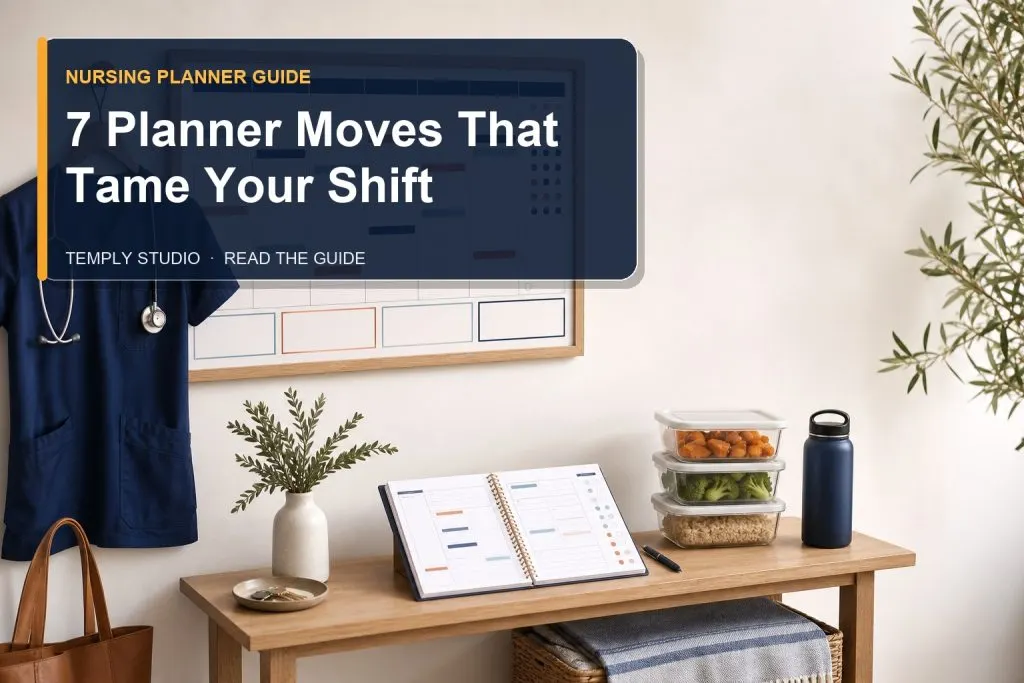
A nursing planner is an organization tool for classes, clinical rotations, assignments, study blocks, transportation, and personal routines. It should help a nursing student see official dates and next actions in one place without becoming a clinical record or replacing instructions from the school, faculty, placement site, or healthcare team.
Quick nursing planner setup
- A semester overview for major dates
- A monthly calendar for exams, assignments, labs, and confirmed clinical shifts
- A weekly view for study blocks, preparation, transportation, meals, and rest
- Course sections for readings, projects, feedback, and questions
- A clinical section for schedules and approved preparation reminders
- A short weekly review to keep the system current
Privacy reminder: do not store identifiable patient information, medical record details, unofficial clinical documentation, or other protected information in a personal planner. Follow the exact privacy, documentation, device-use, and placement rules provided by the relevant institution.
What a nursing planner should organize
| Planning area | Useful information | Source of truth |
|---|---|---|
| Courses | Class times, readings, assessments, projects, questions | Course outline and learning-management system |
| Clinicals | Confirmed dates, arrival instructions, transportation, approved preparation | School, instructor, and placement communications |
| Assignments | Due date, rubric review, milestones, next action, submission status | Official assignment instructions |
| Study | Focused blocks, assigned topics, practice, review dates | Course materials and faculty guidance |
| Personal routine | Work, commuting, meals, sleep, appointments, recovery time | Your confirmed commitments |
1. Build one semester overview
Start with verified information from official school systems. Record course start and end dates, assessment deadlines, exams, simulations, labs, clinical orientations, rotation dates, reading weeks, and institutional closures. Note the source when a date may change.
Use the overview to identify busy periods early. When exams, assignments, and clinical shifts fall close together, schedule preparation before the crowded week rather than relying on a last-minute task list.
2. Create course sections that stay manageable
Each course needs only enough structure to support real decisions. A simple course section can include:
- assessment title, due date, weighting when officially stated, and status;
- assigned readings or learning activities;
- project milestones;
- questions for faculty;
- returned feedback and the next improvement action;
- official grades when they are released.
Long lecture notes usually belong in a separate notebook or approved system. Keep the planner focused on dates, priorities, and next actions.
3. Plan clinical rotations without creating a clinical record
A planner can help organize confirmed rotation dates, shift times, location, arrival instructions, permitted equipment reminders, transportation, and school assignments connected to the placement. It should not contain patient names, diagnoses, room numbers, identifiers, lab values, medication information, or other clinical details unless an approved institutional system specifically requires and protects that information.
- Confirm the shift date, time, location, and approved contact process.
- Add realistic travel and arrival time.
- Record orientation or documentation deadlines.
- Schedule assigned preparation before the shift.
- Reserve time afterward for permitted reflection or coursework.
- Turn instructor feedback into one or two clear next actions.
For a broader student workflow, read the nursing planner for school guide.
Adapt the planner to your program’s placement systems
Some programs run their own placement portals and rostering systems — for example, JCU students check Professional Experience Placement details in LearnJCU and InPlace, where placement days and times vary by clinical environment. Treat these official systems as the source of truth for your dates, and confirm shift times with the contact your program names, such as a clinical facilitator or preceptor, instead of copying from an older calendar.
A personal planner can hold a reminder to complete an approved placement task, but it should never replace an official competency record, portfolio, or sign-off.
4. Break assignments into visible next actions
Large tasks become easier to schedule when the planner shows the next concrete action. Instead of writing “complete assignment,” use milestones such as:
- Read the instructions and rubric.
- Confirm the required topic or format.
- Collect approved sources or materials.
- Create an outline.
- Draft one section.
- Review the work against the rubric.
- Proofread and submit through the official system.
- Confirm the submission status.
Do not invent clinical examples, personal information, grades, or evidence simply to fill a planner page.
5. Use realistic weekly planning
A useful weekly plan reflects classes, clinical shifts, employment, commuting, meals, rest, appointments, and available study time. Avoid filling every open hour. Buffer time helps when travel, preparation, or coursework takes longer than expected.
Weekly review routine
- Check official course and placement updates.
- Review the monthly page for upcoming dates.
- Select three to five outcomes for the week.
- Break each outcome into specific tasks.
- Schedule study blocks around fixed commitments.
- Add transportation, meals, rest, and buffer time.
- Move unfinished work deliberately rather than copying every task forward.
6. Label study blocks by purpose
“Study nursing” is too broad to guide a focused session. Name the action and stopping point instead:
- review the assigned chapter and note unfamiliar terms;
- complete a stated number of practice questions;
- prepare questions for the next class;
- retrieve key concepts without looking at notes;
- review incorrect answers and schedule another attempt;
- draft the next section of an assignment.
Use learning methods and clinical preparation requirements provided by the program. A planner organizes the work; it does not determine professional competency.
Use stickers or labels for quick visual scanning
A small set of planner stickers or handwritten labels can make classes, study blocks, assignment due dates, and confirmed placement dates easier to scan. You do not need a special system — use stickers only if they make your own schedule quicker to read.
Keep it simple: define a short personal legend, such as a book icon for a study block or a flag for a due date. Sticker designs are not a shared standard, so never treat a color or icon as a clinical priority code or instruction.
7. Choose a planner format that fits the program
Dated or undated
A dated planner reduces setup when the calendar period matches the academic year. An undated planner can suit mid-year starts, irregular use, or reusable routines. Compare both options in the dated vs undated digital planner guide.
Digital or printable
A digital planner can be carried on a compatible device, revised, duplicated, and backed up according to the app’s available workflow. A printable planner offers a fixed paper view and may suit people who prefer handwriting without using another screen. Choose the format you can access consistently.
Portrait or landscape
Portrait pages provide a vertical notebook-like layout. Landscape pages provide a wider view that may suit schedules and weekly planning. Review product previews and compare both orientations before purchasing.
What to check before buying a nursing planner
- The intended audience is clear: student, academic, clinical-rotation organization, or another stated use.
- The date range or undated setup is verified.
- The orientation is stated.
- The exact files and page types are listed.
- The required app, account, or software is identified.
- Hyperlinks are confirmed when relevant.
- Editability is explained rather than assumed.
- The product does not imply that it replaces school or placement systems.
- The license, digital delivery, refund limitations, and support route are visible.
The live product page is the source of truth for included pages, file types, compatibility, license, delivery, and current availability.
Common nursing planner mistakes
- Using several calendars without one master view
- Copying dates without checking the official source
- Storing confidential or protected information
- Scheduling every hour without buffer time
- Writing broad tasks without a next action
- Tracking too many habits or decorative details
- Assuming a generic checklist defines placement requirements
- Treating self-calculated grades as official results
Frequently asked questions
Is a nursing planner only for clinical rotations?
No. It can also organize courses, assignments, exams, readings, study blocks, work, and personal commitments. The exact sections depend on the student and program.
Can I store patient information in a nursing planner?
Do not store identifiable patient information or protected clinical details in a personal planner. Follow the privacy, device-use, and documentation rules of the school and placement site.
Does a nursing planner replace the school calendar?
No. Official school, course, instructor, and placement systems remain the source of truth. Update the planner whenever official information changes.
Is a digital nursing planner automatically editable?
No. A PDF annotation workflow is different from editing an original design file. Confirm the exact file type and editable elements on the product page.
Keep the system simple enough to review
A nursing planner works best when it keeps official dates, preparation, assignments, study time, transportation, and personal routines visible without becoming another demanding project. Browse the Temply Studio digital planner collection and confirm the exact product details before purchasing.
Temply Studio
Stop chasing your goals with sticky notes and scattered notebooks. Our premium digital planners and Canva templates are designed to help you plan with intention, stay consistent, and actually enjoy the process.


Questions about this guide?
Ask about the planner, share how you use it, or tell us what to cover next. Your email stays private.