




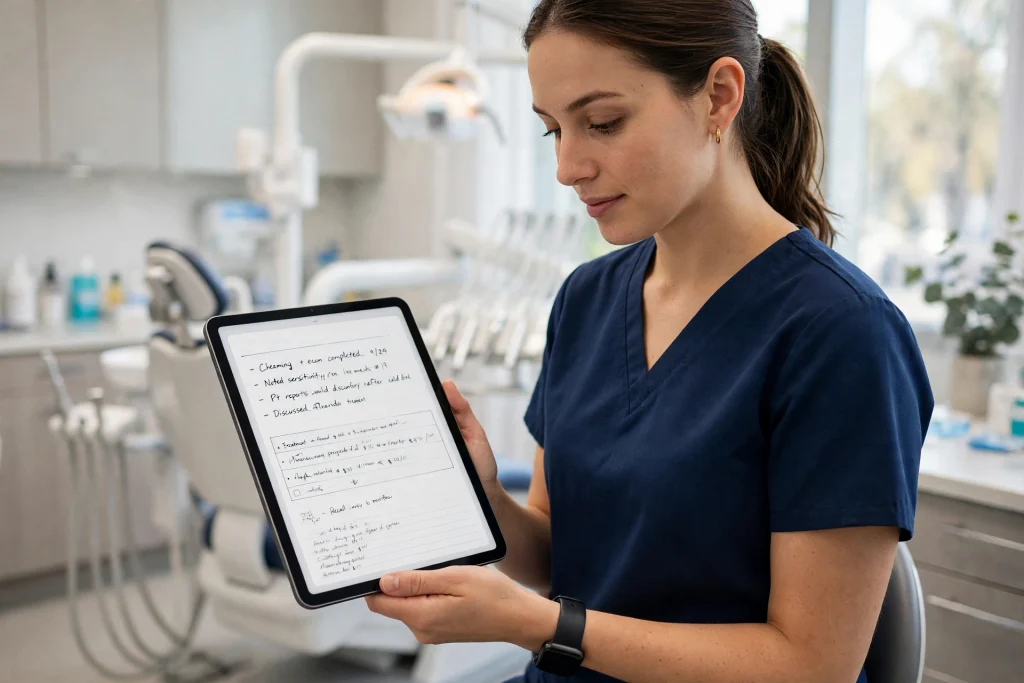
Quick answer: GoodNotes for dentists is a way of using an iPad and Apple Pencil to keep patient notes, treatment plans, charts, consent forms and study notes in one searchable digital notebook. You handwrite chairside, annotate imported PDFs, sketch treatment options for patients, and find anything later with handwriting search — without carrying a stack of paper folders between surgeries.
Dentistry runs on notes. A morning list might include a six-month recall, a crown preparation, an extraction, a nervous new patient and a treatment-plan discussion that overruns by ten minutes. Each appointment generates information: what you saw, what you discussed, what the patient chose, what happens next. When that information lives on loose paper, in three different notebooks, or only in your head until the end of the day, details slip.
GoodNotes for dentists offers a simpler middle ground — a single iPad notebook that travels with you from chair to chair, keeps your handwriting, and lets you search it later. It is a working layer around your formal clinical record, not a replacement for it. Your official patient record still belongs in your practice management system, with its backups, audit trail and data-protection controls.
Why Dentists Are Turning to GoodNotes for Dentists
Most dentists did not choose the profession for its paperwork, yet paperwork follows every appointment. Paper notes are fast to start and hard to keep. They pile up on desks, they are difficult to search, and they cannot be backed up with a tap. A fully typed electronic record solves the search problem but can feel slow and distracting when a patient is in the chair and you are trying to listen.
Handwriting on an iPad sits between the two. You write the way you always have, with an Apple Pencil, but the page is searchable, copyable and backed up through iCloud sync. You can circle a tooth on a chart, draw an arrow to show a patient where a crack runs, and keep that sketch next to the written note. When the patient returns in six months, you can find the page in seconds instead of digging through a filing cabinet.
What GoodNotes for Dentists Looks Like in Practice
A practical setup is deliberately boring: one notebook per purpose, a consistent page layout, and a routine you can repeat when you are busy. Many dentists start with four notebooks and add more only when a clear need appears.
- Chairside notes: one notebook for the working notes you take during the day, organised by date.
- Treatment plans: one notebook for plan sketches, options, costs and patient decisions.
- Patient education: a notebook of reusable diagrams, explanations and aftercare pages you show patients again and again.
- Study and CPD: one notebook for courses, journal notes, exam revision and case reflections.
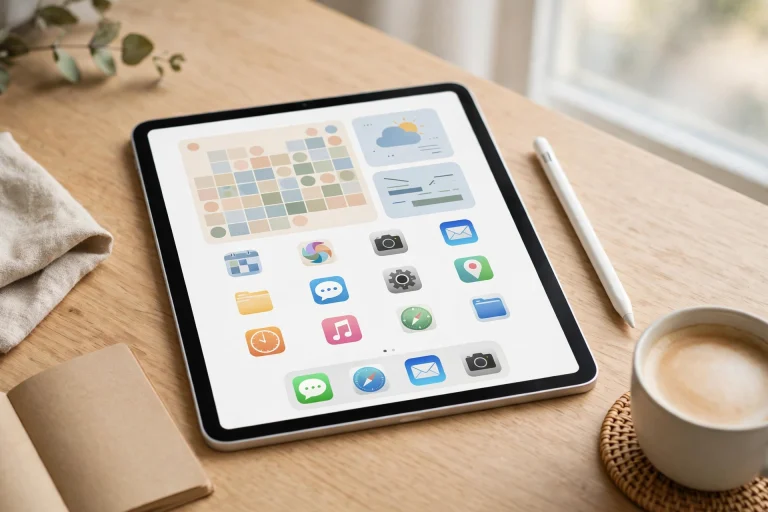
Inside each notebook, hyperlinked planners and templates do the navigation work for you. Tap a date on a monthly view and you land on that day’s page; tap a tab for “Recall” or “Consent” and you jump straight there. The point is removing the small friction of finding the right page when a patient is waiting. A 2027 Life Planner can hold your clinic days, on-call rota, CPD deadlines and personal appointments in one place, while your dental notebooks hold the clinical working notes.
Setting Up GoodNotes for Your Dental Practice
Set aside one quiet hour before you try to use GoodNotes live with patients. A rushed first attempt in front of a nervous patient is the fastest way to abandon the system. Follow these steps in order, and test each one on a pretend case first.
- Create your notebooks. Make a chairside notebook, a treatment-plan notebook, a patient-education notebook and a study notebook, each with a different cover colour.
- Import your templates. Import the PDF templates you actually use — a daily list, a treatment-plan sheet, a perio chart, a consent checklist — as pages inside the right notebook. GoodNotes lets you import and annotate PDFs, so a form you already trust becomes a digital page.
- Build your Elements. Save the things you draw repeatedly — a tooth chart outline, a jaw diagram, an implant diagram, a “next steps” stamp — as Elements, so you can drop them onto any page in two taps.
- Set up folders and iCloud sync. Use folders to separate notebooks by year or purpose, turn on iCloud sync, and check the notebook appears on your iPhone or Mac before you rely on it.
- Do a practice run. Write up a fictional patient from start to finish: notes, plan sketch, consent checklist and recall reminder. If any step feels slow, simplify it before Monday morning.
Chairside Notes That Actually Get Written
The best chairside note is the one that gets written. Aim for a short, repeatable format that takes under a minute per patient: the date and patient initials, the presenting problem in the patient’s own words, your findings in shorthand, the options you discussed, the patient’s choice, and the next step with a date. Anything more can go in the formal record later, but those six lines are what protect you when a patient phones a week later and asks what was agreed.
Handwriting has a practical advantage here: you can write while looking at the patient, not at a keyboard. A quick sketch of a cracked cusp or a worn facet often communicates more than a paragraph. Circle the tooth, label it, add an arrow showing the direction of the crack, and the note becomes useful to any colleague who picks it up. Use the lasso tool when a note needs rearranging: lasso the plan and move it, or move an old decision aside and write the new one next to it with the date. The page stays readable instead of turning into a crossed-out mess.
Treatment Plans Patients Can Understand
A treatment plan is only useful if the patient understands it. Most patients do not remember a verbal list of options, costs and timeframes once they leave the surgery. A visual plan they can see, and revisit at the next appointment, changes the conversation. Start the plan page with the patient’s goal in their own words: “I want to eat comfortably on the left side again.” That single line keeps the plan anchored to what the patient cares about, not only to what is clinically ideal.
Then sketch the options side by side. For a missing tooth, that might be an implant, a bridge, or a denture. Draw the same simple diagram three times, label the differences, and note the cost range, the number of visits and the maintenance each option needs. End every plan page with a clear decision box: what was chosen, what was declined, what happens next, and by when. A plan without a next step is a conversation, not a plan. A doctor planner for GoodNotes pairs naturally with a treatment-plan notebook: the plan says what happens next, and the planner says when.
Perio Charts, Checklists and Clinical Templates
Repetitive clinical recording is where digital templates earn their keep. A perio chart, a soft-tissue check, a denture review or a new-patient examination all follow the same structure every time. Import that structure once as a PDF template, and you stop redrawing boxes and start filling them in. For perio charting, import a chart template with the tooth numbers and measurement boxes already laid out, record pocket depths, bleeding points and recession in your usual shorthand, and use a consistent colour for bleeding sites so the pattern is visible at a glance.
The value is not only speed; it is comparability. When the same layout is used at every recall, changes between visits stand out. Checklists work the same way for procedures with many small steps: an extraction checklist, a crown-fit checklist, or a new-dentures review sheet can live as a reusable template page. Tick each step as you complete it. Build a small library of the templates you actually use and ignore the rest — ten templates you reach for weekly are worth more than a hundred you never open.
Consent Forms and the Paper Trail
Consent is a conversation, not a signature, but the conversation needs a record. GoodNotes can hold the working side of that record: the consent checklist you talked through, the risks you explained, the patient’s questions, and the options they declined. Import your practice consent form as a PDF and annotate it during the discussion. Highlight the risks you explained, circle the alternatives you mentioned, and write the patient’s own questions in the margin.
Keep the roles clear. The signed consent form itself, and the formal clinical record, belong in your practice system under its usual storage and retention rules. Your GoodNotes page is the working note that helps you write that record accurately. Do not store identifiable patient information in a notebook that syncs to a personal device unless your practice has approved that workflow and the device is secured with a strong passcode and two-factor authentication.
Patient Education: Show, Don’t Just Tell
Patients forget most of what they hear in the chair. They remember what they see. Build a patient-education notebook of reusable pages: a healthy tooth and a decayed tooth, how gum disease progresses, how an implant sits in the bone, and a brushing guide. Use Elements to save each diagram so you can drop it onto a fresh page and annotate it for the individual patient.
Show the patient their own situation on the diagram. Circle the tooth that needs treatment, draw the crack or the area of bone loss, and write the one thing they need to do differently at home. Most patients ask better questions when they can point at the drawing. Aftercare instructions work well as a dedicated page too: write the three or four steps that apply to this patient, in plain language, with a simple sketch where it helps.
Case Photos, Annotations and Before-and-After Tracking
Dentistry is visual work, and a case is much easier to review when the photographs sit next to the notes. GoodNotes lets you insert images onto a page and annotate them with the Apple Pencil, so the photograph and your thinking stay together. Set up a consistent case page: the date, the presenting problem, the photographs, and your notes around them. Circle the margin you are checking on a crown photograph, draw an arrow to the area of wear, and write the shade, the material and the lab instructions next to the image.
Before-and-after tracking is where this pays off over months. Keep the before photograph on the same page as the after photograph, with the same framing and annotations. When a patient asks whether their whitening worked, you can show them the comparison instead of relying on memory. Follow your practice policy on consent for clinical photography and store images in the approved system as your primary record.
Recall Lists, Logs and Team Huddles
Recall is where small practices lose patients quietly. Nobody complains; they simply do not come back. A recall system in GoodNotes is not a replacement for your practice software’s recall list, but it is a useful personal safety net. Keep a single recall page per month: the patients you want to check on, the reason, and the date to follow up. Use a simple status mark — a dot for “to contact”, a tick for “booked”, a cross for “seen” — and review the page every Monday morning. The review takes five minutes and catches the patient you meant to phone last week.
Separate your recalls into three groups: routine recalls such as six-month examinations; treatment follow-ups such as the crown you fitted last month; and the watch list, such as the cracked tooth you are monitoring or the nervous patient who needs a gentle check-in call. Link each entry back to the note or plan page where the decision was made. The Minimalist Daily Planner keeps the day’s calls, follow-ups and tasks on one clean page.
The same notebook can hold the daily running of the practice: a sterilisation log table you reuse each day, a stock list of materials running low, and a short huddle sheet for the morning. A shared huddle page on a practice iPad lets the whole team work from the same daily picture, and a nurse shift planner for GoodNotes shows how the same approach works for shift-based clinical work.
CPD, Study Notes and Staying Organised
Continuing professional development is easier to keep when your notes from every course live in one place. A study notebook in GoodNotes becomes a personal reference library: course notes, journal summaries and technique notes. After each session, add a short summary at the top of the page — the three things you will actually change in your practice. That summary is what you will search for in six months.
Use handwriting search to find your own thinking. Search for “cracked cusp” or “implant torque” and GoodNotes will find the handwritten words across your notebooks. Import journal articles and course handouts as PDFs and annotate them directly: highlight the key finding and write a one-line summary in the margin. A PDF you have annotated and summarised is far more useful than one you downloaded and never opened again.
A digital notebook only works if you can find things in it. Name your notebooks clearly and keep the number small, with folders by year for chairside notes. Start every page with the same first line — the date and the patient’s initials — so a search finds the page immediately. Write a little larger than you would on paper so handwriting search reads your words reliably, and check your backup weekly by opening GoodNotes on a second device.
Honest Limits of GoodNotes for Dentists
GoodNotes is a notebook, not a clinical system. It does not replace your practice management software, your radiography software, or your formal patient record. It has no audit trail of the kind a regulated clinical system provides and no integration with your appointment book. It is also only as good as the routine behind it: write the chairside note at the time of the appointment, not at the end of the day.
Frequently Asked Questions
Is GoodNotes suitable for dentists?
Yes, as a working notebook for chairside notes, treatment-plan sketches, patient education and study. It suits dentists who like handwriting and want searchable, portable notes. It is not a replacement for practice management software or the formal clinical record.
Can I use GoodNotes for perio charts?
Yes. Import a perio chart template as a PDF, annotate it by hand, and reuse the same layout at each recall so changes between visits are easy to compare. Keep the formal chart in your clinical system as well.
How do I keep patient notes safe in GoodNotes?
Use a strong device passcode, keep iCloud sync and backups working, and check your practice policy before storing identifiable patient information. When in doubt, keep identifiable detail in the approved clinical system.
Can patients see the treatment plan I draw in GoodNotes?
Yes — that is one of its best uses. Sketch the options on the iPad, show the patient the diagram, and talk through the differences together. A visual plan is usually easier to understand than a verbal list.
Do I need a special template to start?
No. Start with a blank notebook, a daily page and one treatment-plan template. Add templates and saved Elements only as you notice yourself repeating the same drawing or heading.
GoodNotes for dentists works best when it stays simple: one notebook for the day’s notes, one for treatment plans, one for patient education and one for study — all searchable, all backed up, and all in the same place. Start with a four-week trial, write the note at the time of the appointment, and let the system grow around the way you actually work. If you want a planner that holds the rest of your week together alongside those notebooks, the 2027 Life Planner gives you a hyperlinked daily, weekly and monthly structure for clinic days, CPD deadlines and everything beyond the surgery — so the plan you sketch at the chair becomes an appointment that actually happens.
Temply Studio
Stop chasing your goals with sticky notes and scattered notebooks. Our premium digital planners and Canva templates are designed to help you plan with intention, stay consistent, and actually enjoy the process.


Questions about this guide?
Ask about the planner, share how you use it, or tell us what to cover next. Your email stays private.