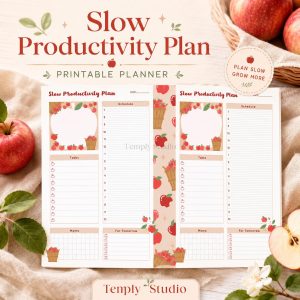



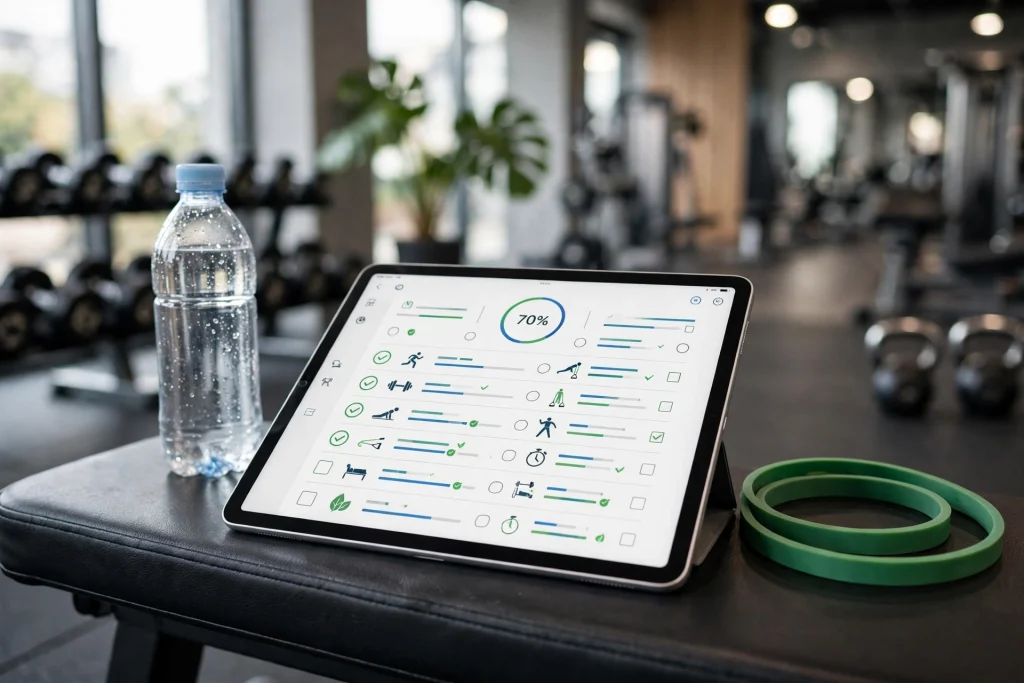
Quick answer: GoodNotes for personal trainers works because one iPad replaces the clipboard, the notebook and the spreadsheet. Give every client their own notebook, plan workouts on reusable templates, log progress with photos and measurements, and share clean PDF plans after every session — all inside GoodNotes.
If you train clients for a living, you already know the paperwork is half the job. Programmes live in one app, progress photos in another, session notes on paper that never makes it back to the gym. GoodNotes for personal trainers fixes that by putting every client in one organised digital notebook on your iPad — workouts, progress logs, session plans and check-ins, all searchable and always with you.
This guide shows you how to set up a client system that actually survives a busy week: one notebook per client, reusable workout templates, a progress-tracking routine that takes minutes, and a clean way to share plans without printing anything. No spreadsheets required.
GoodNotes for Personal Trainers: Why It Works So Well
Most trainer software is built for gyms, not for the way a solo trainer or small-team coach actually works. It wants monthly fees, forces clients into its app, and locks your programmes behind a subscription. GoodNotes is different: it is a blank notebook that becomes whatever system you design, and it works offline on the gym floor.
The practical wins are simple. First, everything is handwriting-friendly, so you can scribble a weight change mid-set without unlocking a phone. Second, every page is searchable — GoodNotes can find your handwritten notes, so “when did Sarah last deadlift 60 kg?” takes seconds. Third, one iPad replaces the clipboard, the binder and the folder of printed programmes. And fourth, you own your files: export any page as a PDF and send it to a client in seconds.
Trainers who switch usually report the same thing: session prep drops from twenty minutes of digging through apps to five minutes of opening the right notebook. That time goes back into coaching, which is where it belongs.
Set Up a Client Notebook System in GoodNotes
A system only works if it is simple enough to use between sets. Start with three layers: one folder per client group, one notebook per client, and a small set of reusable templates inside each notebook.
One notebook per client
Create a notebook for each client and name it clearly: “Sarah M — Strength”. Inside, keep the same page order every time so you can find things without thinking:
- Profile page: goals, injuries, medical notes, emergency contact and the date of the last assessment.
- Programme pages: the current training block, week by week.
- Session log: one page per session, dated, with exercises, sets, reps and weights.
- Progress pages: measurements, photos and personal records, updated monthly.
- Check-in notes: sleep, nutrition, stress and anything the client mentions that matters.
Use GoodNotes folders to group clients — “Active”, “Online coaching” and “Past clients” keeps the library tidy when your roster grows. Archive a notebook instead of deleting it: past clients return, and their history is gold when they do.
Build reusable workout templates
Stop rewriting the same session sheet every week. Design one workout template page — exercise column, sets, reps, weight, rest and a notes box — then duplicate it for every session. GoodNotes lets you copy a page in two taps, so a fresh session log takes seconds.
Keep three templates ready: a strength session, a conditioning session and an assessment day. Add your logo and your contact details to the template once, and every page you hand a client looks professional. If you sell programmes, this same template becomes your product: a clean, branded PDF your clients can follow on their own.
A ready-made structure helps here. The Workout Planner 2027 gives you yearly goals, monthly overviews, weekly schedules, daily exercise logs and progress trackers in one hyperlinked PDF — import it into GoodNotes and use it as the backbone of a client notebook instead of building every page from scratch.
Plan Workouts Your Clients Actually Follow
A programme only works if the client can read it, understand it and follow it without you standing next to them. GoodNotes makes that easy if you plan with the client in mind, not just for yourself.
- Write the goal at the top of every block. “Build to a 60 kg deadlift by March” beats a page of numbers with no context.
- Use plain exercise names. Your shorthand means nothing to a client training alone — write “goblet squat”, not “GS”.
- Show the progression. Note last week’s numbers next to this week’s target so the client sees the plan, not just a list.
- Add one coaching cue per exercise. “Chest up, push the floor away” is worth more than a fourth set.
- Leave space for the client’s own notes. When they write in their session, they own the programme.
- Export the block as a PDF. Send it after the session so the client has it on their phone at the gym.
For online clients, this workflow is the whole business. Record a short voice note or annotate the PDF with the GoodNotes tools you already know, export it, and send it. The client gets a personal plan, not a generic spreadsheet, and you never retype the same programme twice.
Track Progress Without Spreadsheets
Progress tracking is where most trainers lose clients — not because the client is not improving, but because nobody can see the improvement. GoodNotes turns tracking into something you can show, not just something you remember.
Measurements and personal records
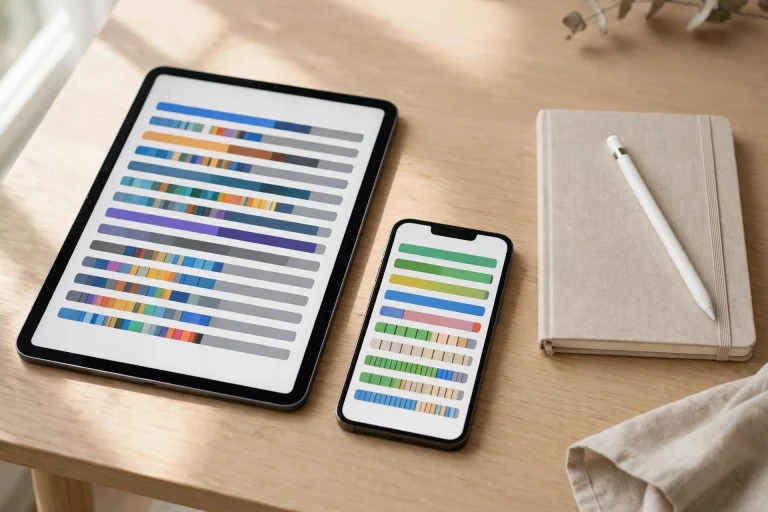
Keep one progress page per client and update it on the same day each month. Record weight, key measurements, and the three or four lifts that matter most to that client. A simple table — date across the top, metrics down the side — shows a trend at a glance, and the client can see their own line moving in the right direction.
Mark personal records clearly. A star, a highlight colour, a “PR!” in the margin: small celebrations keep clients training. When a client stalls, the same page tells you exactly when the plateau started and what changed, which is far more useful than a vague feeling that “things have slowed down”.
Progress photos, stored properly
Photos are powerful, but only if they are organised. Import progress photos directly onto the progress page in GoodNotes, dated and in the same pose and lighting each time. The client sees a visual timeline instead of a camera roll full of gym selfies, and you keep everything in one place — no more hunting through messages for “that photo from October”.
One privacy rule matters: keep client photos inside their own notebook, never in a shared folder, and never export a page with photos unless the client has asked for it.
Run Sessions From Your iPad
The gym floor is where a digital system earns its keep or falls apart. The trick is to prepare before the session starts, so the iPad is a tool, not a distraction.
Before the client arrives, open their notebook to today’s session page and check last week’s numbers. During the session, log weights and reps as you go — a quick scribble with Apple Pencil is faster than typing into an app between sets. Use the highlighter to flag anything to change next week: an exercise that hurt, a weight that was too easy, a cue that finally clicked.
After the session, take sixty seconds to finish the page: circle the wins, note the homework, and write the plan for next time. That minute is the difference between a notebook you trust and a notebook full of half-finished pages. Pair the session log with a simple daily structure from the Minimalist Daily Planner if you also want your own schedule, admin tasks and client messages in the same system.
Share Plans and Collect Check-Ins
Clients do not need a GoodNotes account to benefit from your system. Export any page or notebook section as a PDF and send it by message or email. A weekly programme PDF, a monthly progress summary, a nutrition checklist — all of it leaves GoodNotes as a clean file the client can open anywhere.
For check-ins, keep it simple. Give online clients a one-page weekly check-in template: weight, sessions completed, sleep, energy, and one line on how the week felt. They fill it in, photograph it or export it, and send it back. You paste their answers into their notebook and reply with next week’s plan. The whole loop takes five minutes per client, and nothing gets lost in a chat thread.
If you run group sessions or a small studio, the same system scales. One notebook per class, one page per session, and a shared template for every participant. Your business planning — packages, renewals, revenue goals — sits comfortably in the 2027 Life Planner, so the coaching and the business stay in one ecosystem instead of five apps.
Build a Weekly Rhythm That Sticks
A client system is only as good as the week it survives. The trainers who keep GoodNotes working long-term do not rely on motivation — they rely on a short weekly rhythm, the same every week, that keeps every notebook current without eating into coaching time.
Start Monday with fifteen minutes of planning. Open each active client’s notebook, check what is scheduled, and confirm the programme for the week ahead. Anything that needs a change — a deload week, a new exercise, a session moved to Thursday — gets updated now, before the week starts moving. Clients notice the difference immediately: the trainer who arrives prepared feels completely different from the one figuring it out on the spot.
During the week, the rule is simple: log it now or lose it. Weights, reps, how the client felt, what you changed — write it on the session page before the client leaves the gym. A note written an hour later is a guess; a note written in the moment is a record. This is also when you flag the small things that become big wins: a client who finally hit depth on their squat, a shoulder that stopped clicking, a first unassisted pull-up.
End Friday with a ten-minute review. Flip through the week’s session pages and ask three questions: who progressed, who stalled, and who needs a message before Monday? Send the progress summaries and next week’s plans now, while the week is fresh, instead of letting them pile into Sunday evening. That Friday habit is what turns a notebook into a coaching system — and it is also what clients experience as attention, the thing that keeps them renewing.
Once a month, do a deeper pass. Update every client’s progress page with measurements and photos, review personal records, and decide who needs a programme change. A monthly review takes an hour for a full roster and prevents the slow drift that makes clients feel forgotten. Pair it with your own planning pages in the 2027 Life Planner so business goals — new clients, package renewals, revenue targets — get the same regular attention as the coaching itself.
5 Mistakes Trainers Make With GoodNotes
- One giant notebook for everyone. It feels efficient until you have forty clients and cannot find anyone. One notebook per client, always.
- No backup. Your client history is your business. Turn on iCloud sync and export a monthly backup — losing a notebook is losing your records.
- Over-designed templates. If a session page takes ten minutes to fill in, you will stop using it. Simple beats pretty on the gym floor.
- Forgetting the client’s copy. A programme the client cannot see is a programme they cannot follow. Export and send it.
- Mixing business and coaching notes. Keep payments, packages and renewals in a separate notebook so a client never sees the wrong page over your shoulder.
Frequently Asked Questions
Do my clients need GoodNotes to use my programmes?
No. You work in GoodNotes and export the pages your client needs as PDFs. They can open those on any phone, tablet or computer. Clients only need GoodNotes if you want them to write directly in a shared notebook, which most trainers do not need.
Can I use GoodNotes for online coaching?
Yes — it is one of the best uses. Build the programme in the client’s notebook, export it as a PDF, and send it with voice-note or written feedback. Weekly check-in templates keep the loop tight without a separate coaching app or monthly fee.
How do I keep client data private in GoodNotes?
Keep one notebook per client, store progress photos only inside that notebook, and use a passcode or Face ID lock on sensitive notebooks. Never export a page containing photos or medical notes unless the client has asked for it, and back up to a private iCloud account, not a shared one.
Is GoodNotes better than a dedicated trainer app?
It depends on what you value. Dedicated apps automate payments and messaging, but they charge monthly fees and lock your programmes inside their system. GoodNotes is cheaper, fully flexible and works offline — and you keep your files. Many trainers use GoodNotes for programming and tracking, and a simple payment tool for billing.
Ready to organise your coaching? Start with one client notebook, one workout template and one progress page — and build from there. A ready-made structure like the Workout Planner 2027 gives you the pages to import today, so you can spend your time coaching instead of designing forms. Your future self, mid-session with a client asking “what did I lift last week?”, will thank you.
Temply Studio
Stop chasing your goals with sticky notes and scattered notebooks. Our premium digital planners and Canva templates are designed to help you plan with intention, stay consistent, and actually enjoy the process.


Questions about this guide?
Ask about the planner, share how you use it, or tell us what to cover next. Your email stays private.