
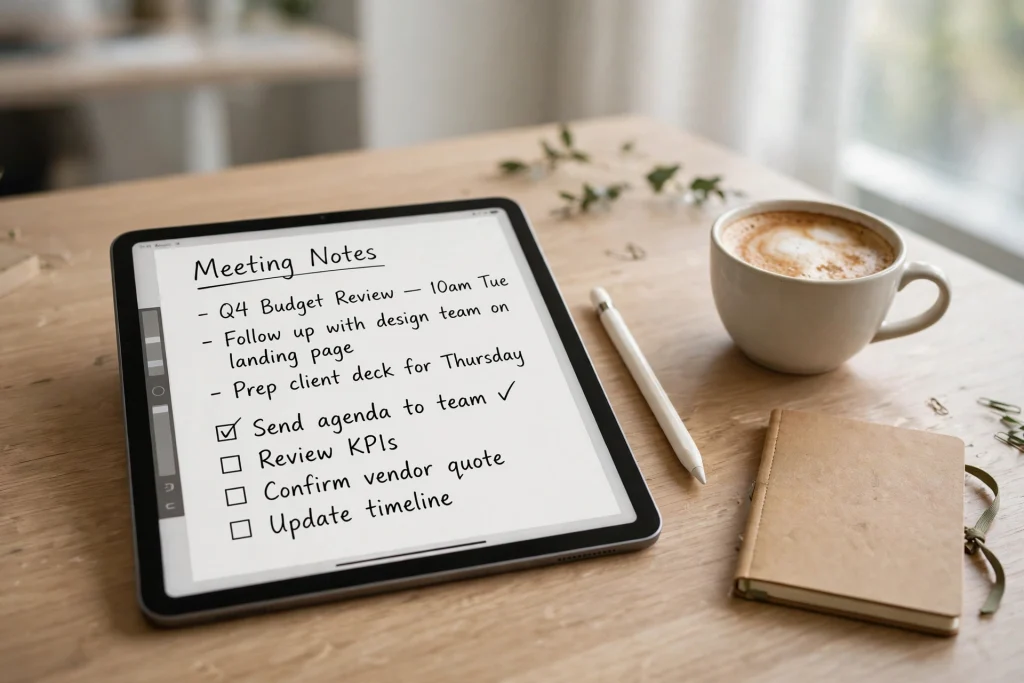
GoodNotes for managers is one of the most practical ways to run a team from an iPad without drowning in scattered docs, chat threads, and half-remembered decisions. Instead of keeping 1:1 notes in one app, project updates in another, and action items in a third, you can keep everything in one searchable, handwritten notebook system that travels with you to every meeting. When a direct report asks what you agreed last month, or your boss asks for a status update, the answer should already be in your notes, not buried in your inbox.
Quick answer: GoodNotes for managers works best as a linked notebook system: one manager dashboard, one notebook per direct report for recurring 1:1s, and one notebook per project. Use hyperlinked templates for agendas, decisions, and action items, search your handwriting to find past commitments, and export pages as PDF when the team needs a copy. Set it up once in about 20 minutes, then follow the same weekly rhythm.
Why GoodNotes for managers Works So Well
Most managers do not struggle because they lack tools. They struggle because information lives in too many places: a decision disappears into Slack, a promise made in a 1:1 lives only in memory, a project risk never makes it into the plan. GoodNotes gives you one flexible canvas where you can capture fast, organise simply, and find things again.
Handwriting is part of the advantage. Writing by hand forces you to summarise instead of transcribing: circle the decision, underline the owner, star the deadline. Later, GoodNotes can search your handwriting and take you straight to the page. That combination of fast capture and fast retrieval is exactly what a manager needs between meetings.
GoodNotes also fits how managers work: moving between rooms, sketching an org change, jotting a thought in the corridor. An iPad with Apple Pencil is built for that, and it works offline. If you are new to digital planning, start with the pillar guide to learn the basics.
Running 1:1 Meetings in GoodNotes
One-to-one meetings are the highest-leverage hour in a manager’s week, and the easiest to waste. Without structure, a 1:1 becomes a status update you could have read in an email. With a good template, it becomes a coaching conversation, a trust-building ritual, and a record of growth.
Use One Notebook Per Direct Report
Create a separate notebook for each person you manage. At review time, one notebook shows the whole story: worries, wins, feedback, and goals. Name each one clearly, for example “1:1 — Maya Chen”, and use the same agenda template every week so both of you know what to expect.
A Recurring 1:1 Agenda Template
Your template does not need to be complicated. It needs to be repeatable. A good 1:1 page has a date, a short check-in, space for the report’s topics and your topics, a decisions box, and an action-items box with owners and dates. Duplicate the template before each meeting so you never start from a blank page.
- Check-in (2 minutes): How are you? Energy level? Anything urgent?
- Their topics: What do they want to discuss? Blockers? Decisions they need?
- Your topics: Feedback, priorities, and context they need from leadership.
- Career and growth: One question about learning, goals, or next steps.
- Decisions: What did we agree, in one sentence each?
- Action items: Who does what by when? Write the name next to every item.
Keep last week’s action items at the top of the new page and review them first. That habit does more for accountability than any tracking tool.
Action Items and Follow-Ups That Actually Happen
Most action items fail for a simple reason: no one wrote down who owned them or when they were due. In GoodNotes, write every action item in the same format: verb, owner, date. For example, “Send draft headcount plan — Maya — Fri 21 Nov” is clear. “Headcount plan” is not.
At the end of each 1:1, read the action items back aloud. It takes 30 seconds and prevents a week of confusion. Copy any item that affects the wider team into your team notes or project tracker. Between meetings, add quick notes to the next 1:1 page as things come up.
Team Meeting Notes and a Decisions Log
Team meetings generate decisions, but teams forget decisions. That is why a decisions log is one of the most valuable pages a manager can keep. Every time the team agrees something important, write it down in one place: the date, the decision, who made it, and why.
Keep team meeting notes simple: one page per meeting, with date and attendees at the top, agenda in the middle, and decisions and actions at the bottom. Use the same layout every week so anyone can catch up from a single page.
Use this format for each log entry: Date; Decision — one clear sentence; Context — the problem and options considered; Owner; Review date. Review the log monthly. Some decisions will need updating as circumstances change — that is healthy, not a failure.
Project Tracking: Kanban Pages, Timelines, and RACI
Managers do not need another complex project tool for every small initiative. For many team projects, a well-designed GoodNotes page is faster, clearer, and easier to update in a meeting than a software dashboard no one opens between meetings.
Kanban-Style Pages
Create a kanban page for each active project with columns for To Do, Doing, Blocked, and Done. Write each task in a small box with the owner’s initials and a due date, and move tasks across columns during stand-ups. Keep the kanban to the current sprint: if a task has sat in “Doing” for three weeks, ask whether it is blocked, too big, or needs reassigning. For larger projects, add a risks page and review it weekly.
Timelines and Milestones
Draw a horizontal timeline, mark the key milestones, and write the date and definition of “done” under each one. A senior leader does not want a 40-row spreadsheet; they want milestones, dates, and risks in one glance. Export that single page as a PDF for a clean update.
Using RACI to Clarify Ownership
Many delays come from unclear ownership. A RACI table fixes that in one page: for each major task, name who is Responsible, who is Accountable, who is Consulted, and who is Informed. Use it for the five to eight deliverables that matter most, and fill it in with the team at kick-off.
Performance Reviews and Feedback Notes
Performance reviews should never be a surprise, and they should never rely on memory. If you keep good 1:1 notes all year, writing a review becomes a summary exercise, not a stressful reconstruction.
After each 1:1, use your working notebook to record non-sensitive action items, owners, and agreed next steps. Keep formal reviews, individual performance records, and confidential feedback in your organisation’s approved HR system.
OKRs and Goals: Keeping the Team Focused
OKRs — objectives and key results — only work if they stay visible. If goals live in a slide deck no one opens after January, they are not goals; they are decorations. In GoodNotes, keep your team’s OKRs on a single dashboard page that you open every Monday.
Write each objective in plain language, with two or three measurable key results underneath and a status — on track, at risk, or off track — updated weekly. Link each key result to the project or person responsible, and review OKRs with the team monthly. Name what is at risk early; early honesty gives the team time to adapt.
Delegating and Tracking Tasks Without Micromanaging
Good delegation is clear about the outcome, the deadline, and the level of authority — and then it gets out of the way. GoodNotes helps you delegate well because it gives you a lightweight way to track without hovering.
When you delegate, write down the outcome you want, not just the activity. “Draft the Q1 hiring plan by Friday” is clear; “Work on hiring” is not. Note constraints, the owner, and the check-in date, then let them do the work. Keep a single delegation tracker (task, owner, due date, status) and review it Monday and Friday. If something is overdue, ask what is blocking it. Track only commitments that matter — ones others are waiting on, with hard deadlines, or tied to a goal.
Building a Manager Dashboard With Hyperlinks
The heart of a GoodNotes manager system is the dashboard: one page that links to everything else. Think of it as your home screen. From here, you tap to jump to today’s 1:1s, this week’s team meeting, a project kanban, your OKRs, or your delegation tracker. No scrolling, no searching, no hunting through folders.
Design your dashboard with large, clear buttons linking to each direct report’s notebook, each active project, your weekly plan, and your decisions log. Add the date and your top three priorities at the top. A hyperlinked planner makes this much easier: the 2027 Business Planner has linked tabs and daily and weekly pages that work well as a manager dashboard. Link out from its weekly pages to your 1:1 and project notebooks, and prune stale links each Monday.
Finding Decisions Fast: Handwriting Search and Audio Recording
A notebook system only works if you can find things again. GoodNotes handwriting search is the feature that makes a manager system practical at scale. Search for a person’s name, a project, or a keyword like “budget” and GoodNotes will show you every page where you wrote it. To make search work well, write key names and terms legibly, and use consistent wording for recurring topics. If you always write “headcount” rather than sometimes “hiring” and sometimes “staffing”, your searches will be far more reliable.
Audio recording is the other underused feature. You can record while you write, and the recording syncs with your strokes — tap a word and hear what was being said at that moment. Tell people you are recording, especially in 1:1s, and check your company policy first. It is a memory aid, not surveillance; most of the time you will replay it only to check one detail.
Sharing, Exporting, and Protecting Sensitive Notes
Managers constantly balance transparency with confidentiality. Some notes should be shared widely; others must stay private. For shared work, export a page or a set of pages as a PDF and send it to the team. Meeting notes, timelines, kanban boards, and decisions that affect everyone are good candidates. Exporting a clean PDF is faster than retyping notes into another tool.
Keep ordinary 1:1 working notes private and review what you export before sharing it. Goodnotes can password-lock a whole notebook or whiteboard on supported Apple devices, not an individual page. This lock does not encrypt the notebook, and exported files do not retain it. Use your organisation’s approved HR or secure document system for salary discussions, performance reviews, and confidential staff information. See Goodnotes’ guide to document locks and exports and its password protection FAQ.
The 20-Minute Manager Setup Routine
You do not need a weekend to set up GoodNotes for managers. You need 20 focused minutes and a willingness to keep the system simple. Follow these steps in order:
- Minutes 0–3: Create your hub. Import your planner and create a manager dashboard page. Add your top three priorities for this week.
- Minutes 3–8: Create one notebook per direct report. Name each one clearly. Add your 1:1 agenda template as the first page and duplicate it for this week’s meetings.
- Minutes 8–12: Create one notebook per active project. Add a kanban page and a timeline page to each. Keep it to your three to five most important projects.
- Minutes 12–15: Add your tracking pages. Create a decisions log, a delegation tracker, and an OKR dashboard page. Link them all from your dashboard.
- Minutes 15–18: Review privacy before sharing. Move confidential staff records to your approved HR system. If you want an extra access check for an ordinary working notebook on a supported device, lock the entire notebook and verify that it reopens as expected.
- Minutes 18–20: Plan tomorrow. Write tomorrow’s meetings on your dashboard, link to the right notebooks, and copy last week’s open action items onto the new 1:1 pages.
That is it. Do not add more pages in week one — use the system for two weeks, then add one improvement at a time. For daily planning, the Minimalist Daily Planner gives you a clean daily page for priorities, time blocks, and notes.
A Sample Weekly Manager Workflow
A system is only as good as the routine that supports it. Here is a weekly rhythm that works for many managers using GoodNotes. Adapt the times to your calendar, but keep the sequence.
Monday morning (30 minutes): Open your dashboard, review decisions and the delegation tracker, update OKR statuses, write your top three priorities, and copy forward open action items from each 1:1 notebook.
Before each 1:1 (5 minutes): Read last week’s page. Note one piece of feedback or praise and one question to ask.
During team meetings: Capture decisions in the log as you go, and assign every action item an owner and a date before the meeting ends.
Wednesday check-in (15 minutes): Review kanbans, move tasks, update timelines, and message anyone who is blocked.
Friday afternoon (20 minutes): Mark completed items done, update the delegation tracker, and note what went well, what needs attention, and who deserves recognition.
1:1 Agenda Template Outline
Copy this outline into your GoodNotes template so every 1:1 starts from the same structure. Fill it in by hand during the meeting, and duplicate a fresh copy for next week.
- Header: Name, date, and last week’s open actions.
- Check-in: Energy, workload, anything personal they want to share.
- Their agenda: Two or three topics they bring, in their words.
- Your agenda: Feedback, priorities, context, or decisions you need.
- Wins and recognition: One specific thing they did well since last time.
- Growth: One skill, project, or opportunity to discuss.
- Decisions: Short, clear sentences — what did we agree?
- Action items: Task, owner, and due date for each item.
- Next meeting: Date, and one thing to prepare beforehand.
If you also work solo alongside managing, the 2027 Solopreneur Planner keeps your own business goals separate from team notebooks.
Frequently Asked Questions
Is GoodNotes good for managers?
Yes. It gives managers one flexible place for 1:1 notes, team meetings, project tracking, and reviews, with fast handwritten capture, handwriting search, hyperlinked navigation, and easy PDF export. It works best with a simple, repeatable template system.
How do I organise GoodNotes for managing a team?
Use a hub-and-spoke system: one dashboard linking to one notebook per direct report, one per project, plus shared pages for decisions, delegation, and OKRs. Keep the same templates every time.
Can I share GoodNotes meeting notes with my team?
Yes. Export only the individual pages or sets of pages the team needs, such as meeting agendas, project timelines, and kanban boards. Review the PDF before sending it: exports do not carry a Goodnotes lock. Keep confidential staff records in your organisation’s approved system rather than including them in shared PDFs.
Does GoodNotes replace a project management tool?
For small and medium projects, yes — for day-to-day notes, kanbans, and timelines. For large, cross-team programmes with complex dependencies and reporting, a dedicated project tool is still better. Many managers use both: GoodNotes for thinking, meeting notes, and 1:1s, and a project tool for the formal plan of record.
GoodNotes for managers is not about the fanciest templates. It is about showing up prepared, writing down what matters, following up on what you promised, and building a record your team can trust. Start with one dashboard, one template, and one weekly rhythm, and refine it over a month. If you are ready, start with the 2027 Business Planner as your manager hub, link your 1:1 and project notebooks from its weekly pages, and run your first structured 1:1 this week.
Temply Studio
Stop chasing your goals with sticky notes and scattered notebooks. Our premium digital planners and Canva templates are designed to help you plan with intention, stay consistent, and actually enjoy the process.
Questions about this guide?
Ask about the planner, share how you use it, or tell us what to cover next. Your email stays private.