
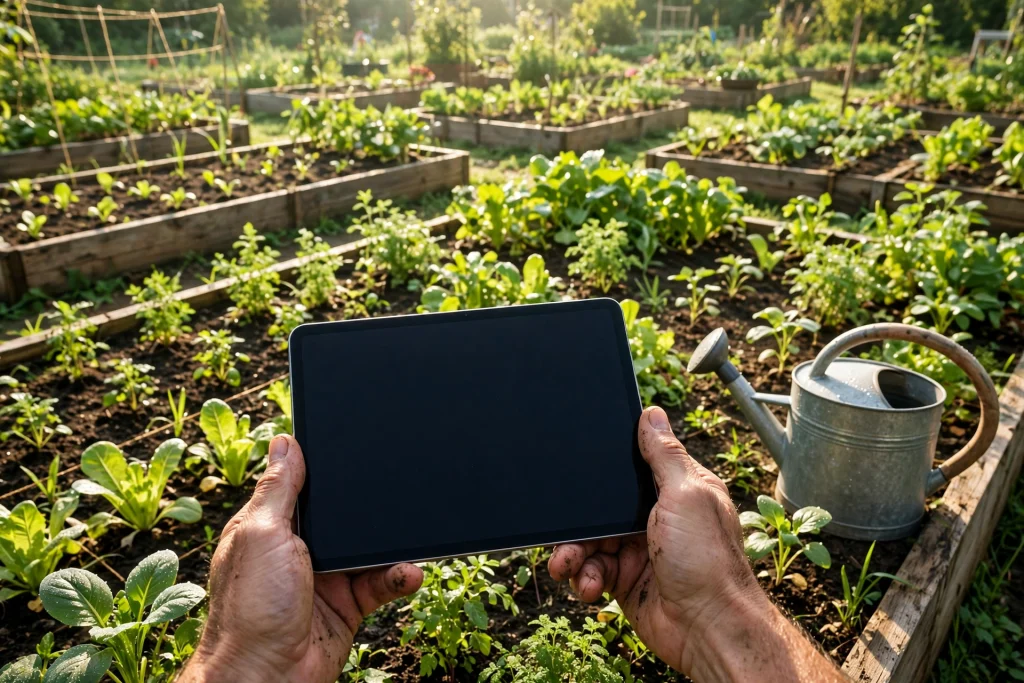
GoodNotes for gardeners turns an iPad into a complete garden notebook, planting calendar, and harvest log. Instead of muddy paper notebooks and seed packets covered in scribbled dates, you can keep every sowing date, bed plan, and harvest total in one searchable place.
Gardening is a long game. A choice made in February affects what you eat in August, and a variety that struggled last year is easy to forget by spring. GoodNotes combines handwriting and sketching with hyperlinked pages, reusable templates, and search.
This guide shows a practical system: a planting calendar built around your local last-frost date, bed layouts you can reuse, a short weekly journal, and simple logs for watering, feeding, pests, and harvests.
Quick answer: GoodNotes for gardeners works best as one notebook with sections for a planting calendar, bed layouts, a garden journal, watering and feeding logs, pest notes, a harvest log, and seed inventory. Start from your local last-frost date, sketch each bed before planting, and record a short note and photo each week.
Why Gardeners Love Planning in GoodNotes
Paper journals are charming, but ink smudges, pages fill up, and finding last year’s sowing date means flicking through a whole notebook. A spreadsheet is tidy, but it is a poor place to sketch a bed or add a photo of a leaf spot. GoodNotes sits in between.
You can write by hand, draw a bed plan, import a photo, and add a sticker on the same page. If the weather changes, move a note with the lasso tool instead of crossing it out. If you swap courgettes for pumpkins, erase and redraw without starting a new page.
Search is another advantage. GoodNotes can search handwriting, so a variety name or pest from months ago is findable in seconds. That helps in a garden centre, when you wonder whether a tomato was worth growing again. With iCloud sync, the plan is on your iPad in the garden and on your other devices indoors.
What You Need to Get Started
Start simple, use the system for one season, and add sections only when you miss them.
- iPad and stylus: An Apple Pencil or similar stylus makes handwriting and bed sketches much easier, though a finger works for tapping links and short notes.
- GoodNotes: Use notebooks, hyperlinked PDF planners, Elements for reusable stickers, the lasso tool, the zoom window, and PDF and photo import.
- One garden notebook: Keep everything in a single notebook for the year, with hyperlinks to each section, rather than many separate notebooks.
- A planting calendar template: A monthly or weekly calendar page with space for sowing, transplanting, and harvest dates.
- Your local last-frost date: Check a local gardening source for your area. Treat it as a guide, not a guarantee, and keep covers handy for tender plants.
Link garden dates to the rest of your life too. The 2027 Life Planner is a useful home for seed-order deadlines, garden-centre trips, and harvest weekends, while your garden notebook holds the detail.
How to Set Up Your Garden Notebook in GoodNotes
A clear structure stops the notebook becoming a pile of random notes. Set it up once, then follow the same order all season.
- Cover and index: Add the year and links to Planting Calendar, Bed Layouts, Garden Journal, Watering and Feeding, Pests and Diseases, Harvest Log, and Seed Inventory.
- Year at a glance: Note seasons, your last-frost date, busy weeks, and travel that affects watering.
- Planting calendar: Work backwards from last frost to set sowing, transplant, and harvest dates, with slack for cold weather.
- Bed sketches: Draw beds before buying seeds, leaving paths and noting sunny and shady spots.
- Weekly journal pages: One page per week, with date, weather, tasks, observations, and photos.
- Simple log tables: Short tables for watering, feeding, pests, and harvests that you can fill in quickly.
- Reusable templates: Save blank weekly pages, bed plans, and log tables so you can copy them when needed.
Building a Planting Calendar That Actually Works
A planting calendar is a plan fitted to your garden, not dates copied from a seed packet. Packets give useful guidance, but they cannot know if your spring is cold, if you start seeds indoors, or if you can water daily.
For each crop, note three dates: the earliest safe sowing date, the transplant date if you start indoors, and the expected harvest window. Then add a second sowing date for crops you succession-sow, such as lettuce, radishes, beans, and carrots. Planting a small batch every two or three weeks gives a steady supply instead of one glut.
Work backwards from your local last-frost date for tender crops such as tomatoes, peppers, courgettes, cucumbers, and beans. They dislike cold soil and late frost, so they usually go outside after the last frost has passed. Hardy crops such as peas, broad beans, lettuce, spinach, and root vegetables can be sown earlier, but check the packet and local advice, and protect seedlings if cold is forecast.
A Simple Planting Calendar Layout
Use a table with one row per crop, kept to one or two pages so you can see the whole season at a glance.
| Crop | Sow indoors | Sow outdoors | Transplant | Harvest |
|---|---|---|---|---|
| Tomatoes | 6 to 8 weeks before last frost | Not usually direct-sown | After last frost | Mid to late summer |
| Lettuce | 4 weeks before last frost | From early spring | After hardening off | Repeat sowings |
| Carrots | Not usually started indoors | From early spring | Thin seedlings | Summer onwards |
| Beans | 2 to 3 weeks before last frost | After last frost | After last frost | Summer |
| Herbs | 6 to 8 weeks before last frost | After last frost | After last frost | All season |
These are relative timings, not fixed dates. Always check your local last-frost date and each seed packet, and adjust for your garden. A sheltered, sunny garden warms faster than an exposed, shady one, and a cold spring can delay everything by a week or two. Colour-code sowing, transplanting, and harvest so the week’s tasks are clear at a glance.
Sketching Bed Layouts and Crop Rotation
A bed layout is a map of your garden. It shows what grows where, how much space each crop needs, and what follows it next season. Without one, it is easy to plant too much of one thing, shade a low crop with a tall one, or grow the same family in the same bed every year.
Sketch each bed as a rectangle. Mark north, note the sunniest side, and draw paths so you can reach plants without stepping on soil. Add crop, variety, sowing date, and spacing in each section. Draw raised beds and containers roughly to scale. A rough plan you follow beats a perfect plan you never draw.
Rotation matters for vegetables. Growing tomatoes, potatoes, peppers, and aubergines in the same bed every year can build up soil problems. Brassicas such as cabbage, broccoli, and kale have their own needs, while legumes such as peas and beans can help the soil for the next crop. A simple rule works: do not grow the same family in the same bed two years running, and note the family on the plan.
Keeping a Garden Journal You Will Actually Use
A garden journal records what you did, what the weather did, and what happened next. Five minutes a week, written honestly, is enough to make next year easier.
Use the same short format each week: date and weather, tasks completed, what you sowed or planted, what you noticed, and what needs doing next week. Add a photo when something changes: the first seedling, the first flower, a plant that looks unwell, or a bed before and after weeding. Photos show pest damage better than words.
For day-to-day tasks, the Minimalist Daily Planner pairs well with a garden notebook. Use it for watering before work, a Saturday sowing session, or a garden-centre trip, and keep the garden detail in GoodNotes.
Watering and Feeding Logs: Small Notes, Big Difference
Watering is the most frequent garden task and the easiest to forget. A simple log shows which beds dry out fastest, which containers need daily water in summer, and whether a plant problem is really a watering problem.
Use a table with date, bed or container, whether you watered, and a short note. Add a column for rain, so you can see when nature did the job. In hot weather, note the time of day. Watering early in the morning usually helps plants cope with heat.
Feeding logs work the same way. Note the date, the feed used, the plants fed, and the amount if you measured it. Overfeeding can be as harmful as underfeeding, and a log lets you compare a fed bed with an unfed one. If you use compost, mulch, or liquid feed, note when you applied it and how plants responded over the next two weeks.
Pest and Disease Notes: Spot Problems Early
Most garden problems are easier to deal with early. A weekly check, recorded in GoodNotes, helps you notice a change before it spreads across a bed.
When you spot a problem, record the date, plant, symptoms, and a photo. Note which leaves are affected, whether damage is on new or old growth, and whether you see insects, spots, wilting, or discolouration. Compare the photo a week later: has it spread, improved, or stayed the same?
Keep a short list of what you tried and when: removing affected leaves, improving airflow, watering at the base, adding mulch, or using a treatment recommended for your area. Note the result honestly. If something did not work, write that down too.
Harvest Logs: Know What Your Garden Really Produces
A harvest log shows which crops earn their space, which varieties produce most, and when gluts arrive. Without it, gardening stays a pleasant hobby; with it, you can plan with evidence.
Record date, crop, variety, bed, and amount for each harvest. Amount can be weight, count, or a simple measure such as a basket or handful. Consistency matters more than the unit: if tomatoes are always weighed and beans always counted by handfuls, you can still compare years.
A harvest log also helps with meals and preserving. If courgettes peak for three weeks, plan recipes, freezing, or sharing in advance. The Seasonal Recipe Planner Printable is a natural companion: check the log for what is ready, then plan meals around it. At season’s end, total each crop on one summary page, with a star rating, to see what deserves more space next year.
Seed Inventory: Stop Buying Duplicates
Most gardeners own more seed packets than they remember. A seed inventory in GoodNotes prevents duplicate purchases and stops seed going to waste.
Make a table with crop, variety, supplier, date bought, sow-by date, and quantity left. Add a photo of the packet if you like. When you use seed, update the quantity; when a packet is finished, cross it out or move it to a used list.
A Sample Seasonal Planning Routine
Gardening has a rhythm, and a routine helps you stay ahead of it. Adjust the timing below to your local last-frost date, climate, and crops.
Late Winter: Plan and Order
Review last year’s journal, bed plans, and harvest totals. Decide what to repeat, drop, or try. Check seed inventory, order what you need, sketch bed layouts, and set sowing dates working backwards from last frost.
Early Spring: Start Seeds Indoors
Sow tender crops indoors if your plan calls for it. Label every tray with crop, variety, and date, and record the same in GoodNotes. Note germination dates, then harden seedlings off gradually in a sheltered spot.
Spring: Plant Out and Watch the Weather
Transplant after the last frost has passed, or when local advice says it is safe. Sow hardy crops outdoors, protect young plants if cold is forecast, and start weekly journal entries. Water new plantings well and check for early pests.
Summer: Water, Feed, and Harvest
Keep watering and feeding logs up to date, especially for containers. Harvest little and often, record each harvest, and succession-sow lettuce, beans, and other repeat crops. Photograph beds at their best for next year’s planning.
Autumn: Harvest, Store, and Review
Harvest the last crops, store or preserve what you can, and clear spent plants. Total the harvest log, rate each crop, and write a short review: what worked, what failed, and what you would change. Save this year’s plans for next year.
Winter: Rest, Learn, and Dream
Use quiet weeks to read, plan, and tidy the notebook. Import photos, update seed inventory, and sketch ideas for next year. A winter review while the season is fresh is the easiest way to improve. For trips and walks alongside the garden year, the Outdoor Adventure Planner can hold those plans.
GoodNotes for Small Spaces and Container Gardens
You do not need a large garden to benefit from planning. Balconies, patios, windowsills, and small courtyards bring their own challenges: limited space, pots that dry fast, wind, shade from buildings, and the need to make every container count.
Start with a scale sketch of your space. Draw each pot or planter, note its size, sun exposure, and what grows in it. A balcony with morning sun differs from one with harsh afternoon sun, and a shady courtyard needs different plants from a sunny roof terrace.
Choose crops that suit containers: herbs, salad leaves, dwarf tomatoes, chillies, strawberries, and compact flowers often do well in pots. Note pot size, watering frequency, and harvest for each. That record helps you avoid a pot too small for a thirsty plant, or a tall plant that topples in wind.
Frequently Asked Questions
Is GoodNotes good for garden planning?
Yes, for many gardeners it is an excellent fit. It combines handwriting, sketching, photos, hyperlinked pages, and handwriting search in one notebook, and it works well for calendars, bed layouts, journals, and logs. It is less useful if you want automatic reminders or a database that calculates dates, so pair it with a calendar app for reminders.
How do I start a garden planner in GoodNotes?
Create one notebook for the garden year, with an index linking to a planting calendar, bed layouts, a weekly journal, and logs for watering, feeding, pests, and harvests. Add your local last-frost date, work backwards to set sowing and transplant dates, sketch your beds, and copy a blank weekly page for each week.
Can I use GoodNotes for both vegetables and flowers?
Yes. Use the same notebook, with separate bed plans for vegetables and flowers if that helps. For vegetables, focus on sowing dates, spacing, rotation, and harvest totals. For flowers, focus on height, colour, flowering months, and combinations that bloom across the season.
How do I track planting dates in GoodNotes?
Use a planting calendar table with one row per crop, showing sow indoors, sow outdoors, transplant, and harvest timings relative to your local last-frost date. Add the actual dates in your weekly journal, note the result at harvest, and colour-code sowing, transplanting, and harvest.
Do I need a separate app for garden photos?
No, not usually. Import photos directly into GoodNotes, beside the journal entry or pest note they relate to. That keeps each photo with its date, bed, and observation. Keep originals in your photo library for long-term storage, but use GoodNotes for the photos you need while planning and reviewing.
Start Your Garden Year in GoodNotes
A garden plan does not need to be perfect to be useful. It needs to be used, reviewed, and improved a little each year. Start with a planting calendar, a bed sketch, and a weekly journal page. Record sowing dates, note pests early, and total your harvests at the end of the season.
GoodNotes for gardeners is at its best when it stays close to real gardening: muddy hands, changing weather, and plants that do not always follow the plan. Keep your notebook simple, keep it with you, and let last year’s notes guide this year’s planting.
Ready to bring your garden plans together with the rest of your year? Explore the 2027 Life Planner and use it alongside your GoodNotes garden notebook to plan sowing dates, garden trips, harvest weekends, and the daily tasks that keep your garden growing all season long.
Temply Studio
Stop chasing your goals with sticky notes and scattered notebooks. Our premium digital planners and Canva templates are designed to help you plan with intention, stay consistent, and actually enjoy the process.



Questions about this guide?
Ask about the planner, share how you use it, or tell us what to cover next. Your email stays private.