


Quick answer: GoodNotes for coaches turns your iPad into one coaching workspace: session plans, handwritten client notes, goal trackers and PDF intake forms live in searchable, lockable notebooks. Plan a session in minutes, take notes by hand while you listen, and export a clean summary for your client afterwards.
If you coach one-to-one, you know the real work happens between sessions as much as during them. The intake form arrives as a PDF, the session plan lives in a notebook, the goals you agreed on are in a spreadsheet, and last week’s homework is buried in an email thread. GoodNotes for coaches solves that scatter by giving you one place where the whole coaching relationship lives — using tools you already know: a pen, a page and a folder.
GoodNotes is not a coaching platform, and that is the point. It does not force your sessions into someone else’s workflow, charge per client, or lock notes behind a dashboard. It behaves like paper, only better: handwriting is searchable, pages are reusable, and your whole client history fits in your bag. If you are new to the app, start with our guide to using a digital planner in GoodNotes first, then come back here.
Why GoodNotes for Coaches Works So Well
Coaching is a conversation business, and conversations are messy. A client arrives with a new problem, you sketch a model on the fly, they have a breakthrough mid-sentence, and you agree three actions in the final two minutes. Paper captures that mess but makes it impossible to find again. A word processor makes it findable but kills spontaneity. GoodNotes for coaches sits in the middle: you write by hand, as on paper, and the app makes everything searchable, organised and portable.
Coaches stick with it for four reasons. First, handwriting keeps you present — you capture the key phrase and look up again, instead of typing behind a screen. Second, everything is in one place: plans, notes, goals, forms and homework in one library. Third, it is private by design, with notes on your device and your own cloud account. Fourth, it is cheap and flexible: one app, reusable templates, no per-client fees.
Setting Up GoodNotes for Coaches: Your Coaching Workspace
Decide your library structure first, because it determines whether you can find anything in six months. Use three levels: one folder per client, one notebook per engagement, and a small set of shared templates to copy from. GoodNotes lets you nest folders, so keep a separate folder for your own business planning, away from client work.
Create a top-level “Coaching” folder, then one folder per client, named with name and start date — for example, “Sarah M — from Mar 2026”. Inside each client folder keep three notebooks: “Sessions” for plans and notes, “Goals & Progress” for goals and tracking, and “Forms & Homework” for imported intake forms and worksheets. Three notebooks per client is enough to stay organised without turning filing into a second job.
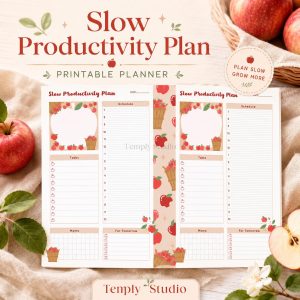
Keep a separate “My Practice” folder for your own planning. A planner such as the 2027 Solopreneur Planner works well there, giving you daily and weekly structure for client load, income and your own goals without mixing it into client notes.
Planning Coaching Sessions with GoodNotes for Coaches
A good session plan is short — a map for forty-five minutes, not a script. Keep it to one page with five elements: the client’s current goal, what happened since last time, today’s focus, two or three questions to ask, and the outcome you hope to reach. If the plan needs more than a page, it is probably a to-do list in disguise.
A repeatable one-page session plan
Build the plan as a template page you duplicate before each session, so you never start blank. Use a header with client name, session number and date; a small box for “since last session”; a larger box for “today’s focus”; three lines for questions; and a footer for “outcome” and “homework”. Prepare it the day before, not five minutes before the client arrives: glance at their last outcome and homework in the “Goals & Progress” notebook, then write the new plan in two or three minutes.
Questions to prepare before every session
Good coaching questions are open, short and specific to this client at this moment — not generic prompts you could ask anyone. Write two or three in your own words and leave space for the client’s answers underneath. Useful starters: “What has shifted since we last spoke?”, “What would make today useful for you?” and “What are you avoiding that we should look at?” Keep them on the plan page, not in your head: under pressure, even experienced coaches default to the easiest question instead of the right one.
Taking Client Notes During Sessions
Note-taking is a balancing act. Write too much and you stop listening; write too little and you lose the detail that makes the next session work. Aim to capture exact phrases, decisions and commitments — the client’s own words — and let the rest go. Handwriting is naturally selective: you cannot write as fast as someone talks, so you must choose what matters.
When a client says something important, write it verbatim, in quotation marks. “I feel like I’m faking it every day” is useful; your paraphrase “client lacks confidence” is not. Verbatim quotes are gold later, because you can read their own words back to them, and they show progress clearly: compare week one with week ten and the change is often obvious. Use one pen colour for the client’s words and a second colour or the highlighter for your observations — one colour is what happened, the other is what you noticed. Two colours and one highlighter are enough.
GoodNotes’ lasso tool is ideal for live notes. When a client jumps topics, circle a block of handwriting, lift it and move it elsewhere, or resize it to make room. You can also copy a key phrase into the session summary or goals notebook. Practise the gesture before a real session. Afterward, spend five minutes tidying the page: add the date and session number, circle the agreed actions, and write the homework in the plan footer. Five minutes now saves twenty minutes of confusion before the next session.
Tracking Client Progress and Goals with GoodNotes for Coaches
Progress in coaching is rarely a straight line, which is why it needs to be visible. Clients forget how far they have come, especially in a hard week, and your job is partly to hold the evidence. A dedicated “Goals & Progress” notebook turns a vague “things are getting better” into something you can both look at.
A goals page you actually revisit
Start each engagement with one goals page: the overarching goal in the client’s own words at the top, three to five milestones below it with rough timeframes, and space for dated entries on what changed, what was tried and the result. Review it with the client at the start of every fourth session and update it together — that shared review is often when a client realises the work is working. Keep it honest: if a milestone has not moved in a month, write that down and make it the next session’s focus. A page that only records wins is a brochure, not a tool.
Simple trackers: habits, scores and milestones
Three simple tools cover almost everything. A habit tracker — days across the top, habits down the side — suits behaviours such as a morning routine. A weekly 1-to-10 score on one thing (confidence, energy, clarity) produces a line over time that is easy to read. A milestone checklist with dates records concrete achievements: the difficult conversation had, the proposal sent, the boundary set. Build these as template pages and duplicate a fresh copy each month. The 2027 Business Planner is a useful companion for business and executive coaching clients, whose goal and habit pages can sit alongside your notes and give the client a planner they use daily between sessions.
Intake Forms and Homework: Importing PDFs into GoodNotes
Most coaching practices run on PDFs: intake forms, contracts, worksheets and assessments. In GoodNotes for coaches, an imported PDF becomes a notebook you can write on — annotate with the pen, highlight, add text boxes — while the original stays intact underneath, ready to export afterwards.
Importing and annotating intake forms
Keep a blank intake form PDF in a “Templates & Forms” folder outside the client folders, and duplicate it into the client’s “Forms & Homework” notebook when they sign up — never edit the blank original. If the client completes the form elsewhere, import their finished version and annotate it in your first session: circle key answers and add questions in the margins. Handwriting search does not read typed PDF text the way it reads your handwriting, so add a short handwritten summary page after the form with the key facts: their goal, context and follow-ups. That summary is what you will search for in three months.
Homework that clients actually complete
Homework fails when it is vague, so make it specific, small and written down: what to do, by when, and how you will know it is done. Write it on the plan page, then export just that page or worksheet as a PDF — GoodNotes for coaches lets you export a single page or a selection, so the client gets a clean sheet, not your whole notebook. For worksheets they complete themselves, send a clean copy, then import the finished version back into the same notebook next to the session where you set it. If you want a planner clients can use for daily homework and habits between sessions, the Minimalist Daily Planner is a good fit — its clean, uncluttered pages suit clients who find busy planners overwhelming.
Templates for Repeatable Session Structures
Stop recreating pages. Every repeated structure — session plan, goals page, habit tracker, intake form, session summary — should exist once as a template and be duplicated when needed. GoodNotes for coaches lets you save any page as a template or simply duplicate a page, so building the set takes an afternoon and pays off every week after.
Keeping Client Notes Private in GoodNotes for Coaches
Client notes are confidential, so use both of GoodNotes’ practical safeguards: notebook lock and separation. Notebook lock lets you set a passcode on an individual notebook, so opening it requires the code even if someone else picks up your iPad. Lock every client notebook — “Sessions” and “Goals & Progress” at minimum — with a passcode different from your device passcode.
Separation is the second layer. One notebook per client, inside one folder per client, means no client’s notes can appear in another’s notebook, and you cannot open the wrong file mid-session. It also means you can export exactly one client’s records if they request them. Never keep client notes in a shared notebook, a general “notes” notebook or a planner you use for personal journaling. Set your iPad to lock quickly when idle, do not leave client notebooks open in cafés or co-working spaces, and use two-factor authentication on your Apple ID if you back up to iCloud. Remember that an app lock is a practical safeguard, not a legal guarantee — check the data rules that apply to your practice.
Sharing Session Summaries with Clients Using GoodNotes for Coaches
A short summary after each session is one of the highest-value things you can send a client: it shows you listened, records what was agreed, and gives them something to return to during the week. Keep it to half a page — session focus, two or three key insights, agreed actions with dates, and homework — written on your summary template and exported as a single-page PDF.
GoodNotes for coaches exports pages as PDF or images through the standard iOS share sheet, so you can send the summary by email or message in a few taps. Export only the summary page, not the whole notebook — your private observations are not part of what the client receives. GoodNotes also offers link sharing for whole notebooks, but note that this needs a paid plan, so check your subscription before promising a client live access. For most coaches, the PDF summary is simpler and more private. Agree the rhythm at the start — after every session, or a longer review every fourth session — and keep it consistent. A summary that arrives reliably builds trust; one that arrives sporadically feels like an afterthought.
A Simple Weekly Coaching Workflow
Here is a weekly rhythm that takes about an hour of admin for a full client load. Use the same steps every week, so it becomes a habit rather than a project.
- Monday — review the week ahead. Open “My Practice” and your planner, see who you are meeting, check each client’s last outcome and homework, and prepare each session plan the day before.
- Before each session — prepare in three minutes. Duplicate a fresh plan template, fill in the goal, what happened since last time, today’s focus and your questions. Keep the goals page open in a second tab to glance at mid-session.
- During the session — capture, don’t transcribe. Write exact phrases, circle decisions, note actions as agreed. Use the lasso tool if the conversation jumps around.
- After each session — five-minute close. Complete the plan footer, write the half-page summary, export it as a PDF to the client, update the goals page if a milestone moved, and lock the notebook.
- Friday — weekly review. Spend twenty minutes reviewing the week: who moved forward, who is stuck, what needs attention next week. Update your planner with follow-ups and invoices, and archive completed programmes into “Completed”.
Frequently Asked Questions
Is GoodNotes for coaches a good fit?
Yes, for most one-to-one coaches it is an excellent fit, because coaching runs on handwritten notes, flexible session plans and long-term goal tracking — exactly what GoodNotes does well. It is not a coaching platform, so it will not manage bookings, payments or reminders, but as a workspace for plans, notes and progress it is hard to beat. Pair it with a simple booking and invoicing tool for a complete, low-cost setup.
How do I organise client notes in GoodNotes?
Use one folder per client, with three notebooks inside: “Sessions”, “Goals & Progress”, and “Forms & Homework”. Keep one notebook per client rather than one per session, so handwriting search can find anything across the whole relationship. Lock each client notebook with its own passcode and archive completed engagements into a “Completed” folder instead of deleting them.
Can I share GoodNotes pages with my coaching clients?
Yes. The simplest way is to export a single summary page as a PDF and send it by email or message — that keeps your private notes out of what they receive. GoodNotes also offers link sharing for whole notebooks, but note that this feature needs a paid plan, so check your subscription before promising a client live access. For most coaches, a PDF summary after each session is simpler and more private.
Is GoodNotes private enough for client notes?
GoodNotes keeps your notes on your own device and in your own cloud account, and notebook lock lets you passcode-protect individual client notebooks, which covers the day-to-day privacy needs of most coaches. Use a separate notebook per client, a different passcode from your device code, and quick auto-lock on your iPad. An app lock is a practical safeguard, not a legal guarantee, so check the data-protection rules for your practice and handle exported PDFs like any confidential document.
GoodNotes for coaches is ultimately a simple idea: one app, one folder per client, and a repeatable rhythm of planning, listening, noting and reviewing. Set it up once, use it every week, and your notes will stop being something you search for and start being something that works for you. If you want a planner to run the business side of your practice in the same app, try the 2027 Solopreneur Planner — and start with one client this week.
Temply Studio
Stop chasing your goals with sticky notes and scattered notebooks. Our premium digital planners and Canva templates are designed to help you plan with intention, stay consistent, and actually enjoy the process.


Questions about this guide?
Ask about the planner, share how you use it, or tell us what to cover next. Your email stays private.