


Why Lawyers Need a Planner Built for Legal Work
A lawyer planner in GoodNotes is not just a calendar with a law-themed cover. Legal work runs on deadlines that cannot slip, files that must be findable in seconds, and days split between court, clients, research and admin. A generic planner forces you to squeeze that reality into boxes designed for grocery lists. A planner built for legal work gives you matter pages, deadline trackers, client notes and hearing preparation in one searchable notebook that travels with you to court.
This guide shows you how to set up a lawyer planner in GoodNotes from scratch: the sections that matter, a weekly workflow that survives a chaotic caseload, and the habits that keep deadlines safe. Whether you are a solo practitioner, an associate juggling dozens of matters, or a law student building good habits early, the system below scales from five cases to fifty.
Quick answer: A lawyer planner in GoodNotes works best with five sections: a master deadline calendar, one page per matter, a client-notes section, a weekly review spread, and a hearing-prep checklist. Review deadlines every morning, log billable time as you go, and keep one master list of court dates — never rely on memory for a filing deadline.
The Five Sections Every Lawyer Planner Needs
1. Master deadline calendar
This is the single most important section. Every filing deadline, court date, limitation period, client meeting and hearing goes here the moment you learn about it — not later, not “when I get back to the office”. Use one page per month with deadlines written on their dates in red, and a running list underneath sorted by date. Check it every morning before you open email. Most missed deadlines are not caused by incompetence; they are caused by a deadline that lived only in an email, a letter or someone’s memory.
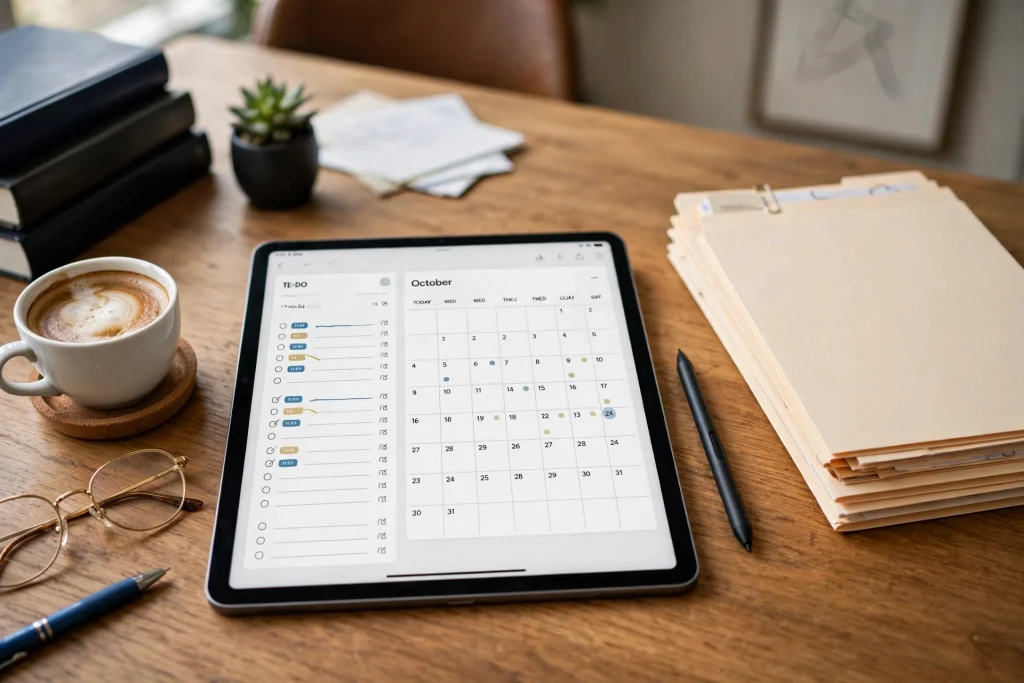
Build a safety net: for every hard deadline, add two earlier reminders — one week before and one day before. The week-before reminder is for preparation; the day-before reminder is your final check that the filing is ready. If you use a digital planner template, a business planner with monthly and weekly spreads adapts well to this structure, with the monthly spread serving as your deadline calendar.
2. One page per matter
Every active matter gets its own page: client name, matter number, court or tribunal, opposing party, key dates, next action, and a short status line. This page is your thirty-second briefing before any call or meeting about that matter. When a client phones unexpectedly, you open their matter page and you are instantly up to speed — no digging through email threads.
Keep matter pages in alphabetical or numerical order and hyperlink them from an index. In GoodNotes, the search function means you can also find a matter by client name in seconds, but a tidy index is faster and works even when handwriting recognition misses a name. Update the “next action” line at the end of every piece of work on that matter, so the page always tells you what happens next.
3. Client notes and meeting records
Meeting notes are where cases are won and lost in the details. After every client meeting or call, write a dated note: who attended, what was discussed, what was agreed, and what you promised to do next. Use a consistent template — date, matter, attendees, discussion, actions — so notes are comparable months later. Our GoodNotes meeting notes guide shows a capture-and-follow-up routine that works especially well for client meetings, where agreed actions must never be forgotten.
Be careful with confidentiality: meeting notes may contain privileged information. Keep client notes in your main planner only if your device is properly secured, and consider a separate locked notebook for highly sensitive matters. Never export client notes to shared drives or personal cloud folders without thinking about who can access them.
4. Weekly review spread
Once a week — Friday afternoon or Monday morning — spend twenty minutes reviewing the coming week: hearings, deadlines, meetings, and preparation time. Block preparation time in your calendar before the week fills up with other people’s urgencies. A lawyer who does not protect preparation time ends up preparing the night before every hearing, which is how mistakes happen.
Your weekly review should answer four questions: What deadlines fall due this week? What hearings need preparation, and is that preparation scheduled? Which clients are waiting for something from me? What can I delegate or postpone? Write the answers on the weekly spread. If a deadline has no preparation time blocked, that is a problem to fix now, not on the day.
5. Hearing and trial preparation checklist
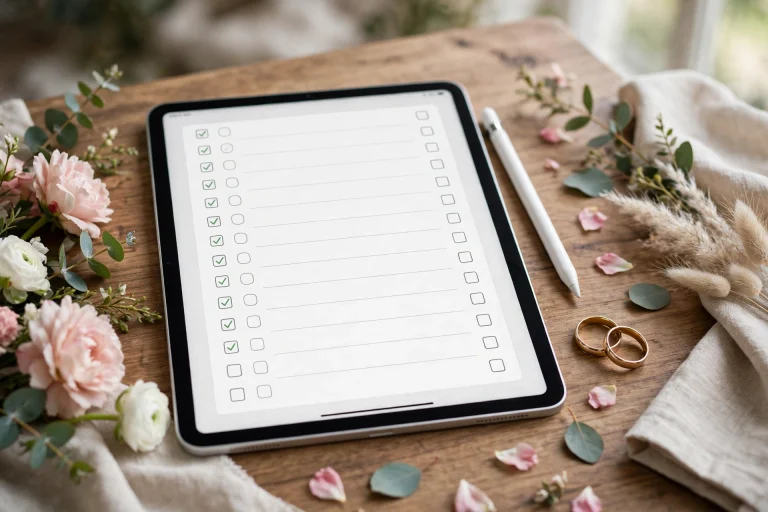
Build a reusable checklist for hearings: documents filed, bundles prepared, witnesses confirmed, exhibits indexed, authorities printed, travel and timing confirmed, and client briefed. Copy the checklist for each new hearing and tick items off as you complete them. Checklists feel bureaucratic until the day they catch the exhibit you forgot — then they feel essential. Senior lawyers use checklists not because they are forgetful, but because hearings have too many moving parts for memory alone.
A Daily Workflow That Survives a Busy Caseload
Morning (10 minutes): open the master deadline calendar, check today’s deadlines and hearings, and write your top three priorities. Check for anything due tomorrow that is not yet ready. During the day: log time and notes as you go, not at day’s end. A two-line entry per task — matter, time spent, next action — takes seconds and saves the end-of-day reconstruction that always under-records billable time. End of day (5 minutes): update matter pages with next actions, move unfinished tasks to tomorrow, and confirm tomorrow’s hearings are prepared. This routine, borrowed from freelancer planning in GoodNotes where time tracking is equally critical, is what turns a planner from a diary into a practice-management tool.
Time Tracking and Billing Without the Pain
If you bill by the hour, your planner is also your billing record. Keep a simple daily time log in the planner: matter, task, start and end time, total. Round consistently (for example, to the nearest six minutes if that is your firm’s convention) and write the entry immediately after the task. Lawyers who reconstruct time at week end routinely lose 10–20% of billable time to forgotten entries — and reconstructed entries are also harder to justify to a client who queries an invoice. A planner with a daily time log pays for itself in the first month.
For fixed-fee work, time tracking still matters: it tells you which matters are profitable and which consume far more time than the fee covers. Review your time by matter monthly. If one type of matter consistently takes twice the budgeted time, that is pricing information, not a personal failure.
Organising Case Files Alongside Your Planner
Your planner holds the plan; your case files hold the evidence. Keep the two linked but separate. In GoodNotes, that means using consistent matter numbers in both places so a file can be found from the planner and vice versa. Use folders by year and matter type, and keep a one-page matter index that lists where each file lives — GoodNotes notebook, document system, or physical file. When someone asks for a document urgently, you should be able to say where it is without searching three systems.
Be disciplined about naming: “Smith — contract — draft v3 — 2026-11-02” beats “contract final FINAL”. Version discipline matters more in law than in most professions because the wrong version of a document can have real consequences. If your firm has a document system, follow its conventions even when working in GoodNotes, so files remain findable by colleagues.
Going to Court With an iPad Planner
An iPad planner is genuinely useful in court: your calendar, matter notes, authorities and checklists in one device, searchable in seconds. But prepare for court realities. Charge the iPad fully and bring a charger. Download everything you need — do not rely on court Wi-Fi. Put the iPad in Do Not Disturb so a notification does not interrupt proceedings. Check the court’s rules on electronic devices before you arrive; some courts restrict them, and a paper backup of your hearing checklist is wise for any important appearance.
Also think about what is visible on screen. If you hand your iPad to a colleague or it is visible to others, a planner full of client names and notes is a confidentiality risk. Use a neutral lock screen, keep sensitive notebooks closed when not in use, and consider a privacy screen protector for court and public transport.
Common Mistakes Lawyers Make With Digital Planners
- Keeping deadlines only in email. Fix: every deadline goes on the master calendar the day you learn of it.
- No preparation time blocked. Fix: schedule preparation when the hearing is diarised, not the week before.
- Meeting notes without agreed actions. Fix: end every note with “Actions:” and the owner’s name.
- Mixing personal and client notes. Fix: separate notebooks or clearly separated sections, with sensitive matters locked.
- Reconstructing time at week end. Fix: log time as you go, in two lines per task.
Setting Up This Week: A 45-Minute Plan
Minutes 1–10: create the planner notebook with the five sections and a monthly deadline calendar. Minutes 10–25: add every deadline you know for the next 60 days, with week-before and day-before reminders. Minutes 25–35: create one matter page per active case with its next action. Minutes 35–45: build your hearing checklist and your meeting-note template, then schedule your first weekly review. After that, the system runs on ten minutes in the morning and five at night — a small price for never missing a deadline.
FAQ
Is GoodNotes suitable for legal work, or should I use practice-management software?
Both have a place. Practice-management software handles billing, document management and compliance; a GoodNotes planner handles your daily thinking, preparation and personal organisation. Most lawyers benefit from using both: software for the firm’s records, a planner for the work itself.
How do I keep client information confidential in GoodNotes?
Use a strong device passcode, keep your Apple ID secured with two-factor authentication, avoid exporting client notes to shared locations, and consider locking notebooks that contain privileged material. Check your firm’s data policies before storing client information in any personal app.
Can I use a GoodNotes planner in court?
Often yes, but check the court’s rules on electronic devices first, download everything in advance, use Do Not Disturb, and carry a paper backup of critical checklists. Court Wi-Fi should never be relied upon.
How many matters can this system handle?
Comfortably dozens. The key is one page per matter plus a master deadline list — the system scales because you never hold the whole caseload in your head, only today’s priorities and this week’s deadlines.
What if I already use a paper diary?
Run both for two weeks, then choose. Transfer all deadlines to GoodNotes first, since that is the safety-critical part, and keep paper for anything you genuinely prefer handwriting outside the app. Most lawyers switch fully once the deadline calendar proves itself.
Start this week: build the five sections, load your next 60 days of deadlines, and protect your preparation time. Browse Temply Studio’s business planners for hyperlinked templates that adapt well to a legal workflow.
Temply Studio
Stop chasing your goals with sticky notes and scattered notebooks. Our premium digital planners and Canva templates are designed to help you plan with intention, stay consistent, and actually enjoy the process.

Questions about this guide?
Ask about the planner, share how you use it, or tell us what to cover next. Your email stays private.