
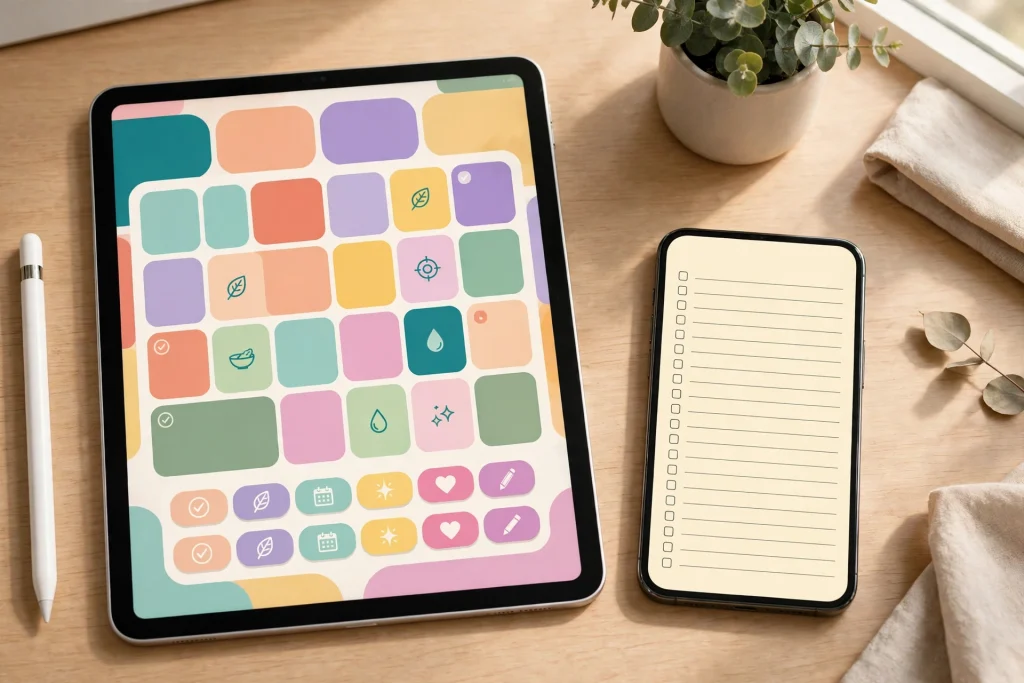
Quick answer: For a real digital planner, GoodNotes wins. Apple Notes is free, pre-installed and excellent for simple text-first lists, but it cannot use a bought planner PDF as a planner: it has no custom template library and no planner-style tab navigation. GoodNotes gives you hyperlinked tabs, custom PDF planner templates, handwriting search and full PDF annotation. If you only need a free, simple plan, Apple Notes is enough; if you want a planner that works like a paper planner, choose GoodNotes.
If you already own an iPad, the goodnotes vs apple notes planner question comes up fast. Both apps are on your device — Apple Notes is free and pre-installed, GoodNotes is the app most digital planner sellers design for — and both let you write by hand. The difference is not handwriting. It is structure. A planner is not a blank page. It is a system of linked pages: a calendar that jumps to a week, a week that jumps to a day, a day that jumps to a notes page. One of these apps was built for that system. The other was built for notes.
In this guide we compare GoodNotes and Apple Notes the way a planner user actually experiences them: templates, navigation, handwriting, PDF handling, sync, sharing and price. Prices are checked October 2026. By the end you will know which app fits your planning style — and when the free option is genuinely the smarter pick.
GoodNotes vs Apple Notes at a glance
| Feature | GoodNotes | Apple Notes |
|---|---|---|
| Price | Free (3 notebooks); Essential $11.99/year; Pro $35.99/year | Free, pre-installed |
| Custom planner PDF templates | Yes — import any PDF planner | No template library |
| Hyperlinked planner tabs | Yes — tappable tabs and internal links | No planner tab navigation |
| Handwriting search | Yes, across the library | Yes, via Live Text search |
| PDF annotation | Full annotator: highlight, margin notes, stamps | Basic markup on scans and images only |
| Audio recording with transcription | No built-in recording | Yes, since iOS/iPadOS 18 |
| Sync | iCloud, plus cross-platform apps | iCloud, effortless on Apple devices |
| Best for | Hyperlink planners and serious PDF work | Simple, free, text-first planning |
Prices checked October 2026. GoodNotes tiers can change, so check the App Store before you buy — but the structural gap below does not depend on price.
Templates and planner structure: the decisive gap
This is where the comparison is decided. GoodNotes has notebooks, nested folders and a template library, and — critically — it imports custom PDF planner templates. Buy a 2027 planner PDF, import it, and every page, tab and link works exactly as designed. That is the whole digital planner ecosystem: sellers design planners as PDFs precisely because GoodNotes (and similar apps) can run them.
Apple Notes has folders, tags and Smart Folders, and a handful of built-in page styles such as lines and grids. What it does not have is a custom template library. You cannot import a bought planner PDF and use it as a planner inside Apple Notes. You can attach a PDF to a note, but it will not behave like a planner: no tappable tabs, no linked calendar, no planner navigation. If your plan is “buy a planner and use it,” Apple Notes cannot run it.
That single fact answers the goodnotes vs apple notes planner question for most planner buyers. If you want a planner PDF, you need an app that runs planner PDFs. GoodNotes does. Apple Notes does not.
Hyperlinks and navigation
GoodNotes planners navigate by tappable tabs and internal links. Tap “October” on the yearly view and you land on October. Tap a week tab and you land on that week. Tap a daily tab and you are on today. A well-built planner feels like a paper planner with teleportation: you never scroll through hundreds of pages to find today.
Apple Notes does let you link between notes, and that is useful for a personal wiki or a meeting-notes system. But there is no planner-style tab navigation. You cannot build a calendar page whose tabs jump to each day, because a note is a scrolling document, not a planner page. For a daily planning habit, that friction adds up: every morning you search or scroll instead of tapping once.
If you want to see how far GoodNotes linking can go, our guide to linking a planner, notebook and sticker book shows a dashboard page that jumps between three separate documents. Apple Notes simply has no equivalent for a planner.
Handwriting: both good, GoodNotes deeper
Both apps handle Apple Pencil writing well, and for short notes you may not notice a difference. GoodNotes adds pressure sensitivity, shape smoothing, a zoom window with auto-advance for neat writing in small boxes, and handwriting search across your whole library. That last feature matters more than it sounds: search a word you wrote months ago and GoodNotes finds the page.
Apple Notes offers solid basic handwriting, a simpler pen set, and Live Text search of handwriting. For jotting a shopping list or annotating a lecture slide, it is perfectly good. For filling a planner every day — small daily boxes, repeated headings, habit grids — GoodNotes’ zoom window and pen controls make the daily habit noticeably smoother.
PDF annotation
GoodNotes is a full PDF annotator. Highlight text, write margin notes, add stamps and shapes, and keep the annotated PDF as a living document. Students marking up readings and professionals reviewing contracts get real value here, beyond planning.
Apple Notes handles markup on scanned documents and images, which covers signing a form or circling something on a photo. It is not a PDF annotation workflow: you cannot open a long PDF, annotate page after page, and keep it organised as a document. If PDF work is part of your week, GoodNotes is the clear pick.
Where Apple Notes genuinely wins
Apple Notes is not the loser in every category, and it is important to say so plainly. First, it costs nothing and needs no setup: it is already on your iPad, iPhone and Mac, signed in and syncing. Second, iCloud sync is effortless, and sharing and collaboration are simpler than in most planner apps — share a note with a partner or colleague in seconds. Third, since iOS and iPadOS 18, Apple Notes records audio inside a note with live transcription. That matters for meeting and lecture capture: record the meeting, get a searchable transcript next to your notes. GoodNotes has no built-in audio recording.
So if your planning is mostly text — a daily top-three list, a running meeting log, a shared grocery list — Apple Notes is free, fast and enough. The honest test is this: do you need a planner structure, or do you need a place to write things down? Apple Notes is a place to write things down. GoodNotes is a planner structure.
Sync, devices and lock-in
Both apps sync through iCloud, so on Apple devices both feel instant. GoodNotes also offers apps beyond Apple platforms, which matters if you ever plan on Android or Windows. Apple Notes is Apple-only, which is fine until you leave the ecosystem. Neither app locks your planner PDF away: a planner PDF imported into GoodNotes remains a standard PDF you can export, back up and move. That portability is one reason the PDF planner model is so durable.
Which should you choose?
Choose Apple Notes if: you want a free, zero-setup system; your planning is mostly short text lists; you share notes with others often; or you want audio recording with transcription for meetings and lectures.
Choose GoodNotes if: you bought (or plan to buy) a planner PDF; you want tappable tabs and a linked calendar-to-day flow; you annotate PDFs regularly; you want handwriting search across everything; or you want custom templates, stickers and a real planner layout.
Many people end up using both: Apple Notes for quick capture and shared lists, GoodNotes for the daily planner itself. That is a sensible split, because each app is doing the job it was designed for. What does not work well is forcing Apple Notes to be a planner, or paying for GoodNotes and then only using it as a blank notebook.
Getting started with a GoodNotes planner
If you pick GoodNotes, start simple. Import one planner — not five — and use it for two full weeks before adding notebooks, stickers or extra systems. Learn the tab flow first: year to month to week to day, then back. Add a notebook for long-form notes only when you find yourself cramming paragraphs into a daily box. And back your planner up: a planner you cannot restore is a planner you will eventually lose, so set up iCloud sync and an automatic backup before your planner holds a month of your life.
For a planner that works with this setup, the 2027 Life Planner is a full-year hyperlinked planner built for GoodNotes, and the Minimalist Undated Digital Life Planner for GoodNotes is the undated alternative if you want to start any week of the year. If you are still deciding between planner apps in general, our GoodNotes vs Notability comparison covers the other big planner app, and our Android and Samsung planner guide covers planning off Apple devices entirely. Our GoodNotes planner beginner’s guide walks through importing and setting up your first planner step by step.
FAQ
Can I use a digital planner PDF in Apple Notes?
Not as a planner. You can attach a PDF to a note, but Apple Notes has no custom template library and no planner tab navigation, so the PDF will not behave like a hyperlinked planner the way it does in GoodNotes.
Is GoodNotes free?
GoodNotes has a free tier limited to 3 notebooks, plus paid tiers: Essential at $11.99 per year and Pro at $35.99 per year (prices checked October 2026). The free tier is enough to test a planner, but most daily planner users need a paid tier.
Is Apple Notes good enough for daily planning?
For simple text-first planning — a daily list, a running log, shared lists — yes, and it is free. For a structured planner with a linked calendar, weekly views and tappable tabs, no: that structure is what GoodNotes is built for.
Can I use both GoodNotes and Apple Notes?
Yes, and many people do: Apple Notes for quick capture, shared lists and audio-recorded meetings, GoodNotes for the daily planner itself. Use each app for the job it was designed for.
Does GoodNotes work on Android or Windows?
GoodNotes offers apps beyond Apple platforms, unlike Apple Notes which is Apple-only. If you may plan off Apple devices, check our Android and Samsung planner guide before committing to an Apple-only workflow.
Ready to plan in GoodNotes? Browse Temply Studio’s digital planners for GoodNotes and pick the layout that fits your year.
Before you decide, check the official GoodNotes site for current features, then weigh GoodNotes vs Apple Notes against how you actually plan each day.
Temply Studio
Stop chasing your goals with sticky notes and scattered notebooks. Our premium digital planners and Canva templates are designed to help you plan with intention, stay consistent, and actually enjoy the process.
Questions about this guide?
Ask about the planner, share how you use it, or tell us what to cover next. Your email stays private.