




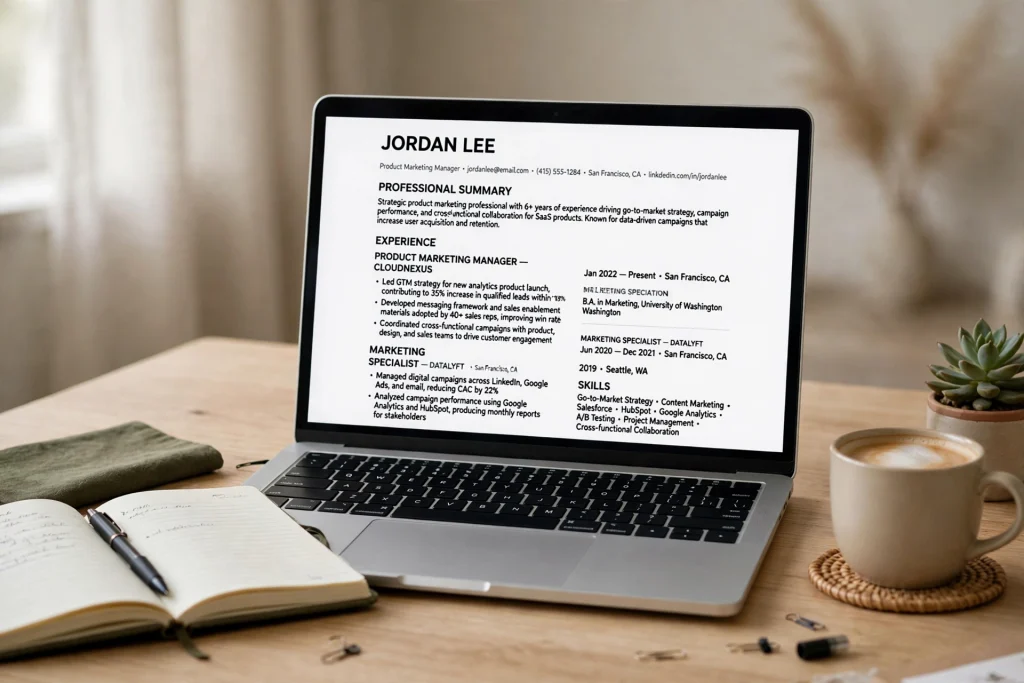
Learning how to make resume ATS friendly is one of the highest-leverage moves in your 2026 job search. The vast majority of large and mid-size employers now run every application through an Applicant Tracking System before a human recruiter ever lays eyes on it. That means your beautifully designed resume can be rejected by software in seconds — no matter how qualified you are.
The good news is that beating the ATS is not complicated. It comes down to three things: clean formatting the parser can read, the right keywords matched to the job description, and a section structure the software expects. In this complete guide, you’ll learn exactly what an ATS looks for, what changed in 2026, and how to build an ATS-friendly resume step by step — plus the mistakes that break parsing and how to test your resume before you hit submit.
What Is an ATS and How Does It Parse Your Resume?
An Applicant Tracking System (ATS) is software employers use to collect, sort, search, and rank job applications. The most common platforms — Workday, Greenhouse, Lever, iCIMS, Taleo, and Ashby — process millions of resumes, and their first job is to convert your document into structured, searchable data.
Here is what actually happens when you upload your resume:
- Text extraction. The parser reads your document top to bottom, left to right, pulling out the raw text. Anything that is not real, selectable text — images, graphics, icons, text inside shapes — is usually skipped or garbled.
- Section identification. The software looks for standard headings like your name, contact information, professional summary, work experience, education, and skills. Non-standard headings like “My Journey” or “Where I’ve Been” confuse the parser.
- Keyword matching. The system compares the words in your resume against the job description and assigns a match score. Recruiters typically review only the top-scoring resumes first.
- Ranking and filtering. Resumes that score below a threshold — or that the parser cannot read at all — sink to the bottom of the list or get filtered out automatically.
An “ATS-friendly resume,” then, is simply a resume the parsing software can read accurately and that scores well on keyword relevance. This is where many job seekers go wrong: they optimize for the human eye with creative layouts, graphics, and clever section names, and accidentally make themselves invisible to the machine that decides whether a human ever sees the resume at all.
Why “friendly” beats “beautiful” every time
Think of the ATS as a very literal, very fast reader. It does not appreciate your two-column layout, your skill bars, or your elegant infographic timeline. It appreciates one column of clearly labeled text. The resume that gets through is the one that plays by the machine’s rules — and once it passes, your qualifications get judged by a person. The trick is remembering there are two audiences, and the machine reads first.
What Changed in 2026: ATS Rules You Need to Know Now
ATS technology has not stood still. Here are the shifts that matter for your resume this year:
AI-assisted screening is now standard
Most major ATS platforms now layer AI on top of basic keyword matching. Instead of counting exact phrases, newer systems understand semantic similarity — “client acquisition” can match “business development,” for example. This is good news, but it does not mean keywords are dead. Exact-match terms from the job description still anchor your score; semantic matching just catches near-misses you might otherwise lose.
Skills-based matching is replacing rigid title filters
More employers now configure their ATS to weight demonstrated skills over exact job-title history. If you are changing careers, this works in your favor — as long as your skills section and bullet points use the industry-standard terms from the postings you are targeting. Vague phrasing like “helped with various tasks” scores nothing; “managed a $200K paid media budget” scores.
Single-column layouts are the safe default
Multi-column designs remain the number one cause of parsing failures. In 2026, the consensus among resume experts and ATS vendors is simple: one column, top to bottom. Sidebars that place your contact info, skills, or dates in a left or right column get read out of order — or skipped entirely — by older parsers still in wide use.
PDF is fine, but the right PDF matters
A text-based PDF exported directly from Word or Google Docs parses cleanly on modern systems. But a PDF exported from a design tool, or a scanned image saved as PDF, is just a picture to the parser. When in doubt, submit the .docx version — it is the most universally parseable format.
How to Make Resume ATS Friendly: The Step-by-Step Build Guide
Follow these six steps in order, and you will end up with a resume that parses cleanly and scores well on nearly any ATS in use today.
Step 1: Put your contact information in the document body — never in the header or footer
This is the single most common parsing failure, and the easiest to fix. Many ATS parsers skip headers and footers entirely, which means a name and phone number placed up there can vanish from your parsed profile.
Instead, put your contact block as the first lines of the main document:
- Full name as a large heading at the very top
- Phone number (one number, with area code)
- Professional email address (firstname.lastname@gmail.com beats xXgamer99Xx@ every time)
- City and state — full street address is unnecessary in 2026
- LinkedIn URL, customized (linkedin.com/in/yourname)
- Portfolio or personal website, if relevant to the role
Do not embed contact details in a graphic banner, a table, or a text box. Plain text, centered or left-aligned, in the body of the page.
Step 2: Write a 3–4 line professional summary packed with keywords
Replace the outdated “Objective” statement with a Professional Summary. This short paragraph sits directly under your contact block and does double duty: it tells the recruiter who you are in five seconds, and it front-loads high-value keywords for the parser.
A strong summary formula:
[Job title or professional identity] with [X years] of experience in [2–3 core skills from the job description]. Proven record of [1 quantified achievement]. Skilled in [2–3 more keywords: tools, methodologies, certifications].
Example: “Digital marketing specialist with 5 years of experience in SEO, content strategy, and marketing automation. Increased organic traffic 180% year over year at a B2B SaaS company. Skilled in Google Analytics 4, HubSpot, and technical SEO audits.”
Notice how every phrase is a searchable term a recruiter might type. Avoid empty adjectives like “hardworking,” “passionate,” and “detail-oriented” — the ATS scores concrete skills, not personality claims.
Step 3: Mirror the job description’s keywords — strategically, not blindly
Keyword matching is still the backbone of ATS scoring. For each role you apply to, read the posting carefully and build a keyword list from it:
- Hard skills and tools: software names, programming languages, certifications, methodologies (e.g., Salesforce, Python, PMP, Agile)
- Job titles and variants: if the posting says “Customer Success Manager” and your title was “Account Manager,” include the posting’s phrase naturally in your summary or skills
- Acronyms and full terms: write both at least once — “Search Engine Optimization (SEO)” — since you never know which version the ATS is configured to search
- Degree and credential requirements: “Bachelor of Science,” “CPA,” “AWS Certified” — spelled exactly as in the posting
Then weave these terms naturally into your summary, experience bullets, and skills section. The goal is relevance, not stuffing: a keyword that appears once in context beats one pasted ten times in white text. (Yes, some systems now detect hidden keyword stuffing — and recruiters who catch it will bin your application on the spot.)
Step 4: Format work experience with standard headings, reverse chronology, and quantified bullets
The Work Experience section carries the most weight in ATS scoring. Format it like this:
- Section heading: “Work Experience” or “Professional Experience” — never “My Career Path” or “Employment History & Such”
- Each entry: job title, company name, location, and dates on separate, clearly labeled lines
- Dates in a consistent format: “Jan 2022 – Present” or “01/2022 – Present” — pick one and use it everywhere
- Bullet points under each role, starting with strong action verbs: led, built, launched, increased, reduced, negotiated, automated
Every bullet should follow the formula action + task + quantified result. Compare:
- Weak: “Responsible for social media accounts.”
- Strong: “Grew company LinkedIn following from 4K to 28K followers in 14 months, generating 35% of inbound demo requests.”
Numbers are keyword-adjacent gold: percentages, dollar amounts, team sizes, and timeframes all help the parser — and the human — understand your impact. If you held multiple roles at one company, list the company once with each role as a sub-entry; the parser reads this structure reliably.
Step 5: Add a dedicated Skills section near the top
Place a “Skills” or “Core Competencies” section right after your summary. This is the parser’s favorite hunting ground, so make it dense and specific:
- Group skills logically: Technical: Python, SQL, Tableau | Marketing: SEO, Google Ads, HubSpot | Languages: English (native), Spanish (fluent)
- Use the exact industry terms from your target job descriptions — “project management” not “herding cats”
- Include a mix of hard skills and relevant tools; soft skills belong in bullet points where you can prove them, not in a standalone list
- Keep it to 10–15 of your strongest, most relevant skills
Step 6: Run the formatting checklist before you save
With content in place, verify the mechanics. Your final formatting checklist:
- Single-column layout, standard 0.7–1 inch margins
- One professional font throughout: Arial, Calibri, Georgia, Garamond, or Helvetica, at 10.5–12pt for body text
- No tables, text boxes, columns, or embedded images
- No headers, footers, or page numbers carrying content
- Standard section headings the parser recognizes
- Simple bullet characters (• or –), not custom icons or images
- No graphics: no skill bars, charts, logos, or profile photos
- File name that includes your name: “Jane-Doe-Resume.pdf,” not “Resume_Final_v7.pdf”
2026 Formatting Rules: Exactly What to Use and What to Avoid
If you remember nothing else, remember this list. These rules decide whether the ATS reads your resume correctly.
Use these
- Single-column layout with a standard top-to-bottom reading order
- .docx or text-based PDF exported directly from Word or Google Docs
- Standard fonts: Arial, Calibri, Georgia, Garamond, Helvetica
- Standard section headings: Professional Summary, Work Experience, Education, Skills, Certifications
- Simple bullets (• or –) and standard date formats used consistently
- Both acronyms and full terms at least once: “Customer Relationship Management (CRM)”
Avoid these
- Tables and multi-column layouts — content gets read out of order or dropped
- Text boxes and shapes — many parsers cannot see text inside them
- Headers and footers for contact info — often skipped entirely
- Graphics of any kind: skill bars, charts, icons, logos, photos, progress circles
- Fancy fonts, script typefaces, and heavy styling that export poorly
- Creative section titles like “My Story,” “Toolbox,” or “Career Adventures”
- Hyperlinked text hiding URLs — write out “linkedin.com/in/yourname” as plain text too
The simplest way to get all of this right is to start from a template built for parsing rather than retrofitting a creative design. A purpose-made ATS-friendly resume template gives you the correct structure out of the box, so you can focus on content instead of debugging layout.
Tools and Templates That Make Building an ATS-Friendly Resume Easier
You do not need expensive software to build a resume that sails through an ATS. What you need is a clean starting point and a way to check your work.
- Start with an ATS-safe template. The ATS CV Template for Microsoft Word uses a single-column layout, standard headings, and parser-safe formatting, so every section you fill in is already structured the way applicant tracking systems expect.
- Want something cleaner and more modern? The Minimalist ATS Resume Template for Word & Google Docs keeps the same ATS-safe structure with a contemporary look that still reads perfectly when parsed — proof that “friendly” does not have to mean boring.
- Use a free ATS resume checker (Jobscan, Rezi’s checker, or SkillSyncer) to compare your resume against a real job description and see your match score before applying.
- Use LinkedIn’s Skills Match on job postings to spot which keywords you’re missing.
- Keep a master resume with every role, project, and skill you’ve ever had, then tailor a focused 1–2 page version for each application. Tailoring per posting is the highest-ROI habit in this entire guide.
10 Mistakes That Break ATS Parsing (and How to Fix Each One)
- Contact info in the header or footer. Move it into the document body as plain text.
- Using tables for layout. Replace with a single column and simple spacing.
- Skill bars and rating dots. The parser reads these as empty space. List skills as text.
- Creative section headings. “Experience” is fine; “Where the Magic Happened” is not.
- Submitting a design-tool PDF or scanned image. Export a text-based PDF from Word/Docs, or submit .docx.
- Keyword stuffing in white text. Modern systems flag it, and humans who catch it will reject you. Use keywords naturally, in context.
- Abbreviations without the full term. Write “Search Engine Optimization (SEO)” at least once so both versions match.
- Inconsistent date formats. “Jan 2022 – Present” in one place and “01/22–now” in another confuses timeline parsing. Pick one format.
- Embedding your name or title in a graphic banner. If the parser cannot read your name, your parsed profile starts broken.
- One generic resume for every application. A resume tuned to each job description consistently outscores a generic one — this is the mistake that costs the most interviews.
How to Test Your ATS-Friendly Resume Before You Apply
Do not trust your resume until you have verified it the way the machine sees it. Run these checks every time:
- The copy-paste test. Open your exported PDF, select all, copy, and paste into a plain text file. If the text comes out in the right order with nothing missing or scrambled, the parser will read it fine. If chunks are missing or jumbled, fix the layout.
- The keyword scan. Paste a target job description into a free ATS checker (or simply search your resume for each key term). You should find the posting’s core skills, tools, and title variants in your summary, bullets, or skills section.
- The match-score check. Tools like Jobscan grade your resume against a specific posting. Aim for a match rate above 75% before submitting — then read the report and add the missing terms naturally.
- The plain-text review. Read the pasted plain-text version from step 1 as if you were a recruiter with ten seconds. If your name, target title, and biggest wins are obvious, you are ready.
- The file-format double-check. Confirm you are sending .docx or a text-based PDF (never an image-only PDF), and that the filename includes your name.
Frequently Asked Questions About ATS-Friendly Resumes
Does an ATS-friendly resume have to look boring?
No — it has to parse cleanly. You can still use tasteful typography, subtle color in headings, bold and italics for emphasis, and generous white space. The line is drawn at anything the parser cannot read as text: graphics, tables, columns, text boxes, and images. Plenty of modern, attractive templates stay on the right side of that line.
Is PDF or Word better for ATS in 2026?
Both work when done right. A text-based PDF exported from Word or Google Docs parses cleanly on modern systems, while .docx remains the most universally compatible format across older parsers. The critical rule: the file must contain real, selectable text. Never submit a scanned image, a photo of your resume, or a PDF exported from a design tool that flattens everything into an image.
How many keywords should I include?
There is no magic number — relevance beats volume. Cover the posting’s core hard skills, tools, certifications, and title variants naturally across your summary, experience bullets, and skills section. If you can check off 80–90% of the posting’s listed requirements with honest, contextual mentions, your keyword coverage is strong. Forcing in the rest usually does more harm than good.
Should I tailor my resume for every single job?
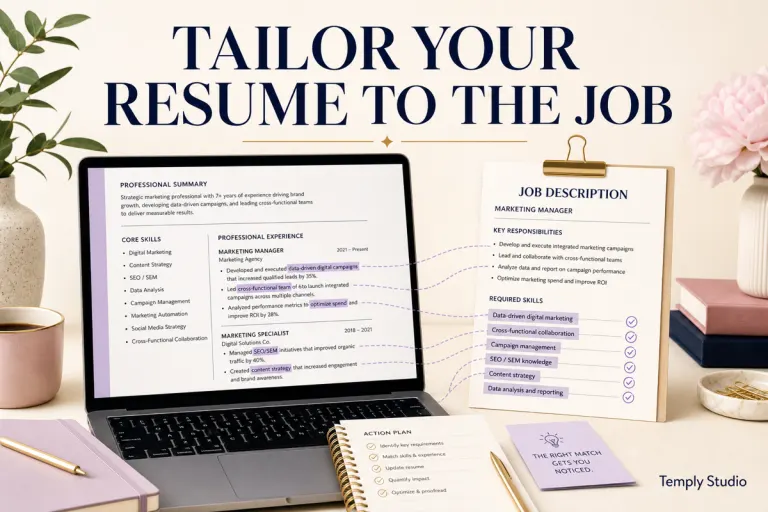
Yes — and it takes less time than you think once you keep a master resume. For each application, adjust your summary, reorder or swap 2–3 bullets per role to foreground the most relevant wins, and update your skills section to mirror the posting’s language. Fifteen minutes of tailoring routinely doubles callback rates compared to blasting one generic version.
Can I use a resume template and still be ATS-friendly?
Absolutely — provided the template was designed for parsing. Look for single-column layouts, standard section headings, no tables or text boxes, and compatibility with Word or Google Docs. A well-built template actually reduces parsing risk compared to a hand-built layout, because the structure has already been tested.
The Bottom Line
Knowing how to make resume ATS friendly comes down to respecting how the software reads: one clean column, standard headings, real selectable text, and keywords borrowed from the job description woven naturally into quantified achievements. Get the machine-readable foundation right, and your qualifications finally get judged by a human — which is where you want the contest decided.
Start with a structure that already follows every rule in this guide. Browse the ATS-friendly CV template collection to find a clean, parser-safe design, fill it in step by step, run the tests above, and send it with confidence.
Temply Studio
Stop chasing your goals with sticky notes and scattered notebooks. Our premium digital planners and Canva templates are designed to help you plan with intention, stay consistent, and actually enjoy the process.
Questions about this guide?
Ask about the planner, share how you use it, or tell us what to cover next. Your email stays private.