

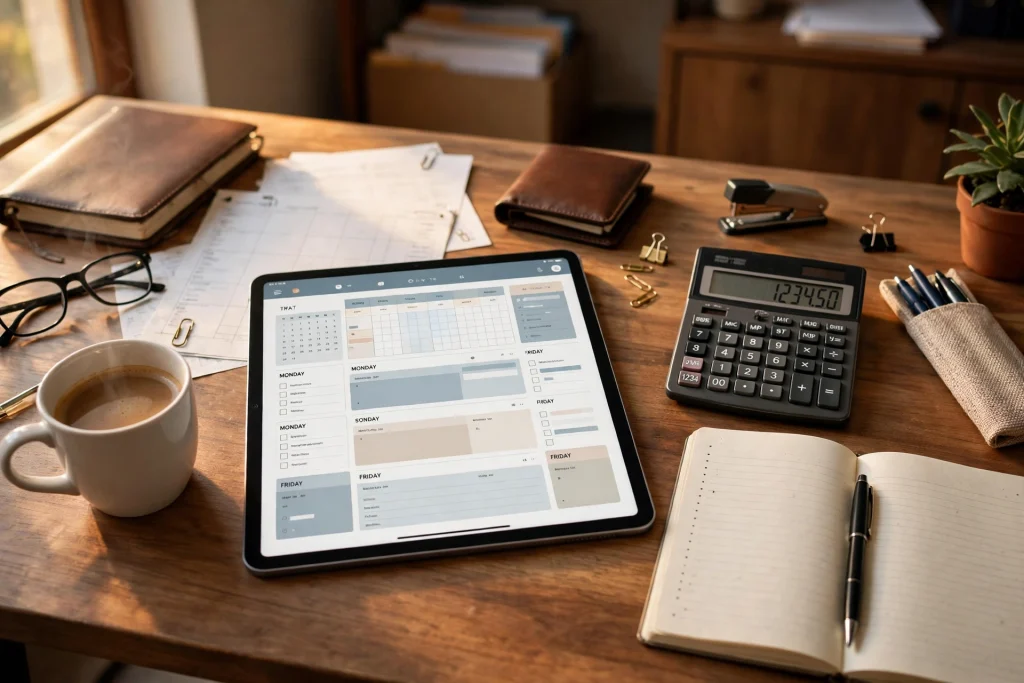
Quick answer: An accountant planner in GoodNotes is a digital notebook on your iPad that brings your client list, tax deadlines, monthly bookkeeping checklist, meeting notes and document tracker together in one searchable place. It does not replace accounting software, but it replaces the scattered paper diary, the sticky notes and the five half-used spreadsheets — so you always know who owes what, what is due next, and what still needs chasing.
An accountant planner GoodNotes setup is one of the simplest upgrades a busy accountant or bookkeeper can make. Most accountants do not struggle because they lack knowledge. They struggle because the work arrives in fragments: a client emails a missing receipt at 9 p.m., a tax deadline moves, a meeting produces three follow-up tasks, and a document sits in an inbox waiting to be filed. None of those items is hard on its own. Together, they create the low-level stress of never quite being sure that everything is covered.
GoodNotes solves the organisation problem, not the accounting problem. That distinction matters, and this guide respects it throughout. You will not find advice here to calculate tax in GoodNotes or to keep your general ledger in a handwritten note. What you will find is a practical system for planning, tracking and following up — the layer of work that sits around the numbers and, when it is messy, makes the numbers harder than they need to be.
Whether you run a small practice, work in-house for one employer, or freelance as a bookkeeper with a dozen clients, the same structure works. Set it up once, use it every day, and review it once a week. Within a month, the planner becomes the first place you look each morning — and the last place you check before you close your iPad.
What Is an Accountant Planner in GoodNotes?
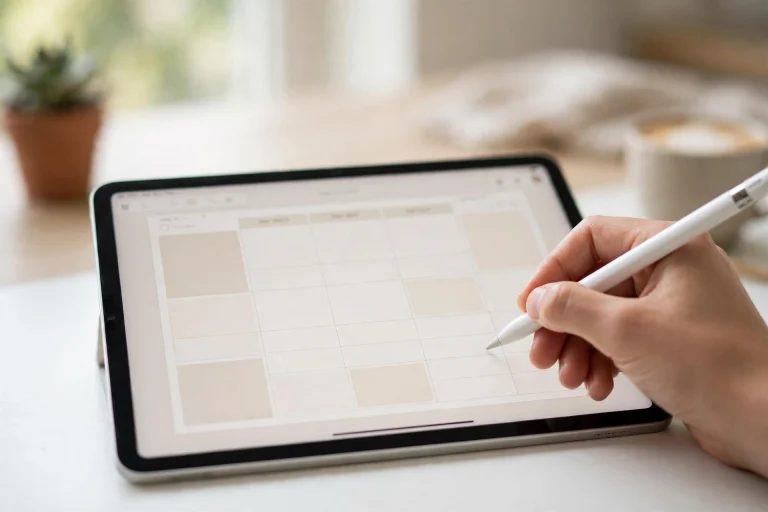
An accountant planner in GoodNotes is a set of linked digital pages inside the GoodNotes app on iPad (or Mac and iPhone, if you sync). It typically combines a yearly tax calendar, a monthly overview, a weekly spread, a client directory, a bookkeeping checklist, meeting-note pages and a document tracker. The pages are hyperlinked, so tapping a date on the calendar jumps to that day, and tapping a client name jumps to that client’s page.
Think of it as a paper planner that has learned a few tricks. You can search your handwriting, duplicate a page in seconds, move a task from Tuesday to Thursday without crossing anything out, and carry a whole year of client notes in a device that weighs less than a single ring binder. You can also attach a PDF — a scanned letter from the tax office, for example — and annotate it directly.
The key word is planner. GoodNotes is where work is planned, scheduled, chased and recorded. The actual accounting — the double entries, the bank reconciliation, the tax computation — lives in your accounting software. The planner tells you what to do, when to do it and for whom. The software does the maths.
Why GoodNotes Works So Well for Accountants
Accountants live in a world of deadlines that do not move, clients who reply late, and documents that arrive in the wrong format. A planner needs to be fast to open, easy to search and forgiving when plans change. GoodNotes meets all three tests.
Everything in one searchable notebook
Instead of a diary for appointments, a notebook for meeting notes, a spreadsheet for deadlines and a folder of printed checklists, you keep one planner. GoodNotes search finds handwritten words as well as typed text, so a client’s name scribbled in a meeting note in March is findable in September. That single fact saves more time than any other feature in the app.
Flexible enough for real practice
No two accountants work the same way. A sole practitioner with thirty small clients needs a different layout from an in-house accountant who serves one company, or a bookkeeper who visits clients on site. GoodNotes templates can be rearranged, duplicated and customised without asking a developer for help. Add a page for a new client in ten seconds. Remove a section you never use. Build a spread that matches exactly how you think about a month.
Paper feel, digital backup
Many accountants like writing by hand. It slows thinking down just enough to catch mistakes, and it makes meeting notes feel more considered than typing. GoodNotes keeps that handwriting habit and adds undo, copy and paste, and automatic backup through iCloud. A spilled coffee cannot destroy a year of client notes. A lost iPad is an inconvenience, not a disaster — provided your backup is switched on, as discussed later in this guide.
It travels with you
Client meetings, site visits, working from home, working from a café: the planner is on the device you already carry. You can check a deadline while waiting for a client, add a task the moment it is agreed, and photograph a receipt straight into the right client page. That immediacy is the difference between a system you trust and a system you update “later” — which usually means never.
The 7 Sections Every Accountant Planner Needs
A good planner is not a random collection of pages. It is a small set of sections, each with one clear job. Build these seven first, and add anything else only when you can name the problem it solves.
1. Client list and directory
This is your master list. One line per client: name, business type, contact person, phone and email, services you provide, fee arrangement, and the software they use. Keep it to one or two pages so you can scan it at a glance. Link each client name to a dedicated client page where you keep their notes, open items and deadlines.
Colour-code by status if that helps you: green for up to date, amber for waiting on the client, red for overdue. The colour is not decoration. It is a visual triage system that tells you, in three seconds, where today’s attention should go.
2. Tax calendar
The tax calendar is the heart of the planner. One page per month, with every filing deadline, payment date, payroll date and reporting obligation marked. Add the deadlines that repeat every year, then add the one-offs: a client’s year-end, a registration renewal, a submission you promised by a specific Friday.
Write deadlines in pen, not pencil — metaphorically speaking. In GoodNotes, that means writing them in a bold colour and resisting the urge to move them casually. If a deadline genuinely changes, move it and note why. If it only feels inconvenient, leave it where it is. A calendar that can be rearranged at will stops being a calendar.
3. Monthly bookkeeping checklist
Every client needs the same core tasks each month: bank statements received, transactions categorised, receipts matched, invoices checked, payroll run, VAT or sales tax prepared, reports sent. A checklist turns that routine into a repeatable process instead of a memory test.
Make one checklist template and duplicate it for each month and each client. Tick items off with the pen as you complete them. At month-end, any unticked item is, by definition, your follow-up list. Nothing falls through the cracks because the list itself is the safety net.
4. Weekly spread
The weekly spread is where the plan meets the week. Seven days, each with space for appointments, tasks and priorities. Each Monday, pull the week’s deadlines from the tax calendar and the open items from your checklists, and write the three most important tasks at the top of the page. Those three tasks are your promise to yourself for the week.
Keep the weekly spread realistic. Sixteen tasks on a Monday is not a plan; it is a wish list that will make you feel behind by lunchtime. Five or six well-chosen tasks, with the hardest one scheduled first, will carry you further.
5. Meeting notes
Every client meeting deserves a dated note: who attended, what was decided, what you promised, what the client promised, and the next step with a date. Write the action items in a different colour or in a box at the bottom of the page so they are easy to find later.
The discipline here is small but powerful: never leave a meeting without writing down the next step and its owner. “We’ll sort it out” is not a next step. “Client to send March bank statements by Friday 14th” is. Your future self, opening that note three weeks later, will be grateful.
6. Document tracker
Accountants chase documents constantly: bank statements, invoices, contracts, ID documents, prior-year returns, payroll records. A document tracker is a simple table — client, document needed, date requested, date received, status — that replaces the mental list of “who still owes me what?”
Review the tracker every Friday. Anything requested more than a week ago gets a polite chase. Anything requested more than a month ago gets a firmer one, and a note in the client file. Chasing is not awkward when it is systematic; it is only awkward when it feels personal.
7. Year-end and review pages
Finally, keep a few pages for the bigger picture: a year-at-a-glance view, a list of clients due for a fee review, ideas for improving your practice, and notes from training or new regulations. These pages stop the planner from becoming purely reactive. Once a quarter, spend thirty minutes here and ask: what is working, what keeps going wrong, and what should change next quarter?
How to Set Up Your Accountant Planner in GoodNotes: Step by Step
Setting up takes an afternoon. Doing it properly — once — saves dozens of afternoons later. Follow these steps in order, and resist the temptation to design the perfect planner before you have used a simple one for two weeks.
- Choose your base template. Start with a dated or undated planner that already has hyperlinked monthly and weekly pages. An undated template is often better for accountants, because a practice does not pause neatly at New Year and you can start on any Monday. The 2027 Business Planner is a solid starting point if you want a business-focused structure with room for meetings, goals and monthly reviews.
- Add your tax calendar first. Before any decoration or extra sections, enter every known deadline for the next twelve months. Use your accounting software, your tax authority’s calendar and your own client list as sources. This single step makes the planner useful from day one, even before the rest is finished.
- Build the client directory. List every active client, then create one page per client with their key details, open items and next deadline. Link each name in the directory to its page. If you have many clients, group them — by service type, by month of year-end, or alphabetically — whichever matches how you search for them.
- Create your monthly bookkeeping checklist template. Write the checklist once, carefully, covering every task you perform for a typical client each month. Save it as a template page you can duplicate. A checklist you have to rewrite every month is a checklist you will stop using.
- Set up meeting-note and document-tracker pages. Keep these simple: date, client, notes, actions. For the tracker, use a table with columns for document, requested date, received date and status. Simple tables survive real use; elaborate ones do not.
- Link everything. GoodNotes lets you add hyperlinks to text and shapes. Link the monthly calendar to weekly pages, weekly pages to client pages, and client pages back to the directory. Navigation should feel like flipping through a well-organised binder, not hunting through a filing cabinet.
- Test it for one real week. Use the planner for actual work before you customise further. Note every moment you think “I wish there were a page for this” — those are the only additions worth making. Everything else is decoration.
If you already use GoodNotes for other kinds of planning, the learning curve is short. Freelancers who plan client work in GoodNotes will recognise the same habits — a weekly spread, a client list, a place for notes — applied to accounting work instead. The freelancer planner in GoodNotes guide covers that parallel setup in detail, and several of its workflow ideas transfer directly to an accounting practice.
A Sample Weekly Workflow That Actually Works
A planner only earns its place if it shapes how the week runs. Here is a weekly rhythm used by many small practices. Adapt the days to your own deadlines, but keep the structure: plan, execute, chase, review.
Monday: plan the week
Open the weekly spread. Check the tax calendar for this week’s deadlines. Pull open items from the monthly checklists and the document tracker. Choose your three priorities and block time for the hardest task first. Send any “we need this by Friday” requests now, while the week is young.
Tuesday to Thursday: do the deep work
Work through the bookkeeping checklists client by client. Keep GoodNotes open beside your accounting software: the software holds the numbers, the planner holds the context — why a transaction looks odd, what the client said about it, what still needs a receipt. Take meeting notes directly into the client’s page, and tick off checklist items as you finish them.
Friday: chase and review
Friday is for closing loops. Review the document tracker and chase anything outstanding. Update each client page with the week’s progress. Check next week’s deadlines so Monday holds no surprises. Finally, spend ten minutes on the weekly review: what got done, what slipped, and what is the single most important task for next week? Write it at the top of next week’s spread before you close the iPad.
This rhythm matters more than the template. A beautiful planner used once a month is worth less than a plain planner reviewed every Friday. Consistency is the feature.
The Monthly Bookkeeping Checklist in Detail
The monthly checklist deserves a closer look, because it is where most bookkeeping errors — or, more often, delays — begin. A good checklist is specific enough to be useful and short enough to be finished.
A typical monthly checklist for one client might include:
- Bank and credit-card statements received and imported
- Transactions categorised and matched to receipts
- Outstanding invoices reviewed and chased where overdue
- Supplier bills entered and payment dates noted
- Payroll checked, approved and submitted on time
- VAT, GST or sales-tax figures prepared and reviewed
- Month-end reports generated and sent to the client
- Any unusual transactions noted with an explanation
- Next month’s deadlines added to the tax calendar
For clients with simpler needs, the list shrinks. For clients with payroll, inventory or multiple entities, it grows. The principle stays the same: the same list, in the same order, every month. Repetition is not boring here; it is the point. When the process is identical each month, your brain is free to notice the one transaction that does not fit — and that is where an accountant earns their fee.
Pair the checklist with the 2027 Finance Planner if you want a finance-focused layout for tracking income, expenses and monthly money goals alongside your client work. It works well as a companion to the business planner: one for the practice, one for the money.
Tax Deadlines: How to Never Miss One Again
Missing a tax deadline is rarely caused by not knowing the date. It is caused by knowing the date and still being unprepared when it arrives, because the documents, the client’s answers or the review time were not lined up in advance. The planner fixes this by working backwards.
For every major deadline, add three dates to your calendar:
- The deadline itself — the date the filing or payment is due.
- The preparation date — typically one to two weeks earlier — when the work must be substantially complete.
- The chase date — typically two to three weeks earlier — when you request any missing documents from the client.
This “deadline minus three weeks” habit transforms tax season. Instead of a frantic final week, you have a calm sequence: chase, prepare, file. Clients also respond better to an early, specific request (“Please send your March statements by the 10th so we can file on time”) than to a last-minute emergency.
Colour-code deadline types so a glance at the month tells the story: one colour for filings, one for payments, one for payroll, one for client year-ends. And keep a separate list of deadlines that depend on the client — those are the ones to chase earliest, because they are the ones you control least.
The goal is not a prettier calendar. It is a calendar that warns you three weeks before a problem, not three hours after it.
Linking Pages, Templates and Daily Notes
Hyperlinks are what turn a stack of digital pages into a planner. Without them, GoodNotes is a notebook. With them, it is a system you can navigate at the speed of thought.
Link with intent
Link the pages you actually travel between: calendar to week, week to client, client to checklist, checklist back to calendar. Do not link everything to everything; a page with twenty links is as unusable as a page with none. Five well-chosen links beat fifty decorative ones.
Use templates as building blocks
Keep a small library of template pages — a blank meeting note, a blank checklist, a blank client page, a blank weekly spread — in a separate section or notebook. When you need one, duplicate it and move the copy where it belongs. This keeps your planner consistent and saves you from rebuilding the same page every week.
Keep daily notes short
Daily notes are for capture, not essays. A few lines per client per day — what you did, what you found, what is next — is enough. Long notes feel productive while writing them and are rarely re-read. Short, dated, searchable notes are re-read constantly, because they answer the only question that matters later: “What happened with this client, and what did we agree?”
Keeping Client Data Organised, Private and Backed Up
An accountant’s planner holds sensitive information: client names, financial details, tax dates, notes about a business’s health. That information deserves more care than a shopping list. GoodNotes is a capable tool here, but only if you set it up deliberately.
Separate what the planner should and should not hold
Keep planning information in GoodNotes: deadlines, tasks, meeting notes, document requests, status updates. Keep the underlying financial records — bank statements, tax returns, payroll data, identification documents — in your accounting software, your secure document store or your practice management system, where access controls and retention rules apply.
As a rule of thumb: if losing the page would be embarrassing, it belongs in the planner with care. If losing it would be a data breach, it does not belong in the planner at all. Client passwords, bank account numbers, tax identification numbers and full financial statements should never be written into a GoodNotes page.
Use iCloud backup — and check it
Turn on iCloud sync for GoodNotes and confirm it is actually working. Open GoodNotes on a second device, or check your iCloud storage, and verify that recent pages appear there. A backup you have never tested is a hope, not a backup. Also keep your iPad’s passcode strong, enable automatic locking, and use Face ID or Touch ID so a lost device does not mean exposed client notes.
Be careful with shared screens
Accountants share screens constantly — in meetings, on video calls, in training sessions. Before you share, close or hide any planner page that lists multiple clients or shows sensitive notes. GoodNotes makes it easy to switch notebooks; keep a “safe to share” notebook for demonstrations and a private planner for real work. A two-second check before sharing saves a difficult conversation later.
Respect your professional obligations
Different countries and professional bodies have different rules on record-keeping, data protection and client confidentiality. Your planner must fit inside those rules, not sit outside them. If you are unsure whether a particular kind of note belongs in GoodNotes, ask your professional body or your firm’s compliance lead before you write it — not after a client asks where their data is stored.
What GoodNotes Does NOT Do (and What to Pair It With)
Honesty about limits is what makes a planner trustworthy. GoodNotes is excellent at planning and tracking. It is not accounting software, and pretending otherwise creates real risk.
GoodNotes does not:
- Calculate tax, run payroll or reconcile bank accounts
- Produce compliant financial statements or tax filings
- Track double-entry transactions or maintain a general ledger
- Send reminders automatically or chase clients by itself
- Replace your practice management or document storage system
Pair it, instead, with the tools that do those jobs properly: a cloud accounting package such as Xero, QuickBooks or your local equivalent; a payroll tool; a secure document portal for receiving client files; and a practice management system if your firm uses one. GoodNotes sits alongside them as the planning layer — the place where you decide what to do next and record that you did it.
This pairing is also the answer to the most common objection: “Why not just use the accounting software’s task list?” Because accounting software is organised around transactions, not around your day. It tells you what is unreconciled; it does not tell you that Mrs. Nguyen’s meeting is at 10, that two clients still owe March statements, and that a VAT deadline falls on Friday. The planner holds the human side of the work. The software holds the numbers. You need both.
Choosing the Right Template for Your Practice
Not every planner template suits an accountant. A template designed for students or for daily journaling will waste pages on habit trackers and mood logs you will never use. Look for these features instead:
- Hyperlinked monthly and weekly pages — navigation you can trust under pressure.
- Monthly overview pages — one page where the whole month’s deadlines are visible.
- Blank or lined note pages — for meeting notes and client pages.
- Checklist pages — or space to paste your own checklist template.
- Undated options — so you can start mid-year without wasting pages.
- Clean, professional design — you will show this planner to clients; it should look like it belongs in a professional practice.
Start with one template and use it for a full month before judging it. The flaws that matter — a weekly spread with too little writing space, a monthly page that hides deadlines — only appear in real use. The flaws that do not matter — a colour you mildly dislike, a font you would not have chosen — fade within a week.
If your practice also needs a broader life-and-work planner for personal goals, family schedules and long-term planning alongside client work, the 2027 Life Planner pairs well with a business planner: keep client work in one notebook and personal planning in another, so neither crowds out the other.
Common Mistakes (and How to Avoid Them)
Most accountant planners fail for the same handful of reasons. Knowing them in advance is half the cure.
Mistake 1: Building the perfect system before using it
Spending three days designing tabs, colours and covers feels like progress. It is not. Use a simple version for two weeks, then improve only the parts that slowed you down. A planner that ships is better than a planner that is still being designed in December.
Mistake 2: Writing everything down, reviewing nothing
Capture without review is just a fuller notebook. The Friday review — ten minutes, every week, without exception — is what converts notes into action. If you skip it for three weeks, the planner stops being a system and becomes an archive.
Mistake 3: One notebook for everything
Mixing client work, personal notes, ideas and meeting minutes into a single notebook makes search noisy and sharing risky. Keep at least two notebooks: the accountant planner for client work, and a separate notebook for everything else.
Mistake 4: No chase dates
A task without a chase date is a task that waits for the client to remember. Clients are busy; remembering your request is not their job. Every request you send should have a date in your planner when you will follow up if you hear nothing. That date is as real as any tax deadline.
Mistake 5: Treating the planner as the accounting system
As stressed above, the planner plans; the software accounts. The moment you start recording transactions in GoodNotes “just this once,” you have created a second, unofficial set of books — and a reconciliation problem for your future self. Keep the boundary clean.
Getting Started This Week
You do not need a new iPad, a new app subscription or a weekend of setup to begin. You need one afternoon and the willingness to use a simple system for a month. Here is a realistic first-week plan:
- Today: Choose a template, add the next three months of tax deadlines, and list your clients.
- Tomorrow: Create one page per client and write the single most important open item for each.
- Wednesday: Build your monthly bookkeeping checklist and use it for one client, end to end.
- Thursday: Take all meeting notes in GoodNotes, with action items boxed at the bottom.
- Friday: Do your first weekly review. Chase one outstanding document. Plan next week’s three priorities.
At the end of that week, ask yourself three questions: Did I open the planner every day? Did it tell me what to do next without hunting? Did anything slip through? If the answers are yes, yes and no, the system works — refine it, don’t replace it. If the planner sat unopened, the problem is rarely the template. It is usually that the planner lives in an app you do not open, on a device you do not carry, or behind a setup step you keep postponing. Fix the habit first; the template second.
Frequently Asked Questions
Is GoodNotes good for accountants?
Yes, for planning, tracking and organising client work — which is a large part of an accountant’s day. GoodNotes is excellent for tax calendars, checklists, meeting notes and document tracking, and its handwriting search makes old client notes easy to find. It is not a replacement for accounting software, so use it alongside tools like Xero or QuickBooks rather than instead of them.
Can I use an accountant planner in GoodNotes for multiple clients?
Yes. That is exactly what it is designed for. Keep a master client directory linked to one page per client, with a monthly bookkeeping checklist duplicated for each client. Colour-code clients by status — up to date, waiting on the client, or overdue — so you can see at a glance where attention is needed. For very large practices, consider one GoodNotes notebook per client group or per service line to keep navigation fast.
How do I track tax deadlines in GoodNotes?
Enter every deadline in a monthly tax calendar, then work backwards: add a preparation date one to two weeks before each deadline and a chase date two to three weeks before it, when you request missing documents from the client. Colour-code deadlines by type — filings, payments, payroll and year-ends — and review the calendar every Monday and every Friday so nothing arrives as a surprise.
Is client data safe in GoodNotes?
GoodNotes with iCloud sync is reasonably secure for planning notes, provided you use a strong iPad passcode, enable automatic locking and keep your software updated. However, you should not store passwords, bank account numbers, tax identification numbers or full financial statements in your planner. Keep sensitive records in your accounting software or secure document store, and keep only planning information — deadlines, tasks and status notes — in GoodNotes.
Can I share my accountant planner with my team?
GoodNotes is primarily a personal planning tool, so sharing a whole planner with a team is not its strength. You can export individual pages as PDFs to share with colleagues or clients, and you can use shared notebooks in newer versions of the app for limited collaboration. For true multi-user practice management — shared task lists, time tracking and client workflows — pair GoodNotes with a dedicated practice management tool and use the planner for your own daily organisation.
Final Thoughts
An accountant planner in GoodNotes will not do your accounting for you, and it should not try. What it will do — if you set it up simply, use it daily and review it weekly — is remove the background worry that something has been forgotten. That worry is expensive. It costs attention, it costs sleep before tax deadlines, and it costs the calm confidence clients notice when they sit across from you.
Start small. A tax calendar, a client list, a monthly checklist and a weekly review are enough. Add sections only when real work demands them. Keep the boundary with your accounting software clean. Chase documents early, prepare before deadlines, and let the planner carry the details so your mind can carry the judgement.
Done well, the planner becomes invisible — not because it does nothing, but because it does its job so quietly that you stop thinking about organisation and start thinking about clients. That is the point of the whole system, and it is worth an afternoon of setup.
Ready to set yours up? Start with the 2027 Life Planner — a clean, hyperlinked planner that works beautifully as the foundation for your accountant planner in GoodNotes, with room for clients, deadlines and daily notes in one place.
Temply Studio
Stop chasing your goals with sticky notes and scattered notebooks. Our premium digital planners and Canva templates are designed to help you plan with intention, stay consistent, and actually enjoy the process.


Questions about this guide?
Ask about the planner, share how you use it, or tell us what to cover next. Your email stays private.