



Quick answer: A freelancer planner in GoodNotes works best when one notebook holds everything: a client list, a project pipeline, a weekly schedule, an invoice tracker, and a simple monthly review. Set those five sections up once, then run a 20-minute weekly review, and freelance admin stops eating into billable work.
Freelance work is two jobs at once. There is the work clients pay for, and there is the work of running the business: chasing briefs, remembering deadlines, sending invoices, and following up on unpaid bills. When that second job lives in scattered notes, emails, and memory, things slip. A freelancer planner in GoodNotes fixes this by giving the business side of freelancing one home, on the iPad you already carry.
This guide shows how to build that planner from scratch: the pages you need, how to organise clients and projects, a weekly routine that takes 20 minutes, and the mistakes that make a freelancer planner fall apart. You do not need a special app or a complicated system. GoodNotes, a hyperlinked planner, and a consistent habit are enough.
Why freelancers need a planner, not just a to-do list
A to-do list tells you what to do today. It does not tell you which client is waiting on a draft, which invoice is overdue, or whether next month is already fully booked. Freelancers juggle all three at once, and a list flattens them into one long line of tasks where urgent and important look identical.
A planner solves this with structure. Clients get their own pages, so nothing about a project lives only in an email thread. Projects move through visible stages, so you can see at a glance what is in progress, what is waiting on feedback, and what is finished. Money gets its own tracker, so invoicing becomes a routine instead of a monthly panic. If you are new to planning on the iPad, start with our beginner guide to using a digital planner in GoodNotes before you build the freelance sections below.
The 5 sections every freelancer planner needs
Keep it to five sections. More than that, and the planner becomes a second job to maintain. Fewer, and something important has nowhere to live.
1. Client list
One page per client, or one spread for all clients if you have fewer than ten. Each entry needs only five things: the client’s name and contact, what you do for them, their usual rate, their payment terms, and the date of your last contact. That last field matters more than it looks: most lost freelance work is not lost to a competitor, it is lost to a follow-up nobody sent.
2. Project pipeline
Track every project through the same stages: lead, quoted, in progress, waiting on client, delivered, and paid. A simple table works, or a kanban-style page if your planner has one. The point is the handoff: when a project moves to “waiting on client”, write the date you sent it and the date you will chase it. Without that second date, waiting projects quietly stall.
3. Weekly schedule
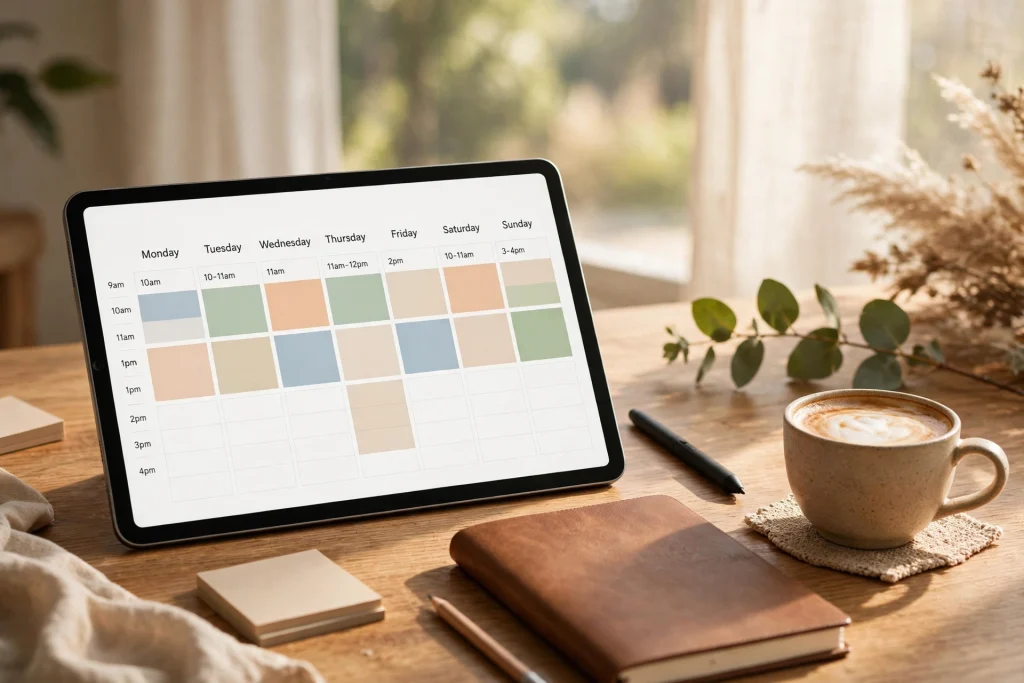
Block your week by project, not just by task. Freelancers who plan by task tend to overfill Monday and leave Friday empty, or the reverse. Instead, assign each project a block of hours for the week, then fill the blocks with tasks. Leave one buffer block each week for revisions and urgent requests, because both will arrive.
4. Invoice and income tracker
One row per invoice: client, project, amount, date sent, due date, and date paid. Colour-code or star anything past its due date. At the end of the month, this page is also your income record, which makes tax time far less painful. If you also want a dedicated yearly system, the 2027 Business Planner pairs well with a freelancer setup, and the 2027 Solopreneur Planner is built for one-person businesses.
5. Monthly review
One page, once a month, answering four questions: What did I earn? Which clients brought the most work? What took longer than expected? What will I change next month? This page is where a freelancer planner earns its keep, because it turns a year of busy weeks into decisions: raising a rate, dropping a draining client, or blocking more time for the work you actually enjoy.
How to set up your freelancer planner in GoodNotes
Follow these steps in order. The whole setup takes under an hour.
- Start from a hyperlinked planner. Hyperlinks between sections matter more for freelancers than for most planner users, because you jump between client, project, and money pages many times a day. A planner with tabbed navigation saves dozens of taps a week.
- Duplicate a weekly spread for the next 12 weeks. Doing it in one batch means you never sit down on Monday to a blank week. Duplicate first, customise later.
- Add a client index page. List every active client with a hyperlink to their page. As your client list grows past ten, this index becomes the fastest way to find anything.
- Build the pipeline and invoice pages as templates. Create one clean copy of each tracker, then duplicate it each month instead of redrawing tables. The Minimalist Daily Planner is a good base if you prefer a clean daily layout alongside your trackers.
- Set a weekly review appointment with yourself. Friday afternoon works well: 20 minutes to move unfinished tasks, chase waiting projects, and send any invoices that are ready. Put it in the planner as a recurring block, not as a vague intention.
The 20-minute weekly review that keeps it working
A freelancer planner fails slowly, not suddenly. It fails when the weekly review stops happening and the pipeline goes stale. Protect the review with a fixed checklist:
- Move unfinished tasks to next week, or delete them honestly if they no longer matter.
- Check every “waiting on client” project: anything waiting more than five working days gets a follow-up message today.
- Send every invoice that is ready to send. Do not batch invoices to the end of the month unless a client asks for it.
- Look at next week’s blocks: is any day overloaded? Move work now, while there is still time to warn a client.
- Note one win from the week on the monthly review page. Freelancing can feel like a treadmill; a written record of progress is surprisingly motivating.
Common freelancer planner mistakes
Tracking time but never reviewing it. Time logs only help if you compare them with your quotes. If a project type always takes twice as long as quoted, the fix is the quote, not working faster.
Mixing personal and client work on the same daily page. It looks efficient and feels chaotic. Keep one daily page for client work and a separate space for personal tasks, even if both live in the same planner.
Planning in hours but quoting in days. Clients think in deadlines, not hours. Your planner should show both: the deadline on the calendar, and the hours blocked to meet it.
Letting the invoice tracker lag. An invoice tracker updated monthly is a memory test. Update it the moment you send an invoice, while the amount and date are in front of you.
Freelancer planner FAQ
Do I need a separate planner just for freelancing?
Not necessarily. Many freelancers run one planner with a dedicated freelance section, which works well until client work dominates your week. If more than half your planner is freelance pages, a separate notebook keeps personal planning readable.
Should I track hours in GoodNotes?
A simple daily log of hours per project is enough for most freelancers. Detailed time-tracking apps are worth it only if you bill hourly and need precise records for clients.
How do I handle irregular income in a planner?
Use the invoice tracker as your income forecast: invoices sent but unpaid are expected income, and the monthly review page is where you compare expected income with actual banked income. Over a few months, this shows your real average, which is far more useful than any single good month.
What if a client pays late?
Your tracker should make lateness visible at a glance, and your follow-up should be a short, polite message on the due date plus seven days. If late payment becomes a pattern with one client, that is a monthly-review decision: change their terms, ask for part payment upfront, or let them go.
Freelancing gets calmer when the business side has a system. Build the five sections, protect the weekly review, and let the planner carry the admin so you can spend your working hours on the work itself. Browse the 2027 Life Planner and the rest of the shop to find a planner base that fits the way you work, and start with one section this week rather than rebuilding everything at once.
For freelancer resources and advocacy, see Freelancers Union.
Temply Studio
Stop chasing your goals with sticky notes and scattered notebooks. Our premium digital planners and Canva templates are designed to help you plan with intention, stay consistent, and actually enjoy the process.

Questions about this guide?
Ask about the planner, share how you use it, or tell us what to cover next. Your email stays private.