
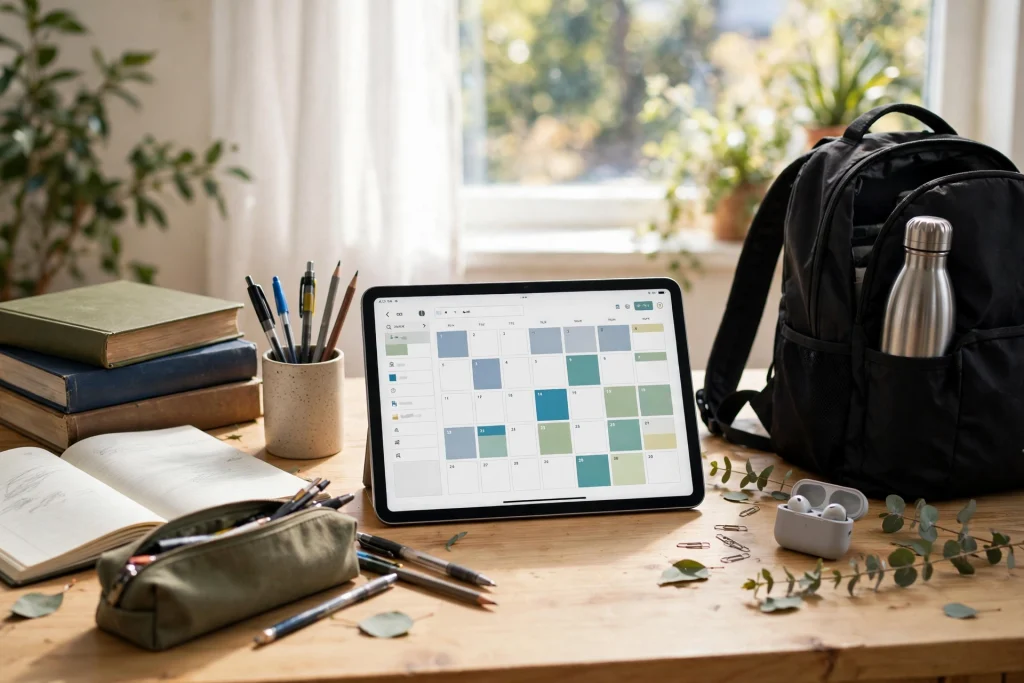
Quick answer: A student planner in GoodNotes puts your class schedule, assignment tracker, exam countdown, grade tracker and notes in one searchable, hyperlinked place. Choose a dated academic planner if your term runs September to August, or an undated one if you want to start mid-term and reuse it next year. Set up your semester once, duplicate your weekly spread, and review it every Sunday — that weekly review is the habit that makes the planner work.
Student life is a scheduling problem disguised as a study problem. Classes, assignments, exams, part-time work and a social life all compete for the same hours, and the students who cope best are rarely the ones who study most — they are the ones who know, at a glance, what is due this week. A digital planner for students in GoodNotes gives you that glance, plus searchable notes and a system that survives a lost notebook, because everything lives in one backed-up file.
Dated or undated: which student planner should you pick?
Dated academic planners run September to August, matching the school year, and they are ready to use the moment you import them — every week is already labelled. They suit students starting a new academic year who want zero setup. Undated planners start any month, which makes them ideal if you are picking a planner up mid-term, and they can be reused every year by duplicating fresh pages. Neither is better in general; the right choice is the one that matches when you are starting. If you are starting now, mid-term, undated wins. If you are preparing for September, dated wins.
Whatever you choose, check before you buy that the planner covers the pages in the next section. A pretty cover with no assignment tracker will not survive the first deadline week.
The pages every student planner needs
Class schedule and semester overview
One overview page for the whole semester — subjects, rooms, teachers, times — plus a weekly class schedule you can see without opening five apps. The overview is your map; the weekly schedule is your day-to-day view. Keep both in the same planner so a timetable change updates one place.
Assignment tracker and exam tracker
This is the page that saves grades. An assignment tracker lists every assignment with its subject, due date and status, so nothing hides in a syllabus PDF. An exam tracker adds an exam countdown — days remaining, topics to revise, materials needed. Sort or scan by due date each Sunday, and the “I forgot it was due” problem largely disappears.
Weighted grade tracker
A grade tracker that respects weightings — a 40% essay matters more than a 10% quiz — tells you where extra effort actually pays. Record each grade as it comes in, with its weight, and you will always know where you stand before finals, instead of guessing.
Weekly pages: due this week, exams, study goals
Each weekly spread should answer three questions at a glance: what is due this week, what exams are coming, and what are my study goals? Add daily pages with study blocks and to-dos underneath, so the weekly view plans and the daily view executes. Duplicating one well-designed weekly spread for the whole term keeps this consistent.
Cornell notes and lined or dot-grid notes
Good notes are half the planner’s value. Cornell notes pages — cue column, notes column, summary strip — force you to summarise, which is itself a study technique. Lined and dot-grid pages handle everything else: lecture notes, diagrams, problem sets. Because GoodNotes searches handwriting, a note from week two is findable in week twelve, which paper notes cannot match.
Reading list
A reading list page — book or paper, subject, deadline, status — stops reading from becoming the task that is always “next week”. Check one item off per study session and the list shrinks visibly, which is motivating in itself.
How to set up a student planner in GoodNotes
- Import and label. Import your planner into GoodNotes and label the semester overview with your subjects. If you are new to GoodNotes planners, start with our beginner’s guide to using a digital planner in GoodNotes.
- Fill the semester overview first. Before the term gets busy, enter every class, assignment and exam date from your syllabuses. This one boring hour saves dozens of panicked evenings later.
- Duplicate your weekly spread. Duplicate the weekly page for the whole term, and add a study-block plan to each day. Use the 12-Tab Digital Notebook for GoodNotes alongside it for subject notes that do not fit in the planner itself.
- Add subject stickers. Colour-code subjects with Elements stickers — one colour per subject — so a week’s spread reads instantly, even at a glance between classes.
- Book a Sunday review. Fifteen minutes every Sunday: what is due, what exams are near, what needs rescheduling. This review is the system; without it, any planner is just a pretty file.
A study system that fits inside the planner
Use the weekly spread to plan study blocks, not just to list deadlines. Block time for each subject in proportion to its weight and difficulty, and protect those blocks like classes. During a block, work from the Cornell summary strip first — recall before re-reading — then fill gaps from your notes. At the end of the week, the grade tracker tells you whether the balance is right: if a heavily weighted subject is slipping, it gets more blocks next week, not more worry.
Students who already use free pages will find this familiar: our free GoodNotes templates for students cover daily, weekly and Cornell pages, and they pair neatly with a full academic planner — templates for trying the system, a planner for running it all term. For the other side of the classroom, the teacher digital planner in GoodNotes shows how the same hyperlinked setup serves lesson plans and grading.
Common mistakes that break a student planner
The first mistake is planning in too much detail. A daily page packed with hourly blocks for a month will be abandoned in a week; plan the week in detail and the semester in outline. The second is keeping assignments in two places — planner and phone reminders — so neither is trusted; pick the planner as the single source of truth. The third is skipping the Sunday review, which is when small slips get caught before they become missed deadlines. And the fourth is treating the planner as decoration: stickers and colours help you read it faster, but they are not the work. Plan, then study.
Frequently asked questions
Is GoodNotes good for students?
Yes — hyperlinked navigation, handwriting search and duplicate pages solve the three problems paper planners have for students: finding a note, reusing a layout and keeping everything in one place. It also backs up to iCloud, so a lost iPad is not a lost semester.
Should I get a dated or undated student planner?
Dated if you are starting a new academic year in September; undated if you are starting mid-term or want to reuse the planner next year. Check the planner’s page list either way — assignment tracker, exam tracker and Cornell notes are non-negotiable.
Can I use a student planner for more than one year?
An undated planner, yes: duplicate fresh weekly and daily pages each term. A dated planner is tied to its year, so it is a one-year tool — worth it for the zero-setup start, but not reusable.
What is the one habit that matters most?
The Sunday review. Fifteen minutes, once a week, checking what is due, what exams are near and what needs rescheduling. Every other feature of the planner serves that review.
Set up your semester once, review it every Sunday, and let the planner carry the scheduling so you can focus on the studying. Start with the 2026 Academic Student Planner for GoodNotes if you want a complete dated academic setup, or try the free student templates first and upgrade when the system clicks.
Temply Studio
Stop chasing your goals with sticky notes and scattered notebooks. Our premium digital planners and Canva templates are designed to help you plan with intention, stay consistent, and actually enjoy the process.
Questions about this guide?
Ask about the planner, share how you use it, or tell us what to cover next. Your email stays private.