




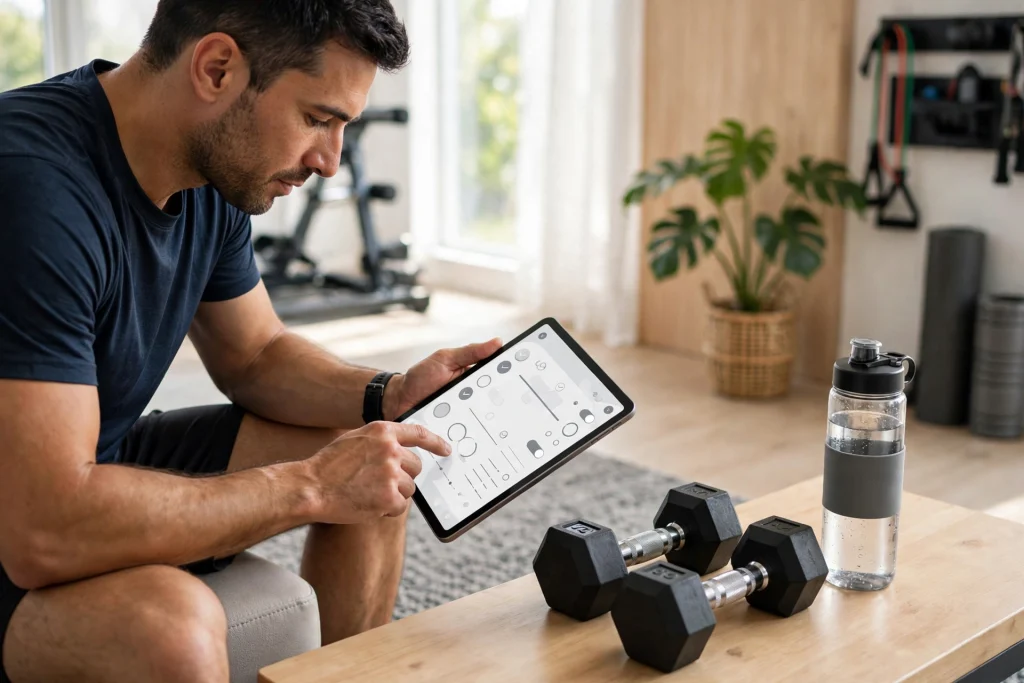
You can work out for months and still feel like you are guessing — unless you track what you do. Learning how to track workouts with a fitness planner turns random gym sessions into a real program: you will know exactly what you lifted last week, which habits are slipping, and when it is time to push harder. This guide shows you a simple system that works whether you train at home or in the gym.
Tracking does not have to mean spreadsheets and stopwatches. With a good fitness planner, logging a workout takes two minutes: the exercises, the weights, the reps, and how you felt. Over weeks, those two-minute entries build a picture of your progress that no memory can match — and that picture is what keeps you consistent.
Why Tracking Your Workouts Actually Works
Exercise science is clear on this: people who log their training stick with it longer and progress faster. Here is why:
- Progressive overload becomes visible. You cannot add weight to the bar if you do not remember what was on it last time. A log removes the guesswork.
- Plateaus show up early. When your numbers stall for three weeks, your planner tells you before frustration does — so you can change the program instead of quitting it.
- Consistency becomes a game. Streaks, checkmarks, and completed weeks are surprisingly motivating. Your planner turns “I should work out” into “I am on a 6-week streak.”
- Recovery is part of training. Logging sleep, soreness, and rest days helps you train hard without burning out.
What to Track in Your Fitness Planner
You do not need to log everything. These are the entries that actually drive results:
The essentials
- Date and workout type — upper body, run, full body, yoga, and so on.
- Exercises, sets, reps, and weight — the core of every log entry.
- Duration and intensity — how long you trained and a simple 1–10 effort rating.
- How you felt — energy, mood, soreness. One line is enough.
The upgrades (add when the basics feel automatic)
- Measurements and progress photos — monthly, same conditions.
- Nutrition notes — protein intake, hydration, or simply “ate well today.”
- Sleep — hours and quality; poor sleep explains most bad workouts.
- Personal records — a dedicated PR page is pure motivation.
How to Track Workouts with a Fitness Planner: A Simple System
- Set one clear goal. “Get stronger,” “run a 10K,” “train 4x per week” — write it on your planner’s goal page with a target date.
- Plan your week on Sunday. Block your training days like appointments. A planned workout is a kept workout.
- Log during or right after training. Keep your planner (or tablet) nearby and fill in sets and reps between exercises. Waiting until evening means forgotten details.
- Do a 5-minute weekly review. Compare this week to last: Did you lift more? Train as often as planned? Note one win and one thing to fix.
- Adjust monthly. Every 4 weeks, review your measurements, PRs, and consistency, then tweak the plan — new exercises, heavier weights, or a deload week.
Choosing the Right Fitness Planner
A paper notebook works, but a digital fitness planner has real advantages: duplicate your favorite workout templates, tap between your training log and your measurements page, and carry your entire training history on your tablet. Look for these features:
- Workout log templates with space for exercises, sets, reps, and weights.
- Goal and measurement pages to record your starting point and track change.
- Habit and streak trackers for training days, steps, water, and sleep.
- Hyperlinked navigation so you can jump between months, weeks, and log pages in one tap.
The Workout Planner 2027 is a digital fitness journal built for exactly this: gym logs, exercise tracking, and health and wellness goal pages in a hyperlinked layout for GoodNotes and printable PDF use. It gives you the structure to track every session without building your own templates from scratch.
Sample Week: What a Tracked Training Week Looks Like
Monday — Upper body (45 min, effort 8/10). Bench press 4×8 @ 135 lb, rows 4×10 @ 95 lb, overhead press 3×10 @ 65 lb. Felt strong; add 5 lb to bench next week.
Tuesday — Rest. 8,200 steps, 7.5 hours of sleep. Light stretching, 10 minutes.
Wednesday — Lower body (50 min, effort 7/10). Squats 4×8 @ 185 lb, Romanian deadlifts 3×10 @ 135 lb, lunges 3×12 each leg. Left knee slightly achy — monitor.
Thursday — Easy cardio. 30-minute walk, effort 4/10. Recovery focus.
Friday — Full body (40 min, effort 8/10). Deadlifts 3×5 @ 225 lb (PR!), pull-ups 3×6, farmer’s carry 3×40 m. Best session this month.
Weekend — Active rest. Hike on Saturday, full rest Sunday. Weekly review: 4 sessions completed, 1 PR, sleep averaged 7 hours. Next week: repeat with slightly heavier bench.
Notice how little each entry takes — and how much information it gives you a month later.
Setting Fitness Goals Your Planner Can Actually Track
Vague goals produce vague results. “Get in shape” is impossible to track; “squat 225 lb for 5 reps by March” is a plan. Use your planner’s goal pages to write goals that are specific, measurable, and dated — then break each one into weekly actions your workout log can verify.
A practical framework: one performance goal (strength, speed, or skill), one consistency goal (sessions per week), and one recovery goal (sleep hours or rest days). Three goals are enough to drive progress without spreading your attention thin. Review them in your monthly planner check-in, celebrate the ones you hit, and rewrite the ones that no longer fit. Your fitness planner is not just a log of the past — it is the document where your future training gets decided.
Common Tracking Mistakes (and How to Avoid Them)
- Tracking too much. If logging takes longer than the workout, you will quit. Start with exercises, sets, reps, weight — add more only when it is effortless.
- Only logging good days. Bad workouts contain the most useful data. Log them honestly; your planner is not judging you.
- Never reviewing. Data you never look at is decoration. The 5-minute weekly review is the whole point.
- Changing everything at once. Adjust one variable at a time — then your log can actually tell you what worked.
Pairing Fitness Tracking with Wellness Habits
Training is only part of the equation. Sleep, stress, nutrition, and mindset decide how well your body responds to workouts. A wellness journal alongside your fitness log closes the loop: when progress stalls, your wellness entries often explain why.
The 2026 Digital Wellness Journal pairs naturally with a workout log — gratitude prompts, habit trackers, and self-care planning that support the recovery side of training. Together, they cover both the work and the rest that fitness requires.
FAQ: Tracking Workouts with a Fitness Planner
How do beginners start tracking workouts?
Start simple: for each session, write the date, the exercises, and the sets, reps, and weight for each. That is enough to track progressive overload. Add measurements, nutrition, and sleep notes once the basic habit feels automatic.
Is a fitness planner better than a fitness app?
Apps are convenient, but planners win on flexibility and focus: no subscriptions, no ads, no battery anxiety mid-workout, and total freedom to design your own templates. Many people use both — an app for timing, a planner for the log that lasts.
How often should I review my workout log?
Do a quick 5-minute review weekly to check consistency and spot trends, and a deeper review monthly to compare measurements, personal records, and program effectiveness.
What if I miss a week of tracking?
Just start again — do not try to reconstruct the missed week from memory. One gap in the log matters far less than quitting the habit entirely.
Can I use a digital planner at the gym?
Yes. A tablet with your fitness planner works well at the gym, and a printable PDF version means you can also keep a paper copy in your gym bag as backup.
Start Tracking This Week
The best training program is the one you actually follow — and the one you follow is the one you track. Grab the Workout Planner 2027, log your next session in two minutes, and watch your consistency (and your numbers) climb. For the full collection of planning tools, browse the digital planner shop and build a system that keeps you moving.
Temply Studio
Stop chasing your goals with sticky notes and scattered notebooks. Our premium digital planners and Canva templates are designed to help you plan with intention, stay consistent, and actually enjoy the process.


Questions about this guide?
Ask about the planner, share how you use it, or tell us what to cover next. Your email stays private.