

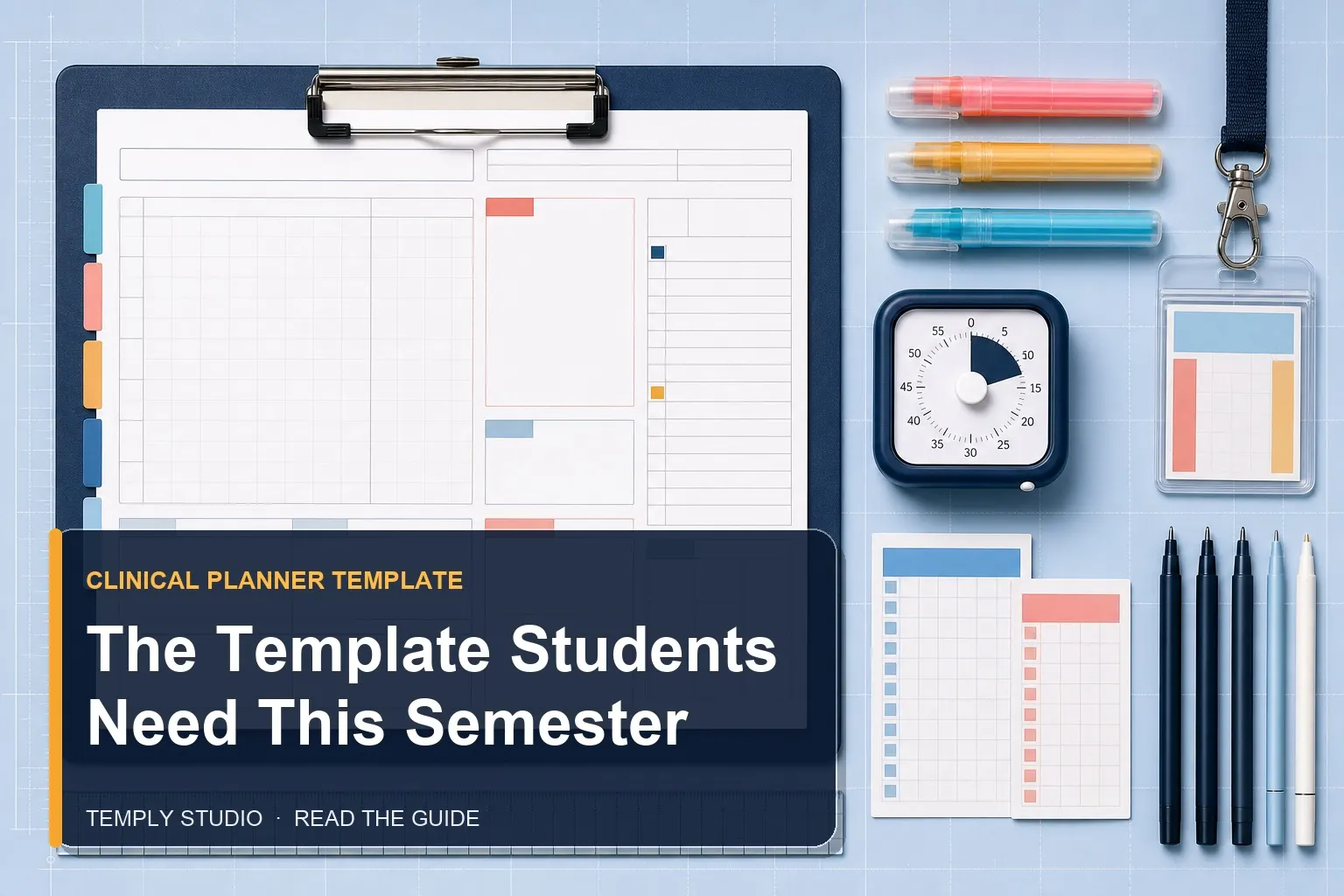
Juggling lecture notes, clinical rotations, patient care plans, and personal life feels impossible without a system. A dedicated nursing planner template gives you one central place to manage everything. Instead of scattered sticky notes and forgotten deadlines, you get a clear daily roadmap. This article walks you through seven powerful ways this tool transforms your workflow, reduces stress, and helps you show up prepared for every shift.
Most nursing students underestimate how much mental energy they waste trying to remember tasks. When you write things down in a structured nursing planner template, your brain frees up space for critical thinking. You stop worrying about what you might forget and start focusing on patient care and exam prep. That shift alone can boost your confidence and performance.
Why Nursing Students Need a Dedicated Planning System
Clinical rotations demand a level of organization that general planners simply cannot provide. The National League for Nursing emphasizes structured clinical education as fundamental to nursing competency. You have rotating shift times, different hospital units, patient assignments, skills check-offs, and endless paperwork. A generic calendar app or a basic notebook leaves too much room for error. A purpose-built nursing planner template addresses these unique challenges head-on.
Think about the chaos of a typical clinical day. You arrive at 6:45 AM, get your patient assignment, review medications, attend morning huddle, and then start rounds. In between, you need to document vitals, note assessment findings, and remember which forms to submit before leaving. Without a structured tool, critical details slip through the cracks. A nursing planner template acts as your second brain, capturing everything in real time.
Another major advantage is consistency. When you use the same layout every week, your brain learns exactly where to look for specific information. Shift hours go in one spot, to-do lists in another, and reflection notes in a dedicated section. This predictability reduces decision fatigue and makes planning feel automatic. After a few weeks, you will wonder how you ever managed without it.
Common Pain Points a Nursing Planner Template Solves
Nursing students face a unique set of organizational hurdles. Here are the most common struggles and how a nursing planner template addresses each one:
- Rotating shift schedules: Day shifts, night shifts, and 12-hour rotations confuse even the most organized students. A planner with a 24-hour timeline or shift-specific blocks helps you plan sleep, meals, and study time around your schedule.
- Multiple patient assignments: Each patient has different meds, diagnoses, and care plans. Dedicated pages for patient tracking let you log key data without flipping through loose papers.
- Skills check-offs and deadlines: Clinical instructors require specific competencies by certain dates. A planner with a checklist section ensures you never miss a sign-off.
- Study and work balance: Many nursing students work part-time jobs. Seeing your entire week on one page helps you block study hours and avoid burnout.
By addressing these pain points directly, a nursing planner template becomes more than a calendar — it becomes a survival tool. You gain clarity, reduce anxiety, and build habits that carry into your professional nursing career.
1. Streamline Your Clinical Rotation Schedule
Clinical rotations are the backbone of nursing education. They give you hands-on experience in med-surg, pediatrics, mental health, and community settings. But each rotation comes with its own schedule, expectations, and paperwork. A nursing planner template designed for clinicals helps you track everything without confusion.
Start by mapping out your entire semester at a glance. Use a monthly overview page to mark which rotation you are in each week. Then, break it down into weekly spreads where you log specific shift times, preceptor names, and unit locations. This big-picture view prevents scheduling conflicts and helps you prepare mentally for each new environment.
For example, if you know you start a pediatric rotation next Monday, you can spend Sunday evening reviewing age-specific assessment techniques. Your nursing planner template reminds you of the upcoming change and gives you space to jot down key study points. Without it, you might walk into the unit unprepared and spend the first hour playing catch-up.
How to Set Up Your Rotation Tracker
Setting up an effective rotation tracker takes only a few minutes but pays dividends all semester. Here is a step-by-step approach using your nursing planner template:
- Step 1: Open your monthly view and write the name of each rotation in the corresponding weeks. For example, “Med-Surg Week 1-4,” then “Peds Week 5-8.”
- Step 2: In your weekly spread, add a section for “Clinical Details.” Note the hospital name, unit floor, shift start and end times, and your preceptor’s contact information.
- Step 3: Create a checklist of items to bring each day: stethoscope, pen light, scissors, badge, and any required paperwork. Check this list before leaving home.
- Step 4: Dedicate a small area for “Shift Notes.” After each clinical day, write one thing you learned and one thing to improve. This builds a reflective practice that instructors love.
Once you build this habit, your nursing planner template becomes a reliable reference. You can look back at previous rotations to refresh your memory before exams or clinical interviews. It also serves as a portfolio of your experiences, which is useful when applying for jobs or specialty programs.
2. Track Patient Assignments and Care Plans Efficiently
One of the most demanding parts of clinicals is managing patient information. You need to remember diagnoses, medications, vital signs, and care priorities for multiple patients at once. A nursing planner template with dedicated patient tracking pages simplifies this process dramatically.
Instead of scribbling notes on scrap paper or trying to memorize everything, you create a structured log for each patient. Include fields for room number, age, primary diagnosis, allergies, current medications, and key assessment findings. This format mirrors what you will use as a registered nurse, so you are building professional habits early.
Imagine you have three patients on a busy med-surg floor. One needs wound care, another has a new antibiotic drip, and the third is scheduled for discharge teaching. Without a system, you might forget the discharge instructions until the last minute. With your nursing planner template, you see all three priorities at a glance and can plan your time accordingly.
Creating a Patient Assignment Log That Works
Your patient assignment log should be simple enough to fill out quickly but detailed enough to be useful. Here is what to include in your nursing planner template:
- Patient initials and room number: Protect privacy while keeping track of who is who.
- Primary diagnosis and relevant history: Focus on conditions that affect your care plan.
- Medication schedule: List drug names, doses, routes, and times. Check off each dose as you administer.
- Key assessment findings: Note abnormal vitals, pain levels, or changes in condition.
- Tasks and priorities: Write what needs to happen before the end of your shift, such as dressing changes, lab draws, or patient education.
Review your log before each rounding session with your instructor. Being able to rattle off patient details confidently impresses preceptors and shows you are taking ownership of your assignments. Over time, this practice sharpens your clinical judgment and prepares you for the NCLEX and real-world nursing.
3. Manage Study Goals and Exam Prep Alongside Clinicals
Balancing coursework, exams, and clinical hours is the ultimate test of time management. Many nursing students struggle to find enough hours in the day. A nursing planner template helps you carve out dedicated study blocks without sacrificing sleep or self-care.
The key is to integrate study goals directly into your weekly spread. Instead of a vague “study more” note, you write specific tasks like “review cardiac meds for 45 minutes” or “complete 20 NCLEX practice questions on fluid balance.” This specificity makes your study time productive and measurable. Your nursing planner template becomes a study accountability partner.
For example, if you have a pharmacology exam in two weeks, you can backward-plan your study sessions. Break the material into daily chunks and assign each chunk to a specific day. On clinical days, you might only have 30 minutes for review. On off days, you can schedule longer sessions. Seeing the plan laid out reduces the temptation to procrastinate.
Building a Study Schedule That Sticks
Creating a sustainable study schedule requires honesty about your energy levels and obligations. Here is how to use your nursing planner template effectively:
- Map your week: Start by blocking clinical hours, work shifts, and mandatory commitments. Then look at the remaining time.
- Prioritize high-yield subjects: Focus on topics with the most exam weight or areas where you feel weakest.
- Use the Pomodoro technique: Schedule 25-minute study blocks with 5-minute breaks. Your planner can track how many Pomodoros you complete each day.
- Include review days: Reserve one day per week for revisiting past material. Spaced repetition improves long-term retention.
Your nursing planner template should also have a section for tracking progress. After each study session, check off the task and note your confidence level. This small act of reflection keeps you motivated and highlights areas that need more attention before exam day.
4. Reduce Overwhelm with a Daily Prioritization System
Clinical days are unpredictable. A patient might crash, a procedure might run late, or your instructor might throw a pop quiz. Without a clear prioritization system, you can feel like you are drowning in tasks. A nursing planner template equipped with a daily priority matrix helps you stay focused on what matters most.
Start your day by listing everything you need to accomplish. Then categorize each item into urgent versus important. Urgent and important tasks come first — things like administering scheduled medications or responding to a patient in pain. Important but not urgent tasks come next, such as documenting assessments or preparing for discharge teaching. Tasks that are neither urgent nor important can wait or be delegated.
This system, adapted from the Eisenhower Matrix, trains your clinical reasoning. You learn to triage not just patients but your own workload. Over time, this skill becomes second nature and makes you a more efficient nurse. Your nursing planner template provides the structure to practice this daily.
How to Use the Priority Matrix in Your Planner
Implementing a priority matrix in your nursing planner template takes minimal setup but delivers maximum clarity. Follow these steps:
- Create four quadrants: Label them “Urgent & Important,” “Important but Not Urgent,” “Urgent but Not Important,” and “Neither Urgent nor Important.”
- List your tasks: At the start of each shift or study session, write down everything on your mind.
- Place each task in the correct quadrant: Be honest about what truly matters versus what feels urgent because of anxiety.
- Take action: Complete the “Urgent & Important” quadrant first. Then move to “Important but Not Urgent” — this is where long-term success lives.
After a few weeks of using this system, you will notice a significant drop in last-minute panic. Your nursing planner template helps you stay proactive rather than reactive. That shift in mindset is one of the most valuable skills you can develop as a nursing student.
5. Keep Track of Skills Check-Offs and Clinical Hours
Nursing programs require you to complete a specific number of clinical hours and demonstrate competency in various skills. Losing track of these requirements can delay graduation or force you to repeat rotations. A nursing planner template with a dedicated tracking section ensures you never fall behind.
Create a log where you record each skill check-off as you complete it. Include the date, the skill name, the instructor’s signature or initials, and any notes about what went well or what needs improvement. This log serves as your official record and makes it easy to prove your progress during end-of-semester reviews.
Similarly, track your clinical hours meticulously. Some programs require a minimum of 120 hours per semester. Use your nursing planner template to tally hours after each shift. If you notice you are falling short halfway through the semester, you can adjust your schedule or request additional opportunities. Waiting until the last week to check hours is a recipe for stress.
Designing Your Skills and Hours Tracker
Your tracker should be simple enough to update in under a minute but comprehensive enough to satisfy program requirements. Here is a recommended layout for your nursing planner template:
- Skills checklist: List every skill your program requires, such as Foley catheter insertion, IV initiation, wound care, and medication administration. Leave columns for date completed, instructor signature, and self-assessment rating.
- Clinical hours log: Include fields for date, shift start and end times, total hours, unit type, and preceptor name. Sum the hours at the end of each week.
- Reflection notes: After each skill check-off, write a brief reflection. What did you learn? What would you do differently? This deepens your learning and gives you material for clinical journals.
Having this information in one place saves you from frantic searches through email threads or paper binders. Your nursing planner template becomes the single source of truth for your clinical progress. When your instructor asks for an update, you can answer with confidence.
6. Incorporate Self-Care and Mental Health Breaks
Nursing school is notorious for causing burnout. The long hours, emotional intensity, and constant pressure take a toll on your mental health. A nursing planner template can help you prioritize self-care just as seriously as you prioritize studying.
Schedule self-care activities like you schedule clinical shifts. Block out time for exercise, sleep, socializing, and hobbies. When these activities appear on your planner, they become non-negotiable commitments rather than afterthoughts. Your nursing planner template reminds you that rest is productive — it recharges your brain and prevents compassion fatigue.
For example, if you know you have a 12-hour clinical shift on Friday, schedule a relaxing evening on Saturday with no studying allowed. Use your planner to note a movie night, a walk in the park, or a call with a friend. Seeing this downtime on your calendar reduces guilt and helps you actually enjoy it.
Simple Self-Care Ideas to Add to Your Planner
Not sure what self-care looks like in a busy nursing student schedule? Here are ideas you can plug into your nursing planner template:
- 15-minute mindfulness break: Use a meditation app or just sit quietly with deep breaths.
- Physical movement: A 20-minute walk, yoga session, or stretching routine helps reset your nervous system.
- Social connection: Schedule a coffee date with a classmate or a phone call with family.
- Creative outlet: Journaling, drawing, or playing music provides a mental break from clinical thinking.
- Sleep hygiene: Set a bedtime alarm in your planner and stick to it, especially before clinical days.
When you treat self-care as a scheduled task, you are far more likely to follow through. Your nursing planner template holds you accountable to your own well-being. Over the course of a semester, this practice builds resilience and helps you finish strong.
7. Build Professional Documentation Habits Early
Accurate documentation is a cornerstone of nursing practice. From charting patient assessments to writing incident reports, your ability to communicate clearly in writing affects patient safety and legal liability. A nursing planner template gives you a low-stakes environment to practice these skills.
Use your planner to practice writing concise SOAP notes, shift summaries, and handoff reports. The more you write, the more natural it becomes. Your nursing planner template serves as a training ground where mistakes are safe and feedback is easy to incorporate.
For example, after each clinical day, write a brief summary of your most challenging patient interaction. Describe the situation, your assessment, the interventions you performed, and the outcome. This exercise mirrors the narrative charting you will do as a nurse and sharpens your clinical reasoning. Over time, your summaries become faster and more accurate.
Sample Documentation Practice Prompts
To get the most out of your nursing planner template, use these prompts for regular documentation practice:
- Shift handoff report: Write a 30-second summary of your patient’s status, including diagnosis, recent changes, and pending tasks.
- Medication administration note: Describe a medication you gave, including the dose, route, patient response, and any side effects.
- Patient education record: Note what you taught a patient about their condition or treatment, and how they responded.
- Incident reflection: If something unexpected happened, write a factual account of what occurred and what you learned.
This habit not only prepares you for real-world nursing but also gives you material for clinical journals and portfolio entries. Your nursing planner template becomes a repository of your growth, showing how far you have come from your first clinical day.
How to Choose the Right Nursing Planner Template
Not all planners are created equal. A nursing planner template designed for general use might lack the specific sections you need for clinicals. When selecting a template, look for features that match your workflow and preferences.
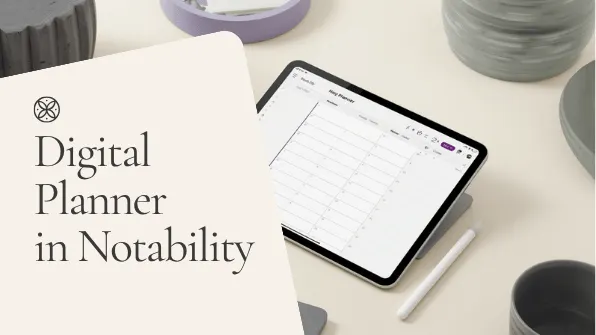
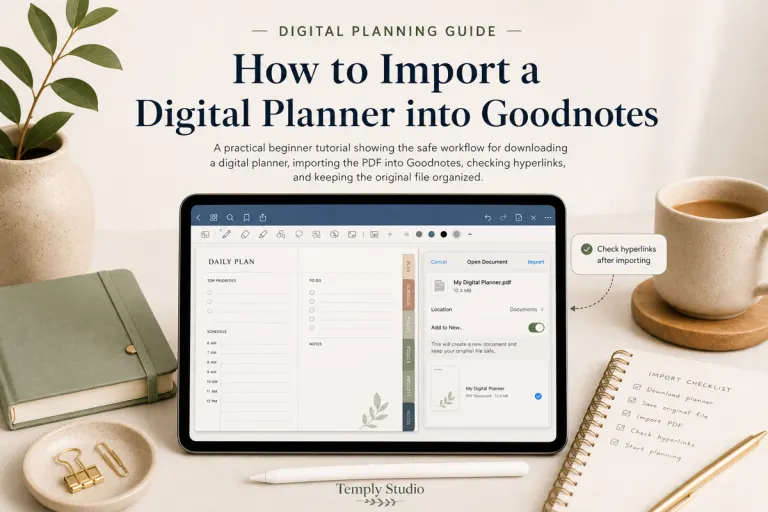
First, consider whether you prefer digital or printable formats. Digital planners work beautifully on tablets with apps like GoodNotes or Notability. They are easy to edit, search, and duplicate. Printable planners give you the tactile satisfaction of pen on paper. Both options are valid — choose what feels most natural to you.
Second, check for essential sections. A good nursing planner template should include monthly calendars, weekly spreads, patient assignment logs, skills trackers, clinical hour logs, and study planners. Bonus features include medication logs, shift preference trackers, and reflection prompts. The more tailored to nursing, the better.
Third, look at the design. Clean, minimalist layouts reduce visual clutter and make information easy to find. Avoid templates with too many decorative elements that distract from functionality. Your nursing planner template should prioritize usability over aesthetics, though both are possible.
Why Temply Studio Templates Stand Out
Temply Studio offers a range of digital planner templates that are customizable in Canva. You can adjust colors, fonts, and layouts to match your personal style. The nursing planner template options include hyperlinked tabs for easy navigation, making it simple to jump between sections during a busy clinical day.
Each template is designed with input from healthcare professionals who understand the unique demands of nursing education. You get practical features like 24-hour timeline views, patient tracking pages, and skills check-off lists. Plus, because they are Canva-based, you can edit them on any device and print them if you prefer physical copies.
Using a nursing planner template from Temply Studio means you start with a proven structure and customize it to fit your exact needs. No more wasting hours designing your own layout from scratch. Focus your energy on learning and patient care, not on formatting spreadsheets.
Conclusion: Take Control of Your Nursing Journey
Nursing school is demanding, but you do not have to navigate it without a plan. A nursing planner template gives you the structure, clarity, and accountability you need to thrive. From tracking clinical rotations to practicing documentation, this tool supports every aspect of your education.
Start by choosing a template that fits your style and needs. Temply Studio offers beautifully designed Canva planner templates that you can customize in minutes. Import them into your preferred note-taking app or print them out. Commit to using your planner daily for at least two weeks, and you will notice a significant difference in your stress levels and productivity.
Remember, the goal is not perfection — it is progress. Your nursing planner template is a tool to support you, not another source of pressure. Use it consistently, adjust it as needed, and watch your confidence grow alongside your organizational skills. You have what it takes to succeed in nursing school. Now you have the planner to prove it.
Frequently Asked Questions
What is a nursing planner template?
A nursing planner template is a structured document designed specifically for nursing students and professionals. It includes sections for tracking clinical rotations, patient assignments, skills check-offs, study goals, and self-care. Unlike generic planners, it addresses the unique scheduling and documentation needs of nursing education.
Can I use a nursing planner template on my iPad?
Yes. Many digital nursing planner template options are compatible with apps like GoodNotes, Notability, and Noteshelf. You can import the PDF, add hyperlinks for navigation, and write directly on the pages using an Apple Pencil or stylus. Temply Studio templates are designed with digital use in mind.
How do I customize a nursing planner template in Canva?
Open the template in Canva, then click on any text or element to edit it. You can change colors, fonts, and images to match your preference. Add or remove pages as needed. Once you are happy with the design, export it as a PDF and import it into your note-taking app or print it.
Is a nursing planner template worth it for busy students?
Absolutely. A nursing planner template saves you time by eliminating the need to create a system from scratch. It reduces mental clutter, improves time management, and helps you stay on top of requirements. The small investment in a template pays for itself many times over in reduced stress and better grades.
Related Nursing Planner Guides
Explore the planning format that best fits your clinical, academic, or weekly workflow:
Temply Studio
Stop chasing your goals with sticky notes and scattered notebooks. Our premium digital planners and Canva templates are designed to help you plan with intention, stay consistent, and actually enjoy the process.