
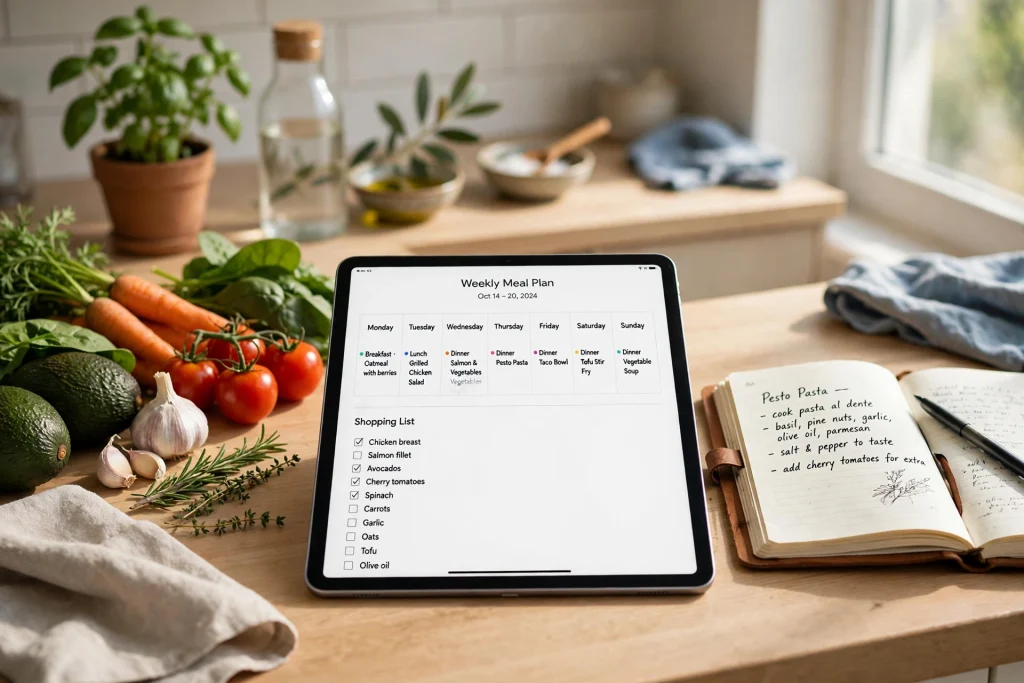
Quick answer: GoodNotes for meal planning works best when you keep one notebook for your weekly menu, recipes, shopping list, and pantry notes. Create a reusable weekly template, duplicate it for each new week, and use handwriting, the lasso tool, and PDF export to turn planning into a short routine instead of a daily scramble.
GoodNotes for meal planning is a practical way to stop asking “What’s for dinner?” at 5 p.m. Instead of scattered screenshots, paper scraps, and half-remembered recipes, you can keep the whole system in one digital notebook. Your menu lives next to your recipes, your shopping list comes directly from the menu, and your pantry notes show what you already have before you buy more.
If you are new to digital planning, start with the beginner’s guide first. It explains how to import a template, write with Apple Pencil, add pages, and use hyperlinks. Once you know those basics, the meal-planning workflow below will feel much easier.
Why GoodNotes for meal planning Works
Meal planning fails when it feels like extra work. A good system should reduce decisions, not add them. GoodNotes helps because it is flexible enough for real life: you can handwrite a quick idea, paste in a recipe, move Tuesday’s dinner to Thursday, and check items off a shopping list without rewriting the whole page.
Paper notebooks are lovely, but they are hard to search, duplicate, and update. A recipe written once in a paper notebook cannot be copied into next month’s plan without rewriting it. In GoodNotes, you can duplicate a page, copy a recipe, or move a meal with the lasso tool. You can also search your handwritten notes, which makes it much easier to find that chicken recipe you loved three months ago.
GoodNotes also keeps planning and cooking in the same place. Your weekly menu can link to recipe pages, your shopping list can sit beside the menu that created it, and your pantry list can remind you to use the lentils before you buy another bag. That connection is the real advantage: fewer duplicate purchases, fewer forgotten ingredients, and fewer last-minute takeaway orders.
Set Up Your Meal-Planning Notebook
Start with one notebook, not five. A single meal-planning notebook is easier to maintain than separate notebooks for menus, recipes, and shopping. Use tabs or hyperlinked pages inside the notebook to keep sections separate without losing the connection between them.
Create these sections first:
- Weekly menus: one reusable template per week.
- Recipes: your tried-and-tested favourites, plus recipes you want to try.
- Shopping lists: one list per week, generated from the menu.
- Pantry and fridge: staples, items to use up, and items running low.
- Ideas and inspiration: meals to try, seasonal dishes, and family requests.
- Budget notes: a simple weekly spend tracker.
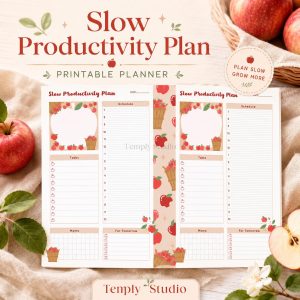
Give the notebook a clear name, such as “Meal Planning 2026” or “Family Meals.” Choose a cover you like, because you will open this notebook often. A Seasonal Recipe Planner Printable can give you a ready-made structure if you prefer not to design every page yourself. Import it as a PDF, then add your own weekly pages around it.
Build a Weekly Menu Template You Can Reuse
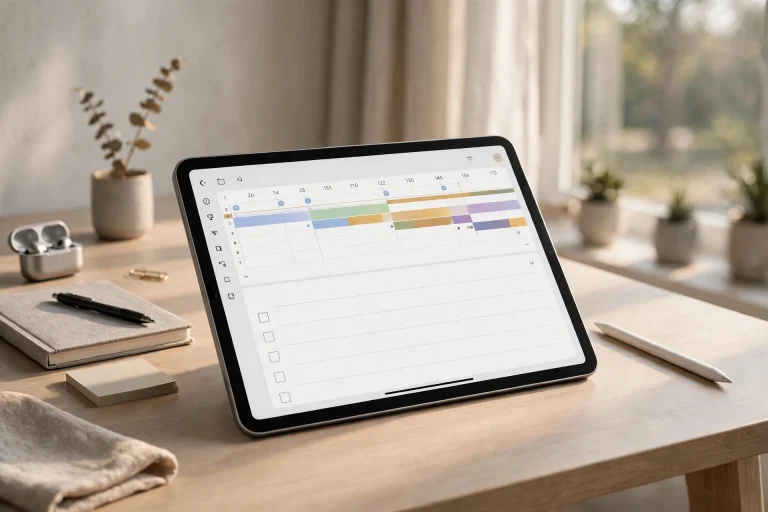
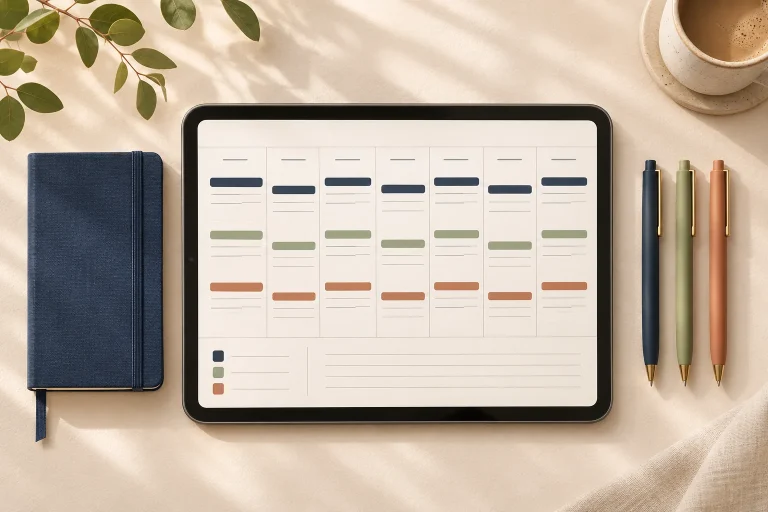
A weekly menu template is the heart of the system. It should show the whole week at a glance, leave room for notes, and be easy to duplicate. Build it once, then copy it every week instead of starting from a blank page.
Your template should include seven day boxes, space for breakfast, lunch, and dinner if you plan all three meals, a small notes box for prep, leftovers, eating out, or guests, a shopping-list link, and a “use up” box for ingredients that need to be eaten soon.
If you only plan dinners, do not force yourself to plan every meal. A dinner-only template is often more sustainable, especially if breakfasts and lunches repeat. The best template is the one you will actually use on a busy Sunday evening.
To reuse the template, duplicate the blank page before you write on it. In GoodNotes, open the page thumbnail view, duplicate the page, and move the copy to the current week. Keep one clean master copy at the front of the weekly-menus section. Add the date to each weekly copy, such as “Week of 12 November,” and add a star or short note when a meal works well, such as “kids loved it” or “double next time.”
Use Theme Nights to Decide Faster
Theme nights reduce decision fatigue and make shopping more predictable. For example, Monday can be pasta or noodles, Tuesday chicken or a tray bake, Wednesday a vegetarian or bean-based meal, Thursday soup, salad, or leftovers, Friday fish, pizza, or a family favourite, Saturday a new recipe or slow-cooked meal, and Sunday a roast, batch cooking, or eating out.
Collect Recipes You Can Actually Find Again
A recipe collection is only useful if you can find the recipe when you need it. Many people save recipes in screenshots, browser bookmarks, and social media saves, then cannot find them at cooking time. GoodNotes solves this by putting your best recipes in one searchable notebook.
Create a recipe index at the start of the recipes section. Group recipes by type, such as chicken, pasta, vegetarian, soups, baking, and quick meals. Add a hyperlink from each recipe name to its page. If you add a new recipe later, add it to the index at the same time. A recipe without an index entry is easy to forget.
For each recipe, keep the same simple layout: recipe name and source, serves, prep time, and cook time, ingredients with quantities, short method steps, and notes on what worked, what to change, and who liked it. You do not need to copy a recipe word for word if you already have it in a book or online. Write the key quantities and steps in your own words, then add the source link or book page number.
Import Recipes as PDFs
GoodNotes lets you import PDFs, so you can bring in printed recipes, scanned pages, or a planner PDF. Import the file into your meal-planning notebook, then add handwritten notes in the margins. You can highlight key steps, circle an ingredient amount, or add a reminder such as “use less chilli.”
Handwrite Recipes and Add Photos
Handwriting a recipe helps you remember it. It also lets you adjust it as you cook. Write the version you actually made, not just the version you found online. If you swapped an ingredient, changed a cooking time, or doubled the sauce, write that change down while it is fresh.
Make Shopping Lists You Can Tick Off
A shopping list should come from your menu, not from memory. Once the weekly menu is set, go through each meal and write down what you need. Check the pantry list first, then add only the missing items. This simple habit prevents duplicate purchases and reduces food waste.
Organise the list by store section: produce, meat and fish, dairy, bakery, pantry, frozen, and household. A grouped list is faster to shop from than a list in random order. Use checkboxes or small squares beside each item. In GoodNotes, you can draw a small square, use a shape, or use a template with tick boxes. Tap or cross out each item as you buy it.
Keep the shopping list on its own page, next to the weekly menu. Add a hyperlink between the menu and the list so you can jump back and forth. If you add a meal later in the week, add its ingredients to the same list instead of starting a new one.
Shopping-List Tips That Save Time
- Write quantities, not just item names: “2 kg potatoes,” not just “potatoes.”
- Note the recipe beside unusual items, such as “coconut milk — Thai curry.”
- Star items you must not forget, such as a birthday cake ingredient.
Track Your Pantry, Fridge, and Food Budget
A pantry page is a simple inventory of what you already own. It stops you buying a third jar of cumin when you already have two. It also helps you plan meals around ingredients that need to be used soon. Create a pantry page with columns for item, quantity, and notes, grouped by grains, pasta, canned goods, spices, oils, baking, and freezer items. You do not need to list every single item: start with staples and ingredients you often forget you have.
Update the pantry page when you do a big shop or a kitchen clear-out. A quick monthly update is enough for most households. If you use an ingredient, cross it off or reduce the quantity. If you buy a replacement, add it back. Your fridge page can be simpler: list items that expire soon, leftovers, and meals that need to be eaten first. A short “use up first” box is often more useful than a full fridge inventory.
For spending, keep a simple weekly food-budget page. Write your weekly food budget at the top, then record each shop underneath it with the store name and amount. At the end of the week, add up the total and compare it with your target. Add one short note, such as “stocked up on pantry items” or “ate out twice,” because a week over budget from stocking up on rice and oil is different from a week over budget from unplanned takeaways.
If you want a broader planning system, a Minimalist Daily Planner can sit beside your meal-planning notebook. Use the daily planner for appointments and tasks, and keep food planning in its own notebook. Separating the two keeps both systems clearer. For yearly dates such as holidays and birthdays, a 2027 Life Planner can help you plan simpler meals for busy months.
The 30-Minute Weekly Routine
The weekly routine is what turns this system from a nice idea into a habit. Set aside 30 minutes once a week, ideally before your main shop. Sunday works well for many households, but choose the day that fits your schedule. The routine should be short, repeatable, and calm.
Here is a simple routine you can follow:
- Check the calendar (5 minutes). Look at the coming week. Note busy evenings, late work, school events, guests, and eating-out plans. Mark days when you need a quick meal or a freezer meal.
- Check the pantry and fridge (5 minutes). Open your pantry and “use up first” pages. Note ingredients that need to be used soon and staples that are running low.
- Choose meals (10 minutes). Pick meals for the week. Start with meals that use ingredients you already have. Add one new recipe if you have time, and keep one flexible slot for leftovers or a simple meal.
- Write the menu (3 minutes). Duplicate your weekly template, add the date, and write the meals in. Add prep notes, such as “marinate chicken tonight” or “cook rice in bulk.”
- Make the shopping list (5 minutes). Go through the menu meal by meal. Write down missing ingredients, grouped by store section. Add quantities and recipe notes for unusual items.
- Share and save (2 minutes). Export the shopping list if someone else is shopping. Save the menu, and add any new recipes to your index.
If you miss a week, do not abandon the system. Plan just the next three dinners, make a short list, and return to the full routine next week. A partial plan is still better than no plan, and it keeps the habit alive.
Use the Lasso Tool and Share the Plan
Plans change. A meeting runs late, a child is ill, or a guest arrives unexpectedly. GoodNotes makes it easy to adapt without rewriting the whole week. To move a meal, select the lasso tool, draw around the handwritten meal name, then drag it to another day. You can also copy it instead of moving it, which is useful when you want to repeat a meal later in the week or save it for next week’s template.
Use the lasso tool for other planning jobs too: move a recipe from your ideas page into the weekly menu, copy a shopping-list section into a new list, resize a handwritten note so it fits in a day box, or move a prep note from one day to another.
A meal plan works better when everyone can see it. The simplest way to share is to export the weekly menu as a PDF and send it through your usual messaging app. You can also export the shopping list separately. Exporting keeps your handwriting and layout intact, and the other person does not need GoodNotes to read it. If family members use GoodNotes, you can share the notebook through iCloud, but a weekly PDF export is often enough and avoids accidental edits to your master templates.
What to Keep on Paper vs iPad in the Kitchen
An iPad is useful in the kitchen, but it is not always the best tool for every moment. Wet hands, flour, hot pans, and splashes can make a tablet awkward to use. Decide in advance what stays on the iPad and what goes on paper.
Keep the weekly menu and recipe collection in GoodNotes. They are easier to search, update, and carry. Use the iPad for planning, shopping, and looking up recipes, and use a tablet stand to keep it upright and away from spills while you cook.
For active cooking, consider a printed copy of the recipe you are using. Print the recipe page from GoodNotes, or write the key steps on a small card. A printed page can handle splashes better than a tablet screen. Keep a pen and paper nearby for quick notes, then transfer any changes to GoodNotes later.
Frequently Asked Questions
Can I use GoodNotes for meal planning if I am a beginner?
Yes. Start with one notebook, one weekly template, and one shopping list. Learn how to duplicate a page, handwrite a meal name, and use the lasso tool to move it. You do not need to master every GoodNotes feature before you start. Add features such as hyperlinks, PDF import, and handwriting search as you become more comfortable.
How do I make a reusable weekly menu in GoodNotes?
Create a blank weekly menu page with seven day boxes and a notes area. Keep that page as your master template. Each week, duplicate the master page, move the copy to the current week, add the date, and fill it in. Never write directly on the master copy. If you use a printable planner, import the PDF and duplicate the weekly page in the same way.
Can I share my GoodNotes shopping list with family?
Yes. Export the shopping-list page as a PDF and send it through your usual messaging app. The other person can read your handwriting and tick boxes without needing GoodNotes. If your family uses GoodNotes and iCloud, you can also share the notebook, but a weekly PDF export is simpler for most households.
Does GoodNotes search handwritten recipes?
Yes, GoodNotes can search handwritten notes. This works best when your handwriting is clear and recipe names are written as separate labels. Use a consistent recipe title format, such as the dish name followed by the main ingredient or cooking method. Add recipes to your index page as well, so you can find them even if handwriting search misses a word.
What is the best way to plan meals for a busy week?
Check your calendar first, then choose quick meals for busy days and slower meals for days with more time. Use theme nights to reduce decisions, keep one flexible slot for leftovers or a freezer meal, and plan a simple shopping list from the menu. A 30-minute weekly routine is enough if you reuse templates and repeat favourite meals.
Ready to make meal planning simpler? Get the Seasonal Recipe Planner Printable and build your weekly menu, recipe collection, and shopping lists in one GoodNotes notebook. Start with next week’s menu, try the 30-minute routine once, and keep the meals your family loves. Small, repeatable planning beats a perfect plan you never use.
Temply Studio
Stop chasing your goals with sticky notes and scattered notebooks. Our premium digital planners and Canva templates are designed to help you plan with intention, stay consistent, and actually enjoy the process.

Questions about this guide?
Ask about the planner, share how you use it, or tell us what to cover next. Your email stays private.