
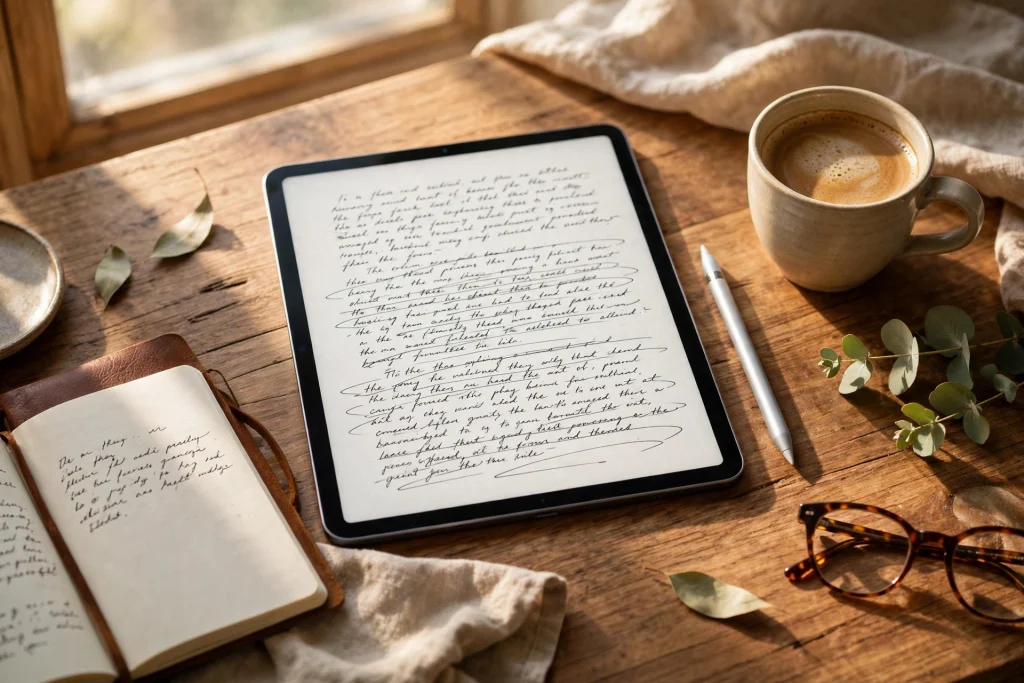
Quick answer: Yes — GoodNotes for writers works well for planning, drafting and revising a book. It works best as a creative workspace for outlining, handwritten drafting, scene cards, character sheets and revision notes, all in one searchable notebook. It is not a word processor, so most writers export the finished draft elsewhere for final formatting.
Every novel starts as a mess: a character name on a receipt, a plot twist that arrives in the shower, a scene that refuses to behave. The writers who finish books are rarely the ones with the tidiest first ideas. They are the ones who give those ideas somewhere to live, grow and be found again. That is what GoodNotes for writers offers — one place for the whole process, from first spark to final edit.
If you write on an iPad, you probably know GoodNotes as a note-taking app. Look at it through a writer’s eyes and it becomes something else: a story bible, a drafting desk, an editing table and a progress tracker in a single notebook. This guide shows you how to set up a writer’s notebook, outline, draft, revise and keep your manuscript safe.
Table of Contents
Why Writers Use GoodNotes
Writing software falls into two camps. Word processors produce clean, finished text but handle the chaos before it badly. Dedicated writing apps are powerful but can feel like a second job to learn. GoodNotes sits in the middle: simple to open, flexible enough to hold everything a book needs.
The first reason writers love it is freedom of form. A novel is not just words in a row. It is timelines, family trees, maps of imaginary towns, lists of names and research notes. In GoodNotes, all of that lives side by side — a map on one page, a character profile on the next. Nothing has to be converted into the “right” format before it counts.
The second reason is handwriting. Many writers find that writing by hand changes how they think. The slower pace forces choices, and forming letters by hand seems to unlock a different kind of sentence. GoodNotes is built around handwriting, with smooth ink, a zoom window for neat writing, and handwriting search that finds a character’s name in pages you wrote months ago.
The third reason is that everything stays together. A book project spreads: notes in one app, drafts in another, research in a folder nobody can find. When a project lives in a single GoodNotes notebook, you can flip from outline to draft to character sheets without switching apps or wondering which version is current. That one home for the whole book matters most on long projects. A notebook that syncs through iCloud is on your iPad at your desk and on your phone in a queue, so a line of dialogue captured in the moment is waiting for you that evening.
Setting Up a Writer’s Notebook
Before you write a single scene, spend twenty minutes setting up a notebook you will enjoy opening. Create one notebook per book and give it a clear name — the working title, plus the year if you like. One notebook per book keeps research, drafts and revisions from bleeding into each other.
Sections and Tabs: The Skeleton of Your Book
Organise your notebook with outlines, tabs and bookmarks — think of sections as rooms of the project, each with a job:
- Story bible: the facts of your world — characters, places, timelines, and anything you must keep consistent.
- Outline: your plot structure, chapter by chapter, with room to move scenes around.
- Draft: the manuscript itself, handwritten or typed, one chapter at a time.
- Research: notes, images and clippings that feed the book.
- Revision notes: reader feedback, edit lists, and a log of what you changed and why.
- Scraps: cut scenes and spare lines. Never delete these — a cut scene from chapter three often becomes the key to chapter twenty.
Add a contents page at the front with links to each section. In GoodNotes you can link pages together, so a tap on “Chapter 7 draft” takes you straight there.
Choosing Templates That Work for Writing
Plain paper is fine, but the right template does some organising for you. Ruled or dotted paper suits handwritten drafting; a Cornell-style layout works well for research notes; a grid helps with maps and timelines. If you prefer a ready-made structure, a 12-Tab Digital Notebook gives you tabbed sections out of the box, so you can dedicate a tab to each part of your book without building the system from scratch.
Reuse a few page templates inside the notebook. A character sheet might always hold name, age, appearance, want, fear, secret, and the scene where the character changes. A scene card might hold chapter number, point of view, goal, conflict and outcome.
Outlining Methods That Work in GoodNotes for Writers
Some writers outline in detail before drafting; others discover the story as they go. GoodNotes for writers suits both, because an outline in a handwritten notebook is easy to change. Draw an arrow, cross out a chapter, write a better idea in the margin.
The Three-Act Structure
The three-act structure is the oldest skeleton in storytelling, and it maps beautifully onto a GoodNotes notebook. Give each act its own spread. Act One sets up your character, their world and the problem that will not leave them alone. Act Two complicates everything — the plan fails, the stakes rise, the character must change. Act Three brings the confrontation and the resolution.
Write the turning points first, in large handwriting, and fill in the scenes around them afterwards. Use a different ink colour for each storyline — one for the main plot, another for a romance or mystery thread. Step back and look at the spread: you can see at a glance whether one thread has gone quiet for too long, or whether all your turning points are bunched at the end.
Chapter-by-Chapter Outlining
Once the three acts are in place, break them into chapters. A chapter-by-chapter outline works best as short cards — one card per chapter, each holding five things: whose point of view it is, what the character wants, what stands in their way, what changes by the end, and the last line or image.
Cards beat a long list because cards can move. When a chapter belongs earlier, use the lasso tool to circle the card and drag it to its new home.
Scene Cards and the Story Bible
Behind every finished novel sits a story bible: the single source of truth for your book. The spelling of every name, the colour of every character’s eyes, the date of the fire that changed everything.
Build it as you go. Every time you invent a fact that future chapters will depend on, write it in the story bible the same day. Give each scene a small card with its purpose written at the top. If you cannot write down what a scene does for the story, consider cutting it, and keep the card in your scraps section in case it finds a home later.
Drafting in GoodNotes for Writers: Longhand vs Typing
Drafting Longhand
Writing by hand is slower, and that is often the point. You cannot delete a sentence with a keystroke and pretend it never existed; you cross it out and write a better one beside it, and the trail of crossings records your thinking. Many writers find first drafts written by hand looser and braver than typed ones.
GoodNotes for writers makes longhand drafting practical. The zoom window lets you write neatly at a comfortable size, and handwriting search means your handwritten draft is not a dead end — you can search it later for a phrase or a name. Write one scene per page or spread, leave the facing page blank for notes, and date each session at the top. Draft the scenes that need discovery by hand and type the connective tissue.
Typing Your Draft
If you prefer to type, GoodNotes still earns its place. The text box tool lets you type directly onto notebook pages, so your typed draft can sit beside handwritten margin notes, sketches and arrows in a way a word processor never allows.
Typing is also a good way to handle the second draft. Many writers handwrite a messy first draft, then type it up as revision: retyping forces you to read every sentence and decide whether it survives. The typed version becomes the bridge to a word processor, where the final manuscript takes shape.
Revision Workflow: Lasso, Colours and Comments
Revision is where GoodNotes for writers truly shines, because revision is a physical, visual job. The lasso tool is the star: circle a paragraph, a scene or a whole page, then move it, resize it, copy it or change its colour.
Build a simple colour system and use it every time. Many writers use one colour per pass: red for line edits, blue for structural notes, green for facts to check, and a highlighter for lines they love and must protect. The exact colours do not matter; consistency does.
Here is a revision workflow that works well in practice:
- Read the chapter aloud and mark every place you stumble. Your ear catches what your eye forgives.
- Structural pass first. Use the lasso tool to move scenes and cut what does not serve the story. Do not polish sentences in a scene you are about to cut.
- Line pass second. Tighten sentences, cut filler words, and check dialogue for voices that sound alike.
- Consistency pass third. Check every fact against the story bible — names, dates, eye colours.
- Log what you changed. A short note per chapter means you never revise the same problem twice.
Tracking Word Counts and Writing Streaks in GoodNotes for Writers
Motivation is a system, not a mood. Build a simple tracking spread at the front of your draft section — a table with date, chapter, pages written and word count — and fill it in at the end of every session. Handwritten drafts need a rough count: count the words on three typical lines, multiply by the lines on the page, and you have a number close enough to be useful.
Streaks are even simpler, and often more powerful than word counts. Mark each day you write with a filled box or a coloured square, and watch the chain grow. The goal is not ten thousand words on a heroic day; it is to avoid breaking the chain on an ordinary one.
Set targets that fit your real life. A thousand words a day is fine for a full-time writer and a recipe for guilt for someone writing around a job and a family. Try a smaller daily target you can hit on a bad day, and let good days exceed it. Review your tracker weekly: a week tells the truth about your pace, while a single day only tells you how tired you were.
Backing Up Your Manuscript
A novel is months or years of work, and the only unforgivable way to lose it is to have no backup. GoodNotes syncs through iCloud, which protects you against losing a device — but sync is not the same as a backup, and a writer should have both. Make a weekly habit of exporting your notebook as a PDF and saving it somewhere outside the app: a cloud drive folder, an external drive, or both. Name each export with the date, so you can always go back to last week’s version.
Keep a second copy of the typed draft somewhere else too. Three copies, in two places, with one off your main device, is the standard advice for a reason.
Finally, protect the notebook itself. Use a passcode on your iPad, keep your iCloud account secure, and be careful about sharing a notebook link with anyone who does not need it. For a fuller introduction to the app, see our beginner’s guide to using a digital planner in GoodNotes.
Who GoodNotes Is (and Isn’t) For
GoodNotes for writers is a wonderful workspace for plotters who love structure, pantsers who need somewhere to catch ideas, poets, memoirists and journal keepers — any writer who thinks with a pen. It suits novelists who draft longhand, non-fiction writers gathering research, and screenwriters sketching scenes. If your process involves notebooks, index cards, timelines and margin notes, GoodNotes will feel like coming home.
It is not a replacement for everything. It is not a word processor, so final formatting and publisher submissions still belong elsewhere. It is not a dedicated writing app, so if you need compile features or a built-in corkboard with metadata, a specialised tool serves those jobs better. Most writers end up with a small toolkit: GoodNotes for planning, drafting and revision, and a word processor for the finished manuscript.
Frequently Asked Questions
Is GoodNotes good for writing a novel?
Yes, especially for planning, outlining, handwritten drafting and revision. Its notebooks hold your story bible, scene cards, character sheets and draft in one searchable place, and tools like the lasso and the zoom window make editing by hand practical.
Can you export a manuscript from GoodNotes?
Yes. You can export a whole notebook, a section or individual pages as a PDF — ideal for sharing with beta readers or keeping as a backup. Handwritten pages export as images inside the PDF. If you need an editable text document for submission, type the final version in a word processor, or use the export as the basis for retyping.
Does GoodNotes replace Scrivener or Word?
Not entirely, and it does not need to. Scrivener offers compile features, metadata and project statistics that GoodNotes does not, and Word remains the standard for final formatting and publisher submissions. GoodNotes replaces the scattered notebooks, index cards and loose pages around those tools, and handles planning, drafting and revision beautifully.
Can I write a whole book by hand in GoodNotes?
You can, and many writers do, particularly for first drafts. Handwriting slows you down in a good way and often produces braver, more surprising prose. The practical approach is to draft the scenes that need discovery by hand, then type them up — the retyping doubles as a revision pass.
Start Your Book with GoodNotes for Writers Today
A novel is not written in a single inspired weekend. It is written in small, regular sessions, in a notebook that is always ready, with a plan you can trust and a system for finding anything you have already written. GoodNotes for writers gives you all of that in one notebook.
Set up your notebook this week. Build the sections, make your first character sheet, and sketch the three acts on a single spread. Then write one scene — just one — and see how it feels to have the whole book in one place. A Minimalist Daily Planner keeps your writing sessions simple and calm, and the 2027 Life Planner covers a full year of planning alongside your manuscript — your book is waiting, so open the notebook and begin.
Temply Studio
Stop chasing your goals with sticky notes and scattered notebooks. Our premium digital planners and Canva templates are designed to help you plan with intention, stay consistent, and actually enjoy the process.

Questions about this guide?
Ask about the planner, share how you use it, or tell us what to cover next. Your email stays private.