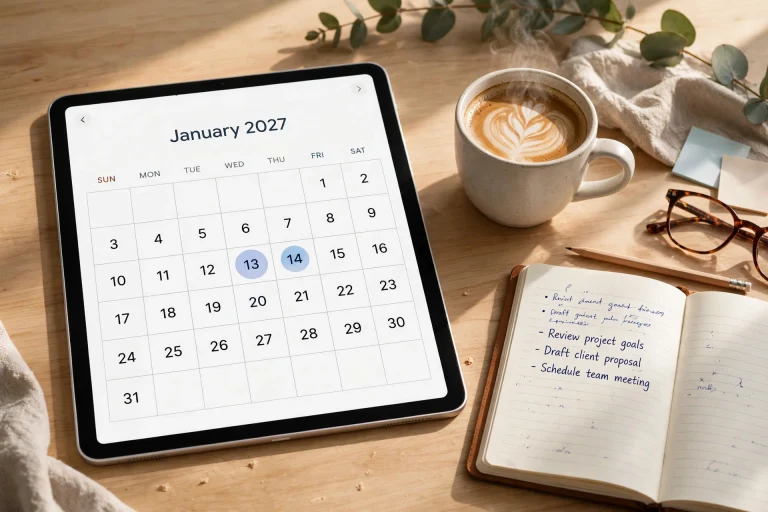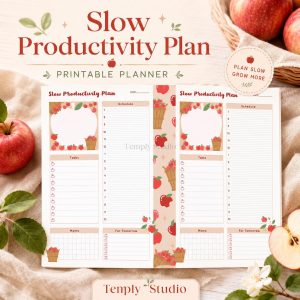


Moving your planning from paper to pixels is more than a trend; it’s a fundamental shift in how we organize our lives. A modern digital planner app combines the familiar structure of a paper planner with the dynamic power of technology, creating a system that adapts to you. This guide explores everything you need to know to choose and master the perfect app for your personal and professional goals.

What Exactly Is a Digital Planner App?
At its core, a digital planner app is software designed to replicate and enhance the experience of using a traditional paper planner or diary. It provides a structured canvas—like daily, weekly, and monthly views—where you can write, draw, schedule, and track your life. However, it transcends paper by being interactive, searchable, and infinitely customizable.
Unlike basic calendar apps that only manage events, a comprehensive digital planning tool integrates task management, note-taking, goal tracking, and habit formation into a single, cohesive workspace. It acts as your command center, whether you’re a student mapping out a semester, a professional managing complex projects, or someone simply seeking more mindfulness in their daily routine. The best apps feel intuitive, reducing friction between having an idea and recording it.
Core Components of a Digital Planner
Most quality apps are built around a few key components. The calendar framework is the backbone, offering different perspectives on your time. The daily view allows for deep, hour-by-hour planning, while the weekly spread gives a broader overview of commitments and tasks. Monthly and yearly views help with long-term goal setting and important date tracking.
Another critical component is the task management system. This goes beyond a simple checklist, often incorporating features like priorities, due dates, subtasks, and project categorization. The ability to drag and drop a task from a list directly onto your calendar to schedule time for it is a game-changer for productivity. Finally, integrated note-taking spaces—from blank pages to templated sections for meeting notes, brainstorming, or journaling—ensure everything lives in one place, eliminating the hunt for scattered information.
Why Switch to a Digital Planner App in 2026?
The advantages of moving to a digital system have become impossible to ignore, especially as our lives and work become more interconnected and mobile. The benefits extend far beyond just saving a tree; they touch on efficiency, capability, and personalization in ways paper simply cannot match.
First, consider accessibility and synchronization. Your planner is no longer a physical object left on your kitchen table. It’s on your phone, tablet, laptop, and even your smartwatch. Any update you make on one device is instantly available everywhere, thanks to cloud sync. This means you can add a meeting note on your phone during a commute and later expand on it using a stylus on your tablet at home, with all changes preserved.
Unmatched Search and Organization
One of the most compelling reasons to adopt a digital system is the power of search. Can you remember which notebook from two years ago contained the notes from that important workshop? With a paper system, you’d be digging through drawers. With a digital planner app, you can search for a keyword, a date, or a contact name and find the relevant entry in seconds. This transforms your planner from a passive record into an active knowledge base.
Organization is also dramatically simplified. Digital tabs, links, and bookmarks allow you to navigate complex planners with hundreds of pages effortlessly. You can link a daily task to the project notes it relates to or jump from a monthly goal directly to the weekly action plan designed to achieve it. This creates a web of connected information that mirrors how our brains work, making it easier to see the big picture and the minute details simultaneously.

Top Digital Planner App Platforms and Ecosystems
The landscape of planning software is rich and varied, catering to different styles, operating systems, and specific needs. Your choice will significantly influence your experience, so it’s worth understanding the major players and their philosophies.
Some apps are designed as dedicated, purpose-built planners. Tools like GoodNotes and Notability are fantastic examples, especially for users who love the feel of handwriting. They function as digital notebooks where you can import and write on beautifully designed PDF planner templates. Your planner is essentially a custom digital notebook that you can annotate freely with a stylus. This is ideal for those who want aesthetic control and a paper-like experience.
All-in-One Productivity Suites
On the other end of the spectrum are apps like Notion and ClickUp. These are incredibly powerful, modular workspaces where a planner is just one of many things you can build. In Notion, for instance, you can create a linked database for tasks, another for a content calendar, and embed both within a weekly planner page. The learning curve is steeper, but the payoff is a completely tailored system that can manage every aspect of your work and life in a deeply integrated way.
Then there are hybrid apps that strike a balance. Noteshelf and ZoomNotes offer robust handwriting and PDF annotation while adding more planner-specific features like calendar integration and object-based linking. Your decision should hinge on whether you prioritize freeform creativity, structured power, or a blend of both.
7 Must-Have Features in a Modern Digital Planner App
With so many options available, knowing what features truly matter can help you cut through the noise. The best digital planner app for you will excel in areas that align with your personal workflow. Here are seven non-negotiable features to look for in 2026.
1. Seamless Cross-Device Synchronization
This is the foundation. Your chosen app must offer reliable, real-time syncing across all your devices (iOS, Android, Windows, Mac, Web). It should work seamlessly in the background, ensuring the planner on your phone during your lunch break is identical to the one on your desktop when you return to your office. Check the app’s reputation for sync reliability and conflict resolution before committing.
Avoid apps that use proprietary, closed systems or that only sync via cumbersome manual exports. The gold standard is automatic, end-to-end encrypted syncing to a private cloud, giving you both convenience and peace of mind regarding your data.
2. Intuitive Handwriting and Stylus Support
For many, the tactile act of writing is crucial for memory and creativity. A top-tier app should have best-in-class handwriting recognition, low latency (so the ink appears under your stylus instantly), and pressure sensitivity for natural-looking pen strokes. It should support popular styluses like the Apple Pencil (1st and 2nd gen) and S-Pen without issue.
Beyond just writing, look for smart features like shape recognition (turning your wobbly circle into a perfect one), lasso tool editing (to move, resize, or change the color of handwritten text), and the ability to convert handwritten notes to typed text with high accuracy. This bridges the gap between freeform brainstorming and structured, searchable data.
3. Deep Customization and Template Support
Your brain works uniquely, and your planner should reflect that. The ability to customize is paramount. This includes simple changes like choosing your own cover, color schemes, and default pen types, but also extends to creating or importing custom page templates. Can you design your own weekly layout? Can you add hyperlinked tabs to jump to specific project sections?
A vibrant community or marketplace for templates is a huge plus. It allows you to download beautifully designed planner kits—from minimalist bullet journals to elaborate teacher planners—and instantly transform your app’s functionality. This feature ensures your planner can evolve with your changing needs. For more on finding the perfect layout, explore our guide on creating an effective dashboard.
4. Robust Task Management Integration
A planner that doesn’t help you manage tasks is just a calendar. Look for apps that allow you to create tasks with due dates, priorities (e.g., High, Medium, Low), and categories or tags. Even better is two-way integration with dedicated task managers like Todoist or Microsoft To Do, so tasks created in your planner automatically appear in your master task list, and vice-versa.
The ability to schedule tasks directly onto your calendar view—a practice known as time-blocking—is a productivity superpower. It moves tasks from a nebulous “someday” list into your actual schedule, making you far more likely to complete them.
5. Multimedia Integration Capabilities
A modern planner should be a rich multimedia hub. It should allow you to easily insert photos (like a snapshot of a business card or a whiteboard diagram), audio recordings (of a lecture or a quick voice memo), and web links or documents. Imagine attaching a PDF of a travel itinerary directly to the day of your flight, or embedding a location map for a restaurant reservation.
This turns your planner from a text-based log into a comprehensive context capsule for any event or project. When you review a day from six months ago, you’ll have not just your notes, but the visual and auditory reminders that bring the memory back to life.
6. Reliable Export and Backup Options
Your planner contains your life’s roadmap. You must have absolute control over your data. A trustworthy app will offer multiple, easy ways to export your content—as PDFs, images, or even editable text files. More importantly, it should provide automated, cloud-based backup to services like iCloud, Google Drive, or Dropbox.
This protects you from data loss due to device failure and gives you the freedom to switch apps or platforms in the future without losing your historical information. Always verify the backup process is automatic and that you can easily restore from a backup if needed.
7. Offline Functionality
Despite our always-connected world, you will find yourself without internet access—on a plane, in a remote area, or simply in a building with poor reception. Your digital planner app must remain fully functional offline. You should be able to view all your pages, write new notes, check off tasks, and make appointments.
Any changes made offline should then sync quietly to the cloud once a connection is re-established, merging seamlessly with changes made on other devices. This ensures your planning is never interrupted by something as trivial as a lost Wi-Fi signal.
Setting Up Your First Digital Planner: A Step-by-Step Guide
Getting started can feel overwhelming, but a structured approach makes it simple. The goal is to build a system you’ll actually use, not one that looks perfect but feels like a chore.
Begin by choosing your primary device. Will you plan mostly on a tablet with a stylus, or on a laptop with a keyboard? Your answer will steer you toward apps optimized for that input method. Next, select your app based on the features we’ve discussed. Many offer free trials or limited free versions—take advantage of these to test the feel before purchasing.
Importing or Creating Your Core Layout
Once your app is installed, it’s time for the fun part: setting up your planner. If you’ve purchased a PDF template, simply import the file. Most apps will open it as a new notebook. If you’re using a modular app like Notion, start by duplicating a template from the community gallery that appeals to you.
Don’t try to fill out every section immediately. Start with the current week. Familiarize yourself with the navigation—tap through the linked tabs from the monthly view to the weekly, then to today’s daily page. Spend your first session personalizing: set up your preferred pen colors for different types of notes (e.g., blue for work, green for personal, red for urgent), and create a simple key or legend if you use symbols.
Advanced Techniques: From Basic Planning to a Life Management System
After a few weeks of consistent use, you can begin to leverage more advanced techniques to transform your basic planner into a powerful life operating system.
Implement a weekly review ritual. Every Sunday evening, spend 20 minutes in your digital planner app reviewing the past week. What tasks were completed? What meetings happened? What notes are important to carry forward? Then, look at the upcoming week: schedule your top priorities via time-blocking, and ensure any relevant notes or documents are linked to the days they’re needed.
Linking and Creating a Second Brain
This is where digital planning truly shines. Start creating links between related pieces of information. If you have a project page, link to it from the weekly task list. If you write meeting notes on a daily page, link that page to the contact entry for the person you met with. Over time, you build a web of knowledge—a “second brain”—where information is connected contextually, making it incredibly easy to retrieve and build upon.
Use tags or categories consistently. Tag notes with #waiting-on, #idea, #reference, or project names. This allows you to later pull up all notes related to a specific tag, giving you instant overviews that would be impossible with paper. This practice turns reactive note-taking into proactive knowledge management.

Overcoming Common Challenges and Pitfalls
Transitioning to a new system always comes with hurdles. Awareness of these common issues can help you navigate them smoothly and avoid frustration.
A major challenge is digital distraction. You open your planner on your tablet, and a notification from another app pulls you away. The solution is to create a focused planning environment. Use device-level “Focus Modes” or “Do Not Disturb” during your planning sessions. Consider using an app that has a clean, minimalist interface to reduce visual clutter and temptation.
Avoiding Over-Engineering Your System
Especially with highly customizable apps, there’s a temptation to spend more time designing the perfect layout than actually using it. This is known as “productivity porn.” The antidote is to start simple. Use a basic, pre-made template for a full month before making any customizations. Only add complexity (a new tracker, a new database) when you have a clear, recurring pain point that the current system doesn’t solve. Your planner is a tool for living, not a project in itself.
Another pitfall is failing to establish a consistent habit. The beauty of a digital tool is its reminders. Set a daily notification—perhaps at 8 AM or 9 PM—to open your planner. Use that time to review the day ahead or reflect on the day that just passed. Consistency, even for five minutes, is far more valuable than sporadic, hour-long planning marathons.
The Future of Digital Planning in 2026 and Beyond
As we look forward, the trajectory of planning software points toward even greater intelligence, integration, and personalization. The static digital notebook is giving way to dynamic, context-aware assistants.
We can expect deeper artificial intelligence integration. Imagine a digital planner app that reviews your scheduled meetings, automatically pulls relevant documents from your cloud storage, and surfaces them on your daily page 30 minutes before the meeting starts. Or an AI that analyzes your task completion patterns and suggests the optimal time of day for you to schedule deep work.
Wearable and Ambient Integration
Planning will become more seamless and ambient. Integration with smartwatches will allow for ultra-quick capture: a voice command to add a task, or a tap to see your next appointment. Augmented Reality (AR) could eventually project your daily schedule onto your physical environment as you start your workday. The boundary between the digital plan and the physical act of doing will continue to blur, making the system feel less like a separate tool and more like a natural extension of your cognition.
Furthermore, expect a stronger emphasis on wellness and mindfulness within these apps. Built-in prompts for gratitude journaling, breathing exercise reminders, and integration with health data (like sleep patterns from your watch) will help planners address not just productivity, but holistic life management, helping you schedule not just tasks, but also recovery and joy.
Conclusion
Choosing and mastering a digital planner app is a personal journey toward greater clarity and control. The right app disappears into the background, becoming a effortless extension of your intentions. It’s not about finding the most feature-packed option, but the one that resonates with your thinking style and seamlessly fits into your daily rhythm. In 2026, with the power of synchronization, search, and customization at your fingertips, there’s never been a better time to design a planning system that truly works for you. Start simple, be consistent, and allow your digital command center to evolve as you do.

Frequently Asked Questions (FAQ)
Is a digital planner app worth the cost compared to a paper planner?
Absolutely, when you consider the long-term value. While a paper planner has a low upfront cost, it’s a consumable—you buy a new one every year. A digital planner app is a one-time purchase (or subscription) that gives you a permanent, upgradeable tool. The savings on physical planners, pens, and highlighters over several years often outweighs the app’s cost. More importantly, the time saved through search, sync, and automation provides a return on investment that paper cannot match.
I’m not artistic. Can I still benefit from a digital planner?
Yes, completely. The beauty of digital planning is that it caters to all styles. If you’re not into decoration, you can use minimalist, clean templates and focus purely on function. Many apps offer typed-text modes where you can simply keyboard your plans and tasks. The productivity gains come from organization and accessibility, not aesthetics. You can have a highly effective, visually simple planner that gets the job done without any drawing required.
How do I choose between a PDF-based app (like GoodNotes) and a database app (like Notion)?
Your choice hinges on your primary need. Choose a PDF-based app if you love handwriting, drawing, and the fixed, visual layout of a traditional planner. It’s perfect for journaling, creative brainstorming, and users who want a “digital bullet journal.” Choose a database app like Notion if your priority is structuring and connecting information. It’s ideal for managing complex projects, interlinking notes and tasks, and creating dynamic systems that can filter and sort data. If you can’t decide, try a hybrid app like Noteshelf first, which offers strong handwriting on PDFs with some object-based linking features.
What’s the best way to migrate from years of paper planners to digital?
Don’t try to migrate everything at once—that’s a recipe for burnout. Start fresh with the current month or week in your new digital planner app. For your old paper planners, use them as reference archives. You can gradually digitize critical information as needed. For example, if you need an address from a 2023 planner, find it and type it into a “Contacts” or “Reference” section in your new app. Over time, the most vital information will naturally make its way into your digital system, while the old planners remain on your shelf for occasional sentimental or legal reference.

Temply Studio
Stop chasing your goals with sticky notes and scattered notebooks. Our premium digital planners and Canva templates are designed to help you plan with intention, stay consistent, and actually enjoy the process.